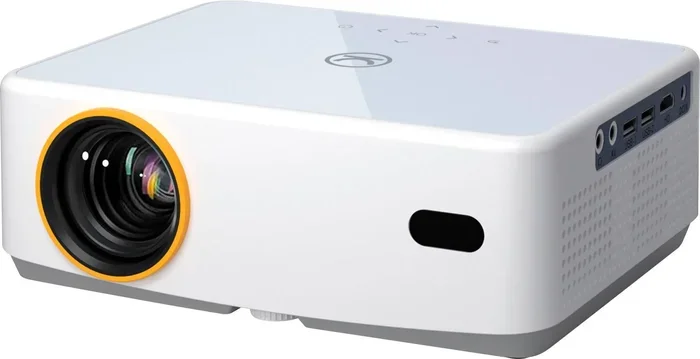
Do You Need A Screen For A Mini Projector Right Now
You do not always need a dedicated screen for a mini projector. A plain white wall, a bedsheet, or even a portable projector screen can deliver great results depending on your setup. This guide covers whether a screen is necessary, the best alternatives, and how to get the best image quality from your mini projector without spending extra money.
Key Takeaways
- Mini projectors can work without a screen: A white wall or bedsheet often does the job just fine for casual viewing.
- Screen quality affects image sharpness: A proper projector screen enhances brightness and contrast significantly compared to a bare wall.
- Portable screens are affordable and convenient: Foldable projector screens are easy to carry and set up anywhere.
- Ambient light matters a lot: The darker your room, the better your projection looks with or without a screen.
- Surface texture is critical: Smooth, flat surfaces give the best results when projecting without a dedicated screen.
📑 Table of Contents
- Do You Really Need a Screen for a Mini Projector?
- Why a Screen Matters for Image Quality
- Best Alternatives to a Projector Screen
- Mini Projector Screen vs. No Screen: A Comparison
- How Room Lighting Affects Your Projection
- Placement and Setup Tips for Mini Projectors
- When You Should Invest in a Screen
- Common Mistakes to Avoid When Projecting Without a Screen
- Expert Insights: What the Pros Recommend
- Final Thoughts
Do You Really Need a Screen for a Mini Projector?
Here is the short answer. No, you do not always need a screen for a mini projector. You can project onto a white wall, a bedsheet, or even a blank ceiling in a pinch. But does that mean you should skip a screen entirely? Not so fast. Whether you need one depends on several factors like room lighting, image quality expectations, and how often you plan to use your projector.
Mini projectors have become incredibly popular in recent years. People use them for backyard movie nights, camping trips, bedroom watching, and even small home theater setups. The big question most buyers ask is whether a screen is worth the extra cost. Let us break it all down so you can make the best decision for your situation.
If you are projecting in a dark room onto a smooth white wall, you might be perfectly happy without a screen. But if you want crisp, vibrant images with deep blacks and bright colors, a dedicated screen makes a noticeable difference. This article will walk you through every option so you can choose what works best for you.
Why a Screen Matters for Image Quality
A projector screen is not just a fancy accessory. It actually plays a big role in how your image looks. Screens are designed to reflect light back toward the viewer in a controlled way. This means brighter images, better contrast, and more vivid colors compared to a regular wall.
How Projector Screens Work
Projector screens use a special coating or material that enhances light reflection. This is called screen gain. A higher gain means the screen bounces more light back to the audience. A plain white wall has a much lower gain than a purpose-built screen. That is why colors look richer and text looks sharper on a proper screen.
Here are some key benefits of using a projector screen:
- Better contrast ratios: Blacks look deeper and shadows look more detailed.
- Improved color accuracy: The screen material helps colors pop without washing out.
- Uniform brightness: A screen distributes light evenly across the entire image.
- Reduced hotspots: Screens prevent bright spots in the center of the image.
- Smoother surface: No paint imperfections or wall texture to distort the picture.
Now, if you are using a portable movie projector for casual movie nights, you might not notice these differences as much. But for anyone who cares about picture quality, a screen is a worthwhile investment.
Best Alternatives to a Projector Screen
Not everyone wants to spend money on a dedicated screen. The good news is there are several great alternatives. Let us look at what works and what does not.
White Walls
A smooth white wall is the most common alternative to a projector screen. Most mini projectors work well on a clean, flat white surface. The key is to make sure the wall has no cracks, textures, or paint that is too glossy or too dark.
For the best results on a white wall, try these tips:
- Use a wall with a matte or eggshell finish.
- Clean the wall thoroughly before projecting.
- Avoid walls with windows or dark patches.
- Position the projector perpendicular to the wall for a square image.
If your wall is not perfectly white, the image might look slightly tinted. Gray walls can make colors look dull. Bright colored walls will wash out the projection entirely. Stick with white for the best results.
Bed Sheets and Blank Fabrics
Did you know you can use a bedsheet as a makeshift screen? It is one of the oldest tricks in the book. A white, wrinkle-free bedsheet stretched tightly on a frame or hung on a wall can work surprisingly well.
The trick is to eliminate wrinkles. Wrinkles create shadows and distort the image. You can iron the sheet or use a wrinkle-free fabric. Some people even use a PVC pipe frame to stretch the sheet tight. This creates a DIY projector screen that costs almost nothing.
If you want a more permanent solution, check out whether you can use a black sheet for a projector screen. Black screens are great for rooms with ambient light because they absorb surrounding light and boost contrast. However, they require a projector with higher brightness to produce a visible image.
Portable Foldable Screens
If you want something between a wall and a full screen, a portable foldable screen is a great option. These screens are lightweight, easy to set up, and affordable. They come in various sizes, from small 50-inch options to large 120-inch screens.
Many portable screens are designed for outdoor use. They have a stand or hanging rods built in. You can set one up in your backyard, at a campsite, or in a dorm room. They are perfect for people who want a proper projection experience without the hassle of mounting a permanent screen.
Mini Projector Screen vs. No Screen: A Comparison
To help you decide, here is a side-by-side look at using a screen versus projecting without one.
| Feature | With Screen | Without Screen |
|---|---|---|
| Image Brightness | Higher and more uniform | Lower, especially on colored walls |
| Color Accuracy | Vibrant and true-to-life | Slightly muted or tinted |
| Contrast | Deep blacks and sharp details | Flatter contrast |
| Setup Effort | Requires unrolling or mounting | Just point and project |
| Cost | $30 to $200+ for a screen | Free |
| Portability | Depends on screen type | Ultra-portable |
| Image Size | Consistent across the surface | May have edges or corners affected |
As you can see, each option has its trade-offs. If you are watching a movie in a dark bedroom, a wall might be totally fine. But if you are setting up a backyard movie night with friends, a portable screen will give you a much better experience.
How Room Lighting Affects Your Projection
One of the biggest factors in projection quality is ambient light. A mini projector works best in a dark or dimly lit room. The less light hitting the projection surface, the clearer and more vibrant the image will be.
Here are some lighting tips for the best projection experience:
- Close all curtains or blinds. Block out sunlight and streetlights.
- Turn off overhead lights. Use only soft, indirect lighting if needed.
- Avoid projecting toward windows. Light coming from behind the image washes it out.
- Use a projector at night. Darkness gives you the best contrast and color.
If you cannot control the lighting, consider using a black sheet for projector screen setups. A dark surface absorbs ambient light better than a white wall. This can help maintain image quality even in brighter rooms.
Some people also use ambient light rejecting (ALR) screens. These specialized screens are designed to work well even in rooms with some light. They are more expensive but can be a game-changer for home theater setups.
Placement and Setup Tips for Mini Projectors
Where you place your mini projector matters just as much as whether you use a screen. Proper placement ensures a sharp, well-focused image every time.
Can You Put a Projector on a Shelf?
Yes, you absolutely can. Many mini projectors are small enough to sit on a shelf or a stack of books. The key is to make sure the projector is stable and level. If it is not level, the image will be skewed on one side. Most mini projectors have keystone correction to fix this, but getting the placement right from the start saves you effort.
Also, make sure the shelf is not too high or too low. The projector should be positioned to fill the entire wall or screen without cutting off the top or bottom of the image. If you are wondering about the best shelf placement, check out this guide on can I put a projector on a shelf for more detailed tips.
Distance and Throw Ratio
Every mini projector has a specific throw ratio. This determines how far the projector needs to be from the wall to produce a certain image size. A short-throw projector can create a large image from just a few feet away. A standard-throw projector needs more distance.
Here is a quick way to think about it:
- Short throw: 3 to 5 feet from the wall for a 100-inch image.
- Standard throw: 6 to 10 feet for the same size image.
- Ultra-short throw: Less than 3 feet, but these are usually larger projectors.
Check your projector manual or specs to find the exact throw ratio. This helps you figure out the best spot in your room for the clearest picture.
Connecting Your Phone or Laptop to the Projector
Most mini projectors support multiple input options. You can connect a laptop with an HDMI cable or use a wireless connection if your projector supports it. For phone users, you can often connect your phone to a projector with HDMI using the right adapter or a wireless mirroring feature.
Having the right connection matters because it affects the quality of what you are projecting. A wired HDMI connection usually gives you the best picture. Wireless connections are convenient but may have slight lag or lower resolution.
When You Should Invest in a Screen
So when does it actually make sense to buy a screen? Here are some situations where a dedicated screen is worth every penny.
- You watch movies or TV regularly: If projection is your main entertainment source, a screen makes a big difference.
- You have a dedicated home theater space: A proper screen elevates the whole experience.
- You project in well-lit rooms: A screen with good gain helps fight ambient light.
- You care about image sharpness and color: Screens deliver a noticeably better picture than walls.
- You host movie nights or game nights: A larger, clearer image is more enjoyable for groups.
On the other hand, if you only use your mini projector occasionally for casual watching, a screen might be overkill. A white wall or a bedsheet will get the job done just fine.
Many people also ask whether they can use a projector as a TV for everyday viewing. The answer is yes, but a screen enhances the experience significantly. If you are considering using a projector as your primary TV replacement, investing in a good screen is a smart move.
Common Mistakes to Avoid When Projecting Without a Screen
There are a few mistakes that can ruin your projection experience. Avoid these and you will get much better results.
- Projecting onto a textured wall: Bricks, stucco, or heavily textured walls create a distorted, blurry image.
- Using a colored wall: The wall color will tint the entire image. White is always best.
- Ignoring room lighting: Even small amounts of light can wash out the projection.
- Not leveling the projector: A tilted projector creates a trapezoid-shaped image that looks unprofessional.
- Forgetting to focus: Always adjust the focus ring for a sharp image.
- Placing the projector too close or too far: Test the distance before your movie night to get the right image size.
By avoiding these simple mistakes, you can get a surprisingly good projection even without a dedicated screen. But if you want to take it to the next level, a screen is the way to go.
Expert Insights: What the Pros Recommend
Many home theater enthusiasts and tech reviewers agree on one thing. A screen is not strictly necessary, but it is highly recommended for the best experience. The material and surface of a proper screen make a measurable difference in image quality.
Experts suggest starting with a white wall or bedsheet if you are on a tight budget. Once you see the difference a screen makes, you will likely want to invest in one. Portable screens are an excellent middle ground. They give you the quality of a proper screen with the convenience of a DIY setup.
If you are building a more permanent setup, consider the projector placement carefully. Some people prefer ceiling mounting, while others use a table or shelf. You can also explore whether you can do HDMI over Ethernet to simplify your cable management and keep your setup clean and organized.
The bottom line is this. Your mini projector is capable of producing a great image. Whether you use a screen or not, the experience can be enjoyable. The choice comes down to your budget, your room, and how seriously you take picture quality.
Final Thoughts
So do you need a screen for a mini projector right now? The honest answer is it depends on your situation. If you are projecting casually in a dark room, skip the screen and use a white wall or a bedsheet. You will be surprised at how good the image can look.
But if you want the best possible picture quality, a dedicated projector screen is worth the investment. It improves brightness, contrast, and color accuracy in a way that a wall simply cannot match. Portable screens are affordable and easy to use, making them a great option for anyone who wants a step up without the hassle.
Whatever you choose, make sure you focus on room lighting, projector placement, and surface quality. These three factors matter more than whether you use a screen or not. Get those right, and your mini projector will deliver an amazing viewing experience every time.
Start with what you have. A white wall and a dark room can go a long way. Then, if you find yourself wanting more, explore screen options that fit your budget and space. The beauty of mini projectors is their flexibility. You can enjoy them almost anywhere, with or without a screen.
Frequently Asked Questions
Can I use a white bedsheet instead of a projector screen?
Yes, a white bedsheet works as a decent alternative to a projector screen. Make sure it is wrinkle-free and hung as flat as possible. A smooth white surface gives you the best results for casual movie watching and presentations.
What is the best color wall to project onto?
A matte white wall is the best surface for projecting without a screen. Avoid dark, glossy, or colored walls. They can distort colors, reduce brightness, or create uneven lighting across the image.
Does a projector screen make a big difference?
Yes, a projector screen makes a noticeable difference in brightness, contrast, and color accuracy. The special screen material reflects light more efficiently than a regular wall, giving you a sharper and more vibrant image.
Can I project onto a black surface?
You can project onto a black surface, but it requires a brighter projector to produce a visible image. Black surfaces absorb light instead of reflecting it. Some people use black screens in rooms with ambient light because they reduce glare and improve contrast.
How do I improve my mini projector image without a screen?
To improve your image without a screen, use a smooth white wall, darken the room, position the projector correctly, and keep the lens clean. These simple steps can dramatically improve your projection quality without any extra cost.
Are portable projector screens worth buying?
Portable projector screens are worth buying if you project often or outdoors. They are lightweight, affordable, and easy to set up. They give you a much better image than a wall while still being convenient to carry and store.
=== CONCLUSION ===
You do not need a screen to enjoy your mini projector. A white wall, a bedsheet, or any smooth flat surface can work. But if you want the best image quality, a dedicated screen is a smart investment. Consider your room, your budget, and how often you project. With the right setup, your mini projector can deliver a fantastic viewing experience no matter what surface you use.
Start simple, experiment with different surfaces, and upgrade when you are ready. The goal is to enjoy your content, and that is possible with or without a screen. Happy projecting.