Do All Wireless Mice And Keyboards Use The Bluetooth
Not all wireless mice and keyboards use Bluetooth. Many devices rely on a proprietary 2.4 GHz wireless dongle instead. Understanding the difference between Bluetooth connectivity and RF wireless technology helps you pick the right wireless peripherals for your computer or gaming setup. This guide breaks down every option so you can make a confident choice.
Wireless mice and keyboards have become the go-to choice for most computer users. They free up desk space, reduce cable clutter, and give you the freedom to work or game from anywhere in the room. But here is a question that confuses a lot of people: do all wireless mice and keyboards use the Bluetooth standard?
The short answer is no. While Bluetooth is one of the most popular wireless technologies, it is not the only one. Many wireless peripherals use a different method entirely. Some devices offer both options. Understanding how these technologies work can save you from buying the wrong product for your setup.
In this article, we will break down the different types of wireless connections used in mice and keyboards. We will look at Bluetooth vs 2.4 GHz, explore how each technology works, and help you decide which one fits your needs best. Whether you are a casual user, a remote worker, or a competitive gamer, this guide has you covered.
Let us start with the basics. When you buy a wireless mouse or wireless keyboard, the box usually tells you what kind of wireless connection it uses. But many people skip the fine print. That is where confusion starts.
Key Takeaways
- Bluetooth and 2.4 GHz are two different wireless technologies used in mice and keyboards.
- Not all wireless devices support Bluetooth — many use a dedicated USB dongle for connection.
- Bluetooth versions matter for range, latency, and battery life of wireless peripherals.
- Dual-mode devices offer both Bluetooth and dongle connectivity for maximum flexibility.
- Gaming setups often favor 2.4 GHz over Bluetooth due to lower latency.
- Check compatibility before buying to ensure your device works with your computer or console.
📑 Table of Contents
- What Wireless Technologies Do Mice and Keyboards Use
- Bluetooth vs 2.4 GHz: Which Is Better for You
- How to Tell if Your Wireless Device Uses Bluetooth
- Can You Use Bluetooth Peripherals for Gaming
- Bluetooth Version Matters More Than You Think
- Common Wireless Mouse and Keyboard Myths
- Quick Tips for Choosing the Right Wireless Mouse or Keyboard
- The Future of Wireless Input Devices
- Final Thoughts
What Wireless Technologies Do Mice and Keyboards Use
Wireless input devices use different technologies to communicate with your computer. The three most common ones are Bluetooth, 2.4 GHz RF (radio frequency), and proprietary wireless protocols. Each has its own strengths and weaknesses.
Bluetooth Wireless Connection
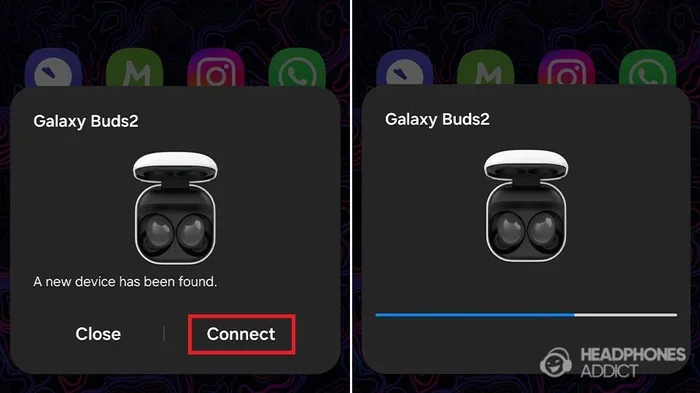
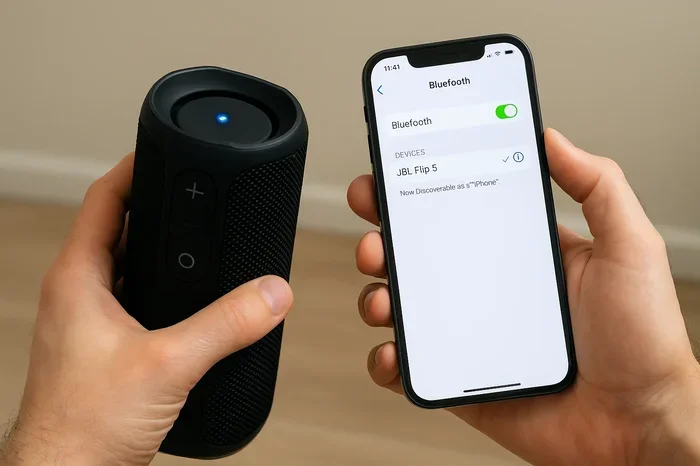
Bluetooth is a universal wireless standard built into most modern laptops, tablets, and desktops. When a mouse or keyboard supports Bluetooth connectivity, you can pair it directly to your device without any extra hardware. You just go into your device settings, find the device, and connect.
Bluetooth has come a long way over the years. Bluetooth 5.0 and newer versions offer better range, faster data transfer, and lower power consumption. This means your wireless peripherals last longer on a single charge and stay connected from farther away.
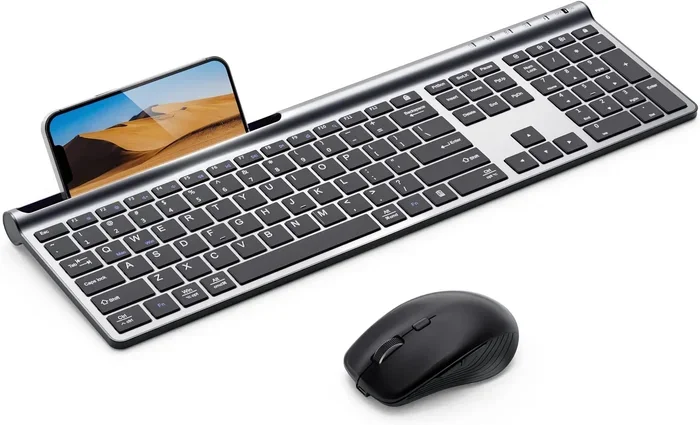
Many office keyboards and mice now use Bluetooth because it is convenient. You can switch between a laptop, a desktop, and even a tablet without plugging in a single cable. This makes Bluetooth a popular choice for wireless productivity accessories.
2.4 GHz RF Wireless Connection
The 2.4 GHz connection uses a small USB dongle (also called a wireless receiver) to communicate with your computer. You plug the dongle into a USB port, and the mouse or keyboard connects to it. This is a dedicated point-to-point connection, meaning it does not rely on your computer’s built-in Bluetooth chip.
Many gaming mice and keyboards use this method. The 2.4 GHz wireless connection offers lower latency than Bluetooth in most cases. This is why competitive gamers often prefer dongle-based devices. The connection is faster and more stable, which matters a lot in fast-paced games.
The downside is that you need to keep the dongle plugged in. If you lose it or your USB ports are limited, it can become a hassle. Some people also worry about the dongle getting damaged or stolen when traveling.
Proprietary Wireless Protocols
Some manufacturers use their own proprietary wireless technology. Logitech, for example, has its own wireless protocol used in many of its higher-end devices. These proprietary systems often offer performance similar to 2.4 GHz but may require a specific USB receiver that only works with that brand.
These custom wireless solutions are designed to optimize performance for the specific device. They often include features like Bluetooth low energy mode for extended battery life or a high-performance mode for gaming. However, they tend to be brand-specific, which limits flexibility.
Bluetooth vs 2.4 GHz: Which Is Better for You
Choosing between Bluetooth and 2.4 GHz depends on what you need. Let us compare them across the factors that matter most to users.
Latency and Performance
Latency is the delay between your action and the response on screen. For everyday tasks like browsing and typing, the difference between Bluetooth and 2.4 GHz is barely noticeable. But for gaming, every millisecond counts.
2.4 GHz connections generally have lower latency than Bluetooth. This is especially true for older Bluetooth versions. Bluetooth 5.0 has improved this gap significantly, but 2.4 GHz still holds a slight edge in competitive gaming scenarios.
Battery Life
Bluetooth devices, especially those using Bluetooth low energy, tend to have excellent battery life. Many Bluetooth mice and keyboards last for months or even years on a single set of batteries. The 2.4 GHz dongle connection can also be efficient, but it depends on the device and how it is optimized.
If battery life is your top priority, look for devices that support Bluetooth low energy mode. These are designed to sip power while maintaining a reliable connection.
Compatibility and Convenience
Bluetooth wins in the compatibility department. Almost every modern computer, tablet, and smartphone supports Bluetooth. You do not need to carry a dongle or worry about USB port availability. Just pair and go.
2.4 GHz requires a USB port and a dongle. This limits where and how you can use the device. However, the connection is more stable and less prone to interference from other Bluetooth devices in your environment.
Multi-Device Switching
Many modern wireless keyboards and mice support multi-device switching. Some devices let you connect to three or more devices and switch between them with the press of a button. Both Bluetooth and 2.4 GHz devices can offer this feature, but Bluetooth devices tend to handle multi-device setups more naturally.
If you work across a laptop, a desktop, and a tablet daily, a Bluetooth multi-device keyboard or mouse could be a game-changer for your workflow.
How to Tell if Your Wireless Device Uses Bluetooth
Not sure if your wireless mouse or keyboard uses Bluetooth? There are a few easy ways to check.
First, look at the product specifications on the box or the manufacturer website. The connection type is usually listed clearly. Second, check your device for a Bluetooth pairing option. If the device shows up in your computer’s Bluetooth settings, it supports Bluetooth.
Third, look at the USB ports on your computer. If your device came with a small USB dongle, it likely uses a 2.4 GHz connection. If it does not come with a dongle and relies on your computer’s built-in wireless chip, it probably uses Bluetooth.
Some devices are dual-mode, meaning they support both Bluetooth and a USB dongle. These are incredibly versatile and give you the best of both worlds. You can use Bluetooth for everyday tasks and switch to the dongle for gaming or low-latency work.
Can You Use Bluetooth Peripherals for Gaming
This is a common question among gamers. The answer is yes, but with some caveats. Bluetooth for gaming has improved a lot in recent years, but it still has limitations compared to a wired or 2.4 GHz connection.
Many casual gamers will not notice a difference when using a Bluetooth gaming mouse or keyboard. But if you play competitive titles like first-person shooters or fighting games, the slightly higher latency of Bluetooth could put you at a disadvantage.
Some gaming accessories now offer dual-mode connectivity. You get the convenience of Bluetooth for everyday use and the low latency of a 2.4 GHz dongle for competitive play. This is a great option if you want one device that handles both scenarios. You can learn more about using Bluetooth peripherals for gaming in our guide on using Bluetooth headphones for gaming, which covers similar Bluetooth performance considerations in the gaming world.
Also, keep in mind that Bluetooth pairing with gaming consoles like the PlayStation or Xbox can be tricky. Some consoles do not support Bluetooth for input devices at all. Always check the console’s compatibility before buying a wireless gaming peripheral.
Bluetooth Version Matters More Than You Think
Not all Bluetooth connections are created equal. The Bluetooth version on your device affects range, speed, latency, and battery efficiency. Here is a quick look at the most common versions you will encounter.
Bluetooth 4.0 and 4.2 are older versions still found in some budget wireless peripherals. They work fine for basic tasks but have higher latency and shorter range compared to newer versions.
Bluetooth 5.0 is the current sweet spot for most wireless mice and keyboards. It offers double the range, faster data transfer, and lower power consumption compared to Bluetooth 4.x. Most quality wireless peripherals released in the last few years use Bluetooth 5.0 or later.
Bluetooth 5.2 and 5.3 are the newest standards. They include improvements for audio devices and input peripherals. While not yet widespread in mice and keyboards, they are becoming more common in premium models.
When shopping for a wireless device, check the Bluetooth version in the specifications. A higher version number generally means better performance and efficiency. This is especially important if you plan to use the device far from your computer or if battery life is a concern.
Common Wireless Mouse and Keyboard Myths
There are a lot of misconceptions about wireless mice and keyboards. Let us clear up some of the most common ones.
Myth 1: Wireless is always slower than wired. This used to be true years ago, but modern wireless technology has closed the gap. High-quality 2.4 GHz and Bluetooth 5.0 connections are nearly as fast as wired connections for most users.
Myth 2: Bluetooth devices always drain battery fast. With Bluetooth low energy technology, modern Bluetooth peripherals are incredibly efficient. Many last for months on a single charge or set of batteries.
Myth 3: All wireless means Bluetooth. As we have covered in this article, many wireless devices use a USB dongle or proprietary technology instead of Bluetooth. Always check the connection type before purchasing.
Myth 4: Wireless peripherals are not good for gaming. While wired or 2.4 GHz devices have an edge in competitive gaming, many Bluetooth gaming peripherals now offer excellent performance. The gap continues to shrink with each new Bluetooth version.
Quick Tips for Choosing the Right Wireless Mouse or Keyboard
Here are some practical tips to help you make the best choice when shopping for wireless peripherals.
- Check your device compatibility. Make sure your computer or tablet supports the connection type the peripheral uses.
- Prioritize Bluetooth 5.0 or newer if you want the best balance of range, speed, and battery life.
- Consider a dual-mode device if you want flexibility between Bluetooth and a USB dongle.
- Read reviews for latency reports, especially if you plan to use the device for gaming.
- Think about your workspace. If you work across multiple devices, Bluetooth is more convenient. If you game competitively, a 2.4 GHz dongle may be better.
- Check the battery life rating and whether the device supports quick charging or rechargeable batteries.
For those who use wireless controllers with mobile devices, similar connectivity questions come up. You can explore how wireless controllers connect to phones in our article on using a wireless controller on your phone, which covers the same core concepts of wireless peripheral connectivity.
The Future of Wireless Input Devices
The world of wireless mice and keyboards is evolving fast. New Bluetooth standards are bringing faster speeds, lower latency, and better battery efficiency. Manufacturers are also developing hybrid connection systems that automatically switch between Bluetooth and 2.4 GHz depending on the task at hand.
We can expect to see more devices that support Bluetooth low energy for everyday use and high-performance modes for gaming, all in a single peripheral. The lines between wired and wireless performance continue to blur, which is great news for consumers.
One trend worth watching is the rise of Bluetooth 5.3 and beyond. These newer standards promise even better interference handling and more stable connections in crowded wireless environments. For office workers and home users juggling multiple devices, this will make a noticeable difference.
Another exciting development is the integration of USB-C rechargeable wireless peripherals. These devices eliminate the need to replace batteries and reduce e-waste. Combined with efficient Bluetooth connectivity, they represent the future of sustainable computing accessories.
As more devices adopt universal wireless standards, the confusion around connection types will fade. For now, understanding the difference between Bluetooth and 2.4 GHz gives you a clear advantage when making purchasing decisions.
Final Thoughts
Do all wireless mice and keyboards use the Bluetooth standard? No, they do not. Many use 2.4 GHz RF connections through a USB dongle, and some use proprietary wireless protocols. Bluetooth is just one of several wireless technologies available for input devices today.
The good news is that you have more choices than ever. Whether you prefer the simplicity of Bluetooth, the low latency of a 2.4 GHz dongle, or the versatility of a dual-mode device, there is a wireless peripheral that fits your needs. Just remember to check the connection type, Bluetooth version, and compatibility before you buy.
Wireless technology has come a long way. The days of sluggish wireless connections and short battery life are mostly behind us. Today’s wireless mice and keyboards offer performance that rivals wired devices, with the added convenience of freedom from cables. Pick the right connection type for your workflow, and you will wonder how you ever worked with a wired mouse or keyboard.
Take some time to explore your options. Read reviews, compare specifications, and do not be afraid to try a Bluetooth wireless keyboard or mouse for your next setup. The right wireless peripheral can transform your workspace and make your computing experience more enjoyable and efficient.
Frequently Asked Questions
Can I use a Bluetooth mouse with any computer?
Most modern computers, laptops, and tablets support Bluetooth. However, some older desktops may not have built-in Bluetooth. In that case, you can add a Bluetooth adapter or dongle to enable connectivity. Always check your device specifications before purchasing a Bluetooth peripheral.
Is a 2.4 GHz wireless mouse better than a Bluetooth mouse for gaming?
Generally, yes. 2.4 GHz connections offer lower latency than Bluetooth, which gives competitive gamers a slight advantage. However, many modern Bluetooth 5.0+ devices perform well for casual and mid-level gaming too. For professional esports, a 2.4 GHz or wired connection is still preferred.
Can I connect a wireless keyboard to both Bluetooth and a dongle at the same time?
Some dual-mode keyboards support multi-device pairing, but they typically connect to one device at a time per connection method. You can switch between Bluetooth and dongle modes, but you cannot use both simultaneously for the same device. Check your specific model’s manual for details.
How far can a Bluetooth wireless mouse work from the computer?
Most Bluetooth mice have a range of about 30 feet (10 meters) in open space. Bluetooth 5.0 and newer versions can extend this range further. Obstacles like walls and furniture can reduce the effective range. For best performance, keep your mouse within a reasonable distance from your computer.
Do wireless keyboards need a USB dongle?
Not all wireless keyboards need a dongle. Bluetooth keyboards connect directly to your device without any extra hardware. However, keyboards that use 2.4 GHz RF or proprietary wireless protocols do require a USB receiver. Dual-mode keyboards give you the option of using either method.
What is Bluetooth low energy and why does it matter for wireless peripherals?
Bluetooth low energy (BLE) is a power-efficient version of Bluetooth designed for devices that need to run for long periods on small batteries. It matters for wireless mice and keyboards because it significantly extends battery life while maintaining a stable connection. Most modern Bluetooth peripherals use BLE for efficient power management.
=== CONCLUSION ===
Not all wireless mice and keyboards use Bluetooth, and now you know exactly why. Whether your device uses a 2.4 GHz dongle, a proprietary wireless protocol, or Bluetooth connectivity, each option has its own benefits. The key is understanding your needs and choosing the right technology for your workflow.
For everyday productivity and multi-device setups, Bluetooth wireless peripherals offer unmatched convenience. For gaming and low-latency tasks, a 2.4 GHz dongle-based device may serve you better. And for those who want the best of both worlds, dual-mode devices deliver flexibility without compromise.
Take what you have learned here and apply it to your next purchase. Your ideal wireless mouse or keyboard is out there, and now you have the knowledge to find it with confidence.