Can You Use A Bluetooth Adapter On A Plane While Flying
Yes, you can use a Bluetooth adapter on a plane, but with important rules. The FAA allows Bluetooth devices during all flight phases, yet each airline sets its own policy. Always check with your carrier before flying.
Traveling by plane can be boring. You want to listen to music, watch a movie, or game during a long flight. A Bluetooth adapter makes all of that possible. But can you actually use a Bluetooth adapter on a plane? The short answer is yes. The full answer is a bit more complicated.
In this guide, we will walk through everything you need to know. We will cover FAA rules, airline policies, the best adapters to buy, and practical tips for a smooth experience. Whether you are a frequent flyer or planning your first trip, this article has you covered.
## What Is a Bluetooth Adapter and How Does It Work?
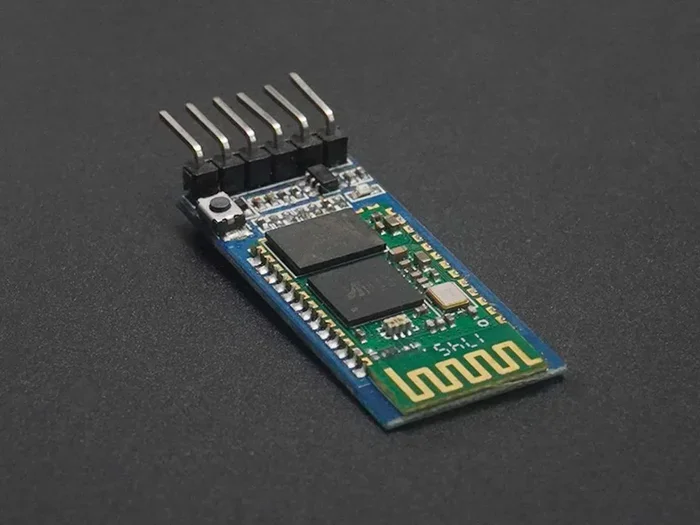
A Bluetooth adapter is a small device that adds wireless capability to your laptop, desktop, or other device. It plugs into a USB port and creates a Bluetooth connection. This lets you pair wireless headphones, speakers, keyboards, and more.
Most modern laptops have built-in Bluetooth. But many older computers and some tablets do not. A Bluetooth adapter fills that gap. You simply plug it in, install the driver if needed, and you are good to go.
### How Bluetooth Technology Works on Flights
Bluetooth uses radio waves to send data over short distances. The range is typically about 30 feet. This makes it perfect for connecting your phone to wireless earbuds or your laptop to a Bluetooth speaker.
The technology operates on the 2.4 GHz frequency band. It uses very low power. This is why the FAA considers it safe for use on planes. Bluetooth signals do not interfere with aircraft navigation or communication systems.
The latest Bluetooth 5.0 standard offers even better performance. It has a longer range, faster data transfer, and lower power consumption. If you travel often, a Bluetooth 5.0 adapter is a smart choice.
## FAA Rules on Bluetooth Devices During Flights
The Federal Aviation Administration (FAA) sets the rules for electronic devices on planes in the United States. These rules apply to all domestic flights and many international ones too.
### The FAA’s Position on Bluetooth
The FAA allows the use of Bluetooth devices during all phases of flight. This includes:
- Boarding and taxiing
- Takeoff and landing
- Cruising at altitude
- Descent and arrival
This is a big deal. In the past, passengers had to turn off all electronic devices during takeoff and landing. Now, most devices can stay on in airplane mode. Bluetooth is included in this allowance.
However, the FAA leaves it up to individual airlines to set their own policies. This means the rules can vary from one carrier to another. Always check with your airline before your flight.
### Airplane Mode and Bluetooth: What You Need to Know
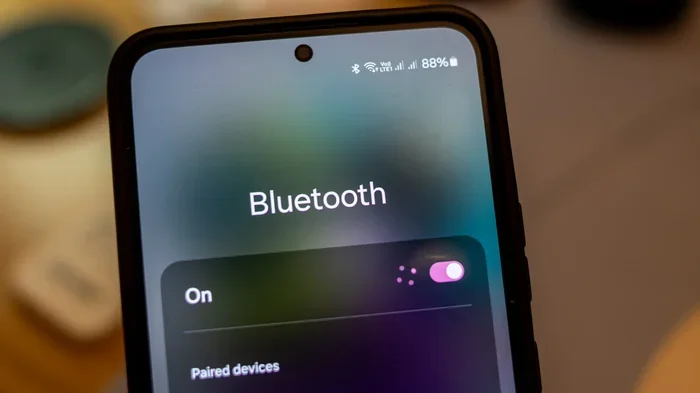
When you put your phone or laptop in airplane mode, it disables cellular, Wi-Fi, and Bluetooth by default. But here is the key point: you can manually turn Bluetooth back on while airplane mode is active.
This is the standard practice for using a Bluetooth adapter on a plane. You keep your device in airplane mode to comply with regulations. Then you enable Bluetooth to connect your wireless accessories.
Some airlines may ask you to keep Bluetooth off during takeoff and landing. Others let you use it the entire time. The safest approach is to ask a flight attendant before turning on your adapter.
## Can You Use a Bluetooth Adapter on a Plane? The Real Answer
So, can you use a Bluetooth adapter on a plane? Yes, you can in most cases. But the answer depends on a few factors. Let us break them down.
### Airline Policies on Bluetooth Adapters
Each airline has its own set of rules. Here is a general overview:
- Delta Air Lines: Allows Bluetooth devices during all flight phases.
- United Airlines: Permits Bluetooth adapters with airplane mode enabled.
- American Airlines: Allows Bluetooth during cruise. Some restrictions during takeoff and landing.
- Southwest Airlines: Generally permits Bluetooth use throughout the flight.
- International carriers: Policies vary widely. Check with your airline before flying.
These policies can change. Always verify the current rules on the airline’s website or by calling customer service. Do not rely solely on what you read online, even in articles like this one.
### Bluetooth vs. Wi-Fi on Planes
Many people confuse Bluetooth with Wi-Fi on planes. They are different technologies. In-flight Wi-Fi uses cellular towers or satellite connections. It allows you to access the internet while flying.
Bluetooth does not connect to the internet. It only connects your devices to each other. You can use Bluetooth headphones to listen to downloaded content. You cannot stream music from the internet using Bluetooth alone.
Some airlines offer Wi-Fi packages. If you have in-flight Wi-Fi, you can use both Wi-Fi and Bluetooth at the same time. This opens up more possibilities for entertainment and productivity.
### Do You Need a Bluetooth Adapter for Every Device?
Not necessarily. Many modern devices have built-in Bluetooth. Smartphones, tablets, and newer laptops all come with Bluetooth support. You only need an adapter if your device lacks native Bluetooth capability.
If you are traveling with an older laptop or a desktop computer, a Bluetooth adapter is essential. It turns any device with a USB port into a wireless-ready machine. This is especially useful for long flights when you want to use wireless headphones or a wireless keyboard.
## Best Bluetooth Adapters for Air Travel
Not all Bluetooth adapters are created equal. Some are bulky. Some have poor range. Others drain your battery quickly. Here are the features you should look for when choosing an adapter for air travel.
### Key Features to Consider
- Bluetooth Version: Go with Bluetooth 5.0 or newer for the best performance.
- Size: Choose a compact adapter that is easy to carry in your laptop bag.
- Range: A range of at least 30 feet is ideal for use on a plane.
- Compatibility: Make sure the adapter works with your device’s operating system.
- Plug-and-Play: Look for adapters that do not require complex setup.
- Battery-Free: USB-powered adapters are best since you do not need to charge them separately.
### Top Picks for Travel
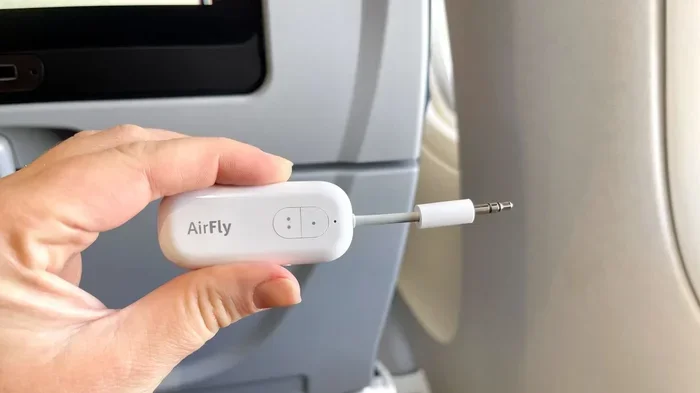
The best Bluetooth adapters for plane travel are small, reliable, and easy to use. Look for brands that offer plug-and-play functionality. A Bluetooth 5.0 adapter from a reputable brand will serve you well.
If you already use wireless headphones for gaming or other activities, you know the importance of a stable connection. The same applies to air travel. A good adapter ensures your wireless devices work without interruptions at 30,000 feet.
## Tips for Using Bluetooth on Flights
Using a Bluetooth adapter on a plane is straightforward. But a few tips can make the experience much better. Here is what we recommend.
### Prepare Before You Board
Preparation is everything. Here is what to do before you leave for the airport:
- Charge your devices fully. This includes your phone, laptop, and Bluetooth adapter.
- Pair your devices at home. Test the connection before you travel.
- Download content offline. Do not rely on in-flight Wi-Fi for entertainment.
- Check airline policy. Visit the airline’s website or call customer service.
- Pack your adapter safely. Use a small case or pouch to avoid losing it.
### During the Flight
Once you are in the air, follow these steps:
- Put your device in airplane mode.
- Turn Bluetooth on manually.
- Connect your wireless headphones or other accessories.
- Keep your adapter plugged in and secure.
- Turn off Bluetooth during takeoff and landing if the airline requires it.
### Quick Tips for a Smooth Experience
Quick Tip: Keep your Bluetooth adapter in your carry-on bag, not your checked luggage. This reduces the risk of loss or damage.
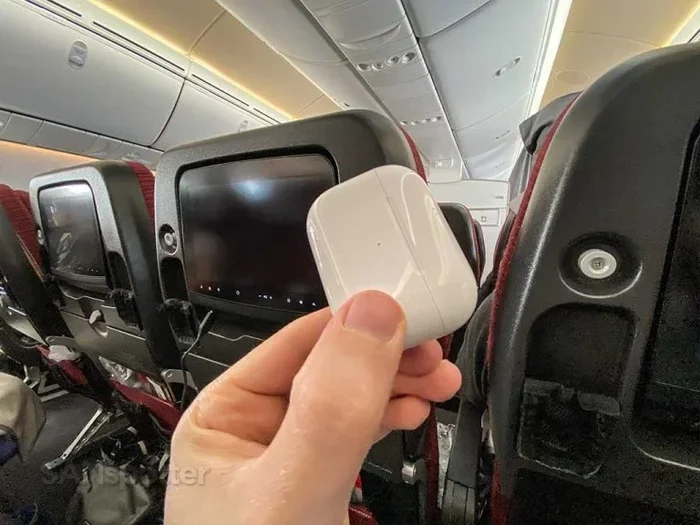
Quick Tip: If the flight offers in-flight entertainment, check if it supports Bluetooth. Some airlines let you connect wireless headphones directly to their seat screens.
Quick Tip: Bring a backup wired option. If Bluetooth fails, a wired connection saves the day. This is especially important for long flights.
## Common Problems and How to Fix Them
Using Bluetooth on a plane is not always perfect. Here are common issues and how to solve them.
### Bluetooth Keeps Disconnecting
This is the most common problem. Airplane cabins are full of electronic interference. Other passengers’ devices, seatback screens, and Wi-Fi routers can all cause signal drops.
To fix this, move closer to your device. Keep your adapter plugged into a front USB port for a stronger signal. If the problem persists, try unpairing and reconnecting your devices.
### Your Adapter Is Not Recognized
Sometimes the plane’s USB ports do not provide enough power. Try a different port. You can also use a USB hub with its own power supply. This gives your adapter the power it needs.
If your adapter still is not recognized, restart your device. This often fixes driver issues. Make sure you have the latest drivers installed before your flight.
### Can I Use My Bluetooth Adapter on International Flights?
Yes, in most cases. The FAA rules apply to US carriers regardless of destination. For international flights, check with the airline and the aviation authority of the country you are flying to. Most major airlines around the world follow similar Bluetooth policies.
### Can I Use Bluetooth During Takeoff and Landing?
This depends on the airline. Some allow it. Others ask you to wait until the aircraft reaches cruising altitude. When in doubt, wait for the seatbelt sign to turn off before turning on your Bluetooth adapter.
### Do I Need to Pay for Bluetooth Use on a Plane?
No. Using a Bluetooth adapter itself is free. However, if you want to stream content over the airline’s Wi-Fi, you may need to purchase a Wi-Fi package. Bluetooth only connects your devices to each other, not to the internet.
### Can I Use a Bluetooth Adapter With In-Flight Wi-Fi?
Yes. You can use both Bluetooth and in-flight Wi-Fi at the same time. Just make sure your device is in airplane mode with Wi-Fi and Bluetooth enabled separately. This gives you access to both in-flight entertainment and your own wireless devices.
### What Happens If a Flight Attendant Tells Me to Turn Off My Bluetooth?
Always comply with crew instructions. They have the authority to enforce airline policies. If they ask you to turn off your Bluetooth adapter, do so immediately. You can turn it back on once they give permission.
## Final Thoughts
Using a Bluetooth adapter on a plane is not only possible but also very practical. It lets you enjoy wireless audio, stay productive, and pass the time on long flights. The FAA supports Bluetooth use, and most airlines allow it with minor restrictions.
The key is preparation. Check airline policies before your trip. Choose a reliable adapter. Pair your devices in advance. And always follow crew instructions.
With the right setup, you can turn any flight into a comfortable, entertaining experience. A small Bluetooth adapter goes a long way toward making your travel smoother and more enjoyable.
So next time you board a plane, do not worry about staying connected. Just plug in your adapter, pair your devices, and enjoy the flight. Safe travels!
Key Takeaways
- FAA Approval: The FAA permits Bluetooth devices on planes during all flight phases, including takeoff and landing.
- Airline Rules Vary: Some airlines allow Bluetooth adapters freely, while others restrict their use during certain flight phases.
- Airplane Mode Is Key: You must enable airplane mode on your device, but Bluetooth can be turned on separately in most cases.
- Best Adapters Exist: Compact Bluetooth 5.0 adapters offer the best range and reliability for air travel.
- In-Flight Wi-Fi Matters: Bluetooth adapters work differently depending on whether the airline offers Wi-Fi.
- Prepare Before You Fly: Charge your adapter fully and pair your devices before boarding to avoid mid-flight issues.
Frequently Asked Questions
What is Can You Use A Bluetooth Adapter On A Plane?
Can You Use A Bluetooth Adapter On A Plane is an important topic with many practical applications.