Can You Play Original Xbox On A Modern Television Screen
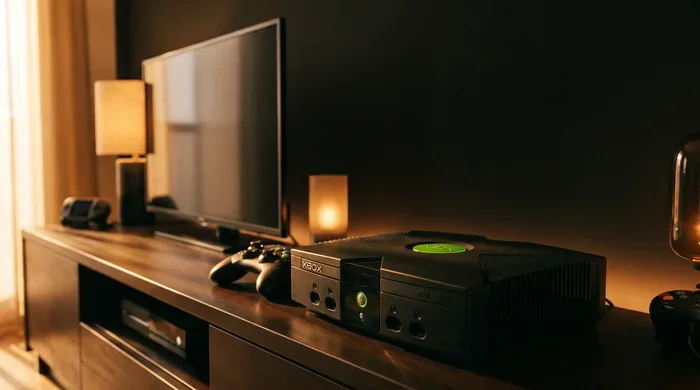
Yes, you can play an original Xbox on a modern television, but it requires the right cables or adapters to bridge the gap between legacy hardware and current display technology. The original Xbox outputs via composite or component cables, which most modern TVs don’t support natively. Using an HDMI converter or a component-to-HDMI adapter is the most reliable way to get your classic console running on today’s screens. This guide covers every connection method, troubleshooting tip, and quality consideration you need to know.
There is something magical about plugging in an original Xbox and hearing that startup chime. For many of us, that console represents some of the best gaming memories. But here is the problem. Your modern television was not built for those old cables. The red, white, and yellow composite plugs just will not plug into today’s sleek flat screens. So can you play original Xbox on a modern television screen? The short answer is yes. The longer answer is that you need the right adapter, the right cable, and a little patience. This guide walks you through every step of getting your classic Xbox up and running on a modern TV.
Retro gaming has exploded in popularity over the last few years. People are dusting off old consoles and reconnecting with the games they grew up on. The original Xbox, released in 2001, holds a special place in gaming history. Titles like Halo: Combat Evolved, Star Wars: Knights of the Old Republic, and Fable defined a generation. But playing those games today is not always straightforward. Modern TVs have evolved significantly. They no longer include the legacy ports that older consoles relied on. Understanding how to bridge this gap is the key to enjoying your original Xbox in 2024 and beyond.
Key Takeaways
- The original Xbox can connect to modern TVs using HDMI adapters, component cables, or AV converters.
- HDMI converters provide the best image quality and are the most popular solution for retro gaming setups.
- Original Xbox games look different on modern TVs due to resolution differences and display scaling.
- Audio setup requires attention since older Xbox models use different audio outputs than modern TVs expect.
- Common issues like no signal or poor picture can usually be fixed with the right cable or adapter.
- Playing on a modern TV brings nostalgia but also some trade-offs in image quality and latency.
📑 Table of Contents
Why Connecting An Original Xbox To A Modern TV Is Tricky
The original Xbox was designed for CRT televisions. Those bulky old screens used analog signals and standard definition resolution. Your modern LED or OLED TV works completely differently. It expects digital signals and high-definition inputs. This mismatch creates a compatibility challenge. The original Xbox does not have an HDMI port. It was released before HDMI became the universal standard. So you cannot just grab an HDMI cable and expect it to work.
The original Xbox uses either composite AV cables or component cables. Composite cables carry a single video signal through a yellow RCA plug. They also use red and white plugs for audio. Component cables split the video signal into three separate cables. This gives a slightly better picture than composite. But neither of these connection types fits into the HDMI ports on your modern TV. You need a converter box or an adapter to translate the signal. Without one, your modern TV simply will not recognize the original Xbox.
The Role Of Legacy Ports And Modern Displays
Modern televisions have largely abandoned legacy ports. Most new TVs only have HDMI inputs. Some still include USB ports and optical audio outputs. Very few include composite or component inputs. This means that if you want to connect an original Xbox, you must use a conversion device. The good news is that these devices are widely available and affordable. They do a surprisingly good job of translating old signals for new screens.
When you connect an original Xbox to a modern TV, you are essentially asking two very different technologies to communicate. The Xbox outputs an analog signal. Your TV wants a digital one. The converter handles this translation. It takes the analog video and audio from the Xbox and converts it into a digital HDMI signal. Your TV then displays that signal just like it would from a modern gaming console. The process is not perfect. But it works well enough for most retro gaming experiences.
How To Connect An Original Xbox To A Modern Television
There are several ways to connect an original Xbox to a modern TV. Each method has its own advantages and drawbacks. The right choice depends on your budget, your TV setup, and how much you care about image quality. Here are the most common and reliable methods.
Method 1: Using An HDMI Converter Box
This is the most popular and recommended method. An HDMI converter box takes the composite or component output from the original Xbox and converts it to HDMI. You plug the Xbox’s AV cables into the converter. Then you run an HDMI cable from the converter to your TV. It is simple, effective, and widely available online.
Most HDMI converter boxes cost between 20 and 50 dollars. They are small, compact, and easy to set up. Some models also upscale the signal to improve the picture quality on your modern TV. This can make a big difference in how the games look. The image will still have that classic retro feel, but it will be cleaner and sharper than a raw composite signal.
When shopping for a converter, look for one that supports the original Xbox’s output resolution. The original Xbox outputs at 480i or 480p. A good converter will handle both without issues. Some converters also let you adjust the output resolution to match your TV’s capabilities. This can help reduce flickering or display issues.
Method 2: Using A Component Video Adapter
If your modern TV still has component inputs, you are in luck. Component cables offer a better picture than composite cables. They use three separate RCA plugs for video. This gives you a clearer and more detailed image. Not all modern TVs have component inputs anymore. But some models, especially from brands like Samsung and LG, still include them.
To use this method, you need an original Xbox component cable. These were sold separately when the Xbox was new. They are not included in the standard Xbox package. You can find them online or at retro gaming stores. Plug the component cables into the Xbox and into your TV’s component inputs. Then connect the red and white audio cables to your TV’s audio inputs.
The picture quality with component cables is noticeably better than composite. Colors are richer and the image is sharper. However, this method only works if your TV has component inputs. If it does not, you will need to use a converter box instead.
Method 3: Using A USB-Powered AV-to-HDMI Converter
Another option is a USB-powered AV-to-HDMI converter. These are similar to the standard converter boxes but are even more compact. They plug directly into the USB port on your original Xbox for power. Then they accept the composite or component AV input and convert it to HDMI output. This eliminates the need for a separate power adapter.
These converters are very convenient. They keep your setup clean and simple. However, they are less common than standard converter boxes. You may need to search a bit to find one that works with the original Xbox. Make sure to check compatibility before purchasing.
Comparison Of Connection Methods
| Method | Cost Range | Picture Quality | Setup Difficulty | Compatibility |
|---|---|---|---|---|
| HDMI Converter Box | $20 – $50 | Good to Excellent | Easy | Works with most modern TVs |
| Component Video Adapter | $15 – $30 | Very Good | Easy | Only works if TV has component inputs |
| USB-Powered AV-to-HDMI | $25 – $45 | Good | Very Easy | Works with most modern TVs |
Video Quality And Display Considerations
When you play an original Xbox on a modern TV, the image quality will not be exactly the same as it was on a CRT. This is important to understand before you set up your system. Modern TVs are designed for high-definition content. They use digital scaling and processing to display images. When you feed them an old standard-definition signal, the TV has to stretch and convert it. This can cause some visual artifacts.
Understanding Resolution Differences
The original Xbox outputs video at a maximum resolution of 480p. That is standard definition. Modern TVs typically display at 1080p or even 4K. When your TV stretches a 480p signal to fill a 1080p screen, the image can look blurry or pixelated. This is especially noticeable on larger TVs. The bigger your screen, the more obvious the quality difference becomes.
Some HDMI converters include upscaling features. These can improve the picture by smoothing out the image and reducing pixelation. The upscaled image will still not look like true high definition. But it will look much better than a raw composite signal on a big screen. If image quality matters to you, invest in a good converter with upscaling capabilities.
Scan Lines And Retro Aesthetics
One thing you might notice when playing on a modern TV is the absence of scan lines. On CRT televisions, scan lines were a natural part of the display. Many retro gamers actually miss them. They give games a nostalgic, authentic look. Modern TVs do not display scan lines by default. The image looks clean and smooth, which some players prefer and others do not.
If you want to recreate the CRT look on a modern TV, some HDMI converters and retro gaming devices offer scan line filters. These add horizontal lines to the image to simulate the CRT experience. This is a fun option if you want to capture the authentic feel of playing on an old television. It is a small detail, but it makes a big difference for retro gaming enthusiasts.
Input Lag And Response Time
Modern TVs are not optimized for retro gaming. They include features like motion smoothing and image processing. These features can introduce input lag. Input lag is the delay between pressing a button and seeing the result on screen. For fast-paced games like Halo, input lag can be frustrating. It makes the game feel less responsive than it did on a CRT.
Most modern TVs have a game mode setting. This disables image processing features and reduces input lag. If you plan to play original Xbox games on a modern TV, turn on game mode. This will give you the most responsive experience possible. It will not eliminate input lag entirely, but it will help significantly.
Audio Setup For The Original Xbox On A Modern TV
Getting the video signal right is only half the battle. You also need to handle audio properly. The original Xbox outputs audio through the same composite or component cables as video. The red and white RCA plugs carry stereo sound. Modern TVs typically do not have RCA audio inputs. They use HDMI for both video and audio. This creates another compatibility issue.
Most HDMI converter boxes handle audio as part of the conversion process. They take the analog audio from the Xbox and embed it into the HDMI signal. Your TV then plays the audio through its built-in speakers. This is the simplest setup. You do not need any extra cables or equipment. Just connect the converter, run the HDMI to your TV, and you are done.
If you prefer better audio quality, you have other options. Some converter boxes also have a 3.5mm audio output. You can connect this to a pair of powered speakers or a soundbar. This gives you cleaner audio than the TV’s built-in speakers. It also gives you more control over volume and sound quality.
For the best audio experience, you can also use the original Xbox’s optical audio output. The original Xbox had an optical port on the back. You can connect this to a modern sound system or AV receiver. This gives you digital audio output with excellent quality. It requires a bit more setup, but the results are worth it for serious retro gamers.
Troubleshooting Audio Issues
If you are having trouble with audio, there are a few common causes to check. First, make sure all your cables are securely connected. A loose cable is the most common reason for no sound. Second, check your TV’s audio settings. Make sure the TV is set to use the HDMI input for audio. Some TVs default to other audio sources, which can cause silence. Third, check the converter box settings. Some converters have audio output options that need to be configured correctly.
If you are still having issues, try a different HDMI cable. Sometimes a faulty cable can cause both video and audio problems. Also, make sure your TV’s firmware is up to date. TV manufacturers occasionally release updates that fix compatibility issues with older devices. A simple update can sometimes solve stubborn audio problems.
Common Problems And How To Fix Them
Even with the right equipment, you might run into issues when connecting an original Xbox to a modern TV. Here are the most common problems and how to solve them.
No Signal On The TV Screen
If your TV shows no signal, the first thing to check is the cable connections. Make sure the HDMI cable is plugged in securely at both ends. Check the converter box connections too. A loose connection here is very common. Next, make sure your TV is on the correct HDMI input. Use your remote to cycle through the inputs until you find the right one.
If the connections are all secure and the TV is on the right input, try a different HDMI cable. Cables can fail, especially cheaper ones. Also, try turning the original Xbox off and back on. Sometimes the console needs a fresh start to recognize the converter box. If none of these steps work, the converter box itself may be faulty.
Flickering Or Unstable Picture
A flickering picture is a common issue with retro consoles on modern TVs. This usually happens because of a mismatch between the console’s output and the TV’s display settings. Try adjusting the resolution settings on your converter box if it has that option. Switching between 480i and 480p can sometimes fix flickering.
Another cause of flickering is a faulty cable. Replace the composite or component cables if you suspect they are damaged. Also, make sure the converter box is receiving enough power. If it is USB-powered, try a different USB port on the Xbox. Some USB ports on the original Xbox provide more power than others.
Poor Image Quality Or Blurry Picture
A blurry picture usually means the TV is stretching the standard definition signal too much. This is especially common on 4K TVs. The upscaling process can degrade the image quality. To improve the picture, use a converter box with built-in upscaling. These devices do a better job of converting the signal than cheap adapters.
You can also try moving the TV closer to the console. On very large screens, the image quality degrades more at a distance. Sitting closer can make the picture look better. Additionally, adjust your TV’s sharpness and noise reduction settings. Turning these down can help the image look cleaner when displaying retro content.
Is It Worth Playing Original Xbox Games On A Modern TV
The answer to this question depends on what you value in your gaming experience. If you love retro gaming and want to revisit classic titles, absolutely. Playing an original Xbox on a modern TV brings a new level of convenience. You do not need a CRT television anymore. You can enjoy your favorite classic games on a big, high-resolution screen. The convenience alone makes it worth it for most retro gaming fans.
However, you should go in with realistic expectations. The image quality will not match modern games. The resolution is limited, and some visual artifacts are inevitable. Input lag may be slightly higher than on a CRT. These are trade-offs you accept when bridging old hardware with new technology. But for most players, the experience is still highly enjoyable. The games themselves are what matter most. And they hold up remarkably well even decades later.
If you are serious about retro gaming, consider investing in a good HDMI converter. It makes the biggest difference in your setup. Pair it with a modern TV that has a low input lag game mode. You will have a fantastic retro gaming experience. You will be playing Halo, Fable, and all your favorites in no time. The original Xbox library is full of hidden gems. Do not let outdated technology stop you from enjoying them.
For players who also enjoy other retro setups, understanding how different consoles connect to modern displays is very helpful. The process is similar across many older systems. If you have ever wondered about connecting other legacy devices, you might find it useful to learn more about how older consoles and display technologies work together. The same principles of signal conversion and adapter compatibility apply broadly across retro gaming setups.
One final tip. Take care of your original Xbox and its cables. Old hardware can be fragile after many years of storage. Clean the connections gently before plugging them in. Dust and corrosion can cause connection issues. A little maintenance goes a long way in keeping your retro gaming setup running smoothly. Enjoy your classic games on your modern television. It is a rewarding experience that brings the best of both worlds together.
Frequently Asked Questions
Can You Play Original Xbox On A Modern TV Without An Adapter?
No, you cannot connect an original Xbox directly to a modern TV without an adapter. The original Xbox uses composite or component cables, which modern TVs do not have inputs for. You need an HDMI converter box or a component video adapter to bridge the connection. Without one, your TV will not recognize the Xbox signal.
What Is The Best HDMI Converter For The Original Xbox?
The best HDMI converters for the original Xbox are ones that support composite and component inputs and offer upscaling. Look for converters from reputable brands that specifically mention compatibility with the original Xbox. Models in the 20 to 50 dollar range usually offer the best balance of quality and affordability.
Does Playing Original Xbox On A Modern TV Affect Game Performance?
The game performance itself is not affected. The original Xbox hardware runs the games the same way regardless of the display. However, input lag from modern TV processing can make games feel slightly less responsive. Using your TV’s game mode setting helps minimize this effect and gives you a smoother gaming experience.
Can You Use The Original Xbox Controller With A Modern Setup?
Yes, the original Xbox controller works fine with the original Xbox console regardless of the TV you use. The controller connects to the Xbox via the controller port. It does not interact with the TV at all. If you want to use the controller wirelessly, you will need the original Xbox wireless adapter.
Why Does The Picture Look Different On A Modern TV Compared To A CRT?
The picture looks different because modern TVs use digital processing and higher resolutions than the original Xbox outputs. The TV has to stretch and convert the standard definition signal to fill the screen. This can cause blur, pixelation, or a loss of the classic CRT look. Scan lines and the analog warmth of CRT displays are not naturally present on modern screens.
Can You Use A Modern Soundbar With The Original Xbox?
Yes, you can use a modern soundbar with the original Xbox through an HDMI converter. Most converters pass audio through the HDMI signal to the TV, and the TV can then send audio to a soundbar via HDMI ARC or optical output. Some converters also have a 3.5mm audio output that connects directly to a soundbar or powered speakers.
=== CONCLUSION ===
Playing an original Xbox on a modern television screen is absolutely possible and surprisingly straightforward with the right equipment. The key is choosing the right connection method. An HDMI converter box remains the most versatile and reliable option for most setups. It handles both video and audio conversion seamlessly. You get a clean signal that your modern TV can display without any fuss.
While the image quality will not match what you remember from your CRT television, the experience is still incredibly rewarding. There is something special about firing up Halo or Fable on a big modern screen. The nostalgia hits different. The games themselves have aged beautifully. And with a proper setup, you can enjoy them just as much today as you did years ago.
Do not let outdated technology keep you from your favorite classic games. Invest in a good converter, set up your original Xbox, and enjoy the timeless titles that defined a generation. Retro gaming on modern hardware is more accessible than ever. All it takes is the right adapter and a little curiosity. Your original Xbox is waiting. Plug it in and relive the magic.