Does Macbook Have Excel And Word Preinstalled On It
Does Macbook Have Excel And Word preinstalled? The short answer is no. Macbooks come with Apple Pages, Numbers, and Keynote, but not Microsoft Excel or Word. You can still use these Microsoft apps on your Mac through a Microsoft 365 subscription or by purchasing a one-time license. Does Macbook Have Excel And Word available for free? Not natively, but there are several free and paid options to get them running smoothly on your device.
If you just bought a Macbook or are thinking about switching from Windows, you might be asking a very simple question. Does Macbook Have Excel And Word? It is a fair question. Millions of people rely on these two apps every single day for work, school, and personal projects. The truth is that the answer is not as straightforward as a simple yes or no. Let me walk you through exactly what you get on a new Macbook and how you can get the tools you need.
When you open a brand-new Macbook, you will notice something right away. The apps that come preinstalled are different from what you see on a Windows PC. Apple has its own set of productivity apps, and they are actually quite good. But they are not Microsoft Excel or Microsoft Word. So if you need those specific programs, you will need to take a few extra steps. Let us explore everything you need to know about this topic in detail.
Key Takeaways
- No Preinstallation: Macbooks do not come with Excel or Word preinstalled out of the box.
- Apple Alternatives Included: Every new Mac includes Pages, Numbers, and Keynote as free built-in apps.
- Microsoft 365 Subscription: The most reliable way to get Excel and Word on your Mac is through a Microsoft 365 subscription.
- One-Time Purchase Option: You can buy standalone versions of Office 2021 for Mac with a one-time payment.
- Free Alternatives Exist: Google Docs, Google Sheets, and LibreOffice offer strong free options for document and spreadsheet work.
- Web Versions Work Too: Microsoft offers free web-based versions of Excel and Word through your browser.
- Macbook Models Don’t Matter: Whether you have a Macbook Air, Macbook Pro, or older model, the answer to “Does Macbook Have Excel And Word” is the same.
📑 Table of Contents
- What Comes Preinstalled on a Macbook?
- Does Macbook Have Excel And Word Natively?
- How to Get Excel and Word on Your Macbook
- Free Alternatives to Excel and Word on Macbook
- Comparison: Microsoft Office vs. Apple Productivity Apps vs. Free Alternatives
- Common Mistakes People Make When Switching to Macbook
- Expert Insights on Mac Productivity
- Quick Tips for Getting Started with Excel and Word on Macbook
- Does Macbook Have Excel And Word? The Final Verdict
What Comes Preinstalled on a Macbook?
When you unbox your Macbook, you will find a handful of apps already waiting for you. These are Apple’s own productivity tools. They are designed to work seamlessly with macOS. But they are not the same as Microsoft Office apps. Here is what you get right out of the box.
Apple Pages: The Word Processor
Apple Pages is the closest thing you get to Microsoft Word on a Macbook. It is a word processor that lets you create documents, resumes, letters, and more. Pages supports templates, images, tables, and even collaboration features. If you only need basic document editing, Pages might be all you need.
However, there are some differences. Pages files do not always open perfectly in Microsoft Word. And if your workplace or school requires .docx format, you might run into compatibility issues. This is one reason why many people still want the real Microsoft Word on their Mac.
Apple Numbers: The Spreadsheet App
Apple Numbers is Apple’s version of Excel. It is a spreadsheet application that handles basic to intermediate data tasks. You can create charts, use formulas, and manage small datasets. Numbers has a visually friendly interface that many people enjoy.
But Numbers is not Excel. If you use advanced Excel features like complex macros, pivot tables with specific configurations, or VBA scripting, Numbers will not cut it. Does Macbook Have Excel And Word? No, but it does have Numbers and Pages as replacements for everyday use.
Apple Keynote: The Presentation Tool
Keynote is Apple’s presentation app, similar to Microsoft PowerPoint. It comes free with every Macbook. Keynote is known for its beautiful design and smooth animations. Many people prefer it over PowerPoint for creating visually stunning presentations.
While Keynote is not part of our main topic, it is worth mentioning because it shows that Apple provides a solid productivity suite. You just do not get the Microsoft branding or full compatibility with .xlsx and .docx files.
Does Macbook Have Excel And Word Natively?
Now let us address the big question directly. Does Macbook Have Excel And Word installed by default? The answer is no. Apple does not include Microsoft Office apps as part of the macOS operating system. When you set up your new Macbook, you will not find Excel or Word in your Applications folder.
This surprises a lot of people, especially those switching from Windows. On a Windows PC, Excel and Word usually come preinstalled. On a Macbook, they do not. You need to install them yourself, either through the Mac App Store or by downloading directly from Microsoft.
Why Apple Does Not Include Microsoft Office
There are a few reasons for this. First, Apple has its own productivity suite. Pages, Numbers, and Keynote are free and built into every Macbook. Second, Microsoft Office for Mac is a separate product that requires a license. Apple does not bundle third-party paid software on its devices.
Third, Microsoft and Apple have a business relationship. Microsoft sells Office licenses separately, and Apple earns nothing by preinstalling them. So the two companies keep their ecosystems somewhat independent. This means you always have the choice of which productivity tools to use.
How to Get Excel and Word on Your Macbook
If you need Excel and Word on your Macbook, you have several options. Let us go through each one so you can pick what works best for your needs and budget.
Option 1: Microsoft 365 Subscription
The most popular way to get Excel and Word on a Macbook is through a Microsoft 365 subscription. This gives you access to the full suite of Office apps, including Word, Excel, PowerPoint, Outlook, and more. You also get 1 TB of cloud storage through OneDrive.
Microsoft 365 costs about $99 per year for a personal plan. It includes installation on up to five devices, including Macbooks, PCs, tablets, and phones. The apps update automatically, so you always have the latest features and security patches.
To install Microsoft 365 on your Macbook, simply go to the Microsoft website, sign in with your Microsoft account, and download the Office installer. The process is straightforward and takes just a few minutes.
Option 2: Office 2021 One-Time Purchase
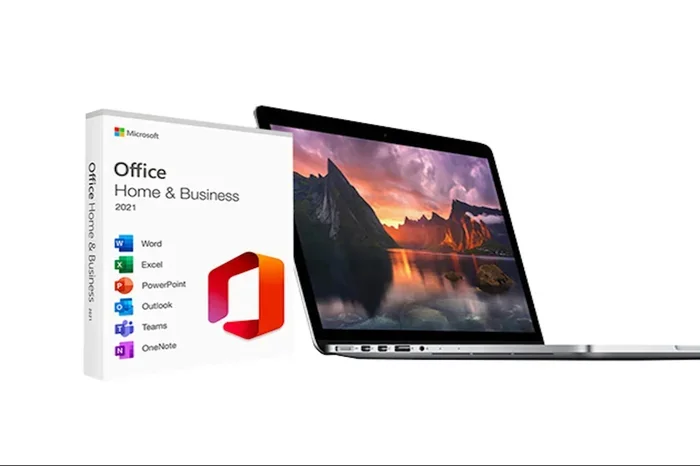
If you do not want a recurring subscription, Microsoft offers Office 2021 as a one-time purchase. This version includes Word, Excel, PowerPoint, and Outlook. You pay once and own the license for that device. The price is around $149.99 for the Home & Student edition.
Office 2021 for Mac does not receive new feature updates. You will get security updates and bug fixes, but no new capabilities. If you want the latest features every year, the Microsoft 365 subscription is the better choice.
Option 3: Free Web Versions
Did you know you can use Excel and Word for free through your web browser? Microsoft offers free web-based versions of its Office apps at office.com. You just need a Microsoft account, which is free to create.
The web versions of Excel and Word are surprisingly capable. They handle most everyday tasks well. You can create spreadsheets, write documents, and even collaborate with others in real time. The catch is that you need an internet connection, and some advanced features are not available.
This is a great option if you only need Excel and Word occasionally. It answers the question “Does Macbook Have Excel And Word” in a different way. Your Macbook does not have them installed, but you can access them through the browser for free.
Option 4: Mac App Store
You can also download Microsoft Office apps directly from the Mac App Store. Word, Excel, and PowerPoint are all available there. However, you still need a Microsoft 365 subscription or a license to use them fully. The Mac App Store makes the installation process simple and convenient.
Just search for “Microsoft Word” or “Microsoft Excel” in the Mac App Store, click download, and sign in with your Microsoft account. The app will install and you can start using it right away.
Free Alternatives to Excel and Word on Macbook
Not everyone needs Microsoft Excel or Word specifically. If you are looking for free alternatives, there are plenty of great options. These apps work well on Macbook and can handle most common tasks.
Google Docs and Google Sheets
Google Docs is a free word processor that works in your browser. Google Sheets is its spreadsheet counterpart. Both are web-based and free to use with a Google account. They offer real-time collaboration, which is a huge plus for teams.
Google Docs and Sheets are excellent for everyday document and spreadsheet work. They support most formatting needs and integrate with Google Drive for cloud storage. If your work does not require advanced Excel features, these free tools are more than enough.
LibreOffice
LibreOffice is a free and open-source office suite. It includes Writer (a Word alternative), Calc (an Excel alternative), and Impress (a PowerPoint alternative). You can download LibreOffice for Macbook directly from its official website.
LibreOffice supports many Microsoft file formats, including .docx and .xlsx. It is a solid choice if you want a full-featured office suite without paying a dime. The interface looks a bit dated compared to modern apps, but it gets the job done.
OnlyOffice
OnlyOffice is another free alternative that offers strong compatibility with Microsoft Office formats. It has a clean, modern interface and supports document editing, spreadsheets, and presentations. OnlyOffice is available for Macbook through its website or the Mac App Store.
One of the best things about OnlyOffice is how well it handles .docx and .xlsx files. The formatting stays intact when you open and save Microsoft files. This makes it a great choice for people who need to share files with others using Microsoft Office.
Comparison: Microsoft Office vs. Apple Productivity Apps vs. Free Alternatives
How do the different options stack up? Here is a quick comparison to help you decide.
| Feature | Microsoft Office for Mac | Apple Pages/Numbers/Keynote | Free Alternatives (Google, LibreOffice) |
|---|---|---|---|
| Cost | Subscription or one-time purchase | Free | Free |
| Excel Compatibility | Full | Partial | Good (varies by app) |
| Word Compatibility | Full | Partial | Good (varies by app) |
| Advanced Features | Yes | Limited | Limited to moderate |
| Offline Use | Yes | Yes | Varies |
| Cloud Integration | OneDrive | iCloud | Google Drive or own cloud |
| Installation | Download from Microsoft | Preinstalled | Download from website or App Store |
| Best For | Professional and enterprise use | Everyday personal use | Budget-conscious users |
Common Mistakes People Make When Switching to Macbook
Switching from Windows to Macbook can be tricky. Here are some common mistakes people make when they realize Does Macbook Have Excel And Word is not a simple yes.
Assuming All Apps Come Preinstalled
The biggest mistake is assuming that everything you had on Windows comes automatically on a Macbook. It does not. You need to install your own productivity software. Plan ahead before you switch so you are not caught off guard.
Ignoring File Compatibility
If you use .xlsx or .docx files daily, make sure your chosen app handles them well. Apple Pages and Numbers can open these files, but formatting can shift. Always test your files before sending them to colleagues or clients.
Overlooking Free Options
Many people pay for Microsoft 365 when they do not need to. If your work is basic, free tools like Google Docs and Sheets might be all you need. Evaluate your actual needs before spending money.
Not Checking System Requirements
Before downloading any app, check that your Macbook model supports it. Older Macbooks may not run the latest versions of Microsoft Office. Always verify compatibility on Microsoft’s official website.
Expert Insights on Mac Productivity
Many productivity experts recommend a hybrid approach. Use Apple’s built-in apps for quick, everyday tasks. Then use Microsoft Office when you need full compatibility with colleagues or clients who use Windows. This way, you get the best of both worlds without paying for software you do not need.
Another expert tip is to leverage cloud-based tools. Google Workspace and Microsoft 365 both offer excellent cloud experiences. You can start a document on your Macbook, continue on your phone, and finish on a PC at work. The cross-platform experience has improved dramatically in recent years.
For students, Microsoft offers significant discounts through the Office Education program. Many schools provide free Microsoft 365 access to enrolled students. This is a great way to get Excel and Word on your Macbook without spending a dime. Always check with your school’s IT department first.
Quick Tips for Getting Started with Excel and Word on Macbook
- Check your Macbook model: Make sure your Mac supports the latest version of Microsoft Office before downloading.
- Use your Microsoft account: Sign in with the same Microsoft account across all devices for seamless sync.
- Enable AutoSave: Turn on AutoSave in Microsoft Office apps to prevent data loss.
- Learn keyboard shortcuts: Macbook has its own set of shortcuts for Office apps. Learn them to work faster.
- Explore the Mac App Store: It is the safest and easiest way to download and update Microsoft apps on your Macbook.
- Try the free web versions first: Test if Excel and Word meet your needs before committing to a paid subscription.
- Keep your Mac updated: macOS updates often improve compatibility with Microsoft Office apps.
Does Macbook Have Excel And Word? The Final Verdict
So let us wrap this up. Does Macbook Have Excel And Word preinstalled? No, it does not. Every new Macbook comes with Apple’s own productivity apps, which are great for many tasks. But if you specifically need Microsoft Excel and Microsoft Word, you will need to install them yourself.
The good news is that getting these apps on your Macbook is easy. You have multiple paths to choose from. You can subscribe to Microsoft 365, buy Office 2021 outright, use free web versions, or explore free alternatives like Google Docs and LibreOffice. The best choice depends on your budget, your work needs, and how often you use these tools.
For most professionals and students, a Microsoft 365 subscription is the gold standard. It gives you full access to Excel and Word with regular updates and cloud storage. For casual users, the free web versions or Apple’s built-in apps might be all you need. The key is to understand what Does Macbook Have Excel And Word really means and then choose the solution that fits your life.
Your Macbook is a powerful machine. With the right productivity tools installed, it can handle anything from simple grocery lists to complex financial models. Do not let the lack of preinstalled Excel and Word stop you from enjoying everything your Macbook has to offer. There is a solution for everyone, and now you know exactly what they are.
Take a few minutes today to explore your options. Try a free web version of Excel or Word. Download LibreOffice and see if it meets your needs. Or sign up for Microsoft 365 if you want the full experience. Whatever you choose, you will be up and running in no time. Your Macbook is ready. You just need to put the right tools on it.
Frequently Asked Questions
Can I use Microsoft Excel and Word on a Macbook for free?
Yes, you can use free web versions of Excel and Word through office.com in your browser. You just need a free Microsoft account. The web versions cover most everyday tasks, though they lack some advanced features found in the desktop apps.
Is Microsoft Office free on Macbook?
No, Microsoft Office is not free on Macbook. You need either a Microsoft 365 subscription or a one-time purchase of Office 2021. However, Apple provides free built-in alternatives like Pages and Numbers that come with every Macbook.
Will my Excel files work on a Macbook?
Yes, Excel files (.xlsx) work perfectly on Macbook when you install Microsoft Excel or use a compatible app. Apple Numbers can also open and save Excel files, though some complex formatting or macros may not transfer perfectly.
How do I install Word on my Macbook?
Go to the Microsoft website or the Mac App Store, sign in with your Microsoft account, and download the Word installer. If you have a Microsoft 365 subscription, you can install Word on up to five devices at once.
Are there any free Macbook apps that replace Excel and Word?
Yes, there are several free options. Google Docs and Google Sheets work in any browser. LibreOffice is a free download that offers full desktop apps for word processing and spreadsheets. Both are excellent replacements for everyday use.
Does the Macbook Air have Excel and Word preinstalled?
No, the Macbook Air does not have Excel or Word preinstalled. Like all Macbook models, it comes with Apple Pages, Numbers, and Keynote. You need to install Microsoft Office separately or use free alternatives.
=== CONCLUSION ===
The answer to Does Macbook Have Excel And Word is clear. Macbooks do not come with these Microsoft apps preinstalled. But that does not mean you are stuck. You have plenty of options to get Excel and Word running on your Macbook, from paid subscriptions to free web tools and open-source alternatives.
Take the time to evaluate what you actually need. If you work with complex spreadsheets and documents daily, invest in Microsoft 365. If your needs are basic, try the free web versions or Apple’s built-in apps. The right tool depends on your workflow, your budget, and how often you use these programs.
Now that you know the full picture, you can make an informed decision. Set up your Macbook the way that works best for you and start being productive today. Does Macbook Have Excel And Word? Not by default. But with a few simple steps, you can have them running perfectly on your Mac in no time.