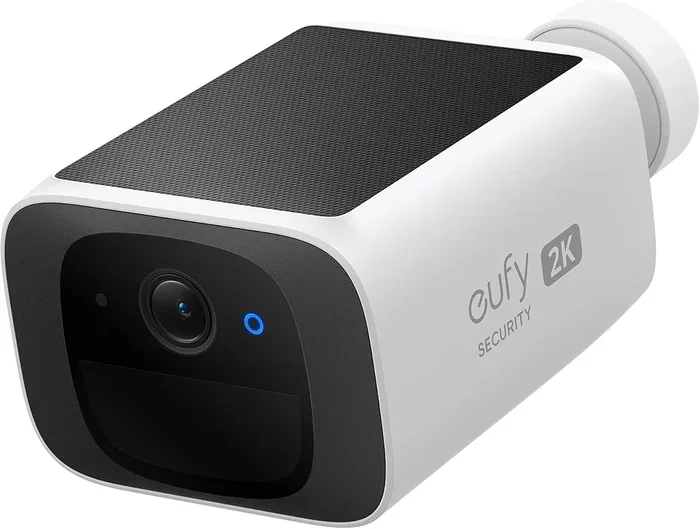
Can I Get a Security Camera Without WiFi Connection
Yes, you can absolutely get a security camera without WiFi. There are multiple reliable options including wired CCTV systems, cellular cameras, and battery-powered units with local storage. These non-WiFi security cameras keep your property protected even without an internet connection.
Have you been wondering whether you can install a security camera without WiFi in your home or business? The good news is yes, you absolutely can. Many homeowners and renters assume that all modern surveillance systems need an internet connection to work. That is simply not true. You have several solid options that keep your property safe without relying on a wireless network.
Whether you live in a rural area with poor internet, rent an apartment where you cannot modify the network, or simply prefer a more private setup, a security camera without WiFi can meet your needs. These cameras use alternative methods like cellular signals, local storage, and direct wiring to record and store footage. They come in many shapes and sizes to fit different budgets and security goals.
In this guide, we will walk you through everything you need to know. You will learn about the different types of non-WiFi cameras, how they store footage, what to look for when buying one, and how to set them up. By the end, you will feel confident choosing the right system for your situation.
Key Takeaways
- Multiple Options Exist: You can choose from wired CCTV, cellular, battery-powered, and PoE cameras that all work without WiFi.
- Local Storage is Key: Footage is saved on SD cards, DVRs, NVRs, or hard drives instead of the cloud.
- Better Privacy: Non-WiFi cameras reduce hacking risks because they do not transmit data over the internet.
- Lower Costs: No monthly cloud subscription fees mean significant long-term savings.
- Reliable Performance: These cameras work during internet outages and do not depend on signal strength.
- Easy Setup: Many battery-powered and cellular models install in minutes without technical expertise.
- Right for Any Setting: From rural properties to apartments, a security camera without WiFi fits diverse needs.
📑 Table of Contents
- Why You Might Need a Security Camera Without WiFi
- Types of Security Cameras That Work Without WiFi
- How WiFi-Free Security Cameras Store Footage
- Pros and Cons of Non-WiFi Security Cameras
- What to Look for When Buying a Security Camera Without WiFi
- Setting Up Your Security Camera Without WiFi
- Final Thoughts
Why You Might Need a Security Camera Without WiFi
There are many real reasons why people choose a security camera system without WiFi. Understanding these reasons can help you decide if this type of setup is right for you.
Poor or No Internet Connection
Not every home has reliable internet. Rural properties, older buildings, and certain rental units often have weak or no WiFi coverage at all. A security camera without WiFi solves this problem completely. You get full surveillance coverage without needing to upgrade your internet plan or install new routers.
Privacy and Security Concerns
Some people worry about cloud storage and hacking risks. When your camera relies on WiFi, the footage travels through your network and often to a cloud server. A non-WiFi security camera keeps data local. This means fewer points of vulnerability and more control over your personal security footage.
Lower Monthly Costs
Many WiFi cameras require a monthly subscription for cloud storage. Over time, these fees add up fast. A security camera without WiFi often uses local storage like SD cards or hard drives. This can save you a significant amount of money in the long run.
Apartment and Rental Restrictions
If you rent your home, you may not have permission to modify the existing WiFi network or router. A WiFi-free security camera works independently. You do not need to touch the network settings or ask your landlord for access codes.
Types of Security Cameras That Work Without WiFi
Not all non-WiFi cameras are the same. There are several distinct types, each with its own strengths. Here is a closer look at the most popular options.
Wired CCTV Cameras
Wired CCTV cameras have been the backbone of security systems for decades. They connect directly to a recording device using coaxial or Ethernet cables. These cameras do not need WiFi because the signal travels through the physical wire. You will often see them used in businesses, warehouses, and older home setups.
The main advantage of a wired security camera system is reliability. The connection does not drop, the signal stays strong, and the footage quality remains consistent. The downside is that installation requires running cables, which can be labor-intensive.
Cellular Security Cameras
A cellular security camera uses a SIM card and mobile data networks to transmit footage. Think of it like a phone that connects to the cell tower instead of your home WiFi. These cameras are perfect for locations where internet is unavailable or unreliable.
Many cellular cameras come with their own data plan. You can place them anywhere there is cell signal. This makes them ideal for remote properties, construction sites, and vehicles like RVs and boats.
Battery-Powered Cameras with Local Storage
Do not let the word “wireless” confuse you. A battery-powered security camera can operate without WiFi. These cameras record footage directly to an SD card or internal storage. They do not need a continuous internet connection to function.
You can place these cameras anywhere without worrying about power outlets or cable runs. They are great for temporary setups, seasonal properties, and areas where running power is difficult.
PoE (Power over Ethernet) Cameras
PoE cameras are a step up from traditional wired cameras. They receive both power and data through a single Ethernet cable. A PoE switch or recorder handles everything. No WiFi router is needed.
These cameras offer excellent video quality and stable connections. They are popular for home security systems and small business setups where reliability matters most.
How WiFi-Free Security Cameras Store Footage
One of the biggest questions people ask about a security camera without WiFi is where the footage goes. Without cloud storage, you need a local option. Here are the most common methods.
SD Card Storage
Many standalone cameras come with a built-in SD card slot. You insert a microSD card, and the camera records directly to it. This is the simplest and most affordable storage option. Most SD cards can hold several days to weeks of footage depending on the resolution and frame rate.
When the card fills up, the camera overwrites the oldest recordings. This is called loop recording. It ensures you always have the most recent footage available.
DVR and NVR Systems
A Digital Video Recorder (DVR) or Network Video Recorder (NVR) is a dedicated device that stores footage from multiple cameras. Wired cameras connect directly to the recorder using cables. The recorder saves everything to a built-in hard drive.
NVR systems work with IP cameras, while DVR systems work with analog cameras. Both options provide centralized storage and make it easy to review footage from multiple cameras at once.
Hard Drive and NAS Storage
For larger setups, you can connect cameras to a dedicated hard drive or a Network Attached Storage (NAS) device. This gives you massive storage capacity. Some systems support drives of 4TB or more, which can store weeks of continuous footage.
This option works well for surveillance camera systems with many cameras. It is also a great choice for businesses that need to retain footage for compliance or liability reasons.
Pros and Cons of Non-WiFi Security Cameras
Every security solution has trade-offs. Here is a balanced look at the advantages and disadvantages of a security camera system without WiFi.
| Pros | Cons |
|---|---|
| No internet dependency | Limited remote viewing options |
| Better privacy and security | Physical storage management required |
| Lower long-term costs | May require professional installation |
| Works during internet outages | Fewer smart features and integrations |
| Reliable and stable connections | Footage access may be less convenient |
| No monthly cloud fees | Harder to scale quickly |
As you can see, the benefits often outweigh the drawbacks for many users. The key is choosing the right type of non-WiFi camera for your specific needs.
Quick Tips for Choosing
- Tip 1: Consider how many cameras you need before buying.
- Tip 2: Choose a storage option that fits your budget.
- Tip 3: Check the camera’s night vision capabilities.
- Tip 4: Look for weatherproof ratings for outdoor use.
- Tip 5: Test the motion detection sensitivity before finalizing.
What to Look for When Buying a Security Camera Without WiFi
Shopping for a security camera without WiFi can feel overwhelming. There are many brands and models on the market. Here are the key features you should evaluate.
Video Quality and Resolution
Resolution is one of the most important factors. Higher resolution means clearer footage. Look for cameras that offer at least 1080p Full HD. If you want more detail, consider 2K or 4K resolution options. Better resolution helps you identify faces, license plates, and other important details in the footage.
Night Vision and Low-Light Performance
Most break-ins and suspicious activity happen at night. A good outdoor security camera should have strong night vision capabilities. Look for cameras with infrared LEDs or color night vision sensors. The range of the night vision matters too. Some cameras can see up to 100 feet or more in complete darkness.
Motion Detection and Alerts
Motion detection is a core feature of any surveillance camera. When the camera detects movement, it can start recording or send an alert. Some advanced models use AI to distinguish between people, animals, and vehicles. This reduces false alerts and helps you focus on what matters.
Weather Resistance
If you plan to install a camera outside, check its weather rating. Look for cameras with an IP65 or IP67 rating. These cameras can handle rain, snow, dust, and extreme temperatures. A durable outdoor security camera will last longer and perform better in all seasons.
Storage Capacity and Expandability
Think about how much footage you want to keep. A camera with a microSD card slot that supports up to 256GB gives you plenty of space. For larger systems, look for NVR or DVR units with multiple drive bays. Expandable storage gives you flexibility as your security needs grow.
Power Source and Battery Life
Battery-powered cameras offer maximum placement flexibility. A single charge can last anywhere from two to six months depending on usage and settings. If you prefer a constant power source, wired cameras with a direct power adapter are also available. Consider your installation location and power access when deciding.
Setting Up Your Security Camera Without WiFi
Setting up a security camera system without WiFi is simpler than you might think. Here is a step-by-step guide to get you started.
Step 1: Choose Your Camera Type
Decide which type of non-WiFi camera fits your needs. Consider your location, budget, and how many cameras you need. If you want a quick setup, a battery-powered camera with an SD card is a great choice. For a permanent, high-quality setup, a wired CCTV or PoE system works best.
Step 2: Plan Your Camera Placement
Walk around your property and identify vulnerable areas. Focus on entry points like doors, windows, and driveways. Place cameras at a height of about 8 to 10 feet for the best coverage angle. Avoid placing cameras where direct sunlight or bright lights can cause glare.
Step 3: Install and Connect
For wired cameras, run the cables from each camera to the DVR or NVR. Use cable clips or conduits to protect the wires. For battery-powered cameras, simply mount them in place and charge them. For cellular cameras, insert the SIM card and activate the data plan.
Step 4: Configure Storage
Insert an SD card or set up your recording device. Configure the recording schedule and motion detection settings. Set the camera to overwrite old footage when the storage is full, unless you want to save specific clips.
Step 5: Test and Monitor
After setup, test each camera to make sure it is recording properly. Check the night vision, motion alerts, and image quality. Review the footage on the device or through the camera’s app. Make any adjustments needed for optimal performance.
Common Mistakes to Avoid
- Mistake 1: Placing cameras too high, which reduces facial recognition quality.
- Mistake 2: Forgetting to check the storage capacity before recording starts.
- Mistake 3: Ignoring weatherproofing for outdoor cameras.
- Mistake 4: Not testing the motion detection sensitivity, leading to missed events or too many false alerts.
- Mistake 5: Choosing a camera without enough night vision range for your property size.
Expert Insight
“The best security camera is the one that fits your specific environment and needs. Do not chase features you will not use. Focus on reliability, clear footage, and easy access to stored recordings.”
Taking the time to plan your setup properly pays off. A well-placed security camera without WiFi can protect your home or business for years with minimal maintenance.
Final Thoughts
Choosing a security camera without WiFi is a smart move for many situations. Whether you live off the grid, rent a property, or simply value privacy, these systems deliver reliable protection without the internet. From wired CCTV setups to battery-powered cameras with local storage, you have plenty of options to choose from.
The key is understanding your needs and picking the right type of camera for the job. Consider video quality, storage options, night vision, and ease of installation. With the right setup, a security camera system without WiFi can keep your property safe and give you peace of mind every single day.
Take your time, compare your options, and invest in a system that fits your lifestyle. A good security camera without WiFi is one of the best decisions you can make for the safety of your home or business.
Frequently Asked Questions
Can I use a security camera without internet at all?
Yes, absolutely. Many security cameras work perfectly without any internet connection. These cameras record footage locally to an SD card, hard drive, or NVR/DVR device. You can review the footage directly on the device or by removing the storage media. The camera does not need the internet to capture or store video.
Do WiFi-free cameras still work at night?
Yes, night vision is a standard feature on most outdoor security cameras and indoor models alike. Whether the camera uses WiFi or not does not affect its ability to see in the dark. Infrared LEDs or color night vision sensors allow these cameras to capture clear footage even in complete darkness. Always check the night vision range before purchasing.
Can I view footage from a non-WiFi camera on my phone?
It depends on the camera model. Some cellular security cameras allow you to view live footage through a mobile app using the cellular network. For cameras that store footage locally on an SD card or NVR, you may need to remove the storage device or connect the recorder to a screen to review the footage. Some systems offer a local Wi-Fi hotspot that lets you connect your phone directly to the camera for a short-range view.
Are WiFi-free security cameras more secure than WiFi cameras?
Generally, yes. A non-WiFi security camera has fewer entry points for hackers because it does not connect to your home network or the internet. Since the footage stays local and is not transmitted over the air, it is harder for someone to intercept. However, physical security still matters. Make sure your recording device and storage media are stored in a safe, access-controlled location.
How long can a battery-powered camera record without WiFi?
Battery life varies by model and usage. Most battery-powered security cameras can record for two to six months on a single charge. Motion-activated recording uses less battery than continuous recording. Cold weather can also reduce battery life. Look for cameras with large battery capacities and efficient power management for the best results.
Can I add WiFi to a non-WiFi camera system later?
Some systems allow you to add a WiFi adapter or connect to a local network through a bridge device. However, this depends on the camera model and brand. If you think you might want WiFi features later, look for cameras that offer dual connectivity options. This gives you the flexibility to switch between local and network-based monitoring when needed.