Can You Get A 4k Laptop Here Is What You Need To Know
A 4k laptop gives you stunning screen detail and sharp visuals for work and play. You can absolutely find a 4k laptop that fits your budget and needs. This guide covers everything from display tech to battery life so you can make a smart choice.
Key Takeaways
- 4k laptops exist and are widely available from top brands like Dell, HP, Lenovo, and Apple.
- 4k resolution means four times the pixels of a standard 1080p screen for incredible sharpness.
- Battery life is shorter on 4k laptops because the display uses more power.
- Content creators benefit the most from 4k screens for photo and video editing.
- You do not need a massive budget anymore to get a solid 4k laptop.
- An external 4k monitor can supplement a non-4k laptop for the best of both worlds.
📑 Table of Contents
- What Is a 4k Laptop and Why Should You Care
- Who Should Buy a 4k Laptop
- Key Features to Look For in a 4k Laptop
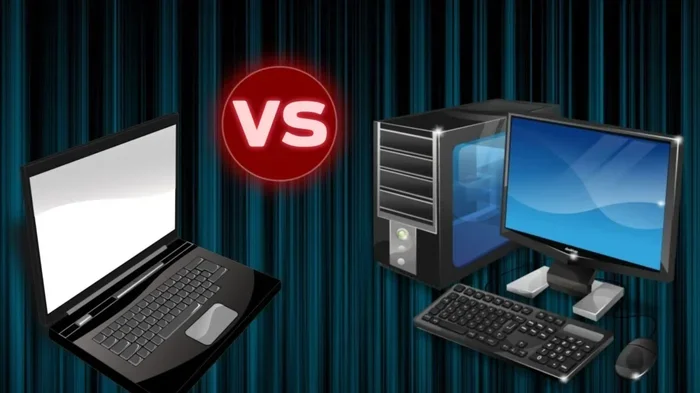
- 4k Laptops vs Regular Laptops: A Side-by-Side Look
- Common Mistakes People Make When Buying a 4k Laptop
- Best 4k Laptops Worth Your Money in 2024
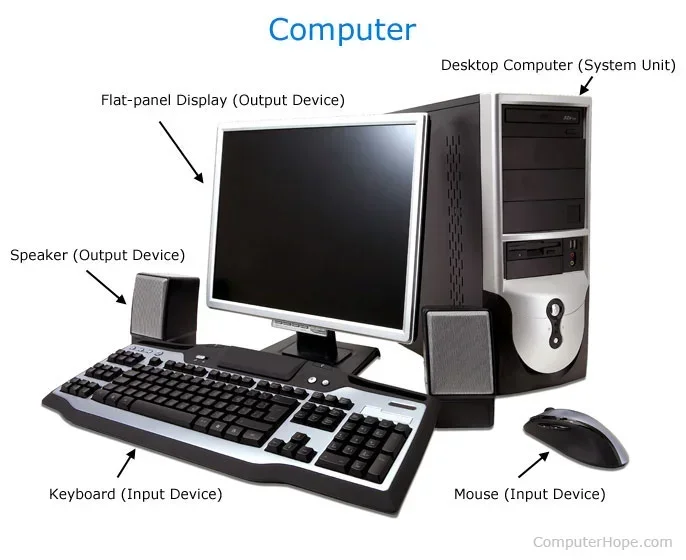
- Can a 4k Laptop Replace Your Desktop Setup
- Final Thoughts: Is a 4k Laptop Worth It
What Is a 4k Laptop and Why Should You Care
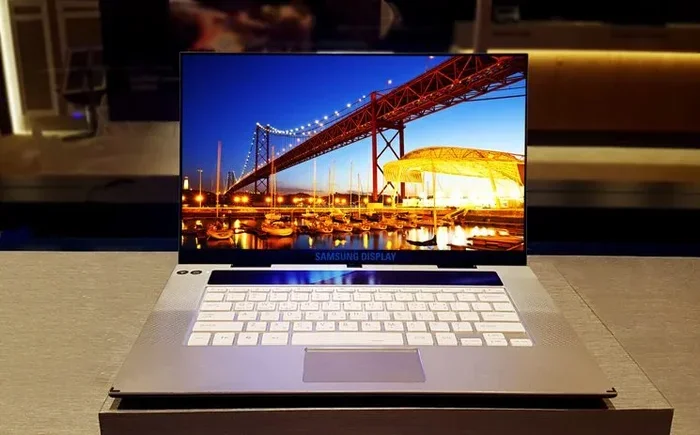
A 4k laptop is a portable computer that comes with a display resolution of 3840 by 2160 pixels. This is also called 4k ultra hd or 4k uhd. The screen packs in about 8.3 million pixels, which is four times more than a standard 1080p screen.
When you look at a 4k screen, the image looks incredibly sharp and detailed. Text feels crisp. Photos pop with color. Videos look cinematic right on your desk. If you have ever wondered what a 4k laptop feels like in real life, it is a noticeable upgrade from standard displays.
The 4k display technology has come a long way in recent years. A few years ago, 4k laptops were rare and very expensive. Now you can find them at many price points. Brands like Dell, HP, Lenovo, Asus, and Apple all offer 4k options.
But why does pixel density matter so much? When you open a high resolution image or watch a 4k video, every detail comes alive. You see textures in fabric, fine lines in illustrations, and subtle gradients in photos. This matters a lot if you do any kind of creative work or just enjoy media on your laptop.
The bottom line is that 4k laptops are real, available, and more affordable than ever. You just need to know what to look for and whether it fits your use case.
Who Should Buy a 4k Laptop
Not everyone needs a 4k screen. Let us break down who benefits most from a high resolution laptop.
Content Creators and Video Editors
If you edit photos or videos, a 4k laptop is a game changer. Color accuracy and pixel density matter a lot when you are grading footage or retouching images. A high resolution laptop lets you see your work the way it is meant to look. You catch details you would miss on a standard screen.
Many professional video editors and graphic designers swear by 4k ultra hd displays. When you are working with 4k footage, editing on a 4k screen gives you a true preview of the final output. This saves time and prevents mistakes that only show up later.
Gamers Who Want the Best Visuals
A gaming laptop 4k delivers a visually stunning experience. Games look incredible with all those extra pixels. But there is a catch. Running games at 4k requires a powerful graphics card and a strong processor. This means your laptop battery will drain faster during gaming sessions.
If you are a casual gamer, a 4k screen still looks great even at lower settings. The sharpness alone makes a big difference in how games feel. You do not need to push every setting to max to enjoy the beauty of a 4k display.
Business Professionals and Remote Workers
Even if you are not a creative or a gamer, a 4k laptop can improve your daily workflow. Spreadsheets, documents, and web pages look sharper and easier to read. Multitasking feels smoother when you can fit more content on screen without squinting.
Many professionals who work with data or design presentations find that a high resolution laptop boosts productivity. The extra screen real estate helps you keep multiple windows open without crowding. It is a simple upgrade that makes a real difference throughout your workday.
Key Features to Look For in a 4k Laptop
Not all 4k laptops are created equal. Here are the features that really matter when you are shopping.
Panel Type and Color Coverage
The two most common panel types are IPS and OLED. An IPS panel offers great viewing angles and solid color accuracy. It is the most popular choice for 4k laptops. An OLED laptop display goes a step further with perfect blacks and vibrant colors. However, OLED screens can be more expensive and may suffer from burn-in over time.
Look for a laptop that covers at least 99 percent of the sRGB color space. If you do professional work, aim for Adobe RGB or DCI-P3 coverage. This ensures your color accuracy is top notch and your prints or exports match what you see on screen.
HDR Support
HDR display support is another important feature. HDR stands for High Dynamic Range. It gives you brighter highlights, deeper blacks, and a wider range of colors. Not all 4k laptops support HDR, so check the specs carefully.
Look for HDR10 or Dolby Vision support. These standards ensure your content looks its best when watching movies or editing HDR photos. Without HDR, a 4k screen can still look great, but HDR takes the experience to the next level.
Processor and Graphics Card
A 4k screen demands more from your hardware. You need a capable CPU and GPU to drive all those pixels smoothly. For everyday tasks, an Intel Core i5 or i7 or an AMD Ryzen 5 or 7 works well.
For gaming or heavy video editing, look for a dedicated graphics card like an Nvidia RTX series. The graphics card is what handles the heavy lifting when rendering 4k content or running modern games at high settings. Do not skimp on this part if you plan to use your 4k laptop for demanding tasks.
Battery Life Considerations
Here is the honest truth about 4k laptops. They use more power than standard laptops because the display is always working harder. Expect battery life to be shorter than a 1080p laptop of the same model.
Most 4k laptops give you around 5 to 8 hours of real world use. If you need all-day battery, consider a laptop with a smaller 4k screen or one with power-saving features built in. Some models let you switch to a lower resolution when you are away from a charger, which helps a lot.
Screen Size and Portability
A portable 4k laptop is not as rare as it used to be. You can find 14-inch and 15.6-inch 4k options that are thin and light. If you travel often, look for a model that weighs under 4 pounds.
Larger screens like 17.3 inches give you more workspace but add weight. Think about how you will use the laptop most of the time before you decide on a size. A 15.6-inch 4k laptop often hits the sweet spot between screen quality and portability.
4k Laptops vs Regular Laptops: A Side-by-Side Look
Let us compare 4k vs 1080p laptops so you can see the real differences.
| Feature | 4k Laptop | 1080p Laptop |
|---|---|---|
| Resolution | 3840 x 2160 | 1920 x 1080 |
| Pixel Count | 8.3 million | 2.1 million |
| Sharpness | Very sharp and detailed | Good but less detailed |
| Battery Life | Shorter (5-8 hours) | Longer (8-14 hours) |
| Price | Higher | Lower |
| Best For | Creative work, gaming, media | Everyday tasks, browsing |
| Color Accuracy | Excellent on quality panels | Good on mid-range panels |
| Graphics Demand | Higher | Lower |
The table above makes it clear that a 4k screen is not for everyone. If you mainly browse the web, write documents, or do light work, a 1080p laptop may be all you need. But if visual quality matters to you, the upgrade to a 4k display is worth it.
Many people worry that a 4k screen will make everything look tiny. This is not the case on modern laptops. The operating system scales the interface so text and icons remain a comfortable size. You get the sharpness without the squinting.
Common Mistakes People Make When Buying a 4k Laptop
Ignoring Battery Life
Many buyers focus only on the screen and forget about power. A beautiful 4k display means nothing if your laptop dies in three hours. Always check real-world battery tests before you buy. Look for reviews that measure actual usage time, not just manufacturer claims.
A quick tip is to search for the specific model name plus battery life on YouTube or tech review sites. You will get a much more honest picture of what to expect in daily use.
Skipping the Graphics Card Check
A 4k screen does not automatically mean smooth performance. Some laptops pair a 4k display with a weak graphics card. This leads to lag, stuttering, and a poor experience especially during gaming or video playback. Always match your display to a capable GPU.
Before you buy, check whether the laptop can handle 4k video playback smoothly. Most modern 4k laptops can, but older or budget models might struggle with high bitrate content.
Overlooking Color Calibration
Not every 4k laptop comes factory-calibrated for accurate colors. If you do photo or video work, this is a big deal. Look for laptops that advertise factory calibration or Delta E values below 2. You can also calibrate your screen yourself with a colorimeter tool.
Even if your laptop is not factory calibrated, you can improve color accuracy with software tools. This is a small step that makes a huge difference for creative professionals.
Assuming Bigger Is Always Better
A 17-inch 4k laptop looks impressive but it is not always the best choice. Larger screens mean heavier laptops and shorter battery life. A 15.6-inch or 14-inch 4k laptop often hits the sweet spot between screen quality and portability.
Think about where you will use the laptop most. If you carry it to coffee shops or meetings, a lighter model will save you a lot of strain. If it stays on your desk, size matters less.
Best 4k Laptops Worth Your Money in 2024
If you are ready to buy, here are some of the best 4k laptops on the market right now.
The Dell XPS 15 OLED is a standout choice. It features a gorgeous 3.5k OLED display with stunning contrast and color. It is thin, lightweight, and powerful enough for most creative tasks. It is one of the most popular 4k laptops for good reason.
The HP Spectre x360 16 offers a 4k OLED option in a versatile 2-in-1 design. It is great for both work and entertainment. The touchscreen adds a nice touch for creative workflows and makes it easy to switch between laptop and tablet mode.
If you prefer the Apple ecosystem, the MacBook Pro 16-inch with a 4k or 5k display is a powerhouse for video editing and graphic design. The M-series chips handle the 4k display with ease and deliver excellent battery life compared to other 4k laptops.
The Lenovo ThinkPad P1 Gen 6 is a solid choice for professionals who need a mobile workstation. It offers a 4k IPS option with excellent color accuracy and build quality. It is built to handle tough workloads without breaking a sweat.
The Asus Zenbook Pro 14 OLED is a great compact option. It packs a 4k OLED screen into a lightweight body that is easy to carry around. It proves that you do not need a large laptop to get a great 4k experience.
Can a 4k Laptop Replace Your Desktop Setup
Many people wonder if a 4k laptop can take the place of a desktop computer. The answer depends on what you do.
For most office tasks, web browsing, and light creative work, a 4k laptop is more than enough. You can connect it to an external monitor when you are at your desk and use the built-in 4k screen on the go.
Some professionals connect their 4k laptop to a 4k external monitor for a dual-screen setup. This gives you the portability of a laptop with the screen real estate of a desktop. Just make sure your laptop has the right ports, like Thunderbolt 4 or USB-C with DisplayPort support.
For heavy 3D rendering or intensive video production, a desktop will still outperform most laptops. But for the majority of users, a powerful 4k laptop handles the job just fine. You get professional-grade visuals in a machine you can take anywhere.
Final Thoughts: Is a 4k Laptop Worth It
The short answer is yes, if visual quality matters to you. A 4k laptop gives you a beautiful, sharp screen that makes everything from spreadsheets to movies look better. It is especially valuable for content creators, gamers, and professionals who work with visual media daily.
However, you should go in with realistic expectations. A 4k laptop will cost more and have shorter battery life than a standard laptop. You also need to make sure the internal hardware can keep up with the display.
Think about how you use your laptop most of the time. If you are on the road often and need all-day battery, you might want to balance screen quality with portability. If you work from a desk most of the time, a 4k laptop is a fantastic investment.
Ultimately, the best 4k laptop is the one that fits your workflow, your budget, and your needs. Take your time, compare options, and do not rush the decision. Once you experience that level of sharpness and detail, going back to a lower resolution feels impossible.
Frequently Asked Questions
Is a 4k laptop worth the extra cost?
Yes, if you value visual quality for work or entertainment. Content creators, gamers, and professionals who handle visual media will see a big difference. But if you only browse the web and write documents, a standard 1080p laptop may be a better value for your money.
How long does a 4k laptop battery last?
Most 4k laptops last between 5 and 8 hours on a single charge. This is shorter than a 1080p laptop because the display uses more power. If battery life is a top priority, look for models with power-saving features or consider using a lower resolution setting when you are away from a charger.
Can I use a 4k laptop for gaming?
Absolutely. A 4k gaming laptop delivers stunning visuals. However, you will need a powerful graphics card like an Nvidia RTX 3060 or higher to run modern games smoothly at 4k. For casual gaming, even mid-range hardware can handle 4k at lower settings with great results.
Do I need a special graphics card for a 4k laptop?
For everyday tasks like browsing and office work, the built-in graphics on modern processors are enough. For gaming, video editing, or 3D work, a dedicated graphics card is important. It ensures smooth performance and prevents lag when driving all those extra pixels on a 4k screen.
What is the difference between 4k and ultra hd?
There is very little difference. 4k and 4k ultra hd are essentially the same thing. The resolution is 3840 by 2160 pixels. Some brands use the terms interchangeably, so you do not need to worry about the label. Just focus on the actual resolution numbers when comparing laptops.
Can I connect my 4k laptop to a 4k external monitor?
Yes, most modern 4k laptops support external 4k monitors through Thunderbolt 4 or USB-C ports. This lets you enjoy 4k visuals on a larger screen when you are at your desk. It is a great way to get the best of both worlds without buying a separate desktop setup.
=== CONCLUSION ===
A 4k laptop is a fantastic choice for anyone who values sharp visuals and vibrant screen quality. From content creators to casual users, the benefits of a 4k display are hard to ignore once you see them. The technology is more accessible now than ever before, with options available across a wide range of budgets.
Keep in mind the trade-offs like battery life, cost, and hardware requirements. Choose a model that matches your specific needs and usage habits. Do your research, read reviews, and pick the 4k laptop that fits your life best.
The world of 4k laptops has opened up, and there has never been a better time to make the switch. You will not regret the upgrade.