Does Mint Have Wi Fi Hotspot Everything You Need to Know
Yes, Mint Mobile does offer Wi-Fi hotspot capabilities on most of its plans, allowing you to share your cellular data with other devices. Hotspot speeds and data allowances vary by plan, so it is important to understand what you are getting before you rely on it. This guide covers everything from setup steps to data limits and speed restrictions.
This is a comprehensive guide about Does Mint Have Wi Fi Hotspot.
Key Takeaways
- Mint Mobile supports Wi-Fi hotspot: You can tether your phone and share data with laptops, tablets, and other devices.
- Hotspot data is included in your plan: Some plans offer unlimited hotspot data while others have fixed caps.
- Speeds may slow after heavy use: Mint uses T-Mobile’s network, and hotspot speeds can deprioritize during congestion.
- Setting up a hotspot is simple: You can enable it directly from your phone settings in just a few taps.
- Not all Mint plans are equal: Check your specific plan details to know your exact hotspot allowance.
- Alternatives exist: If Mint hotspot does not meet your needs, you can explore dedicated mobile hotspot devices or other carriers.
[FEATURED_IMAGE_PLACEHOLDER]
Does Mint Have Wi Fi Hotspot Everything You Need to Know
Mint Mobile has become one of the most popular prepaid wireless carriers in the United States. People love it for the low monthly prices and the flexibility it offers. But one question comes up again and again: does Mint have Wi-Fi hotspot?
The short answer is yes. Mint Mobile does provide mobile hotspot and tethering features. However, the details matter a lot. Your hotspot experience depends on the plan you choose, the data you have left, and the network conditions in your area.
In this article, we will walk you through everything you need to know about Mint Mobile Wi-Fi hotspot. We will cover how it works, what plans support it, how fast the speeds are, and how to set it up. By the end, you will know exactly what to expect.
What Is Mint Mobile and How Does It Work?
Mint Mobile is a prepaid carrier that operates on T-Mobile’s network. This means it uses the same cell towers and infrastructure that T-Mobile relies on. Because of this, Mint Mobile coverage is quite strong in most parts of the country.
You buy service in advance, usually in three, six, or twelve-month chunks. This is different from traditional postpaid plans where you get a monthly bill. The prepaid model keeps costs low and gives you more control over your spending.
Mint offers several tiers of service. The plans differ in data amounts, speed caps, and features. Some plans include unlimited data, while others give you a set amount of high-speed data each month. Hotspot tethering is available on most plans, but the specifics vary.
Because Mint runs on T-Mobile’s network, you get access to good 4G LTE and even 5G coverage in many areas. This is important for mobile hotspot users because network quality directly affects your experience. If you are in a strong coverage zone, your hotspot will perform well.
Does Mint Have Wi-Fi Hotspot Capability?
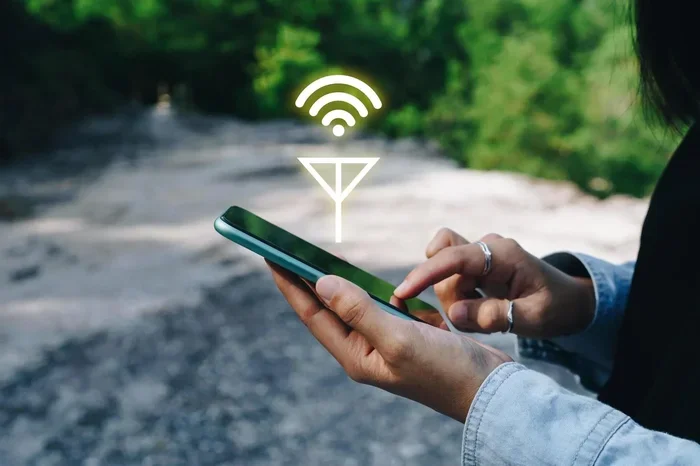
Yes, Mint Mobile phones do support Wi-Fi hotspot functionality. You can turn your phone into a portable hotspot and share your cellular data connection with laptops, tablets, and other phones. This is also called Wi-Fi tethering.
Here is what you need to know about Mint Mobile hotspot support:
- Most plans include hotspot data: Even entry-level plans typically allow some amount of hotspot usage.
- Unlimited plans offer the most flexibility: If you pick a higher-tier plan, you get more hotspot data or even unlimited hotspot data.
- Your phone must support hotspot mode: Nearly all modern smartphones do, but it is worth checking if you have an older device.
- Hotspot uses your cellular data: Every megabyte you send through the hotspot comes out of your monthly data allowance.
It is worth noting that not all Mint plans are created equal when it comes to hotspot usage. Some budget plans limit hotspot data to just a few gigabytes. If you plan to use your phone as a Wi-Fi hotspot regularly, you should choose a plan with a generous hotspot allowance.
How Mint Mobile Hotspot Differs from Dedicated Hotspot Plans
Mint Mobile hotspot is built into your phone. This is different from buying a dedicated mobile hotspot device or a separate hotspot plan. With Mint, you simply share your phone’s connection. This is convenient because you do not need extra hardware.
However, there are trade-offs. Using your phone as a hotspot drains the battery faster. It also means your phone receives calls and texts while sharing data. Some users prefer a separate hotspot device for longer sessions because it keeps their phone free.
If you are looking for an alternative, you might consider getting a hotspot instead of Wi-Fi through a dedicated device or a different carrier. This can give you more consistent speeds and better battery life on your phone.
How to Set Up Wi-Fi Hotspot on Mint Mobile
Setting up a Mint Mobile Wi-Fi hotspot is straightforward. You do not need any special apps or technical skills. Here is how to do it on both Android and iPhone.
Setting Up Hotspot on Android
- Open the Settings app on your phone.
- Tap on Network or Connections (the name varies by phone).
- Look for Hotspot and Tethering or Mobile Hotspot.
- Toggle the Mobile Hotspot switch to On.
- Tap on the hotspot name to set a custom SSID and password.
- Save your settings and connect your other devices.
Setting Up Hotspot on iPhone
- Open the Settings app on your iPhone.
- Tap on Personal Hotspot.
- Toggle Allow Others to Join to On.
- Set a Wi-Fi password if you have not already.
- Your iPhone will now broadcast a Wi-Fi network.
- Connect your other devices using the password you created.
Quick Tips for Hotspot Setup
- Always set a strong password: This keeps your connection secure and prevents strangers from using your data.
- Change the default hotspot name: A custom name makes it easier to find your network in a list.
- Turn off hotspot when not in use: This saves battery and keeps your data usage in check.
- Check your data usage: Go to your phone settings to monitor how much data your hotspot is consuming.
Once your hotspot is running, you can connect up to 10 devices typically. However, connecting too many devices can slow down your speeds. Keep the number of connected devices reasonable for the best performance.
Hotspot Data Limits and Speed Restrictions
This is where things get important. Mint Mobile hotspot data limits depend entirely on which plan you are on. Understanding these limits will help you avoid surprise overages or slow speeds.
Data Allowance by Plan Tier
Mint Mobile offers several plan tiers. Here is a general breakdown of what you can expect for hotspot data:
- Entry plans: These plans often include 1 to 5 GB of hotspot data per month. They are great for light use like checking email or browsing the web.
- Mid-tier plans: These typically offer 10 to 15 GB of hotspot data. This is enough for moderate use like streaming videos or working from home a few days a week.
- Unlimited plans: The top-tier Mint plans include unlimited cellular data, but hotspot speeds may be capped or deprioritized after a certain amount of usage.
Speed Throttling and Deprioritization
Mint Mobile uses T-Mobile’s network, which means hotspot speeds are subject to network conditions. During busy times, Mint users may experience slower speeds compared to postpaid T-Mobile customers. This is called deprioritization.
Here are some key points about Mint hotspot speeds:
- 4G LTE speeds: Most Mint plans offer 4G LTE hotspot speeds, which are good for browsing and standard-definition streaming.
- 5G speeds: Some plans and areas support 5G hotspot, but speeds can vary widely depending on signal strength and congestion.
- Speed caps: Certain plans may cap hotspot speeds at 256 Kbps or 512 Kbps after you use up your high-speed allowance.
- Deprioritization: Even with an unlimited plan, your hotspot speeds may slow during network congestion.
If you need consistent high speeds for gaming on Wi-Fi or video calls, you should test your hotspot speeds regularly. You can do this by running a speed test while connected to your hotspot.
What Happens When You Run Out of Hotspot Data?
When you exhaust your hotspot data, Mint Mobile will typically slow your speeds significantly. You may still be able to browse, but streaming and downloads will be very slow. Some plans may charge overage fees, while others simply throttle your speeds until the next billing cycle.
To avoid running out, keep an eye on your data usage. Mint provides a data usage tracker in its app. You can also set up alerts to warn you when you are approaching your limit.
Pros and Cons of Using Mint Mobile as a Hotspot
Like any solution, using Mint Mobile for internet sharing has its advantages and disadvantages. Here is a balanced look at what you can expect.
Pros
- Affordable pricing: Mint Mobile plans are among the cheapest options for hotspot-capable service.
- No contract required: You can switch plans or cancel anytime without penalties.
- Uses T-Mobile network: You get access to a large and reliable network with good coverage.
- Easy setup: Turning on your hotspot takes just a few minutes.
- Flexible plans: You can choose a plan that matches your data needs and budget.
Cons
- Deprioritization on congested networks: Your speeds may drop during peak hours.
- Battery drain: Using your phone as a hotspot drains the battery quickly.
- Limited hotspot data on lower plans: Budget plans may not give you enough data for heavy use.
- Speed caps on some plans: Not all plans offer high-speed hotspot data.
- Phone must be on: Your hotspot stops working if your phone is off or out of battery.
Who Should Use Mint Mobile Hotspot?
Mint Mobile hotspot works best for certain use cases. Here are some scenarios where it makes a lot of sense:
- Light users: If you only need hotspot for occasional email or browsing, a lower Mint plan will work fine.
- Travelers: Mint Mobile is great for road trips or visits where you need a backup internet connection.
- Students: A student who needs occasional internet access for research can benefit from Mint’s affordable plans.
- Remote workers on a budget: If you work from home occasionally and do not need massive data, Mint can serve as a reliable backup.
However, if you need a constant and reliable hotspot connection for heavy work like video conferencing every day or large file uploads, you may want to consider a dedicated hotspot device or a different carrier. You can also explore options like buying hotspot data on AT&T if you are open to switching carriers.
Another consideration is whether you can connect your PC to Wi-Fi without Ethernet using your Mint hotspot. The answer is yes, but the experience depends on your data plan and speed. For basic tasks, Mint hotspot works well. For intensive tasks, you may find the speeds limiting.
Common Mistakes to Avoid with Mint Mobile Hotspot
There are some common pitfalls that Mint Mobile hotspot users fall into. Avoiding these mistakes will save you data, frustration, and money.
1. Not Checking Your Hotspot Data Allowance
Many users assume all Mint plans offer the same hotspot data. This is not true. Before you rely on your hotspot, check your plan details. Know exactly how much hotspot data you have each month.
2. Leaving Hotspot On Overnight
Some people leave their hotspot running while they sleep. This can drain your battery and waste data if devices connect automatically. Always turn off your hotspot when you are not actively using it.
3. Connecting Too Many Devices
While your phone may support up to 10 connected devices, connecting that many will slow your speeds significantly. Limit your connections to only the devices that need the internet.
4. Ignoring Speed Throttling
Do not assume you will get full speeds all the time. Mint Mobile hotspot speeds can drop during congestion or after you use up your allowance. Always have a backup plan for important tasks.
5. Forgetting to Secure Your Hotspot
An open hotspot is a security risk. Someone could connect to your network, use your data, and potentially access your personal information. Always use a strong password and change it from the default.
Mint Mobile Hotspot vs. Other Options
How does Mint Mobile hotspot compare to other options? Here is a quick look at the alternatives.
Mint Mobile vs. Dedicated Hotspot Devices
Dedicated hotspot devices, also called mobile hotspots or MiFi devices, are built specifically for internet sharing. They have better batteries and often provide more stable connections. However, they cost extra money and require a separate data plan.
Mint Mobile hotspot saves you from buying extra hardware. It is a more convenient option for most people. The trade-off is that your phone takes the strain of sharing data, which can affect battery life and performance.
Mint Mobile vs. Other Carriers for Hotspot
Other carriers like AT&T, Verizon, and T-Mobile postpaid plans may offer better hotspot speeds and more generous data allowances. However, they also tend to cost more. Mint Mobile gives you a budget-friendly way to get hotspot functionality without a contract.
If you are already on Mint and it meets your needs, stick with it. If you find the hotspot speeds or data limits too restrictive, you can explore other options like getting a hotspot instead of Wi-Fi through a dedicated carrier service.
Expert Tips for Getting the Most Out of Mint Mobile Hotspot
Want to squeeze every bit of performance out of your Mint Mobile hotspot? Here are some expert tips:
- Use Wi-Fi 6 devices: Newer devices with Wi-Fi 6 support can connect to your hotspot faster and more efficiently.
- Keep your phone plugged in: When using hotspot for long sessions, plug your phone into a charger to prevent battery drain.
- Place your phone near a window: This improves signal strength and can boost your hotspot speeds.
- Update your phone regularly: Software updates often include network performance improvements.
- Monitor your data usage weekly: Do not wait until the end of the month to check your data. Regular monitoring helps you stay on track.
- Use data-saving modes: Enable data saver on your connected devices to reduce unnecessary data consumption.
Conclusion
Does Mint have Wi-Fi hotspot? Yes, it absolutely does. Mint Mobile provides mobile hotspot and tethering features on most of its plans. You can turn your phone into a portable Wi-Fi hotspot and share your cellular data with other devices.
The key is to choose the right plan for your needs. If you only need light hotspot usage, a lower-tier Mint plan will work great. If you need more data and better speeds, consider one of the higher-tier unlimited plans.
Setting up your hotspot is quick and easy. Just go into your phone settings and toggle the hotspot feature on. Remember to set a strong password and keep an eye on your data usage.
Mint Mobile hotspot is not perfect. You may experience speed throttling during busy times, and battery drain is a real concern. But for the price, it is one of the best budget-friendly ways to get internet sharing on the go.
Whether you are traveling, working remotely, or just need a backup connection, Mint Mobile has you covered. Just understand your plan limits, use your hotspot wisely, and you will get a solid experience.
FAQs
Can I use Mint Mobile hotspot on any device?
Yes, you can connect any Wi-Fi-enabled device to your Mint Mobile hotspot. This includes laptops, tablets, smart TVs, and other phones. Just make sure the device can connect to the Wi-Fi network your phone broadcasts and that you have enough data remaining on your plan.
Does Mint Mobile charge extra for hotspot usage?
No, Mint Mobile does not charge an extra fee specifically for hotspot usage. However, your hotspot data comes out of your monthly data allowance. If you run out of data, your speeds may be slowed or you may incur overage charges depending on your plan type.
How fast is Mint Mobile hotspot speed?
Mint Mobile hotspot speeds depend on your plan and network conditions. Most plans offer 4G LTE speeds, which are sufficient for browsing, email, and standard-definition streaming. Some plans and areas support 5G, which can be significantly faster. During peak hours or in congested areas, speeds may slow due to deprioritization.
Can I use my Mint Mobile hotspot while traveling internationally?
Mint Mobile hotspot works within the United States and its territories. International roaming is not included on most plans. If you travel abroad, you will need to check if your plan offers international roaming or purchase a travel pass. Without roaming, your hotspot will not work outside the US.
How many devices can connect to Mint Mobile hotspot at once?
Most Mint Mobile phones allow up to 10 devices to connect to the hotspot simultaneously. However, connecting too many devices can significantly slow your speeds. For the best performance, limit connections to 3 or 4 devices at a time.
Can I use Mint Mobile hotspot for gaming?
You can use Mint Mobile hotspot for light gaming, but it is not ideal for competitive or real-time gaming. Hotspot connections tend to have higher latency than direct Wi-Fi or Ethernet connections. If you want to game online, a wired connection or a dedicated hotspot device will give you a better experience.
Frequently Asked Questions
What is Does Mint Have Wi Fi Hotspot?
Does Mint Have Wi Fi Hotspot is an important topic with many practical applications.