Do Apple Computers Use Windows or macOS Operating System
Apple computers do not use Windows by default. They come preloaded with macOS, which is Apple’s own operating system designed specifically for its hardware. However, you can run Windows on a Mac using tools like Boot Camp or virtualization software, giving you the best of both worlds.
Do Apple Computers Use Windows? This is one of the most common questions people ask when they are shopping for a new computer. The short answer is no. Apple computers use macOS, which is their own proprietary operating system. But the full story is much more interesting than that simple fact.
When you buy a Mac, whether it is a MacBook Air, MacBook Pro, or iMac, it comes ready to go with macOS already installed. You do not need to install Windows or any other operating system. Apple designs both the hardware and the software together, which is a big part of what makes Mac computers so smooth and reliable.
That said, there are situations where people want to run Windows on their Mac. Maybe you need a specific Windows-only app for work. Or perhaps you are a gamer who wants access to the Windows game library. Whatever the reason, it is possible to run Windows on a Mac in several different ways.
In this article, we will explore everything you need to know about how Apple computers handle operating systems. We will look at what macOS is, how you can run Windows on a Mac, and what the real differences are between these two popular platforms. By the end, you will have a clear picture of what to expect from your Apple computer.
Key Takeaways
- Apple computers run macOS: Every Mac ships with Apple’s own operating system, not Windows.
- You can install Windows on a Mac: Using Boot Camp or virtualization tools, you can run Windows alongside macOS.
- Apple Silicon changes the game: Newer Macs with M-series chips handle Windows differently than older Intel Macs.
- macOS and Windows serve different needs: Each operating system has unique strengths for different types of users.
- Software compatibility matters: Some apps only work on Windows, while others are Mac-exclusive.
- Most users are happy with macOS: The majority of Mac owners never feel the need to switch to Windows.
📑 Table of Contents
- What Operating System Do Apple Computers Use?
- Can You Install Windows on a Mac?
- macOS vs Windows: Key Differences
- Apple Silicon and Its Impact on Operating Systems
- When Might You Want Windows on a Mac?
- Common Mistakes People Make When Using Windows on a Mac
- Expert Insights: What the Pros Think
- Key Takeaways
- Final Verdict: So Do Apple Computers Use Windows?
What Operating System Do Apple Computers Use?
Every Apple computer comes with macOS preinstalled. This operating system is built by Apple specifically for their hardware. It has been around for decades and has evolved into a powerful, polished platform that millions of people use every day.
A Brief History of macOS
macOS has gone through many name changes over the years. It used to be called Mac OS X, then OS X, and now macOS. The current versions include macOS Sonoma, macOS Ventura, and macOS Sequoia. Each new version brings fresh features, better performance, and improved security.
Apple designs macOS to work seamlessly with its own chips. Whether your Mac uses an Intel processor or the newer Apple Silicon M-series chips, macOS is optimized to take full advantage of the hardware. This tight integration is one reason why Mac computers are known for their stability and speed.
What Makes macOS Different?
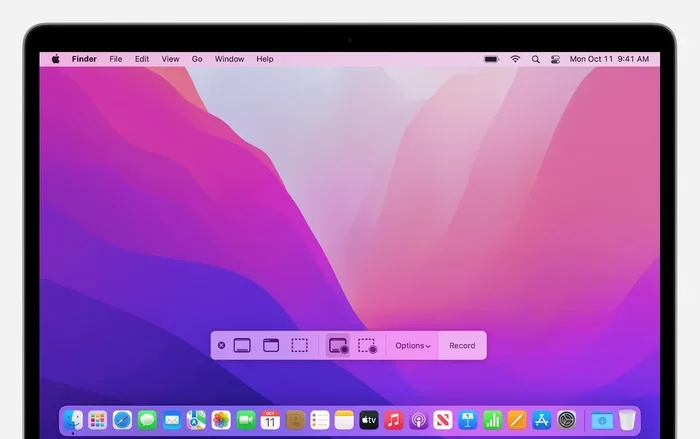
macOS has several features that set it apart from other operating systems. The interface is clean and intuitive. The Finder file manager works differently from Windows File Explorer. The menu bar sits at the top of the screen instead of the bottom. These design choices make macOS feel unique and polished.
Apple also builds a lot of useful software right into macOS. You get Safari, Mail, Photos, iMovie, GarageBand, and more, all for free. You do not need to download third-party apps just to handle everyday tasks. This is a huge advantage for many users.
Can You Install Windows on a Mac?
Yes, you absolutely can. Even though Apple computers do not come with Windows, you have several options for running it. Let us look at the most popular methods for getting Windows on a Mac.
Using Boot Camp
Boot Camp is a built-in tool from Apple that lets you install Windows directly on your Mac. It creates a separate partition on your hard drive. When you start your computer, you can choose whether to boot into macOS or Windows. This gives you full access to Windows and all its features.
Boot Camp works best on Intel-based Macs. If you have a newer Mac with Apple Silicon, Boot Camp is not available. Apple phased out support for Boot Camp when they switched to their own chips. This is an important limitation to keep in mind.
Virtualization Software
If you cannot use Boot Camp, virtualization is your next best option. Programs like Parallels Desktop, VMware Fusion, and UTM let you run Windows inside macOS. You do not need to restart your computer. Windows runs in a window alongside your Mac apps.
Virtualization works on both Intel and Apple Silicon Macs. However, performance can vary. Running Windows in a virtual machine uses some of your Mac’s resources. For everyday tasks like browsing the web or using Office apps, this works great. For demanding tasks like gaming or video editing, you might notice a slowdown.
Cloud-Based Windows Options
Another option is to use cloud-based Windows services. These let you access a Windows desktop through your web browser. Services like Windows 365 or Shadow PC stream the Windows experience to your Mac. You do not need to install anything locally.
This approach is great for light Windows use. If you only need to run a few Windows apps occasionally, cloud-based solutions can save you a lot of hassle. They also work on any Mac, regardless of the processor type.
macOS vs Windows: Key Differences
macOS and Windows are both excellent operating systems, but they are designed with different philosophies. Understanding these differences helps you decide which platform suits your needs better.
User Interface and Experience
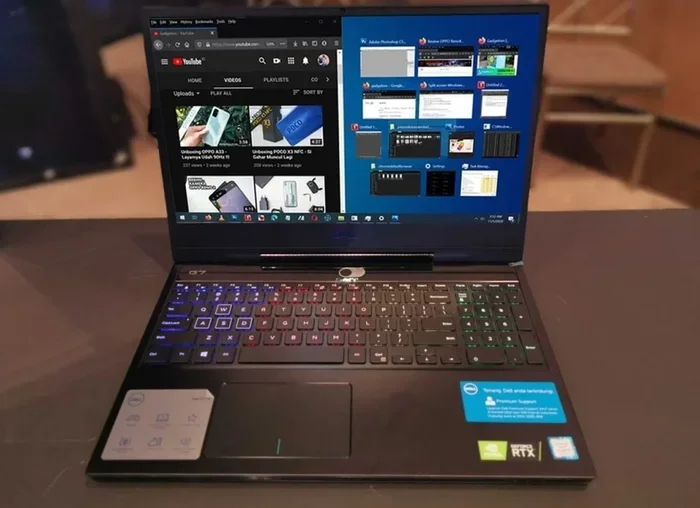
macOS has a clean, minimalist design. The dock sits at the bottom of the screen. The menu bar is always at the top. Windows uses a more traditional desktop layout with a taskbar at the bottom and a Start menu for launching apps.
Both systems are easy to learn. If you have used a Windows PC before, you will feel right at home on a Mac after a short adjustment period. The same goes for the reverse. Both platforms share many common features like file browsers, taskbars, and notification centers.
Software Availability
Windows has a much larger library of software. Because it has been the dominant desktop operating system for years, almost every developer builds Windows versions of their apps. If you need specialized business software or niche tools, Windows likely has them.
macOS has a strong app ecosystem too. The Mac App Store offers thousands of apps. Many popular programs like Microsoft Office, Adobe Creative Cloud, and Google Chrome are available on both platforms. However, some apps are Windows-only, and a few are Mac-only.
Gaming
Windows is the king of PC gaming. Most games are built for Windows first. The Steam library is vast, and many indie developers release their games on Windows only. If gaming is important to you, Windows has a clear advantage.
macOS has made strides in gaming, but it still lags behind. Apple Silicon Macs can run many games, and the library is growing. But you will not find the same breadth of titles as on Windows. Cloud gaming services like GeForce Now can help bridge this gap.
Security and Privacy
macOS is generally considered more secure than Windows. Apple controls both the hardware and software, which makes it harder for malware to infect Macs. The built-in security features like Gatekeeper and XProtect add extra layers of protection.
Windows has improved its security significantly in recent years. Windows Defender is a solid built-in antivirus. Microsoft pushes regular security updates. But because Windows has a larger user base, it remains a bigger target for hackers and malware creators.
Price and Value
Mac computers tend to cost more than comparable Windows PCs. Apple charges a premium for its hardware and software integration. However, many Mac users feel the higher price is worth it for the build quality, longevity, and resale value.
Windows PCs come in a huge range of prices. You can find budget laptops for a few hundred dollars or high-end workstations for thousands. This variety makes Windows more accessible to a wider range of budgets.
Quick Comparison Table
| Feature | macOS | Windows |
|---|---|---|
| Default on Apple Computers | Yes | No |
| User Interface | Clean and minimalist | Traditional and customizable |
| Software Library | Good, growing | Very large |
| Gaming | Limited but improving | Excellent |
| Security | Very strong | Good, with improvements |
| Price Range | Higher end | Wide range |
| Boot Camp Support | Intel Macs only | N/A |
| Virtualization | Yes, via Parallels or VMWare | N/A |
Apple Silicon and Its Impact on Operating Systems
Apple made a huge change in 2020 when it switched from Intel processors to its own Apple Silicon chips. The M1, M2, M3, and M4 series chips transformed the Mac lineup. This shift also changed how Macs handle operating systems and Windows compatibility.
What Is Apple Silicon?
Apple Silicon refers to the custom-designed processors Apple uses in its newer Macs. These chips are built on ARM architecture, which is different from the x86 architecture used by Intel and most Windows PCs. Apple Silicon delivers incredible performance and battery life.
The transition to Apple Silicon was a big deal for the Mac world. It brought faster speeds, better efficiency, and improved graphics performance. But it also created some compatibility challenges for running Windows on a Mac.
How Does Apple Silicon Affect Windows Use?
Because Apple Silicon uses ARM architecture, you cannot simply install a standard Windows version on a Mac. Traditional Windows apps are built for x86 processors. Apple has solved this problem with Rosetta 2, a translation layer that lets you run x86 apps on ARM chips.
When you use virtualization software like Parallels on an Apple Silicon Mac, you get a version of Windows built for ARM. Most everyday apps work perfectly through Rosetta 2. However, some apps that rely on low-level hardware access may not work as well.
For most users, this is not a problem. If you use Windows for office work, browsing, or light creative tasks, an Apple Silicon Mac with Parallels works great. If you need specific Windows-only software for professional use, check compatibility before you buy.
When Might You Want Windows on a Mac?
There are several situations where running Windows on a Mac makes a lot of sense. Let us look at the most common scenarios where people choose to do this.
Work and Business Needs
Many companies use Windows-only software for their operations. If your job requires specific Windows apps, you might need to run Windows on your Mac. Tools like Parallels make this easy. You can switch between macOS and Windows with just a click.
Some common business apps that run better on Windows include certain enterprise resource planning tools, specialized accounting software, and legacy systems. If your workplace requires these, running Windows on your Mac is a practical solution.
Gaming
As mentioned earlier, Windows has a much larger game library. If you love gaming and also want a Mac for work or creative projects, running Windows through Parallels or a cloud service gives you the best of both worlds.
Keep in mind that gaming performance in a virtual machine is not the same as on a dedicated Windows PC. For casual gaming, it works well. For demanding AAA titles, you may want a dedicated Windows machine or a cloud gaming service.
Development and Testing
Software developers often need to test their apps on multiple platforms. Running Windows on a Mac lets developers test their software without buying a separate Windows PC. This saves money and desk space.
Virtualization tools make it easy to spin up different Windows environments. You can test on multiple versions of Windows at the same time. This is incredibly useful for developers who need to ensure their apps work across different setups.
Common Mistakes People Make When Using Windows on a Mac
If you decide to run Windows on your Mac, there are some pitfalls to avoid. Learning from other people’s mistakes saves you time and frustration.
- Assuming Boot Camp works on all Macs: Boot Camp only works on Intel-based Macs. If you have an Apple Silicon Mac, you need to use virtualization instead.
- Underestimating storage needs: Running Windows takes up significant disk space. Make sure you have enough free storage before installing.
- Ignoring RAM requirements: Virtualization uses a chunk of your Mac’s memory. If you have 8 GB of RAM or less, running Windows alongside macOS can feel sluggish.
- Not checking app compatibility: Some Windows apps do not work well on ARM-based Macs. Always verify compatibility before you commit.
- Forgetting to back up: Anytime you partition your drive or install a new operating system, back up your data first. Use Time Machine or another backup tool.
Expert Insights: What the Pros Think
Tech experts generally agree that macOS is the best choice for most Apple computer users. The operating system is stable, secure, and well-designed. Most people never need to touch Windows on their Mac.
However, experts also acknowledge that there are valid reasons to run Windows on a Mac. “The ability to run both operating systems on one machine is incredibly powerful,” says tech reviewer Mark Spencer. “It gives you flexibility without forcing you to carry two laptops.”
For creative professionals, macOS remains the preferred choice. Many industry-standard apps like Final Cut Pro and Logic Pro are Mac-exclusive. On the other hand, engineers and developers who need Windows-specific tools appreciate the flexibility of running both platforms on a single machine.
Key Takeaways
- Apple computers use macOS by default: You never need to install Windows just to use a Mac.
- Windows can be installed on Macs: Use Boot Camp on Intel Macs or virtualization software on Apple Silicon Macs.
- macOS and Windows each have strengths: macOS excels in design and security, while Windows leads in software variety and gaming.
- Apple Silicon changed the landscape: Newer Macs use ARM architecture, which affects how Windows runs on them.
- Most users are satisfied with macOS: The majority of Mac owners never feel the need to switch to or add Windows.
- Check compatibility before you start: Not all Windows apps work perfectly on every Mac, especially Apple Silicon models.
Final Verdict: So Do Apple Computers Use Windows?
The answer is clear. Apple computers do not use Windows. They use macOS, which is Apple’s own operating system built specifically for their hardware. This is true for every Mac model, from the MacBook Air to the Mac Studio.
However, the story does not end there. You can run Windows on a Mac if you need to. Whether through Boot Camp on older Intel models or virtualization on newer Apple Silicon Macs, the option is there. This flexibility is one of the reasons Macs remain so popular among professionals who need access to both platforms.
If you are choosing between a Mac and a Windows PC, think about what you will use the computer for. If you value design, ease of use, and security, macOS is a fantastic choice. If you need specific Windows software or love PC gaming, you might want to stick with a Windows machine. And if you want the best of both worlds, a Mac with Windows virtualization gives you incredible flexibility.
At the end of the day, the question “Do Apple Computers Use Windows” has a simple answer. They do not, but they can. And that ability to bridge both worlds is what makes Apple computers so versatile and appealing to so many users around the world.
Frequently Asked Questions
Can I install Windows 11 on a Mac?
Yes, you can install Windows 11 on a Mac using virtualization software like Parallels Desktop. This works on both Intel and Apple Silicon Macs. You cannot use Boot Camp for Windows 11 on Apple Silicon Macs since Boot Camp is Intel-only.
Is it free to run Windows on a Mac?
Running Windows on a Mac is not entirely free. You need a valid Windows license to use Windows 11 legally. Virtualization software like Parallels also costs money, though there are free alternatives like UTM. Boot Camp itself is free but only works on Intel Macs.
Will running Windows slow down my Mac?
It depends on how you run Windows. Virtualization uses some of your Mac’s RAM and processor power, which can slow things down if you have limited resources. Boot Camp gives Windows full access to your hardware, so it runs faster but requires a restart to switch between operating systems.
Can I play PC games on a Mac using Windows?
Yes, you can play many PC games on a Mac by running Windows through Parallels or Boot Camp. However, performance depends on your Mac’s specs. Apple Silicon Macs can run many games well, but demanding titles may not perform as well as on a dedicated Windows gaming PC.
Do all Mac apps work on macOS?
Most Mac apps work perfectly on macOS. Apple builds many apps into the system for free. However, some third-party apps may only be available for Windows. If you rely on specific software, check whether it has a macOS version before you buy a Mac.
Is macOS better than Windows?
Neither is objectively better. It depends on your needs and preferences. macOS is known for its sleek design, strong security, and seamless integration with other Apple devices. Windows offers wider software compatibility, more customization options, and a larger gaming library. Both are excellent operating systems.
=== CONCLUSION ===
Apple computers use macOS, not Windows. This is a fundamental part of what makes Macs unique. Apple designs both the hardware and the software together, creating a polished and reliable experience right out of the box.
But the ability to run Windows on a Mac adds a layer of flexibility that many users appreciate. Whether you use Boot Camp, virtualization software, or cloud-based solutions, you can access the Windows ecosystem whenever you need it.
Understanding how Apple computers handle operating systems helps you make the best choice for your needs. If you are a casual user, macOS will serve you well. If you need Windows for specific tasks, you have options. And if you want both, a Mac gives you the freedom to have it all.
The next time someone asks you, “Do Apple computers use Windows?” you will know the full answer. They do not use Windows by default, but they can. And that versatility is one of the biggest reasons Apple computers remain so popular in a world full of choices.