Can You Use Hdmi On Original Xbox Here Is Everything
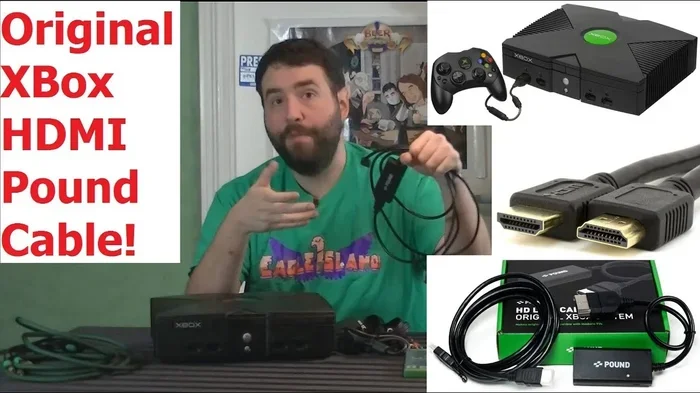
Yes, you can use HDMI on the original Xbox, but not directly. You will need an adapter or converter to connect your classic console to modern HDTVs. This guide covers every option, from HDMI adapters to component cables, so you can enjoy your favorite retro games in the best possible quality.
Let us talk about something that a lot of retro gamers run into. You dust off your original Xbox. You plug it into your brand new TV. And the picture looks terrible. You wonder if there is any way to get a clean digital signal going. The answer is yes. You can absolutely use HDMI on the original Xbox. But it is not as simple as plugging in a cable. You need the right adapter, the right setup, and a little bit of know how. This guide walks you through everything you need to know about getting HDMI output from your classic console.
Whether you are a casual player looking to revisit old favorites or a hardcore collector trying to build the perfect retro setup, understanding your connection options matters. A lot has changed in television technology over the years. Most modern TVs no longer have composite or S-Video inputs. They are built for digital signals. That is where HDMI comes in. And getting HDMI on the original Xbox opens up a whole new world of crisp, clear gaming.
In this article, we will cover every method, every adapter, and every tip you need. By the end, you will know exactly how to connect your original Xbox to any modern display. No guesswork. No wasted money on the wrong cables. Just straightforward advice that works.
Key Takeaways
- The original Xbox does not have a built-in HDMI port. It was released before HDMI became standard on consoles.
- You need an adapter or converter to get HDMI output from your original Xbox to a modern television.
- Component video cables offer the best quality without an adapter, but HDMI adapters give you a clean digital signal.
- Several affordable HDMI converter options exist, including models from brands like RetroTINK and XRGB-Mini.
- Setting up HDMI correctly can dramatically improve your picture quality compared to composite or S-Video connections.
- Avoid common mistakes like buying the wrong adapter type or skipping the proper setup steps.
- Retro gaming setups benefit greatly from a clean HDMI connection to modern displays.
📑 Table of Contents
- What You Need to Know About HDMI and the Original Xbox
- The Original Xbox Connection Options Explained
- How to Get HDMI Output on Your Original Xbox
- Comparing HDMI Adapters and Converters for the Original Xbox
- Step by Step Guide to Getting HDMI on Your Original Xbox
- Tips for the Best Picture Quality on Modern TVs
- Common Mistakes When Connecting the Original Xbox to HDMI
- Why Retro Gaming Setups Deserve the HDMI Upgrade
- Final Thoughts
What You Need to Know About HDMI and the Original Xbox
The original Xbox launched in 2001. At that time, HDMI was still very new. Most people were using VGA cables for their computers. DVD players used composite or component cables. The original Xbox followed that same trend. It came with AV ports built in, not HDMI. So when we talk about using HDMI on the original Xbox, we are talking about workarounds and adapters.
Here is the good news. The original Xbox outputs a high quality analog signal. That signal can be converted to digital HDMI with the right equipment. You are not stuck with blurry composite cables forever. There are real solutions that will make your games look sharp on a modern 1080p or even 4K television.
Why HDMI Matters for Retro Gaming
If you have ever tried playing your original Xbox on a flat screen TV, you know the struggle. Composite cables give you a fuzzy image. Colors bleed together. Text looks blurry. This happens because composite signals carry both video and audio through a single cable. The quality suffers as a result.
HDMI sends a completely digital signal. No conversion loss. No interference. The result is a crisp, clean image that takes full advantage of your modern TV. For retro gaming, this difference is night and day. Your favorite Xbox games from the early 2000s suddenly look presentable on a big screen.
Also, if you are setting up a home network for online retro gaming or streaming, you might want to check out Am I On Wifi 5 Or 6 to make sure your connection can handle the load alongside your gaming setup.
The Original Xbox Connection Options Explained
Before we dive into HDMI adapters, let us understand what the original Xbox actually offers out of the box. Knowing your starting point makes everything else easier.
Composite AV Cable
The standard AV cable that came in the original Xbox box uses composite connections. This is the yellow, red, and white RCA cable setup. It delivers standard definition video, usually at 480i resolution. The picture quality is okay for the early 2000s, but on a modern TV, it looks soft and blurry.
Most people want to move past composite cables. They just do not cut it anymore. If your TV only has HDMI inputs, composite will not work directly. You need a converter.
Component Video Cable
The component cable is a big step up. It uses three separate cables for video. The red, green, and blue RCA connectors carry the video signal. The red and white cables handle audio. Component cables support 480p resolution, which is a noticeable improvement over composite.
However, component cables are still analog. They do not carry a digital signal. And many modern TVs have stopped including component inputs. So while component is better than composite, it is not the final solution for long term use.
S-Video Cable
Some original Xbox models supported S-Video. This connection splits the video signal into two channels. The result is better color accuracy than composite. But S-Video still falls short of component quality. It is a middle ground option that most people skip in favor of component or HDMI.
How to Get HDMI Output on Your Original Xbox
Now for the part you have been waiting for. How do you actually get HDMI on the original Xbox? There are a few different methods. Each has its own pros and cons. Let us break them down.
Option 1: HDMI Adapter Converters
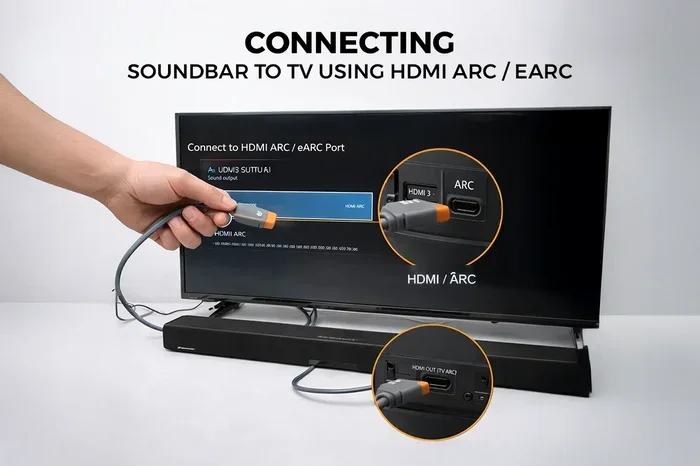
The most popular method is using an HDMI adapter converter. These small devices plug into your original Xbox AV port and output a clean HDMI signal. You then connect a standard HDMI cable from the converter to your TV.
There are many options on the market. Some converters are designed specifically for retro consoles. Others are more generic. Look for a converter that supports the original Xbox output resolution and signal type. A good converter will upscale your game to 720p or even 1080p.
Popular choices include devices from brands like RetroTINK and XRGB-Mini. These are purpose built for retro gaming and handle the conversion cleanly. They also help reduce input lag, which matters if you are playing fast action games.
Option 2: Component to HDMI Converters
If you already own a component cable for your original Xbox, you can use a component to HDMI converter. These devices take the analog component signal and convert it to a digital HDMI output.
This is often the most affordable route. Component to HDMI converters can be found for under fifty dollars. They do a solid job of upscaling your games. The picture quality is much better than composite or S-Video.
Just make sure the converter you buy supports the resolution you want. Some budget converters only output 480p. Others can push 720p or higher. Read the specs before you buy.
Option 3: Internal HDMI Mods
For the hardcore modders out there, there is an internal HDMI modification. This involves opening up your original Xbox and installing an HDMI output board directly inside the console. It replaces the old AV port entirely.
This option gives you the cleanest possible signal. There is no external converter box sitting on your entertainment center. The HDMI output is built right into the console. However, it requires technical skill and soldering. It also voids your warranty if your console is still covered.
This is not for everyone. But if you want a permanent, clean solution, an internal HDMI mod is worth considering. There are many online guides and communities dedicated to this modification.
Option 4: Using a Retro Upscaling Device
Upscaling devices like the OSSC or RetroTINK process the original Xbox signal and output it via HDMI. These are more expensive than simple converters, but they offer superior image quality.
Upscalers do more than just convert the signal. They can apply filters to reduce noise, sharpen the image, and even add scan lines for that classic CRT look. If you care deeply about picture quality, an upscaler is the way to go.
These devices also work well if you are looking to add prefixes to numbers on iPhone for organizing your gaming accounts and contacts alongside your setup.
Comparing HDMI Adapters and Converters for the Original Xbox
Not all HDMI adapters are created equal. Here is a quick comparison of the main options available for connecting your original Xbox to HDMI.
| Option | Price Range | Setup Difficulty | Image Quality | Best For |
|---|---|---|---|---|
| HDMI Adapter Converter | $30 – $80 | Easy | Good to Great | Casual gamers wanting a quick fix |
| Component to HDMI Converter | $20 – $60 | Easy | Good | Budget conscious retro gamers |
| Internal HDMI Mod | $50 – $150 (parts) | Hard | Excellent | Modders and permanent setups |
| Retro Upscaler (OSSC/RetroTINK) | $100 – $300 | Medium | Outstanding | Quality focused collectors |
As you can see, there is an option for every budget and skill level. The easiest route is a simple HDMI adapter converter. The best quality route is an upscaler or internal mod. Choose based on what matters most to you.
Step by Step Guide to Getting HDMI on Your Original Xbox
Ready to set it up? Here is a straightforward walkthrough for the most common method: using an HDMI adapter converter.
- Gather your materials. You need an HDMI adapter converter, an HDMI cable, and your original Xbox with its AV cable still attached.
- Connect the AV cable to your Xbox. Plug the composite or component cable into the AV port on the back of your console.
- Connect the converter. Plug the AV cable ends into the corresponding inputs on your HDMI converter. Match the colors. Yellow goes to yellow. Red goes to red. White goes to white.
- Connect the HDMI cable. Plug one end of your HDMI cable into the converter. Plug the other end into your TV.
- Power on your Xbox. Turn on the console and switch your TV to the correct HDMI input.
- Adjust the settings. Go to the Xbox dashboard and check the display settings. You may need to adjust the resolution to match your TV.
That is it. In just a few minutes, you can be playing your original Xbox games with a clean HDMI signal. The difference in picture quality is immediately noticeable.
Tips for the Best Picture Quality on Modern TVs
Getting HDMI on your original Xbox is only half the battle. Here are some tips to make sure you are getting the best possible picture.
- Use a high quality HDMI cable. A cheap cable can introduce signal issues. Stick with a reputable brand for your HDMI connection.
- Set your TV to game mode. Most modern TVs have a game mode setting. This reduces input lag and makes the image look sharper.
- Match your resolution settings. Set your Xbox display output to match your TV native resolution. If your TV is 1080p, set the Xbox to output 1080p through the converter.
- Keep your cables short. Longer cables can degrade signal quality. Use the shortest HDMI cable that works for your setup.
- Avoid cheap no name converters. They often have poor upscaling and can introduce artifacts. Invest in a known brand for better results.
Taking these small steps makes a big difference. Your retro games will look so much better with a clean digital signal going to your TV.
Common Mistakes When Connecting the Original Xbox to HDMI
Even with the right equipment, people make mistakes. Here are the most common ones to avoid.
- Buying the wrong converter type. Make sure the converter you buy supports the original Xbox signal. Not all converters work with every console.
- Forgetting to set the TV input correctly. If your TV is not on the right HDMI port, you will see no signal. Double check this first if nothing is showing up.
- Using a damaged AV cable. Old cables can have bent pins or worn connections. Replace them if they look worn out.
- Ignoring audio setup. HDMI carries both video and audio. But sometimes the audio settings need adjustment in the Xbox dashboard. Make sure sound is working after your setup.
- Skipping the upscaling step. If your converter supports upscaling, use it. Playing at 480p on a 4K TV will look much worse than 1080p.
Avoiding these mistakes saves time and frustration. Take a few extra minutes to get the setup right the first time.
Why Retro Gaming Setups Deserve the HDMI Upgrade
Retro gaming is more popular than ever. People are revisiting classic consoles from the early 2000s and before. The original Xbox holds a special place in gaming history. It was Microsoft first entry into console gaming. It introduced Xbox Live. It gave us franchises that still matter today.
But enjoying these games on old equipment does not do them justice. Modern TVs are incredible displays. They deserve clean digital signals. Using HDMI on the original Xbox brings these classic games into the modern era. You get to experience them the way they were meant to look, just on a better screen.
Plus, if you are streaming or recording your gameplay, a clean HDMI output makes a huge difference in the final video quality. Your viewers will notice the improvement immediately.
Final Thoughts
So can you use HDMI on the original Xbox? Absolutely. It takes a little extra equipment, but the results are well worth it. Whether you choose a simple HDMI adapter converter, a component to HDMI setup, or go all in with an internal mod or upscaler, you will notice the difference right away.
The original Xbox is a great console. It deserves to be shown off on a modern display. Do not let outdated cables hold you back. Pick the right HDMI solution for your needs and budget, and enjoy your favorite classic games the way they should look. Your retro gaming setup will thank you.
Frequently Asked Questions
Can the original Xbox output HDMI without any extra equipment?
No, the original Xbox does not have a built-in HDMI port. It was released before HDMI became standard on gaming consoles. You will need an adapter or converter to get HDMI output from your original Xbox to a modern TV.
What is the cheapest way to get HDMI on the original Xbox?
The cheapest option is a component to HDMI converter. These can be found for under fifty dollars. You use your existing component cable and connect it to the converter, then run an HDMI cable to your TV. It is a simple and affordable solution.
Does using an HDMI adapter affect input lag on the original Xbox?
Most quality HDMI adapters and converters add very little input lag. However, cheap no-name converters can introduce noticeable delay. If you are playing fast action games, invest in a reputable brand that is designed for low latency gaming.
Can I use an HDMI adapter with the original Xbox component cable?
Yes, many HDMI adapters and converters are designed to work with component cables. The component cable provides a better quality signal than composite, which results in a cleaner HDMI output. Make sure your converter supports component input.
Is an internal HDMI mod worth it for the original Xbox?
An internal HDMI mod is worth it if you want a permanent, clean setup with no external boxes. It gives the best possible signal quality. However, it requires technical skill and soldering. If you are not comfortable opening your console, stick with an external converter.
Will HDMI improve the look of original Xbox games on a 4K TV?
Yes, HDMI makes a significant difference. The original Xbox outputs at 480p or 480i. A good HDMI converter or upscaler can boost that to 720p or 1080p, which looks much better on a 4K TV than the fuzzy composite signal ever could.