Basic Components Of Microprocessors Explained Simply
Basic Components Of Microprocessors is an essential topic that provides valuable insights.
Every device you tap, type on, or talk to runs on a microprocessor. These tiny chips are the engines behind computers, smartphones, tablets, and even smart home gadgets. But what exactly makes up a microprocessor? The basic components of microprocessors include several key parts that each play a specific role.
Think of a microprocessor like a busy kitchen. The control unit is the head chef giving orders. The arithmetic logic unit does the actual cooking — the heavy math work. Registers act like small prep bowls holding ingredients ready to go. And the bus system? That is the kitchen hallway where everything moves back and forth.
In this guide, we will walk through each of these parts step by step. You do not need any engineering degree to understand them. We will keep things simple, practical, and fun. Let us dive into the world inside your computer’s brain.
Key Takeaways
- The Control Unit: directs all processor operations and manages the fetch-decode-execute cycle
- The Arithmetic Logic Unit: performs all mathematical and logical calculations
- Registers: provide ultra-fast temporary storage for data the CPU is actively using
- Cache Memory: speeds up data access by storing frequently used information close to the cores
- The Bus System: connects all internal components and moves data between them
- Transistors: serve as the fundamental building blocks that make microprocessors possible
- Clock Speed and Architecture: both work together to determine real-world processor performance
📑 Table of Contents
- What Are Basic Components Of Microprocessors?
- The Control Unit: The Brain’s Traffic Controller
- The Arithmetic Logic Unit: The Math Brain
- Registers and Cache: Speed Boosters Inside the Chip
- The Bus System: How Data Moves Inside the Chip
- How All Components Work Together
- Quick Tips for Understanding Microprocessor Basics
- Common Mistakes People Make When Learning About Microprocessors
- Expert Insights on Microprocessor Evolution
- Key Takeaways
- Conclusion
What Are Basic Components Of Microprocessors?
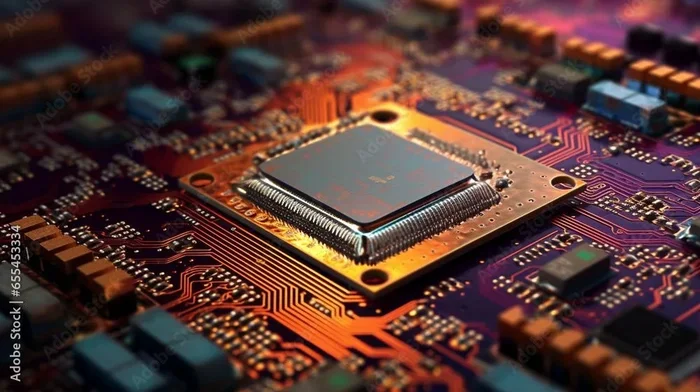
A microprocessor is a single chip that contains the central processing unit, or CPU, of a computer. It receives input, processes data, and gives output. All of this happens at incredible speed. But inside that small chip, there are several distinct parts working in harmony.
The basic components of microprocessors can be grouped into five main areas:
- Control Unit — directs all operations
- Arithmetic Logic Unit — handles calculations
- Registers — store temporary data
- Cache Memory — speeds up access to frequent data
- Bus System — connects all parts and moves data
Each of these parts matters. Without one, the whole system would stall. Let us look at each one in detail now.
Why Understanding Microprocessor Parts Matters
Knowing how a microprocessor works helps you make better tech choices. When you understand CPU architecture, you can compare processors more easily. You will know why one chip is faster than another. You will also understand why some devices run hot while others stay cool.
For everyday users, this knowledge helps when buying a new laptop or desktop. For students, it builds a strong foundation in computer science. For tech enthusiasts, it opens the door to deeper exploration of hardware and integrated circuit design.
The Control Unit: The Brain’s Traffic Controller
The control unit is one of the most important basic components of microprocessors. It does not do the math itself. Instead, it manages and directs every other part of the processor. Think of it as the conductor of an orchestra.
When your computer runs a program, the control unit fetches instructions from memory. It decodes those instructions to figure out what needs to happen. Then it sends signals to the right parts of the processor to carry out the task. This whole process is called the fetch-decode-execute cycle.
How the Fetch-Decode-Execute Cycle Works
The fetch-decode-execute cycle is the heartbeat of any microprocessor. It repeats millions of times every second. Here is how it works in simple steps:
- Fetch: The control unit pulls the next instruction from memory.
- Decode: It figures out what the instruction means.
- Execute: It sends signals to the right unit to perform the task.
After execution, the cycle moves to the next instruction. This happens so fast that you never notice any delay. Modern processors can complete billions of these cycles per second.
Key Functions of the Control Unit
The control unit handles several critical jobs inside the processor:
- It controls the flow of data between the CPU and other parts
- It manages the clock speed that keeps everything synchronized
- It ensures instructions are carried out in the correct order
- It coordinates with the ALU, registers, and cache
Without the control unit, a microprocessor would be chaos. Every part would try to do its own thing with no coordination. The control unit keeps everything running smoothly and on time.
The Arithmetic Logic Unit: The Math Brain
If the control unit is the manager, the Arithmetic Logic Unit (ALU) is the worker. The ALU handles all mathematical and logical operations inside the processor. It is one of the most essential basic components of microprocessors.
Every time your computer adds two numbers, compares values, or performs a logical check, the ALU is at work. It processes machine code instructions that tell it exactly what to do.
What Does the ALU Actually Do?
The ALU performs two main types of operations:
- Arithmetic operations: addition, subtraction, multiplication, and division
- Logical operations: AND, OR, NOT, and XOR comparisons
These operations might sound simple. But when you add billions of them per second, the results are powerful. Your processor can render graphics, run games, edit videos, and browse the web — all thanks to the ALU doing its job.
How the ALU Connects to Other Parts
The ALU does not work alone. It receives input data from the register file. It processes that data based on instructions from the control unit. Then it sends the result back to a register or to memory through the bus system.
Modern processors often have multiple ALUs. This allows them to handle several calculations at the same time. This technique is called superscalar execution, and it is a big reason why today’s chips are so fast.
Registers and Cache: Speed Boosters Inside the Chip
Speed is everything inside a microprocessor. But fetching data from main memory takes time. To solve this problem, designers added registers and cache memory — two of the most important basic components of microprocessors for performance.
What Are Registers?
Registers are tiny, ultra-fast storage locations inside the CPU. They hold data that the processor is actively working on. Think of them as the smallest but fastest drawers in a filing cabinet.
Unlike regular memory, registers sit right inside the processor core. This means the ALU and control unit can access them almost instantly. Common types of registers include:
- Program Counter: tracks the next instruction to fetch
- Accumulator: holds the result of ALU operations
- Instruction Register: stores the current instruction being executed
- Memory Address Register: holds the address of data in memory
What Is Cache Memory?
Cache memory is a small, fast memory layer built into or very close to the processor. It stores copies of frequently used data so the CPU does not have to go to main memory every time.
Most modern processors have multiple cache levels:
- L1 Cache: the smallest and fastest, built into each core
- L2 Cache: slightly larger, still very fast
- L3 Cache: shared across all cores, larger but slower than L1 and L2
Good cache design can dramatically improve processor performance. It reduces the time the CPU spends waiting for data. This is why chips with better cache often outperform chips with higher clock speeds but smaller cache.
The Bus System: How Data Moves Inside the Chip
Imagine a busy city with no roads. Nothing would move. Inside a microprocessor, the bus system acts as the road network. It connects all the different components and allows data to flow between them.
The bus system is one of the basic components of microprocessors that people often overlook. But without it, the control unit, ALU, registers, and cache would be isolated islands with no way to communicate.
Types of Buses in a Microprocessor
A typical microprocessor uses three main types of buses:
- Data Bus: carries actual data between components
- Address Bus: carries information about where data should go
- Control Bus: carries control signals that coordinate operations
Each bus has a specific width, measured in bits. A 64-bit bus, for example, can move 64 bits of data at once. Wider buses generally mean faster data transfer. This is one reason why 64-bit processors outperform older 32-bit chips.
The Role of the Clock Generator
Every operation inside a microprocessor is timed by a clock generator. It produces a steady electrical signal that keeps all parts synchronized. This signal is measured in hertz, and modern processors run in the gigahertz range.
A higher clock speed means more cycles per second. But speed alone does not make a processor great. The architecture, cache design, and bus efficiency all matter too. This is why comparing processors requires looking at more than just one number.
How All Components Work Together
Now that you know each part, let us see how they come together. The basic components of microprocessors do not work in isolation. They form a tightly integrated system where every part depends on the others.
The Fetch-Decode-Execute Flow in Action
Here is a real-world example of how the components work together when you open a web browser:
- The control unit fetches the instruction to load the browser from memory
- The instruction is decoded to determine what needs to happen
- The ALU may perform calculations needed to position the browser window
- Data is moved through the bus system to the display output
- Registers hold temporary values during the process
- Cache memory speeds up repeated access to browser files
All of this happens in a fraction of a second. And it repeats for every single action you take on your computer.
The Role of Transistors in Microprocessor Design
At the most basic level, every microprocessor is built from transistors. These tiny electronic switches turn on and off to represent ones and zeros — the language of binary code. A modern processor contains billions of these microscopic switches.
The concept of packing more transistors into a smaller space is described by Moore’s Law. This observation, made by Intel co-founder Gordon Moore, has held true for decades. It drives the constant improvement in processor performance and efficiency.
Transistors are made from semiconductor materials, usually silicon. Advances in semiconductor manufacturing have allowed chips to shrink while becoming more powerful. This is why today’s smartphones are more capable than the giant computers that once filled entire rooms.
Quick Tips for Understanding Microprocessor Basics
- Start with the fetch-decode-execute cycle — it is the foundation of all processor activity
- Think of registers as the processor’s short-term memory
- Remember that cache is not the same as main memory — it is much faster
- Clock speed matters, but architecture and cache design matter just as much
- Practice explaining each component in your own words to reinforce learning
Common Mistakes People Make When Learning About Microprocessors
- Confusing clock speed with overall performance: A higher GHz does not always mean a faster processor in real-world tasks
- Ignoring cache importance: Cache design can have a bigger impact than raw clock speed
- Overlooking the bus width: A wider bus allows more data to move at once, which affects overall throughput
- Thinking the ALU only does math: It also handles logical operations like comparisons and bit shifting
- Assuming one core equals one processor: Modern processors have multiple cores, each with its own control unit and ALU
Expert Insights on Microprocessor Evolution
The journey of the microprocessor is one of the greatest stories in technology. The first microprocessor, the Intel 4004, launched in 1971. It had just 2,300 transistors. Today’s flagship chips pack over 100 billion transistors on a single die.
Dr. Federico Faggin, who led the design of the Intel 4004, once said that the microprocessor was one of the most revolutionary inventions in human history. His words still ring true today.
Modern CPU architecture has evolved to include features like multi-core processing, out-of-order execution, and branch prediction. These innovations make processors faster and more efficient with every new generation. Understanding the basic components of microprocessors gives you a solid foundation for appreciating these advances.
Key Takeaways
- The Control Unit directs all operations and manages the fetch-decode-execute cycle
- The Arithmetic Logic Unit handles all math and logical operations inside the processor
- Registers provide ultra-fast temporary storage for active data
- Cache Memory speeds up access to frequently used information
- The Bus System connects all components and moves data throughout the chip
- Transistors are the fundamental building blocks of every microprocessor
- Clock Speed and architecture work together to determine overall processor performance
Conclusion
The basic components of microprocessors may sound complex, but they are built on simple ideas. Each part has a clear job. The control unit directs traffic. The ALU does the math. Registers hold quick-access data. Cache keeps things fast. And the bus system connects everything together.
When you understand how these pieces fit, you see the beautiful logic inside every device you use. From your laptop to your smartwatch, the same fundamental architecture applies. The microprocessor is truly one of humanity’s greatest inventions.
Take what you have learned here and explore further. Compare different processors online. Read about new chip designs. The more you learn, the more you will appreciate the technology that powers our world. Basic Components Of Microprocessors are not just textbook concepts — they are the building blocks of the digital age we live in every day.
Frequently Asked Questions
What are the basic components of a microprocessor?
The basic components include the control unit, arithmetic logic unit, registers, cache memory, and the bus system. Each part plays a specific role in processing data and executing instructions.
Why is the control unit important in a microprocessor?
The control unit directs all operations inside the processor. It manages the fetch-decode-execute cycle and ensures every component works together in the correct order.
How does the ALU differ from the control unit?
The ALU handles math and logical operations, while the control unit manages and directs the flow of data. Together, they form the core of the processor’s functionality.
What role does cache memory play in processor performance?
Cache memory stores frequently used data close to the processor cores. This reduces the time the CPU spends waiting for data from main memory, significantly boosting performance.
Are transistors part of the basic components of microprocessors?
Yes, transistors are the fundamental building blocks of every microprocessor. They act as tiny switches that represent binary data and enable all processor operations.
Can understanding microprocessor components help me choose a better CPU?
Absolutely. When you understand how the different parts work, you can compare processors more effectively. You will know what to look for beyond just clock speed numbers.
=== KEY TAKEAWAYS ===
Key Takeaways
- The Control Unit: directs all processor operations and manages the fetch-decode-execute cycle
- The Arithmetic Logic Unit: performs all mathematical and logical calculations
- Registers: provide ultra-fast temporary storage for data the CPU is actively using
- Cache Memory: speeds up data access by storing frequently used information close to the cores
- The Bus System: connects all internal components and moves data between them
- Transistors: serve as the fundamental building blocks that make microprocessors possible
- Clock Speed and Architecture: both work together to determine real-world processor performance