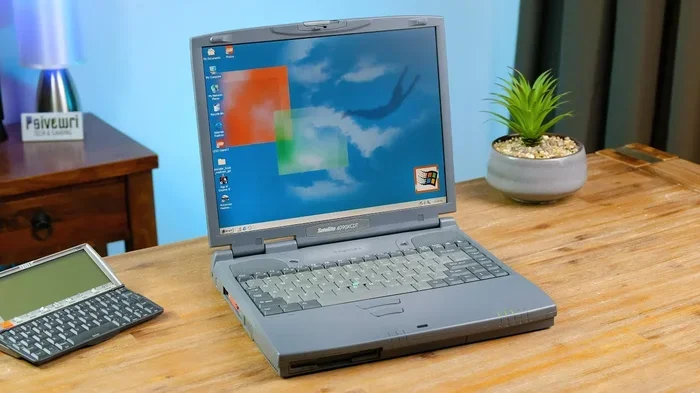
Can I Use My Laptop For 20 Years The Real Answer Inside
Can I use my laptop for 20 years? The honest answer is yes, but only with proper care and upgrades. Most laptops naturally last 4 to 8 years, but laptop longevity depends on how you maintain them. In this guide, we cover everything you need to know about extending your laptop life.
Key Takeaways
- Average laptop lifespan: Most laptops last 4 to 8 years before major issues appear.
- Upgrades matter: Adding RAM and an SSD can dramatically extend your laptop durability.
- Maintenance is key: Regular cleaning and software updates help your laptop run longer.
- Battery replacement: Swapping out an old battery can give new life to an aging laptop.
- Know when to quit: Some signs mean your laptop is truly beyond saving.
- Repurposing options: Even a dead laptop can serve useful purposes before recycling.
📑 Table of Contents
Can I Use My Laptop For 20 Years? The Real Answer Inside
That old laptop sitting in the back of a closet might still work. Maybe it boots up slowly, runs hot, and struggles with modern apps. But is it still usable? The big question on many minds is simple: can I use my laptop for 20 years?
The short answer is yes, it is possible. But the real answer is much more nuanced. A laptop’s lifespan depends on many moving parts. Hardware quality, usage habits, and timely upgrades all play a role. Some machines were built to endure. Others fall apart after just a few years.
In this guide, we break down exactly how long laptops last. We explain what factors affect laptop durability. You will learn practical tips to push your device well past the average laptop lifespan. We also cover when it is finally time to let go. Whether you have a brand-new machine or a battered old one, this article has answers.
How Long Do Laptops Actually Last?
The typical how long do laptops last question does not have one single answer. It depends on build quality, daily usage, and care. Let us look at the general timeline most experts agree on.
The Average Laptop Lifespan by Category
Not all laptops are created equal. Budget models and premium machines have very different lifespans. Here is a quick breakdown:
- Budget laptops: These usually last 3 to 5 years. Cheap components wear out faster.
- Mid-range laptops: With moderate care, these survive 5 to 8 years. They offer decent laptop longevity.
- Premium and business laptops: Models like ThinkPads or MacBooks can last 8 to 12 years easily. Some even push past 15 years with full laptop hardware upgrade support.
- Industrial or rugged laptops: Built for harsh environments, these can sometimes reach 20 years or more.
So can the average consumer laptop reach 20 years? Rarely. But it is not impossible. Certain conditions make it achievable. We will explore those next.
The Oldest Laptops Still in Use
There are stories of people still using laptops from the early 2000s. Some Linux enthusiasts run ancient machines with lightweight operating systems. These setups prove that computer longevity is possible. But they require patience, creativity, and a willingness to work around limitations.
Factors That Determine Laptop Longevity
Why does one laptop die after four years while another survives a decade? The answer lies in several interconnected factors. Understanding these helps you plan for the long haul.
Build Quality and Materials
A laptop made of thin plastic cracks easily. One built with aluminum and magnesium resists damage far better. Laptop durability starts at the factory. Brands that invest in quality frames and hinges produce machines that last. A sturdy chassis also protects internal components from shocks and drops.
Component Quality
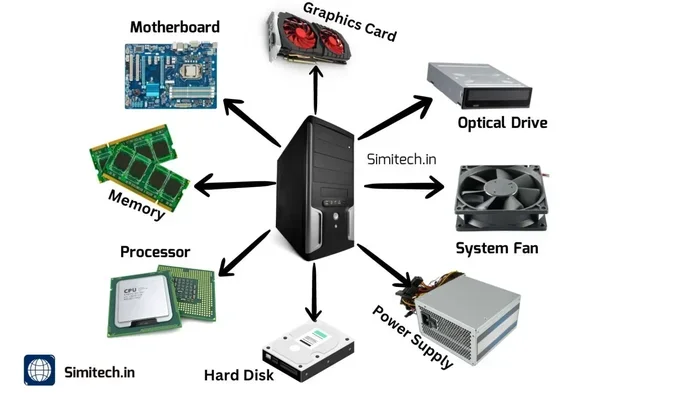
Every part inside your laptop has a lifespan. The hardest-working components tend to fail first:
- Battery: Lithium-ion batteries degrade after 500 to 1,000 charge cycles. This usually takes 2 to 4 years.
- Hard drive: Traditional spinning drives have moving parts that wear out. SSD upgrade can solve this entirely.
- Fan: Continuous spinning leads to bearing wear over time.
- Keyboard: Keys wear down, especially on heavily used machines.
- Screen: Backlights dim and touchscreens lose responsiveness.
When you replace these parts, you directly extend your laptop lifespan.
Usage Patterns
How you use your laptop matters enormously. A laptop used for light tasks like email and web browsing ages slowly. One running heavy video editing or gaming every day faces more stress. Heat is the biggest enemy of all laptop components.
Do you leave your laptop plugged in constantly? That can overcharge the battery. Do you use it on soft surfaces like beds? That blocks airflow and causes overheating. These habits quietly shorten computer longevity.
Software Support
Hardware can survive forever. But software eventually leaves old machines behind. Windows stops supporting older versions. Apps drop compatibility. This is called laptop performance decline, and it is one of the main reasons people replace perfectly working devices.
How to Make Your Laptop Last 20 Years
Ready to try for two decades of use? It is absolutely doable with the right strategy. Here is a practical roadmap to maximize extending your laptop life.
1. Keep It Clean Physically
Dust is the silent killer of laptops. It clogs fans and heatsinks. Over time, thermal throttling kicks in. The processor slows down to avoid overheating. In severe cases, components actually burn out.
Clean the vents every few months. Use compressed air to blow out dust. If you are comfortable, open the bottom panel and clean the internals. A can of compressed air costs a few dollars and adds years of life.
2. Upgrade the RAM
Running low on memory causes slowdowns. Adding more RAM upgrade is one of the cheapest and most effective fixes. Many laptops allow access to memory slots under the bottom cover.
For most tasks today, 8GB is the minimum. For heavier use, aim for 16GB. This simple change can make a 10-year-old laptop feel almost new.
3. Swap in an SSD
If your laptop still has a spinning hard drive, you are dragging it down. An SSD upgrade transforms performance. Boot times drop from minutes to seconds. Apps launch almost instantly. This single upgrade often makes people wonder why they did not do it sooner.
4. Replace the Battery
A dead battery makes a laptop tethered to a wall. But laptop battery replacement is usually simple and affordable. Many third-party batteries cost under $30. Swapping in a fresh one restores portability and removes the anxiety of sudden shutdowns.
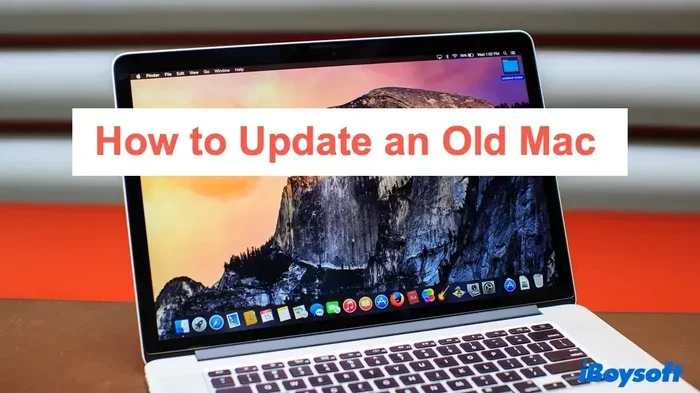
5. Keep Software Updated and Lightweight
Always install security updates. They protect your machine from threats. But also consider using lighter software. Instead of heavy Chrome, try a minimalist browser. Instead of bloated suites, use free alternatives. This reduces strain on aging laptop hardware and fights laptop performance decline.
6. Manage Heat Aggressively
Use a cooling pad if your laptop runs warm. Keep it on hard, flat surfaces. Avoid using it in hot rooms. Heat accelerates every kind of laptop component degradation. Staying cool means lasting longer.
7. Handle With Care
Avoid drops and impacts. Close the lid gently. Do not yank the power cord. Physical damage causes many premature failures. A protective sleeve or case helps when traveling.
Quick Tips for Long-Term Laptop Care
- Unplug the charger once the battery hits 100%.
- Use a surge protector to guard against power spikes.
- Back up data regularly so you never lose it.
- Reapply thermal paste every 2 to 3 years.
- Run disk cleanup utilities monthly.
Signs Your Laptop Is Too Old to Save
Even with the best care, some laptops reach their limit. How do you know when can I use my laptop for 20 years shifts from possible to unrealistic? Watch for these warning signs.
Constant Slowdowns No Upgrades Can Fix
If you have upgraded the RAM, installed an SSD, and cleaned everything, yet the laptop still crawls, the processor is likely too old. Modern software demands more computing power. Some aging laptop processors simply cannot keep up, no matter what you do.
Motherboard or Chipset Failure
The motherboard connects everything. When it fails, repair costs often exceed the price of a new laptop. Similarly, a failed CPU or GPU means the machine is effectively done. These are core laptop components that are rarely worth replacing.
Security Risks
An old laptop that no longer receives updates is a security risk. Without patches, vulnerabilities pile up. Hackers target outdated systems. If your machine cannot run a supported operating system safely, it is time to move on.
Physical Damage That Affects Core Functions
A cracked screen, broken hinge, or dead keyboard can be replaced. But if damage affects the motherboard or internal frame, the structural integrity is compromised. At that point, laptop repair becomes impractical.
What to Do With a 20-Year-Old Laptop
Maybe you have already reached the end of the road. Or perhaps you bought a 20-year-old machine at a thrift store. Either way, there are still useful things you can do.
Repurpose It as a Dedicated Device
Old laptops make excellent dedicated machines. You can turn one into:
- A media server: Run Plex or Kodi for home entertainment.
- A web server: Host a personal website or blog.
- A retro gaming machine: Emulate classic games with lightweight emulators.
- A smart home hub: Control IoT devices and automation.
- A learning tool: Let kids practice coding or typing without risking your main machine.
Recycle Responsibly
If the laptop is truly dead, do not throw it in the trash. Electronic waste is harmful to the environment. Look for local laptop recycling programs. Many manufacturers offer trade-in options. Some even pay a small amount for old devices.
Donate or Give Away
A laptop that is useless to you might be a treasure to someone else. Schools, nonprofits, and community centers often accept donations. Refurbished laptops help bridge the digital divide.
Is It Worth Keeping a Laptop for 20 Years?
This is a personal decision. Cost matters. Emotional attachment matters. Environmental impact matters too. Keeping one laptop for 20 years reduces e-waste significantly. That is a genuine benefit for the planet.
However, your time and frustration also have value. If fighting a slow, unreliable machine every day drains your energy, maybe a new laptop is the better choice. When to replace laptop depends on your situation and priorities.
The ideal approach is to get the maximum useful life out of your device. Upgrade it when practical. Replace it when necessary. And always recycle or repurpose it when the journey ends.
Conclusion
So, can I use my laptop for 20 years? Yes, you absolutely can, but it takes effort. Regular maintenance, smart upgrades like RAM upgrade and SSD upgrade, and careful daily habits all contribute to extending your laptop life. Even a budget laptop can surprise you with the right attention.
Not every machine will make it that far. Hardware fails, software moves on, and laptop performance decline eventually wins. But with proper care, many laptops survive a decade or more. Some reach 20 years, especially with repurposing and laptop recycling at the end of their journey.
The bottom line is this: treat your laptop well, upgrade it when it makes sense, and do not be afraid to let it go when the time comes. A laptop is a tool. Make it serve you for as long as it reasonably can.
Frequently Asked Questions
Can I really use my laptop for 20 years?
Yes, it is possible, but it depends on build quality and maintenance. Premium laptops have the best chance. Budget models usually need replacement after 4 to 6 years. With upgrades like an SSD and RAM boost, some machines can last much longer.
What is the average lifespan of a laptop?
The average laptop lifespan is 4 to 8 years for most consumers. Premium business and professional laptops often last 8 to 12 years. Usage habits, care, and timely laptop hardware upgrade play a big role in determining actual computer longevity.
How can I extend my laptop’s battery life?
Avoid keeping your laptop at 100% charge constantly. Use battery saver mode. Replace the battery every 3 to 4 years if it degrades quickly. A laptop battery replacement is inexpensive and restores much of the original portability.
When should I replace my old laptop?
Replace your laptop when upgrades no longer fix slowdowns, when the motherboard fails, or when it can no longer run a supported operating system safely. Constant thermal throttling and severe laptop performance decline are also strong signals that it is time.
What can I do with a laptop that is too old to use?
You can repurpose it as a media server, web server, or retro gaming device. You can also donate it to schools or nonprofits. If it is truly non-functional, use a certified laptop recycling program to dispose of it responsibly.
Does upgrading RAM and SSD really help an old laptop?
Absolutely. An SSD upgrade makes boot times and app launches dramatically faster. Adding more RAM prevents slowdowns when running multiple programs. Together, these two upgrades can make an aging laptop feel almost like a new machine.