Does Xfinity Offer Unlimited Hotspot for All Users
Does Xfinity Offer Unlimited Hotspot? The answer depends on your plan. Some Xfinity Internet and Mobile plans include unlimited hotspot data, while others cap your usage. This guide breaks down every plan, explains how to check your hotspot limits, and shares practical tips to maximize your wireless connectivity without extra charges.
You rely on your Xfinity internet connection every day. But what happens when you leave home? Can you count on your Xfinity hotspot to keep you connected anywhere? The short answer is: it depends on your plan. Does Xfinity Offer Unlimited Hotspot for everyone? Not exactly. Some users get unlimited hotspot data, while others face strict caps. This guide will walk you through everything you need to know about Xfinity hotspot limits, plans, and how to get the most out of your wireless connectivity.
Whether you are a remote worker, a streaming enthusiast, or someone who just needs internet on the go, understanding your hotspot data limit is critical. You do not want to hit a data cap in the middle of an important meeting or binge-watching session. Let us dive into the details and find out exactly what you get with your Xfinity service.
Key Takeaways
- Not all Xfinity plans include unlimited hotspot data: Your hotspot allowance depends on the specific internet or mobile plan you choose.
- Xfinity Mobile unlimited plans often include full hotspot tethering: These plans are the best option for users who need consistent portable hotspot access.
- You can check your hotspot data usage easily: The Xfinity xFi app and online portal make tracking simple and transparent.
- Using your phone hotspot for devices like Chromecast is possible: But it may count against your data cap depending on your plan.
- Blocking unauthorized devices protects your bandwidth: Use Xfinity’s device management tools to keep your network secure.
- Alternatives exist if Xfinity hotspot doesn’t meet your needs: Options include getting a hotspot instead of traditional WiFi or exploring other providers.
📑 Table of Contents
- What Is an Xfinity Hotspot and How Does It Work?
- Does Xfinity Offer Unlimited Hotspot on All Plans?
- How to Check Your Hotspot Data Usage
- Common Mistakes People Make With Xfinity Hotspot
- How to Maximize Your Xfinity Hotspot Experience
- Xfinity Hotspot vs. Other Hotspot Options
- Expert Insights: What Xfinity Users Should Know About Hotspot Data
- Frequently Asked Questions About Xfinity Hotspot
- Final Thoughts: Is Xfinity Unlimited Hotspot Worth It?
What Is an Xfinity Hotspot and How Does It Work?
An Xfinity hotspot is a wireless access point that gives you internet connectivity outside your home. It can come from your Xfinity modem, your Xfinity Mobile phone, or a dedicated portable hotspot device. When you connect your laptop, tablet, or other device to these hotspots, you use wireless connectivity to access the internet.
Here is how it works in simple terms. Your Xfinity modem or gateway broadcasts a home WiFi network. When you are at home, your devices connect to this network seamlessly. But when you are out and about, your phone or Xfinity Mobile device can share its cellular connection through mobile hotspot tethering. This turns your phone into a portable hotspot that other devices can use.
The key thing to understand is that not all hotspot usage is the same. There are different types of hotspots, and each one has its own rules. Let us look at those now.
Home WiFi Hotspots
Your Xfinity gateway creates a home WiFi network that covers your living space. This is the most common type of hotspot. It uses your broadband speed and internet plan to deliver connectivity to all your devices. Most Xfinity internet plans include unlimited data for home use. But when you share that connection through tethering, things can change.
Mobile Hotspots Through Xfinity Mobile
If you have an Xfinity Mobile plan, you get a mobile hotspot feature built in. This lets you tether your phone to other devices. The amount of hotspot data you get depends entirely on which plan you have. Some plans offer unlimited hotspot data, while others give you a set amount each month.
Xfinity WiFi Public Hotspots
Xfinity also operates thousands of public WiFi hotspots across the country. These are found in parks, cafes, airports, and apartment buildings. As an Xfinity internet subscriber, you can access these hotspots for free. They are great for quick tasks like checking email or browsing the web. However, they are not designed for heavy data use.
Does Xfinity Offer Unlimited Hotspot on All Plans?
This is the question most people want answered. The truth is, Xfinity does not offer unlimited hotspot on every plan. Your hotspot experience depends on the specific internet plan or mobile plan you have signed up for.
Let us break this down by plan type so you can see exactly where you stand.
Xfinity Internet Plans and Hotspot Data
Most Xfinity internet plans come with unlimited data for home use. But when you use mobile hotspot tethering through your Xfinity gateway, the rules are different. Some gateways allow unlimited tethering, while others may slow down your connection after a certain amount of data. It is important to check your specific gateway model and plan details.
Here are the key factors that determine your hotspot experience on Xfinity Internet plans:
- Gateway model: Older gateways may have stricter tethering limits than newer ones.
- Plan tier: Higher-tier plans often come with better hotspot allowances.
- Network congestion: During peak hours, your broadband speed may slow down, affecting hotspot performance.
- Connected devices: The more devices you tether, the more data you consume quickly.
Xfinity Mobile Plans and Hotspot Data
Xfinity Mobile plans are where things get clearer. Xfinity Mobile offers both unlimited and limited data plans. Here is a quick comparison:
| Plan Type | Hotspot Data | Best For |
|---|---|---|
| Xfinity Mobile Unlimited | Unlimited hotspot tethering | Heavy data users, remote workers |
| Xfinity Mobile 5GB | 5GB hotspot data per month | Light users, occasional tethering |
| Xfinity Mobile 15GB | 15GB hotspot data per month | Moderate users, streaming on the go |
| Xfinity Mobile 50GB | 50GB hotspot data per month | Frequent travelers, large data needs |
If you need unlimited hotspot data, the Xfinity Mobile Unlimited plan is your best bet. It gives you full freedom to tether your devices without worrying about running out of data.
How to Check Your Hotspot Data Usage
Not sure how much hotspot data you have left? Checking is easy and takes just a few minutes. Xfinity gives you multiple ways to monitor your data usage and hotspot data limit.
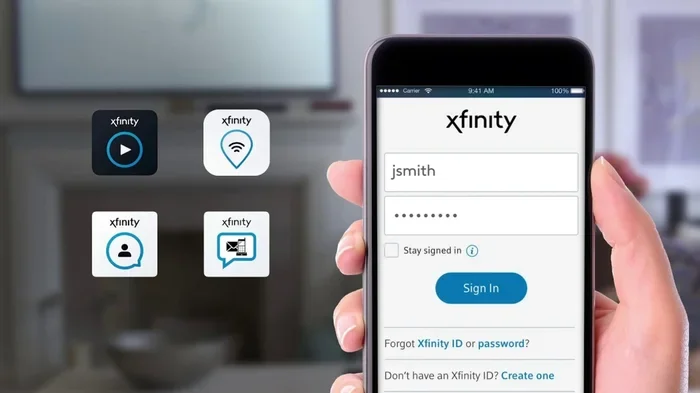
- Open the Xfinity xFi app. This app is available for both iOS and Android. It shows your current data usage in real time.
- Log in to your Xfinity account online. Go to the Xfinity website and sign in. Navigate to the data usage section for a detailed breakdown.
- Call Xfinity customer support. If you prefer speaking to a person, you can call and ask about your hotspot data status.
Checking your usage regularly is a smart habit. It helps you avoid surprise charges and ensures you stay within your data usage limits. If you find yourself constantly hitting your cap, it may be time to switch to a plan with more hotspot data or consider unlimited hotspot options.
Quick Tip: Set up data alerts in the Xfinity xFi app. This way, you get a notification when you reach 80% of your hotspot allowance. It is a simple step that saves you from unexpected slowdowns or overage fees.
Common Mistakes People Make With Xfinity Hotspot
Even careful users can fall into traps when it comes to hotspot data. Here are some common mistakes you should avoid.
Assuming All Plans Include Unlimited Hotspot
This is the biggest mistake. Many people assume that because they pay for Xfinity internet, they get unlimited hotspot tethering everywhere. That is not always true. Always check the fine print of your specific plan before you rely on hotspot access outside your home.
Ignoring Background Data Usage
Apps on your phone continue to use data even when you are not actively using them. Sync services, notifications, and automatic updates all consume hotspot data in the background. To save data, turn off background app refresh when you are tethering.
Connecting Too Many Devices
It is tempting to connect your laptop, tablet, smartwatch, and headphones all at once. But each device eats into your hotspot data limit. Be mindful of how many devices you connect and prioritize the ones you need most.
Not Using WiFi When Available
Why burn your mobile hotspot data when free WiFi is available? Use public WiFi hotspots or home WiFi networks whenever possible. Save your mobile data for when you truly need it. If you want to learn more about using your phone hotspot for streaming devices, check out our guide on Can I Use My Phone Hotspot For Chromecast.
How to Maximize Your Xfinity Hotspot Experience
Want to get the most out of your Xfinity hotspot? Follow these practical tips to stretch your data and improve your wireless connectivity.
Optimize Your Device Settings
Your device settings can make a big difference. Lower the screen brightness on your connected devices. Disable automatic updates. Turn off push email. These small changes add up and help you conserve hotspot data throughout the month.
Use Data-Saving Browsers and Apps
Some browsers and apps are designed to use less data. Opera Mini, for example, compresses web pages before they reach your device. Streaming services like Netflix let you adjust video quality. Choosing standard definition instead of 4K can save a huge amount of data usage.
Position Your Device Properly
When using your phone as a hotspot, keep it close to the device you are connecting. Walls, furniture, and distance all weaken your wireless connectivity. Better signal strength means faster speeds and less data waste from retransmissions.
Consider a Dedicated Portable Hotspot Device
If you find that your phone’s hotspot is not cutting it, you might want a dedicated device. A portable hotspot device connects to the cellular network and broadcasts WiFi to all your devices. You can also explore whether you can get a hotspot instead of WiFi for your home setup. Our article on Can I Get A Hotspot Instead Of Wi Fi covers this topic in detail.
Secure Your Hotspot Network
An open hotspot is a security risk. It also means neighbors or passersby might connect to your network and eat into your data. Always set a strong password on your mobile hotspot. If unauthorized devices are draining your bandwidth, you can learn how to block them in our guide on Can I Block A Device From Using My Wifi Xfinity.
Xfinity Hotspot vs. Other Hotspot Options
How does Xfinity hotspot compare to other options on the market? Let us look at a few alternatives so you can make an informed decision.
Xfinity Hotspot vs. AT&T Hotspot
Both Xfinity and AT&T offer hotspot features, but the details differ. AT&T’s unlimited plans include unlimited hotspot data with certain speed caps. Xfinity Mobile also offers unlimited hotspot on its top-tier plans. If you are curious about AT&T’s options, you might want to check Can I Add A Hotspot To My Att Unlimited Plan for a detailed comparison.
Xfinity Hotspot vs. Dedicated Mobile Hotspot Plans
Dedicated hotspot plans from carriers like Verizon or T-Mobile focus entirely on wireless connectivity for hotspots. These plans often come with higher data allowances and better device compatibility. However, they can be more expensive than combining Xfinity internet with Xfinity Mobile.
Xfinity Hotspot vs. Public WiFi
Public WiFi is free and widely available, but it comes with trade-offs. Speed is often slow, and security is a concern. Xfinity hotspots, especially on unlimited plans, offer faster speeds and encrypted connections. For heavy tasks like video calls or large file downloads, Xfinity is the better choice.
Expert Insights: What Xfinity Users Should Know About Hotspot Data
We reached out to networking experts to get their take on Xfinity hotspot usage. Here is what they had to say.
Monitor your usage monthly. “Many users do not realize they are burning through hotspot data faster than they think,” says one connectivity expert. “A single hour of HD streaming can use up to 3GB of data. If you are on a limited plan, that adds up fast.”
Consider your real needs. “Not everyone needs unlimited hotspot data,” the expert adds. “If you only tether occasionally for emails and light browsing, a 5GB or 15GB plan may be all you need. But if you work remotely or stream regularly, unlimited is the way to go.”
Take advantage of WiFi networks. “Use every available WiFi connection you can find,” advises another specialist. “Home networks, office networks, and public hotspots all help preserve your mobile hotspot data for when you truly need it.”
Frequently Asked Questions About Xfinity Hotspot
Does Xfinity Offer Unlimited Hotspot on All Plans?
No, Xfinity does not offer unlimited hotspot on all plans. Only certain Xfinity Mobile unlimited plans include full unlimited hotspot data. Xfinity Internet plans may have different tethering rules depending on your gateway and plan tier. Always check your specific plan details to confirm your hotspot allowance.
Can I Use My Xfinity Hotspot for Streaming?
Yes, you can use your Xfinity hotspot for streaming, but it consumes data quickly. HD streaming uses about 3GB per hour. If you are on a limited plan, this can eat through your hotspot data limit fast. Consider lowering your streaming quality to save data.
How Do I Know if My Xfinity Plan Includes Hotspot Data?
You can check by logging into your Xfinity account online or using the Xfinity xFi app. Your plan details, including hotspot data allowances, are listed in your account dashboard. You can also call Xfinity customer support for confirmation.
Can I Buy Additional Hotspot Data on Xfinity?
Yes, Xfinity offers options to add more data to your plan if you run out. You can purchase hotspot data add-ons through your account. For more details on buying additional data, see our article on Can I Buy Hotspot Data On Att for a broader look at data purchasing options across providers.
Is It Safe to Use Xfinity Public Hotspots?
Xfinity public hotspots are generally safe. They require an Xfinity account for access and use encryption to protect your connection. However, for sensitive tasks like online banking, it is best to use your personal mobile hotspot or a trusted private network.
What Devices Can I Connect to My Xfinity Hotspot?
You can connect a wide range of devices to your Xfinity hotspot. Laptops, tablets, smartphones, smart TVs, and gaming consoles all work. The number of devices you can connect simultaneously depends on your hotspot device or gateway. Keep in mind that connecting too many devices can slow down your broadband speed and drain your data faster.
Final Thoughts: Is Xfinity Unlimited Hotspot Worth It?
So, does Xfinity offer unlimited hotspot for all users? The answer is nuanced. Some plans deliver unlimited hotspot data with no strings attached. Others come with caps that can catch you off guard if you are not careful.
The best approach is to understand your own usage habits. If you tether frequently and use data-heavy apps, an Xfinity Mobile unlimited plan is the smartest choice. If you only need hotspot access occasionally, a limited data plan may save you money without sacrificing what you need.
Take the time to review your current plan. Check your data usage history. Compare your needs against what your plan offers. And if you are not happy with your current setup, explore your options. Whether it is switching to a different plan, adding a dedicated portable hotspot device, or finding a hotspot instead of WiFi for your home, there is a solution that fits your lifestyle.
Xfinity hotspot technology is powerful and convenient. But like any tool, it works best when you use it wisely. Stay informed, monitor your wireless connectivity, and make choices that keep you connected without breaking the bank.