Does A Better Wifi Adapter Really Make A Difference
Yes, a better wifi adapter can significantly improve your internet speed, signal strength, and overall network performance. Whether you are streaming movies, gaming online, or working from home, the right wifi adapter eliminates dead zones and lag. This guide breaks down exactly how much of a difference an upgrade makes and what to look for.
Have you ever wondered if swapping out your old wifi adapter could actually change your internet experience? Maybe your connection keeps dropping in the bedroom. Or perhaps your video calls freeze every time someone starts a download. You might be thinking about upgrading but wondering if it is even worth the money.
The short answer is yes. A better wifi adapter really does make a difference. But the amount of difference depends on several factors. Your current adapter, your router, your internet plan, and even your home layout all play a role. Let us walk through everything you need to know so you can make a smart decision.
Many people overlook the wifi adapter as a source of slow internet. They blame the router. They blame the internet service provider. And sometimes they are right. But often, the little adapter plugged into their laptop or sitting inside their desktop is the hidden culprit. This article will help you understand why and what you can do about it.
Key Takeaways
- Better wifi adapters boost speed and range: Upgrading from an old adapter can dramatically improve your wireless connection.
- Not all adapters are equal: USB wifi adapters and PCIe cards offer different performance levels for different needs.
- Your current setup may be the bottleneck: A cheap or outdated adapter can hold back your entire internet experience.
- WiFi 6 and dual-band adapters are worth the investment: They offer faster speeds and better handling of multiple devices.
- Placement and antenna design matter: Even the best adapter performs poorly if positioned badly.
- Consider your use case: Casual browsing needs less power than 4K streaming or competitive gaming.
📑 Table of Contents
- What Does A Wifi Adapter Actually Do?
- How Much Of A Difference Can You Really Expect?
- Types Of Wifi Adapters And Their Performance
- When Should You Upgrade Your Wifi Adapter?
- What To Look For When Buying A Better Wifi Adapter
- Common Mistakes People Make When Choosing A Wifi Adapter
- Expert Tips To Maximize Your Wifi Adapter Performance
- Do You Really Need To Upgrade?
- Conclusion
What Does A Wifi Adapter Actually Do?
A wifi adapter is the hardware that connects your device to a wireless network. Think of it as the bridge between your computer and your router. Without it, you would need a physical ethernet cable to get online. Every laptop, desktop, and tablet has some form of wifi adapter built in or added on.
Not all adapters are created equal, though. A basic adapter from 2015 handles much less data than a modern WiFi 6 adapter. The difference shows up in speed, range, and how many devices can connect at once. When people ask does a better wifi adapter make a difference, this is the core reason why.
Built-In vs. External Adapters
Most laptops come with a built-in wifi adapter soldered onto the motherboard. These are convenient but often limited in performance. Desktops usually rely on either a built-in adapter or a plug-in card. External USB wifi adapters offer flexibility. You can unplug them, move them around, and upgrade them without opening your computer case.
If you are dealing with poor reception, an external adapter with a high-gain antenna can be a game changer. Some people even connect to wifi without a dedicated adapter using their phone as a hotspot, but that is a different solution for a different problem.
How Much Of A Difference Can You Really Expect?
The honest answer depends on what you are comparing. Going from a very old N-series adapter to a modern AC or WiFi 6 adapter is like upgrading from a bicycle to a sports car. The improvement is night and day. But going from one good adapter to another great one might only show small gains.
Here are the real-world differences you can expect from upgrading your wifi adapter:
- Faster download and upload speeds: Newer adapters support higher wireless standards, which means more data moves through faster.
- Better range and coverage: Improved antennas and signal processing help you reach farther from your router.
- Lower latency: Online games and video calls become smoother with less delay.
- Better multi-device handling: Modern adapters manage traffic from many connected devices without choking.
- Stronger signal in crowded areas: Apartment buildings and offices with lots of networks benefit from newer adapter tech.
If your internet plan gives you 200 Mbps but your old adapter only handles 50 Mbps, you are leaving serious speed on the table. That is the kind of bottleneck a better adapter fixes.
Types Of Wifi Adapters And Their Performance
Not every wifi adapter works the same way. Understanding the different types helps you pick the right one for your needs and budget. Let us break them down.
USB Wifi Adapters
USB wifi adapters plug directly into a USB port. They are the most popular option for people who want an easy upgrade without opening their computer. Most come with external antennas that you can position for better reception. These range from budget models around $15 to high-end units over $100.
A good USB adapter is perfect for desktops and laptops that lack a strong built-in connection. They are portable and simple to set up. Just plug in, install the drivers, and you are online. For most home users, a mid-range USB adapter delivers excellent results.
PCIe Wifi Cards
PCIe wifi cards install inside your desktop computer. They connect directly to the motherboard, which means a more stable and faster connection. These cards usually outperform USB adapters in the same price range because they have better antennas and more processing power.
If you build or upgrade a gaming PC or a home office machine, a PCIe card is often the best choice. They also tend to have better heat management since they are inside the case. The tradeoff is that installation requires opening your computer and finding a compatible slot.
Mini PCIe and M.2 Cards
Laptops sometimes use internal mini PCIe or M.2 wifi cards. These are compact and integrated into the device. Upgrading them requires opening the laptop and replacing the card, which can be tricky. Some newer laptops allow M.2 wifi card swaps, making upgrades easier than older models.
If you are comfortable with hardware, swapping in a better internal card can boost your laptop’s wireless performance significantly. Just make sure your laptop supports the standard you want to use.
Comparison Table
| Type | Ease of Setup | Performance | Price Range | Best For |
|---|---|---|---|---|
| USB Adapter | Very Easy | Good to Great | $15 – $100 | Desktops, portable use |
| PCIe Card | Moderate | Great to Excellent | $30 – $150 | Gaming PCs, desktops |
| M.2 / Mini PCIe | Difficult | Excellent | $25 – $120 | Laptop upgrades |
As you can see, the type of adapter you choose matters a lot. But even the best type will not help if your internet plan or router cannot keep up. Always check your full setup before investing in a new adapter.
When Should You Upgrade Your Wifi Adapter?
Knowing when to upgrade saves you money and frustration. Not everyone needs a new adapter right away. Here are clear signs that an upgrade is worth your time.
Your Speeds Are Much Lower Than Expected
If your internet plan promises fast speeds but you never seem to get them, your adapter might be the problem. Run a speed test close to your router and compare the results to what your plan offers. If there is a big gap, your adapter could be the bottleneck.
You Are Stuck on an Old Wireless Standard
Older adapters use standards like 802.11n or 802.11g. These are slow by today’s standards. If your adapter only supports 2.4 GHz and not 5 GHz, you are missing out on faster speeds. Upgrading to a dual-band or WiFi 6 adapter opens up much better performance.
You Have Dead Zones in Your Home
Dead zones are areas where the wifi signal drops to nothing. Sometimes the issue is your router placement. But if moving closer to the router does not help, your adapter’s weak antenna might be the cause. A better adapter with a stronger antenna can pull in signals from farther away.
Some people try to solve dead zones by extending their network. You can extend wifi with an ethernet cable to reach distant rooms, but a better adapter solves the problem wirelessly.
You Experience Frequent Disconnects
If your connection drops multiple times a day, it is frustrating and disruptive. Old adapters struggle to maintain stable connections, especially in areas with a lot of wireless interference. A modern adapter handles interference much better and keeps your connection steady.
You Are Using Your Device for Heavy Tasks
Streaming 4K video, video conferencing, online gaming, and large file downloads all demand a strong wifi connection. If your current adapter chokes during these tasks, an upgrade will make a noticeable difference. Heavy users benefit the most from better hardware.
What To Look For When Buying A Better Wifi Adapter
Not all adapters are worth the money. Here are the key features that actually matter when shopping for an upgrade.
Wireless Standard
Look for WiFi 5 (802.11ac) or WiFi 6 (802.11ax) adapters. WiFi 6 is the newest standard and offers the best performance, especially in homes with many connected devices. WiFi 5 is still very fast and more affordable. Avoid anything older than WiFi 4 if you want real improvements.
Dual Band or Tri-Band Support
Dual-band adapters connect to both 2.4 GHz and 5 GHz frequencies. The 5 GHz band is faster and less crowded. Tri-band adapters add a second 5 GHz band, which helps when many devices are competing for bandwidth. For most users, a solid dual-band adapter is enough.
Antenna Type and Quality
External antennas with high gain ratings pull in stronger signals. If you buy a USB adapter, look for one with detachable antennas so you can position them for the best reception. Internal antennas work fine too, but external ones give you more flexibility.
USB Port Version
A USB 3.0 adapter will not be limited by the port speed, while a USB 2.0 adapter might be. If your computer has USB 3.0 ports, make sure your adapter supports them. This ensures your adapter can actually reach its full speed potential.
Driver and Software Support
Good drivers make a huge difference in stability and performance. Check that the manufacturer regularly updates the adapter drivers. Some adapters come with management software that lets you monitor signal strength and switch bands easily.
Common Mistakes People Make When Choosing A Wifi Adapter
Avoiding these mistakes saves you from buying the wrong adapter or wasting money on something you do not need.
- Buying the cheapest option: Budget adapters often use old technology and weak antennas. They might work, but they will not improve your experience.
- Ignoring your router’s capabilities: A WiFi 6 adapter paired with an old WiFi 4 router will not give you WiFi 6 speeds. Make sure your router supports the standard you are buying.
- Overlooking compatibility: Not every adapter works with every operating system. Check that the adapter supports Windows, Mac, or Linux before you buy.
- Ignoring your internet plan speed: If your plan only gives you 50 Mbps, a top-tier adapter will not make your internet faster than 50 Mbps. Match the adapter to your plan.
- Skipping driver updates after installation: New drivers often fix bugs and improve performance. Always check for updates once you set up your adapter.
Expert Tips To Maximize Your Wifi Adapter Performance
Even the best adapter can underperform if you do not set it up right. Here are some tips that make a real difference.
First, keep your adapter away from metal objects and thick walls. These block wireless signals. If you use a USB adapter, try different USB ports. Front ports on desktops are often closer to the case and can interfere with the signal.
Second, update your adapter drivers regularly. Manufacturers release updates that improve performance and fix bugs. A simple driver update can sometimes solve connection issues that seem hardware-related.
Third, position your adapter with the antenna pointing upward or toward your router. Direction matters for signal reception. If your adapter has two antennas, angle them at different positions for the best coverage.
Fourth, reduce wireless interference. Microwaves, baby monitors, and cordless phones all operate on the 2.4 GHz band and can slow down your connection. Switching to the 5 GHz band helps avoid this interference.
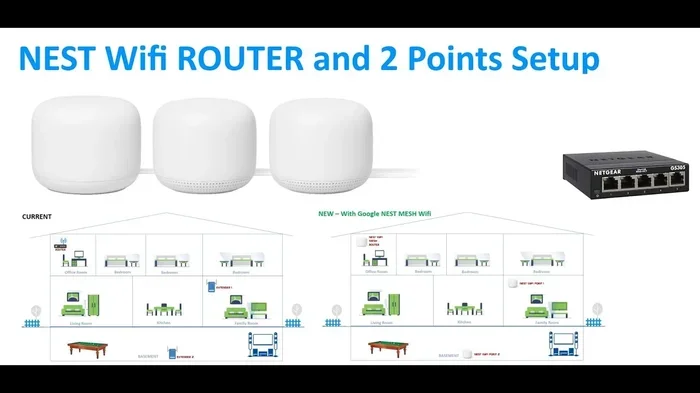
Finally, if your home is large and your adapter still struggles, consider whether a mesh wifi system or a range extender might help. Sometimes the adapter is not the only piece of the puzzle. You can also buy your own wifi box and pair it with a quality adapter for the best possible setup.
Do You Really Need To Upgrade?
This is the question most people want answered. And the truth is, it depends on your situation. If you are happy with your internet speeds and connection stability, you probably do not need to upgrade. But if you are dealing with slow speeds, dead zones, or constant drops, a better adapter can genuinely transform your experience.
Think about what you use the internet for. Casual browsing and email do not need a powerful adapter. But streaming, gaming, video calls, and working from home all benefit from a strong, reliable connection. If your current setup is holding you back, investing in a better wifi adapter is one of the easiest and most affordable upgrades you can make.
Also consider the age of your current hardware. If your adapter is more than five years old, it is likely using an older wireless standard that cannot keep up with modern demands. Technology moves fast, and your adapter should keep pace.
The bottom line is that a better wifi adapter makes a real, measurable difference for most users. It is not a magic fix, but it is an important piece of the puzzle. Pair it with a good router and a solid internet plan, and you will notice the improvement every single day.
Conclusion
So, does a better wifi adapter make a difference? Absolutely. A quality adapter improves your speed, range, and connection stability. It removes bottlenecks that slow down your internet experience. Whether you are a casual user or a power user, upgrading your adapter is one of the simplest ways to get more out of your wireless connection.
Start by checking what you currently have. Identify your needs and budget. Then choose an adapter that matches. With the right choice, you will wonder why you did not upgrade sooner.
Frequently Asked Questions
Can a better wifi adapter improve my internet speed?
Yes, if your current adapter is the bottleneck. A modern adapter can unlock the full speed of your internet plan. However, if your plan is slow, a better adapter will not change that. It removes the hardware limitation so your actual plan speed can flow through.
How do I know if my wifi adapter is outdated?
Check the wireless standard your adapter supports. If it only shows 802.11n or older, it is time to upgrade. You can also check your device manager on Windows or system information on Mac. Look for the adapter model number and search its specs online to see what standard it uses.
Is a USB wifi adapter as good as a built-in one?
A good USB adapter can match or even exceed a built-in adapter. High-end USB adapters with external antennas often outperform the basic adapters that come with laptops. The key is to choose a quality model from a reputable brand.
Do I need a WiFi 6 adapter if my router is WiFi 6?
Yes, to get the full benefits of WiFi 6, both your router and adapter need to support it. If your adapter only supports WiFi 5, you will connect at WiFi 5 speeds even with a WiFi 6 router. Matching the standards ensures you get the best performance from both devices.
Can a wifi adapter help with dead zones in my house?
A better adapter with a stronger antenna can reach farther and pull in weaker signals. This helps reduce dead zones, especially if the dead zone is caused by your device’s weak reception. However, if the dead zone is far from the router, you might also need a mesh system or extender for full coverage.
What is the price range for a good wifi adapter?
Good wifi adapters range from about $25 to $100 for most users. Budget adapters under $20 often use older technology and underperform. Mid-range adapters in the $30 to $70 range offer the best value for most home users. High-end adapters over $100 are best for serious gamers or professionals who need top-tier performance.