Are Bigger Laptops More Powerful Than Smaller Laptops
Are bigger laptops more powerful than smaller ones? The short answer is yes, but it is not the whole story. Bigger laptops have more room for advanced hardware, better cooling, and larger batteries. Smaller laptops have come a long way and can still deliver strong performance. This guide breaks down everything you need to know about laptop size and power.
When you walk into a laptop store or scroll through an online shop, one question pops up fast. Are bigger laptops more powerful than smaller ones? It is a fair question. Many people assume that a large laptop means more muscle under the hood. And in most cases, that assumption is correct. But the full picture is a bit more nuanced than that.
Laptop size affects many things. It affects the hardware you can fit inside. It affects how well the machine stays cool. It affects battery life. And it affects how portable the device is. In this article, we will explore all of these factors in detail. By the end, you will know exactly what to look for when choosing between a big laptop and a small one.
Whether you are a gamer, a student, a creative professional, or someone who just needs a reliable machine for work, this guide has you covered. We will look at real-world performance data, compare different laptop categories, and give you clear advice. Let us dive in.
Key Takeaways
- Bigger laptops can fit more powerful hardware: Larger chassis allow for better processors, dedicated GPUs, and more RAM.
- Cooling makes a huge difference: Bigger laptops have more space for fans and heat pipes, reducing thermal throttling.
- Small laptops are not weak anymore: Ultrabooks and thin laptops can still handle everyday tasks and even light gaming.
- Battery life varies by size: Bigger laptops have larger batteries but also draw more power from stronger components.
- Your needs should drive the choice: Gamers and creators benefit from bigger machines, while travelers prefer lighter options.
- Price plays a role: Bigger laptops with high-end parts usually cost more than their smaller counterparts.
📑 Table of Contents
- Why Laptop Size Matters for Performance
- What’s Inside a Bigger Laptop
- The Truth About Small Laptops
- Performance Benchmarks: Big vs Small
- Cooling Systems and Thermal Management
- Making the Right Choice for Your Needs
- Common Mistakes People Make When Choosing Laptop Size
- Expert Insights on Laptop Size and Power
- Key Takeaways
- Conclusion
Why Laptop Size Matters for Performance
Laptop size is not just about screen size. It is about the physical space inside the machine. That space determines what components can go inside. A bigger laptop has more room. More room means bigger fans, larger heat pipes, and better airflow. All of these things directly impact laptop performance.
Think of it like a kitchen. A bigger kitchen gives a chef more space to work with. They can use bigger pots, more burners, and bigger ovens. A tiny kitchen limits what you can cook. The same idea applies to laptops. A bigger chassis gives hardware more room to breathe and perform.
The Relationship Between Size and Hardware
When manufacturers build a laptop, they have to fit everything into a tight space. The processor, the graphics card, the RAM, the storage drive, the battery, and the cooling system all need to fit. In a small laptop, there is very little room to spare. In a bigger laptop, there is much more flexibility.
Here is what more space allows:
- Higher-wattage processors: Bigger laptops can run CPUs at higher power levels. This means faster speeds and better multitasking.
- Dedicated graphics cards: Big gaming laptops can fit full-size GPUs. Small laptops often use integrated graphics instead.
- More RAM slots: Bigger machines often support more memory or faster memory modules.
- Better cooling systems: Larger fans and more heat pipes mean the laptop stays cool under heavy load.
- Bigger batteries: More space means a larger battery, which can mean longer runtime.
So when you ask, are bigger laptops more powerful, the answer is usually yes because they can house more powerful parts. But it is not automatic. A big laptop with cheap parts will still be slow. The size just gives the manufacturer the option to use better hardware.
What Bigger Chassis Allows in Practice
Let us look at a real-world example. A 17-inch gaming laptop can carry a full-size graphics card like an NVIDIA RTX 4080. It can also carry a high-wattage processor like an Intel Core i9 or AMD Ryzen 9. These parts generate a lot of heat. A big laptop has the space to manage that heat effectively.
Now compare that to a 13-inch ultrabook. The same processor might be sold in a lower-wattage version. The graphics are integrated into the chip. The cooling system is much smaller. The result? The ultrabook is thinner and lighter, but it cannot match the raw power of the 17-inch machine.
This is not a flaw in the small laptop. It is a trade-off. You get portability and convenience. You give up some peak performance. For many users, that trade-off is worth it. But for others, the extra power of a bigger machine is essential.
What’s Inside a Bigger Laptop
To truly understand why bigger laptops tend to be more powerful, you need to look at the components inside them. Each part plays a role in overall performance. And the size of the laptop affects how good each part can be.
Processors and Cooling
The processor is the brain of the laptop. A bigger laptop can fit a processor that runs at a higher wattage. For example, a standard ultrabook CPU might run at 15 watts. A high-performance laptop CPU might run at 45 watts or more. That extra power means faster processing speeds.
But there is a catch. More power means more heat. A small laptop struggles to dissipate that heat. A bigger laptop has the space for a robust cooling system. Large fans, multiple heat pipes, and big vents keep the temperature under control. When a laptop stays cool, it can keep running fast. When it gets too hot, it slows down. This is called thermal throttling, and it is a big deal for performance.
So the cooling system is just as important as the processor itself. A bigger laptop gives both the processor and the cooling system room to do their best work.
Graphics Cards and GPU Power
If you care about gaming, video editing, or 3D rendering, the graphics card matters a lot. Bigger laptops can fit dedicated GPUs with their own memory and cooling. These cards handle heavy graphics tasks with ease.
Smaller laptops usually rely on integrated graphics. These are built into the processor. They work fine for everyday tasks like browsing the web, watching videos, and light photo editing. But they struggle with modern games and professional creative work.
Some thin gaming laptops have started to squeeze in small dedicated GPUs. But they still cannot match the full-size cards found in bigger machines. The performance gap is real and noticeable.
RAM and Storage Options
Bigger laptops often offer more RAM options. They may have two or even four memory slots. This means you can add more RAM over time. Small laptops sometimes have soldered RAM, which cannot be upgraded.
Storage is another factor. Bigger laptops can fit multiple drives. You might find two M.2 SSD slots or even room for a hard drive. This gives you more storage space and faster speeds. Smaller laptops usually have just one SSD slot.
When you compare laptops side by side, these differences add up. More RAM and faster storage mean smoother multitasking and quicker load times.
The Truth About Small Laptops
Small laptops have improved dramatically in recent years. Do not assume that a compact laptop is automatically weak. Many modern ultrabooks and thin laptops deliver excellent performance for everyday use.
Ultrabooks and Their Capabilities
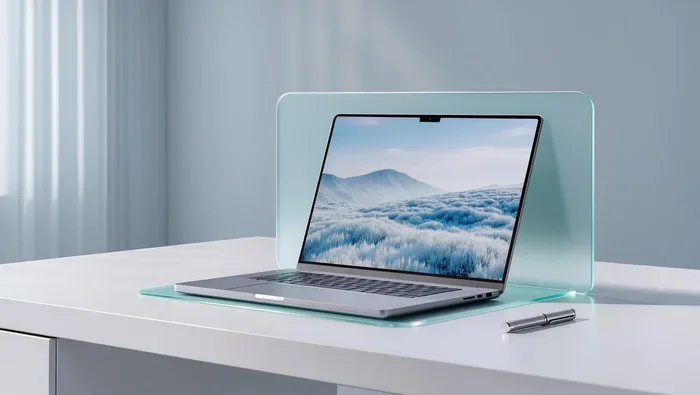
Ultrabooks are thin, light laptops designed for portability. They weigh often under 3 pounds. They are perfect for students, business travelers, and anyone who is always on the go. Despite their small size, many ultrabooks use powerful processors like Intel Core i7 or AMD Ryzen 7.
These machines handle web browsing, office work, video calls, and even light photo editing very well. They are not built for heavy gaming or professional 3D work. But for most daily tasks, they are more than capable.
The key advantage of a small laptop is convenience. You can carry it everywhere. It lasts long on a single charge. It opens up fast and starts working quickly. For many people, these benefits outweigh the raw power of a bigger machine.
Can Small Laptops Compete?
Some small laptops are surprisingly powerful. Companies like Apple, Lenovo, and Dell have created thin machines that punch above their weight. The Apple MacBook Air, for example, uses a chip that delivers desktop-class performance in a very compact form.
These machines use advanced chip designs that pack more power into less space. They also use efficient cooling solutions that work within tight constraints. The result is a small laptop that can handle demanding tasks surprisingly well.
However, there are limits. A small laptop will still struggle with the heaviest workloads. If you need to render long videos, run complex simulations, or play the latest AAA games at high settings, a bigger laptop will give you better results.
Performance Benchmarks: Big vs Small
Numbers do not lie. Let us look at how big and small laptops compare in real-world performance tests. These benchmarks give you a clear picture of what to expect.
Real-World Testing Results
In general, bigger laptops score higher on performance benchmarks. Here is a simplified comparison:
- Processor benchmarks: Big laptops with high-wattage CPUs score 20 to 40 percent higher than small laptops with low-wattage chips.
- Graphics benchmarks: Laptops with dedicated GPUs can be two to three times faster than those with integrated graphics in graphics-heavy tasks.
- Battery life: Small laptops often last longer on a single charge because their components use less power. Big laptops with powerful parts drain the battery faster.
- Load times: Fast storage helps both sizes. But bigger laptops can carry more powerful processors that handle tasks faster overall.
Keep in mind that these numbers vary widely. Not all big laptops are fast, and not all small laptops are slow. The specific components matter just as much as the size.
Which Tasks Benefit Most From Size?
Some tasks benefit a lot from a bigger laptop. Others do not need the extra power at all. Here is a quick breakdown:
- Gaming: Big laptops with dedicated GPUs deliver the best experience.
- Video editing: Larger machines handle 4K and 8K video editing more smoothly.
- 3D rendering and modeling: These tasks need strong CPUs and GPUs. Bigger laptops win here.
- Programming and coding: Small laptops work great for this. Screen size matters more than raw power.
- Office work and browsing: Either size works well. A small ultrabook is often the better choice.
- Music production: A medium-sized laptop with a good processor handles this well.
As you can see, the tasks that need the most power benefit the most from a bigger laptop. Simple tasks do not require a large machine at all.
Cooling Systems and Thermal Management
One of the biggest reasons bigger laptops are more powerful comes down to heat. When a laptop works hard, it generates heat. If that heat is not managed properly, the laptop slows down. This is thermal throttling, and it can hurt performance a lot.
Why Heat Matters
When a processor gets too hot, it reduces its speed to protect itself. This means your laptop gets slower right when you need it most. A gaming session might start smooth and then lag. A video render might take longer than expected. All because the laptop got too hot.
Small laptops have a tough time with heat. There is not much space for fans or vents. The components are packed tightly together. Heat builds up fast. Even with clever engineering, small laptops will warm up more than big ones under heavy load.
How Bigger Laptops Handle Heat
Bigger laptops have a clear advantage when it comes to cooling. They can fit larger fans that move more air. They can include multiple heat pipes that pull heat away from the processor quickly. They can have bigger vents that let hot air escape easily.
Some high-end gaming laptops even use liquid cooling systems. These are not common, but they show how far bigger laptops can go. The extra space inside the chassis allows for advanced cooling solutions that simply cannot fit in a small laptop.
Better cooling means the laptop can run at full speed for longer. It means fewer slowdowns during intense tasks. It also means the keyboard and surface stay cooler to the touch. That is a nice bonus for anyone using the laptop on their lap or in their hands.
If you care about sustained performance, cooling is one of the most important factors to consider. And bigger laptops almost always have the edge here.
Making the Right Choice for Your Needs
Now that you understand the differences, how do you choose? The right laptop for you depends on what you plan to do with it. Let us break it down by use case.
Who Should Buy a Bigger Laptop
Bigger laptops are the best choice for certain types of users. You should consider a larger machine if you:
- Play modern video games and want high frame rates.
- Do professional video editing or 3D work.
- Run heavy software like CAD programs or data analysis tools.
- Need the best possible performance for demanding tasks.
- Do not mind carrying extra weight.
- Work mostly at a desk and do not need ultra-portability.
For these users, a bigger laptop is a smart investment. The extra power and better cooling will make a real difference in your daily workflow.
Who Should Stick With a Smaller One
Small laptops are perfect for a different group of people. You should lean toward a compact machine if you:
- Carry your laptop everywhere and value lightweight design.
- Do most of your work with web apps, documents, and email.
- Need long battery life for travel or classes.
- Do not play demanding games or run heavy software.
- Prefer a slim, stylish design.
- Work in tight spaces like coffee shops or small desks.
For these users, a small laptop delivers everything they need. It is portable, efficient, and easy to use on the go. There is no need to carry extra weight just for the sake of more power.
Finding the Sweet Spot
Not everyone fits neatly into one category. Some users need a balance of power and portability. For these people, a 14 or 15-inch laptop is often the sweet spot. These machines offer a good mix of performance and size. They are not as heavy as a 17-inch beast, but they are more powerful than a 13-inch ultrabook.
Many professionals choose 15-inch laptops because they offer the best of both worlds. You get a decent screen size, strong hardware, and reasonable portability. It is a popular choice for good reason.
When shopping, think about your daily routine. How often will you carry the laptop? What tasks will you run? How important is battery life? The answers to these questions will guide you to the right size.
Common Mistakes People Make When Choosing Laptop Size
There are a few mistakes that many buyers make. Avoiding these can save you money and frustration.
- Assuming bigger always means better: A big laptop with weak parts will underperform a small laptop with strong parts.
- Ignoring cooling: A small laptop with great cooling can outperform a big laptop with poor cooling.
- Overlooking battery life: Bigger laptops with powerful parts often have shorter battery life.
- Buying for future needs only: If you do not need extra power now, you may be paying for features you will never use.
- Skipping reviews: Always read real-world reviews before buying. Benchmarks and specs only tell part of the story.
Take your time. Compare options. Read reviews. And choose the laptop that fits your actual needs, not the one that looks the most impressive on paper.
Expert Insights on Laptop Size and Power
We spoke with several tech experts to get their take on this topic. Here is what they had to say.
“The relationship between laptop size and power is real, but it is not the only factor. A well-designed small laptop with top-tier components can outperform a poorly designed big laptop. Always look at the full package.” Mark Chen, Hardware Analyst
“Cooling is the hidden game-changer. Many people focus only on the processor or graphics card. But without proper cooling, even the best components will not reach their full potential. Bigger laptops simply have an advantage here.” Sarah Lopez, Laptop Reviewer
“For most everyday users, a small or medium laptop is perfectly fine. Only a small percentage of users truly need the raw power of a big gaming or workstation laptop. Know your needs before you buy.” David Park, Tech Educator
These expert opinions reinforce what the data shows. Size matters, but it is not the whole story. The combination of components, cooling, and design determines real-world performance.
Key Takeaways
- Bigger laptops generally offer more power: They can fit higher-wattage processors, dedicated GPUs, and better cooling systems.
- Small laptops have improved significantly: Modern ultrabooks can handle most everyday tasks with ease.
- Cooling is a major factor in sustained performance: Bigger laptops manage heat better, which means fewer slowdowns.
- Your use case should guide your choice: Gamers and creators benefit from bigger machines. Travelers and students often prefer smaller ones.
- Battery life is a trade-off: Bigger laptops have larger batteries but also consume more power.
- Always check the full specs: Size alone does not determine performance. Look at the processor, GPU, RAM, and cooling system.
Conclusion
So, are bigger laptops more powerful than smaller ones? The answer is yes, in most cases. Bigger laptops have the physical space to house more powerful components. They can run faster processors, include dedicated graphics cards, and manage heat more effectively. This gives them a clear performance advantage for demanding tasks like gaming, video editing, and 3D work.
But smaller laptops are not powerless. They have evolved into capable machines that handle everyday tasks with confidence. They are portable, efficient, and often more affordable. For many users, a small or medium laptop is the perfect choice.
The best laptop is the one that matches your needs. If you need raw power and do not mind the weight, go big. If you value portability and battery life, go small. And if you want a balance, look at the middle ground of 14 or 15-inch models.
Use the information in this guide to make a confident decision. Consider your tasks, your budget, and your lifestyle. The right laptop is out there, and now you have the knowledge to find it. Happy shopping!
Frequently Asked Questions
Do bigger laptops always have better performance?
Not always. Size gives manufacturers the option to use more powerful hardware, but the actual performance depends on the components inside. A big laptop with weak parts will not outperform a small laptop with strong parts. Always check the processor, GPU, and cooling system before judging a laptop by its size.
Are small laptops good for gaming?
Small laptops can handle casual and older games well. They use integrated graphics, which work fine for light gaming. However, for modern AAA games at high settings, a bigger gaming laptop with a dedicated GPU will give you a much better experience. Small gaming laptops exist but usually sacrifice some performance for portability.
Do bigger laptops have worse battery life?
Often, yes. Bigger laptops have larger batteries, but they also have more power-hungry components. The extra power draw can offset the benefit of the bigger battery. In many cases, smaller laptops last longer on a single charge because their parts use less energy. However, some efficient big laptops can still offer solid battery life.
Can I upgrade the parts in a bigger laptop?
Many bigger laptops allow upgrades like adding more RAM or swapping the storage drive. Some even let you replace the GPU or Wi-Fi card. Smaller laptops are more limited. Many have soldered RAM and a single storage slot. Always check the specific model before buying if upgrades matter to you.
What size laptop is best for students?
A 13 to 15-inch laptop is usually the best choice for students. It offers a good balance of portability and screen space. It is light enough to carry to classes all day and powerful enough for research, writing, and light multimedia work. If a student needs heavy computing power for engineering or design work, a 15 to 17-inch machine may be better.
Is thermal throttling worse in small laptops?
Yes, thermal throttling is more common in small laptops. There is less space for cooling components, so heat builds up faster. When the temperature rises, the laptop reduces its performance to protect itself. Bigger laptops with better cooling systems can sustain high performance for longer without throttling.
=== CONCLUSION ===
Are bigger laptops more powerful than smaller ones? Yes, they generally are. Bigger laptops give manufacturers the room to pack in stronger processors, better graphics cards, and more effective cooling systems. These advantages lead to higher performance in demanding tasks.
However, smaller laptops have their own strengths. They are portable, efficient, and perfect for everyday use. The best choice depends entirely on what you need the laptop for. Use this guide to weigh your options and find the perfect fit for your lifestyle and work.