Can You Transfer ATT Wifi To Another Person Quickly
Yes, you can transfer AT&T Wi-Fi to another person through account transfer, password sharing, or hotspot features. This guide covers every method, step-by-step instructions, and common mistakes to avoid. Whether you are moving service, gifting access, or helping a friend, you will find clear answers here.
Have you ever wondered if you can hand off your AT&T Wi-Fi connection to someone else? Maybe you are moving out of a place and want the next tenant to take over. Or perhaps a friend or family member needs internet access and you want to help them get set up. Whatever the reason, the question of can you transfer AT&T Wi-Fi to another person comes up more often than you might think.
The good news is yes, you can transfer AT&T Wi-Fi to another person. There are a few different ways to do it, and each method fits a different situation. In this guide, we will walk you through every option, step by step. You will learn about account transfers, password sharing, hotspot features, and all the little details that make the process smooth. By the end, you will know exactly what to do and how to avoid common pitfalls.
Key Takeaways
- Multiple transfer methods exist: You can transfer AT&T Wi-Fi via account transfer, password sharing, or hotspot mode depending on your needs.
- Account transfer requires AT&T approval: Switching the account holder name involves contacting customer service and meeting eligibility requirements.
- Password sharing is the simplest route: Giving someone your WiFi credentials lets them connect without any account changes.
- AT&T hotspot features add flexibility: You can share your connection through mobile hotspot or AT&T WiFi hotspot networks.
- Common mistakes cause delays: Skipping documentation, forgetting to cancel old plans, and not resetting equipment are frequent errors.
- Speed and coverage matter: Transferring service should not mean losing internet performance or reliability.
- Contact AT&T support when stuck: Their team can guide you through complex transfers and resolve account issues quickly.
📑 Table of Contents
- Understanding AT&T Wi-Fi and How It Works
- Can You Actually Transfer AT&T Wi-Fi to Another Person?
- Step-by-Step Guide to Transfer AT&T Wi-Fi to Another Person
- AT&T Account Transfer vs. WiFi Password Sharing
- Common Mistakes When Transferring AT&T Wi-Fi
- Expert Tips for a Smooth AT&T Wi-Fi Transfer
- Frequently Asked Questions
- Conclusion
Understanding AT&T Wi-Fi and How It Works
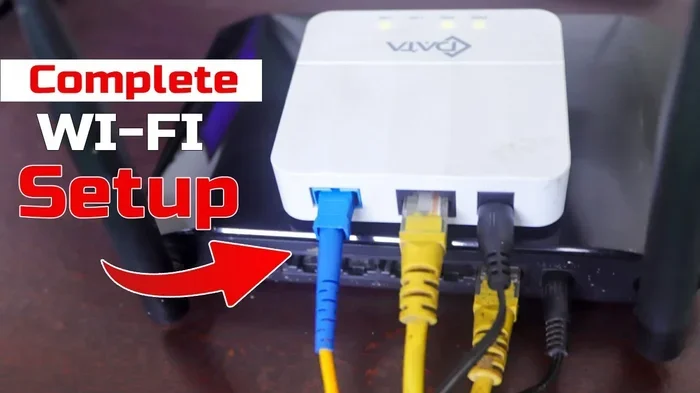
Before you dive into transferring anything, it helps to understand what AT&T Wi-Fi actually is. AT&T offers several types of internet service, including fiber, fixed wireless, and DSL. Each type uses different equipment, but they all create a wireless network in your home. The AT&T gateway or modem broadcasts a WiFi signal that your devices connect to.
Your AT&T Wi-Fi network has two key pieces of information. The first is the network name, also called the SSID. The second is the WiFi password, which keeps your connection secure. When you want to share your connection, you are really sharing these credentials. When you want to transfer the entire account, you are changing who owns and pays for the service.
AT&T WiFi Network Names and Passwords
AT&T gateways come with a default network name and password printed on a sticker. The network name usually starts with “ATT” followed by a string of numbers. The default password is also on that sticker. Most people change these defaults during setup, but the original info is always there as a backup.
Here is what you need to know about AT&T WiFi credentials:
- Network name (SSID): Found on the gateway sticker or in your AT&T account portal.
- WiFi password: Also on the sticker or accessible through the AT&T app.
- Admin login: Used to access gateway settings and make changes.
- Network key: Another term for the WiFi password used in technical settings.
Can You Actually Transfer AT&T Wi-Fi to Another Person?
The short answer is yes. But the longer answer depends on what kind of transfer you mean. There are three main scenarios where someone asks this question. Each one has a different process and different requirements. Let us break them down so you know exactly what applies to your situation.
Scenario 1: Transferring the AT&T Account to a New Person
This happens when you want to completely hand over your AT&T internet service. Maybe you are selling your home or moving out permanently. The new person would become the account holder and take over billing and service. This is a full account transfer, and it involves AT&T directly.
To transfer an AT&T account, you need to contact customer service. They will verify your identity and the new account holder’s identity. The new person must also qualify for the service based on credit and location requirements. Once approved, the account switches names and the new holder takes full control.
Scenario 2: Sharing Your WiFi Password With Someone
This is the simplest form of transfer. You do not change any account details. You just give someone your WiFi password so they can connect their devices. This works well for guests, short-term visitors, or roommates who need temporary access.
Sharing your WiFi password does not transfer ownership or billing responsibility. You remain the account holder. The other person simply uses your network to get online. This method is fast, easy, and does not require any approval from AT&T.
Scenario 3: Using AT&T Hotspot Features to Share Internet
AT&T also offers hotspot capabilities through its mobile and wireless plans. You can turn your phone or hotspot device into a WiFi source. This lets other people connect to the internet through your data plan. It is not the same as sharing home WiFi, but it serves a similar purpose in a pinch.
AT&T mobile hotspots work well when someone needs internet on the go. They are also useful in emergencies or when home internet is not available. Keep in mind that hotspot data counts against your data plan limits, so use it wisely.
Step-by-Step Guide to Transfer AT&T Wi-Fi to Another Person
Now that you understand the different types of transfers, let us get into the actual steps. We will cover each method in detail so you can follow along with confidence.
Method 1: Full Account Transfer Process
Transferring the entire AT&T account to another person requires a few specific steps. Follow this process carefully to avoid delays or complications.
- Contact AT&T customer service: Call the number on your bill or use the AT&T app to start the transfer request.
- Gather required documents: You will need ID for both the current and new account holder. Proof of address for the new holder is also required.
- Verify eligibility: AT&T will check the new person’s credit and service eligibility at your location.
- Complete the transfer form: Either online through your account portal or in person at a store.
- Confirm the switch: Once approved, the new account holder receives confirmation and billing responsibility shifts.
- Reset WiFi credentials: Change the network name and password for security, especially if the old account holder had access.
The full account transfer usually takes a few business days. AT&T may run a credit check, which can add time. Be patient and make sure all documents are accurate to speed things up.
Method 2: Sharing WiFi Credentials
If you just want to let someone use your WiFi without changing anything, this method is for you. It is quick and does not involve any paperwork.
- Find your WiFi password: Check the gateway sticker, the AT&T app, or log into your account portal.
- Share the network name and password: You can text it, email it, or write it down for the other person.
- Have them connect: On their device, they go to WiFi settings, find your network, and enter the password.
- Test the connection: Make sure they can browse the web and stream without issues.
This method works instantly and requires no AT&T involvement. However, keep in mind that the other person uses your data allowance and you are responsible for the bill. If you are worried about security, you can change the password after they no longer need access.
Method 3: Setting Up an AT&T Mobile Hotspot
If you want to share internet through your AT&T wireless plan, the hotspot method is your best bet. Here is how to set it up.
- Check your data plan: Make sure your plan includes hotspot or tethering features.
- Enable hotspot on your device: Go to Settings, then Network, then Hotspot or Tethering.
- Set a hotspot name and password: Choose something memorable and secure.
- Connect the other person’s device: They find your hotspot in their WiFi list and enter the password.
- Monitor data usage: Keep an eye on your data to avoid overage charges.
AT&T mobile hotspots are convenient but come with data limits. If you share your hotspot frequently, consider upgrading to a plan with more data. This keeps your connection fast and avoids unexpected fees.
AT&T Account Transfer vs. WiFi Password Sharing
People often confuse these two methods, but they are quite different. Understanding the distinction helps you choose the right approach for your situation.
| Feature | Account Transfer | WiFi Password Sharing |
|---|---|---|
| Changes account ownership | Yes | No |
| Requires AT&T approval | Yes | No |
| Time to complete | Several business days | Instant |
| Billing responsibility shifts | Yes | No |
| Needs credit check | Yes | No |
| Best for | Permanent moves, sales | Guests, temporary access |
| Security impact | High (reset all credentials) | Low (change password after) |
As you can see, a full account transfer is a big deal. It changes who owns and pays for the service. WiFi password sharing is a quick fix that does not touch your account at all. Choose the method that matches your actual need.
Common Mistakes When Transferring AT&T Wi-Fi
Even when you follow the steps, mistakes can happen. Here are the most common errors people make when trying to transfer AT&T Wi-Fi to another person. Knowing these ahead of time saves you a lot of frustration.
Skipping Documentation
AT&T requires proof of identity for account transfers. If you or the new account holder do not have the right documents, the transfer gets delayed. Always have a valid ID ready before you call or visit a store.
Forgetting to Cancel the Old Plan
When transferring an account, some people forget to cancel or adjust the old plan. This leads to double billing or service overlap. Make sure the old account is fully closed or transferred before the new one starts.
Not Resetting Equipment
If you are giving away or selling your AT&T gateway, reset it to factory settings. This removes your WiFi credentials and personal settings from the device. It also ensures the new owner can set it up fresh.
Ignoring Contract Terms
Some AT&T plans come with contracts or early termination fees. Before you transfer anything, check your agreement. You may need to pay off remaining balances or wait for the contract to expire.
Sharing Passwords Without Security
If you share your WiFi password, change it afterward. Leaving the same password active means anyone who had it before can still access your network. This is a simple step that many people overlook.
Expert Tips for a Smooth AT&T Wi-Fi Transfer
Getting the transfer right the first time saves you time and stress. Here are some expert-backed tips that make the process smoother.
Call AT&T Support Before You Start
AT&T customer service can walk you through the exact process for your situation. They can tell you what documents you need and how long the transfer will take. A quick call before you begin prevents surprises.
Use the AT&T App for Quick Access
The AT&T app lets you view your WiFi password, manage your account, and even start a transfer request. It is one of the easiest ways to handle everything from your phone without waiting on hold.
Document Everything
Keep records of when you made the transfer request, who you spoke to, and any confirmation numbers. If there is an issue later, this documentation helps you resolve it quickly.
Consider a WiFi Extender for the New User
If the person you are transferring to lives in a different part of the building, a WiFi extender can boost the signal. AT&T gateways work well with most third-party extenders, giving the new user a strong and reliable connection.
Update Your AT&T Account After Transfer
Once the transfer is complete, log into your account and update any preferences. Remove saved payment methods, update your contact info, and close any active sessions. This keeps your data secure after the transfer.
Frequently Asked Questions
Can I transfer my AT&T Wi-Fi account to a family member?
Yes, you can transfer your AT&T account to a family member. You will need to contact AT&T customer service, provide identification for both parties, and complete the transfer process. The new account holder must also qualify for service at your location.
Is there a fee to transfer AT&T Wi-Fi to another person?
AT&T does not typically charge a fee for account transfers. However, if your plan has an early termination clause, you may need to pay off the remaining balance. Always check your contract terms before starting the transfer.
Can I share my AT&T WiFi password without transferring the account?
Absolutely. You can share your WiFi password with anyone without changing account ownership. This is the quickest way to give someone internet access. Just remember to change the password after they no longer need it for security.
How long does it take to transfer AT&T Wi-Fi to another person?
A full account transfer usually takes a few business days. The timeline depends on AT&T’s approval process, credit checks, and document verification. WiFi password sharing, on the other hand, works instantly with no waiting period.
What happens to my AT&T WiFi equipment after a transfer?
If you are keeping the equipment, you can continue using it under the new account. If you are giving the equipment away, reset it to factory settings first. The new account holder may need to activate the equipment through their AT&T account.
Can I transfer AT&T Wi-Fi if I am still under contract?
It depends on your contract terms. Some contracts allow account transfers with AT&T’s approval. Others may require you to pay off the remaining balance or wait until the contract expires. Contact AT&T support to review your specific agreement before proceeding.
Conclusion
So, can you transfer AT&T Wi-Fi to another person? The answer is a clear yes. Whether you need a full account transfer, simple password sharing, or hotspot access, there is a method that fits your situation. The key is understanding what each method involves and choosing the one that matches your needs.
Transferring AT&T Wi-Fi does not have to be complicated. With the right steps and a little preparation, you can hand off your connection smoothly and confidently. Avoid the common mistakes we covered, follow the step-by-step guides, and reach out to AT&T support whenever you need help.
Now that you have all the information you need, it is time to take action. Whether you are helping a friend get online or passing your service to a new tenant, you are fully equipped to handle the transfer. Share this guide with anyone who needs it, and enjoy the peace of mind that comes with a successful AT&T Wi-Fi transfer.