Are Wifi Pods Necessary for Faster Home Internet Speeds
Are wifi pods necessary? The answer depends on your home size, internet habits, and current wireless coverage. Wifi pods, also known as mesh wifi pods, help eliminate dead zones and deliver faster home internet speeds throughout your space. This guide breaks down when they’re worth buying and when you can skip them.
Key Takeaways
- Wifi pods boost coverage: They fill gaps in large homes where a single router struggles to reach every room.
- They are not always necessary: Small apartments or homes with strong signal may not need them at all.
- Mesh systems outperform traditional extenders: Pods create a seamless network, unlike repeaters that split bandwidth.
- Placement matters enormously: Even the best pods fail if you position them poorly.
- Internet speed depends on your plan: Pods improve coverage but cannot increase your ISP’s base speed.
- Cost vs. benefit is key: Weigh the price of a pod system against your actual connectivity needs.
- Home office users benefit most: If you work from home, pods can make a real difference in productivity.
📑 Table of Contents
What Are Wifi Pods and How Do They Work?
Wifi pods are small wireless devices that work together to spread your internet signal across your home. They are part of a mesh wifi system, which replaces or works alongside your regular router. Instead of one router doing all the heavy lifting, multiple pods talk to each other. They create one unified wireless network throughout your house.
Think of it like a team of helpers. Each pod handles a section of your home. They pass the signal back and forth. This keeps your wifi signal strength strong in every room. No more hunting for a good spot near the router.
A broadband router alone has limits. It broadcasts signal in all directions. But walls, floors, and furniture block that signal. In a large or multi-story home, the signal weakens fast. That is where are wifi pods necessary becomes a real question worth answering.
Most mesh systems come with two or three pods. You plug them into wall outlets around your home. Each pod acts as a wireless access point. Your devices automatically connect to the nearest pod. You do not need to switch networks manually.
How Mesh Wifi Differs From a Standard Router
A standard router sends one signal from one point. Everything connects to that single source. If you walk too far away, the signal drops. You might see slow speeds or lose connection entirely.
A mesh system uses multiple nodes, or pods. These pods share the load. They talk to each other and to your devices. The result is a smoother, more reliable home network setup. Your phone, laptop, and smart home devices all stay connected as you move around.
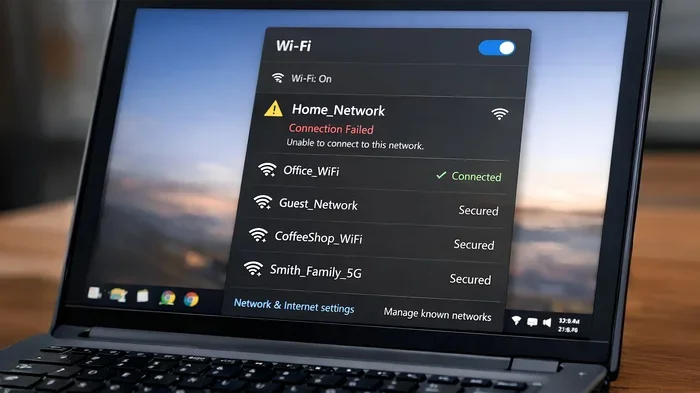
This is why many people ask are wifi pods necessary when they experience dead zones. A dead zone is an area where the wifi signal is too weak to work. Pods solve this problem by placing signal sources closer to those weak spots.
When Do You Actually Need Wifi Pods?
Not everyone needs wifi pods. But certain situations make them very valuable. Let us look at when they truly make sense.
Large Homes With Multiple Floors
If your home is over 2,000 square feet, a single router will struggle. Two-story homes are especially tricky. The signal has to pass through ceilings and walls. By the time it reaches the second floor, it may be very weak.
Wifi pods placed on each floor can fix this. They ensure every level gets a strong wireless coverage signal. This is one of the most common reasons people buy mesh systems.
Homes With Thick Walls or Unusual Layouts
Brick, concrete, and stone walls block wifi signals. Older homes often have thick plaster and lath walls. These materials absorb wireless signals like a sponge. Even a powerful router cannot push through easily.
In these cases, are wifi pods necessary? Often, yes. Pods placed in hallways or near doorways can route signals around obstacles. They create paths for your data to travel through.
Home Office Users
Remote work has changed how we use the internet. Video calls, file uploads, and cloud apps need stable connections. A weak signal during a Zoom meeting is frustrating and unprofessional.
Wifi pods place strong signal exactly where you need it. If your home office is in a back room or basement, pods make a huge difference. Your internet connectivity stays strong all day long.
Households With Many Connected Devices
Smart TVs, phones, tablets, smart speakers, security cameras — the average home has over 20 connected devices. Each one uses bandwidth. A single router can get overwhelmed.
Mesh pods share the workload. They distribute connections across multiple access points. This keeps internet speeds consistent even when many devices are online at once.
Quick Tips: Do You Need Wifi Pods?
- Run a speed test in different rooms. If speeds drop significantly, you may need pods.
- Walk through your home with your phone. Look for areas with no signal or weak signal.
- Count your connected devices. More devices mean more need for distributed coverage.
- Check your router placement. A router in a basement or closet may cause coverage issues.
Wifi Pods vs. Traditional Wifi Extenders
Many people confuse wifi pods with traditional wifi extenders. They are not the same thing. Understanding the difference helps you make a better decision.
| Feature | Wifi Pods (Mesh) | Traditional Extenders |
|---|---|---|
| Network Name | One seamless network | Separate network names |
| Handoff Between Nodes | Automatic and smooth | Manual or delayed |
| Bandwidth Splitting | Dedicated backhaul channels | Shares same bandwidth |
| Setup Process | App-based, simple | More complex |
| Price Range | Higher ($100-$500+) | Lower ($20-$80) |
| Best For | Large homes, heavy users | Small homes, budget users |
Traditional extenders connect to your router and rebroadcast the signal. But they often create a second network. Your phone may stay stuck on the weak original signal instead of switching to the extender.
Mesh pods solve this problem. They use a dedicated backhaul channel to communicate with each other. This means your devices get full speed. There is no bandwidth loss from hopping between nodes.
If you are asking are wifi pods necessary for better performance than extenders, the answer is usually yes. Mesh systems provide a superior experience for most households.
Expert Insight: The Backhaul Advantage
Network engineers often say that the biggest advantage of mesh pods is dedicated backhaul. This is the communication channel between pods. It stays separate from your device traffic. So your streaming, gaming, and browsing never slow down just because pods are talking to each other.
Common Mistakes People Make With Wifi Pods
Buying pods is only half the battle. How you set them up matters just as much. Many people make avoidable mistakes that hurt their wifi coverage.
Placing Pods Too Far Apart
One of the biggest errors is spacing pods too far from each other. Each pod needs a strong signal from the router or another pod. If you place a pod too far away, it will struggle to relay signal effectively.
As a rule of thumb, place pods within good range of each other. They should have a strong signal between them. This creates a reliable chain of coverage throughout your home.
Hiding Pods in Closets or Cabinets
It is tempting to hide pods behind furniture or inside closets. This looks tidy, but it kills your signal. Pods need open space to broadcast effectively. Walls and doors block wireless signals.
Place pods in open, central locations. A hallway or living room corner works well. Keep them away from metal objects and appliances that cause interference.
Ignoring Your Internet Plan Speed
Wifi pods cannot make your internet plan faster. If your ISP provides 50 Mbps, pods will not boost that to 200 Mbps. They improve coverage and consistency. They do not change your base broadband speed.
Before buying pods, check your current plan. Upgrade your internet plan first if needed. Then add pods to distribute that speed evenly throughout your home.
Skipping Firmware Updates
Mesh systems receive regular firmware updates. These updates fix bugs, improve security, and boost performance. Many people set up their pods and forget about them.
Check for updates in your mesh app regularly. Keeping your system updated ensures you get the best internet connectivity and wireless coverage possible.
Common Mistakes at a Glance
- Too much distance between pods — weak relay signal
- Poor pod placement — hidden behind walls or furniture
- Expecting speed boosts — pods improve coverage, not ISP speed
- Ignoring updates — outdated firmware causes issues
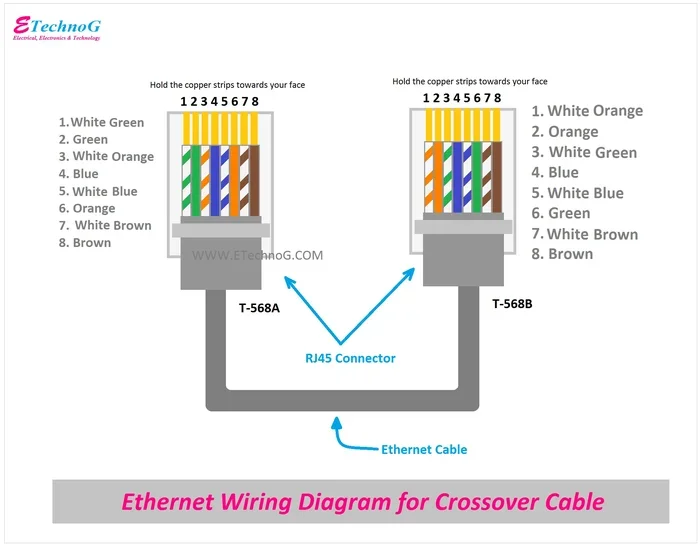
- Using old ethernet cables — some pods need wired backhaul for best results
Expert Tips for Setting Up Wifi Pods
Getting the most out of your mesh system takes a little planning. Follow these expert-backed tips for the best results.
Start With a Speed Test
Before setting up any pods, run a speed test near your router. Then run tests in different rooms. This tells you exactly where your signal is weak. You can then place pods strategically in those areas.
Use the App to Guide Placement
Most mesh systems come with a companion app. These apps show your wifi coverage map in real time. They tell you signal strength in each room. Use this data to find the best pod positions.
Prioritize Wired Backhaul When Possible
If you can run ethernet cables to your pod locations, do it. Wired backhaul gives the best performance. Your pods use the ethernet connection to talk to each other. This frees up wireless bandwidth for your devices.
Name Your Network Clearly
Some mesh systems let you customize your network name. Use a clear, recognizable name. This helps all your devices connect properly without confusion.
Reboot Periodically
Like any tech equipment, mesh systems benefit from occasional reboots. A quick restart clears temporary glitches. It refreshes connections between pods and your devices.
Key Takeaways for Pod Setup
- Test your current coverage before buying pods.
- Place pods in open, central locations.
- Use wired backhaul for the best performance.
- Keep firmware updated for optimal speed and security.
- Reboot your system every few weeks to stay fresh.
Do Wifi Pods Really Make Your Internet Faster?
This is the question most people want answered. The honest answer is: it depends on what you mean by “faster.”
Wifi pods do not increase your ISP’s advertised speed. If you pay for 100 Mbps, pods will not give you 200 Mbps. However, they can make your effective internet speed much better in practice.
Here is why. Without pods, your signal may be weak in certain rooms. A weak signal means slow speeds, even if your plan is fast. Pods strengthen that signal. They deliver the full speed your plan provides to every corner of your home.
For example, imagine your router is in the living room. Your bedroom is at the far end of the house. Without pods, you might get 20 Mbps in that bedroom. With a mesh pod in the hallway, you could get 90 Mbps. That is a massive real-world improvement.
So when you ask are wifi pods necessary for faster home internet speeds, the answer is nuanced. They do not boost your plan speed. But they deliver your plan speed to every room. For many households, that is exactly what “faster internet” really means.
Gamers and streamers notice the biggest difference. Stable connections mean fewer lag spikes and less buffering. Video callers enjoy clearer quality without drops. Smart home devices stay connected without interruption.
Quick Tips for Speed Optimization
- Place your main router in a central, elevated location.
- Use the 5GHz band for speed and the 2.4GHz band for range.
- Limit devices on crowded channels using your router app.
- Upgrade your internet plan if pods alone do not solve your speed issues.
- Keep your mesh system firmware updated for the latest performance improvements.
Are Wifi Pods Worth the Investment?
Mesh wifi pod systems range from around $100 to over $500. That is a significant investment. So are they worth it for your situation?
If you live in a small apartment with one floor, probably not. A single good router may be all you need. But if you have a large home, multiple floors, or heavy internet usage, pods are absolutely worth it.
Think about the frustration of dropped connections. Think about the time lost when your work call freezes. Think about the kids unable to stream their favorite show in their bedroom. Wifi pods solve all of these problems.
Many people find that the productivity gains alone justify the cost. A strong, reliable home network makes work, entertainment, and daily life smoother. When you factor in the convenience and peace of mind, the investment pays off.
Also consider that mesh systems are future-proof. Newer pods support the latest wifi standards, including wifi 6 and wifi 6E. These standards offer faster speeds, better device handling, and lower latency. You are not just solving today’s problems — you are preparing for tomorrow’s technology.
How to Choose the Right Wifi Pod System
Not all mesh systems are created equal. Here are some factors to consider before you buy.
- Home size: Choose a system rated for your square footage. Most brands list coverage per pod.
- Number of pods needed: Larger homes need more pods. Most systems sell in packs of two or three.
- Wifi standard: Look for wifi 6 or wifi 6E for the best performance.
- Ease of setup: Choose a system with a user-friendly app.
- Extra features: Some systems include built-in security, parental controls, or guest networks.
- Compatibility: Make sure the system works with your internet provider and modem.
Popular brands like Eero, Google Nest Wifi, TP-Link Deco, and Netgear Orbi all offer solid mesh systems. Read reviews, compare features, and pick the one that fits your budget and needs.
Conclusion
So, are wifi pods necessary? The short answer is: it depends on your home and your needs. For large houses, multi-story homes, and households with many connected devices, wifi pods are a game-changer. They eliminate dead zones, improve wireless coverage, and deliver consistent internet speeds everywhere you go.
For small apartments or homes with strong single-router coverage, you may not need them at all. The key is understanding your situation. Test your current wifi signal strength. Identify weak spots. Then decide if a mesh system is the right solution.
Wifi pods are not magic. They cannot increase your ISP’s base speed. But they do something just as valuable — they make sure that speed reaches every room in your home. That is what “faster internet” really feels like in daily life.
If you are tired of buffering, dropped calls, and weak signals in certain rooms, wifi pods are worth serious consideration. Set them up correctly, place them strategically, and enjoy a seamless home network setup that just works.
Take action today. Run a speed test in every room. Map your coverage gaps. And decide if adding wifi pods will transform your internet experience. Most people who make the switch never look back.
Frequently Asked Questions
What is the difference between wifi pods and a router?
A router is the main device that connects your home to the internet. Wifi pods are additional nodes that work with a mesh system to spread that signal throughout your home. Pods extend coverage while a router manages the core connection to your ISP.
Can I use wifi pods with any router?
Most mesh pods are designed to work as standalone systems. Some brands allow you to add pods to an existing router, but compatibility varies. Check with the manufacturer before mixing equipment to ensure seamless performance.
How many wifi pods do I need for my home?
As a general rule, one pod covers about 1,000 to 1,500 square feet. For a 2,000-square-foot home, two pods usually work well. Larger homes may need three or more. Your layout and wall materials also affect the number needed.
Do wifi pods slow down internet speed?
Good mesh pods do not significantly slow your speed. They use dedicated backhaul channels to communicate with each other. However, cheap extenders can cut your bandwidth in half. Always choose a quality mesh system for the best results.
Are wifi pods necessary for streaming and gaming?
They can be very helpful. Streaming and gaming need stable, consistent connections. If your device is far from the router, pods ensure strong signal and low latency. This reduces buffering during streams and lag during online gaming sessions.
How much do wifi pod systems cost?
Mesh wifi pod systems typically range from $100 to $500 or more. Budget systems with two pods start around $100. Premium systems with three or more pods and advanced features can cost $300 to $500. The price depends on brand, features, and coverage area.
===