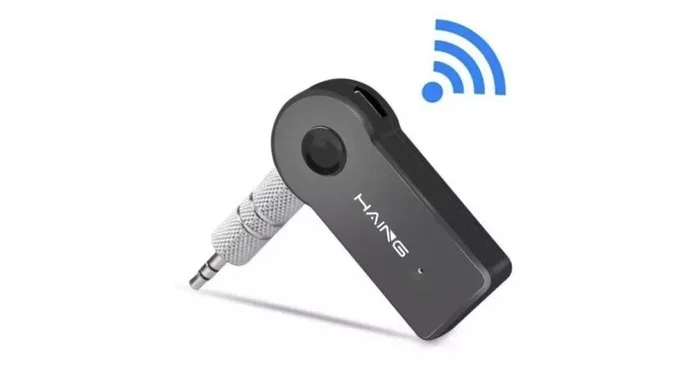
Can You Convert 3 5 Mm To Bluetooth With This Guide
Yes, you can convert 3.5mm audio to Bluetooth using a simple adapter or transmitter. This guide walks you through every step, from choosing the right device to troubleshooting common issues. You will learn how to enjoy wireless audio from any device with a 3.5mm audio jack in just minutes.
Key Takeaways
- A 3.5mm to Bluetooth adapter lets you go wireless without buying new devices.
- Bluetooth transmitters and receivers serve different purposes, so pick the right one for your setup.
- Wireless audio streaming is easier than most people think and requires minimal setup.
- Audio latency can be reduced by choosing adapters with low-latency codecs like aptX.
- Compatibility matters, so always check if your device supports Bluetooth before buying an adapter.
- Common problems like pairing failures and static noise have simple fixes.
- Converting to Bluetooth saves money and extends the life of your wired headphones and speakers.
📑 Table of Contents
- Can You Convert 3 5 Mm To Bluetooth? Here Is Everything You Need To Know
- What Does It Mean to Convert 3.5mm to Bluetooth?
- How a 3.5mm to Bluetooth Adapter Works
- Best Devices for Converting 3.5mm to Bluetooth
- Step-by-Step: How to Convert 3.5mm Audio to Bluetooth
- Common Problems and How to Fix Them
- Is Converting 3.5mm to Bluetooth Worth It?
- Quick Tips for the Best Bluetooth Audio Experience
- Expert Insights on 3.5mm to Bluetooth Conversion
- Conclusion
Can You Convert 3 5 Mm To Bluetooth? Here Is Everything You Need To Know
If you have ever stared at your favorite wired headphones and wished they could connect wirelessly, you are not alone. The good news is that converting 3.5mm to Bluetooth is not only possible but also incredibly simple. You do not need to be a tech expert or spend a fortune to make it happen.
A 3.5mm audio jack has been the standard for headphones, speakers, and audio devices for decades. But the world is moving toward wireless connectivity, and Bluetooth audio streaming offers a level of freedom that wires simply cannot match. Whether you want to listen to music from an old stereo system or use your wired earbuds with a new laptop, a Bluetooth adapter bridges the gap perfectly.
This guide covers everything you need to know about converting 3.5mm audio to Bluetooth. We will walk you through how the technology works, which devices to buy, how to set things up, and how to fix common problems. By the end, you will feel confident making the switch to wireless audio on your own.
So grab your wired headphones or speaker, and let us dive into the world of 3.5mm to Bluetooth conversion. You will be surprised at how easy it really is.
What Does It Mean to Convert 3.5mm to Bluetooth?
When we talk about converting 3.5mm to Bluetooth, we mean turning a wired audio connection into a wireless one. Your 3.5mm audio jack sends sound through a physical cable. A Bluetooth adapter takes that signal and transmits it through the air to your headphones, speakers, or earbuds.
Think of it like this. Your wired device speaks one language, and your wireless headphones speak another. The Bluetooth transmitter acts as a translator between the two. It reads the audio signal from the 3.5mm port and sends it over a wireless connection to your device.
The process is straightforward and does not require any technical skills. Most adapters plug right in and start working within seconds. You do not need to install complicated software or change any settings on your device. Just plug in, pair, and listen.
Many people worry that going wireless means losing audio quality. Modern Bluetooth codecs like aptX and AAC deliver sound that is nearly indistinguishable from wired connections. So you get the freedom of wireless audio without sacrificing the listening experience.
Why Do People Convert 3.5mm to Bluetooth?
There are several reasons why people make this switch. Here are the most common ones:
- Freedom of movement. You can walk around the room or even the house without being tethered to your device.
- Modern device compatibility. Many new laptops and phones no longer include a 3.5mm headphone jack. An adapter lets you use your old wired gear.
- Multiple device connections. A good Bluetooth transmitter can pair with several devices, so you can switch between your phone and tablet easily.
- Cost savings. Instead of buying brand-new wireless headphones, you can keep using your favorite wired pair.
- Less clutter. No more tangled cables on your desk or nightstand.
Each of these reasons makes a strong case for converting 3.5mm audio to Bluetooth. The convenience alone is worth it for most users.
How a 3.5mm to Bluetooth Adapter Works
Understanding how a Bluetooth audio adapter works helps you choose the right one. The basic concept is simple, but there are a few details worth knowing.
The Two Types of Adapters
There are two main types of devices you can use for 3.5mm to Bluetooth conversion:
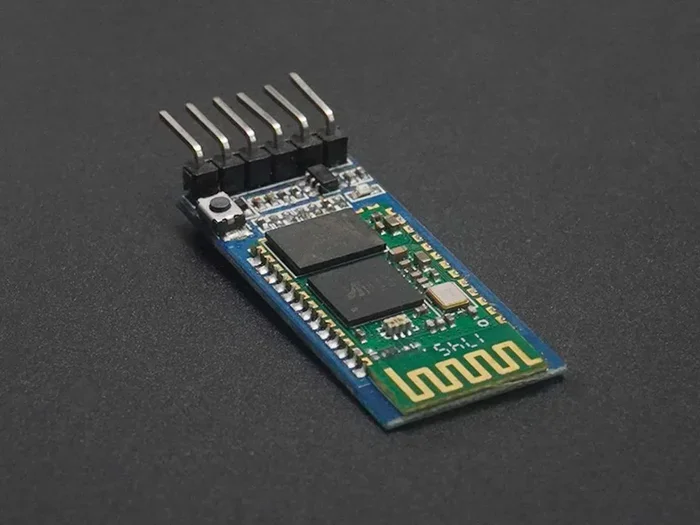
- Bluetooth Transmitter. This device plugs into the 3.5mm output of your source device, like a TV or stereo. It sends audio wirelessly to your Bluetooth headphones or speaker. Think of it as the “sender.”
- Bluetooth Receiver. This device plugs into the 3.5mm input of your speaker or amplifier. It receives wireless audio from your phone or tablet and plays it through the speaker. Think of it as the “receiver.”
Choosing between a transmitter and receiver depends on what you want to do. If you want to listen wirelessly to a device that only has a 3.5mm output, you need a transmitter. If you want to make a non-Bluetooth speaker wireless, you need a receiver.
Inside the Adapter: What Makes It Work
When you plug a Bluetooth adapter into a 3.5mm port, the device reads the analog audio signal. It then converts that signal into a digital format that can be sent over Bluetooth wireless technology. The adapter uses a Bluetooth codec to compress and transmit the audio data to your paired device.
Different codecs offer different levels of quality and range. The most common ones include:
- SBC. The standard codec that works with almost all Bluetooth devices. It offers decent quality but is not the best.
- aptX. A step up from SBC with better audio quality and lower audio latency. Great for watching videos.
- aptX HD. Even higher quality than regular aptX. Ideal for audiophiles who want the best sound.
- LDAC. Sony’s codec that supports very high-resolution audio over Bluetooth.
The codec your adapter uses affects both sound quality and how smoothly the audio plays. If you notice delays when watching videos, switching to an adapter with aptX can help a lot.
Best Devices for Converting 3.5mm to Bluetooth
Not all Bluetooth adapters are created equal. Some are better for music, while others work well for watching TV. Here are some tips for choosing the right one.
What to Look For in a Bluetooth Transmitter
When shopping for a Bluetooth transmitter, keep these factors in mind:
- Codec support. Look for adapters that support aptX or aptX HD for the best sound quality.
- Range. Most Bluetooth devices have a range of about 30 feet. Some premium transmitters go further.
- Battery life. If the adapter is portable, check how long it lasts on a single charge. A longer battery means less charging.
- Multipoint pairing. This lets you connect to two devices at once, so you can switch between your phone and TV easily.
- Latency. Lower latency means less delay between the audio and what you see on screen. This matters a lot for videos and gaming.
Top Recommended Adapters
Here are a few popular options that make 3.5mm to Bluetooth conversion a breeze:
- Avantree Oasis Plus. A premium transmitter with aptX HD and long range. Great for TV watching.
- TaoTronics Bluetooth Transmitter. An affordable option that supports aptX and works well with most devices.
- 1Mii Bluetooth Transmitter. Known for excellent range and low latency. A solid choice for most users.
- Saramonic Blink 500 B2+. A versatile option that works as both a transmitter and receiver.
You can find these adapters online or at most electronics stores. Prices range from about $15 to $100 depending on features and quality.
If you love exploring tech gadgets that simplify everyday life, you might also enjoy 10 gadgets to make mom’s life easier. Many of these wireless tools work hand-in-hand with Bluetooth adapters to streamline your daily routine.
Step-by-Step: How to Convert 3.5mm Audio to Bluetooth
Now that you know what to look for, let us walk through the actual setup process. Follow these steps and you will be listening to wireless audio in no time.
Step 1: Choose Your Adapter
Decide whether you need a Bluetooth transmitter or a Bluetooth receiver based on your setup. If you are connecting a phone or TV to wireless headphones, get a transmitter. If you are connecting a phone to a wired speaker, get a receiver.
Step 2: Plug It In
Insert the adapter into the 3.5mm audio jack on your device. Make sure it clicks in firmly. If your device has a combo jack (headphone and microphone in one), you may need a splitter cable to get the best results.
If you are using an iPhone or iPad and need help with phone settings, you might also find it useful to learn about adding prefixes to numbers on iPhone for managing your contacts and call settings more efficiently.
Step 3: Power It On
Turn on the adapter. Most devices have a power button or will auto-turn on when plugged in. Look for a light indicator that shows the adapter is on and ready to pair.
Step 4: Put Your Headphones in Pairing Mode
Activate Bluetooth pairing on your headphones or speaker. Usually, this means holding down the Bluetooth button until the light flashes. Check your device manual if you are not sure how to do this.
Step 5: Pair the Devices
On your adapter, select the Bluetooth pairing option. Your headphones should appear on the adapter’s display or voice prompt. Select them, and the devices will connect. This usually takes about 5 to 10 seconds.
Step 6: Test the Connection
Play some audio and check that the sound comes through your wireless device clearly. If you hear any issues, move on to the troubleshooting section below.
That is it! In just six simple steps, you have converted 3.5mm audio to Bluetooth and can now enjoy wireless streaming without any cables.
Common Problems and How to Fix Them
Even though 3.5mm to Bluetooth conversion is simple, you might run into a few hiccups along the way. Here are the most common issues and how to solve them.
Audio Delay or Latency
One of the most common complaints is a delay between the video and audio. This happens because Bluetooth audio takes a tiny bit of time to transmit. You can fix this by:
- Using an adapter that supports aptX Low Latency.
- Moving closer to the adapter to strengthen the Bluetooth range signal.
- Making sure no other wireless devices are causing interference.
Pairing Failures
If your devices will not connect, try these steps:
- Turn off Bluetooth on both devices and turn them back on.
- Delete the old pairing from your headphones and try again.
- Make sure the adapter is fully charged or plugged in properly.
- Restart both the adapter and your audio device.
Static or Poor Sound Quality
If the audio sounds crackly or unclear, check a few things:
- Make sure the AUX cable is fully inserted into the port.
- Move away from other wireless signals like Wi-Fi routers that might cause interference.
- Check if your adapter supports a better Bluetooth codec and update its firmware if possible.
- Try a different pair of wireless headphones to rule out a device-specific issue.
Adapter Not Charging
If your portable adapter will not charge, try a different USB cable or power source. Some adapters use micro-USB while others use USB-C. Using the wrong cable can cause charging issues.
Most problems with converting 3.5mm to Bluetooth have simple solutions. A little patience and basic troubleshooting will get you back to listening in no time.
Is Converting 3.5mm to Bluetooth Worth It?
The short answer is yes. Converting 3.5mm audio to Bluetooth is one of the easiest and most affordable upgrades you can make to your audio setup. For a small investment, you get the freedom of wireless audio without replacing your favorite headphones or speakers.
Here is a quick comparison of going wired versus using a Bluetooth adapter:
| Feature | Wired (3.5mm) | Bluetooth Adapter |
|---|---|---|
| Freedom of Movement | Limited by cable length | Full freedom, up to 30 feet |
| Audio Quality | Excellent, no compression | Very good with aptX codec |
| Compatibility | Works with any 3.5mm device | Works with most Bluetooth devices |
| Setup Time | Plug and play instantly | One-time pairing, takes 1-2 minutes |
| Cost | None extra | $15 to $100 for adapter |
| Cable Clutter | Yes, cables can tangle | No cables needed |
| Battery Required | No | Yes, adapter needs charging |
As you can see, the benefits of wireless audio streaming outweigh the small downsides for most people. The slight cost of an adapter and the need to charge it are minor trade-offs for the convenience you gain.
Many users report that once they switch to Bluetooth audio, they never go back to wires. The experience of moving freely around a room while listening to music or watching a movie is genuinely transformative.
If you are still on the fence, try a budget-friendly adapter first. You can always upgrade to a premium model later. The important thing is to take the first step toward wireless freedom with your audio devices.
Quick Tips for the Best Bluetooth Audio Experience
Follow these simple tips to get the most out of your 3.5mm to Bluetooth setup:
- Keep your adapter updated. Firmware updates often improve performance and fix bugs.
- Stay within range. For the best Bluetooth range and signal strength, keep your source device within 30 feet of the adapter.
- Use a high-quality cable. A good AUX cable between your device and adapter ensures clean audio signal transfer.
- Charge before use. Always check the battery level before a long listening session. Nothing ruins the mood faster than a dead adapter.
- Reduce interference. Keep your adapter away from Wi-Fi routers, microwaves, and other wireless devices that might cause signal disruption.
- Clean the 3.5mm port. Dust and lint can build up in the port and cause poor connections. A quick clean with a toothpick can work wonders.
These small habits make a big difference in your daily wireless audio experience. A little maintenance goes a long way.
Expert Insights on 3.5mm to Bluetooth Conversion
Audio professionals and tech reviewers agree that Bluetooth adapters have come a long way in recent years. The days of choppy, low-quality wireless audio are mostly over. Modern adapters deliver sound that satisfies even picky listeners.
One expert tip is to always check for multipoint pairing support. This feature lets your adapter connect to two devices at the same time. You can listen to music from your phone and answer a call from your laptop without manually re-pairing every time. It is a small convenience that makes a huge difference.
Another insight from audio engineers is to pay attention to audio codec support. Not all adapters support every codec. If you want the best possible sound, choose an adapter that supports aptX HD or LDAC. These codecs preserve more of the original audio quality during wireless transmission.
Finally, experts recommend buying from reputable brands. Cheap, no-name adapters often have poor build quality, weak signals, and inconsistent performance. Spending a little more on a trusted brand saves you from frustration down the road.
The bottom line is that converting 3.5mm to Bluetooth is a smart move for anyone who values both audio quality and convenience. With the right adapter and a little know-how, you can enjoy wireless audio from virtually any device with a 3.5mm port.
Conclusion
Converting 3.5mm audio to Bluetooth is easier than you think and opens up a world of wireless possibilities. Whether you use a Bluetooth transmitter to send audio to your headphones or a Bluetooth receiver to make your speakers wireless, the process is simple and affordable.
You have learned how Bluetooth adapters work, what to look for when buying one, how to set everything up step by step, and how to troubleshoot common issues. You also understand the difference between codecs, the importance of low audio latency, and how to get the best wireless streaming experience.
The key takeaway is that you do not need to replace your favorite wired devices to enjoy wireless audio. A simple 3.5mm to Bluetooth adapter transforms your existing gear into something modern and convenient. So go ahead, make the switch, and enjoy the freedom of wireless sound today.
Your wired headphones and speakers do not have to retire just yet. With the right Bluetooth adapter, they can keep up with the wireless world and deliver great sound for years to come.
Frequently Asked Questions
Can any device with a 3.5mm jack be converted to Bluetooth?
Yes, any device with a 3.5mm audio output can be converted to Bluetooth using a transmitter. Similarly, any device with a 3.5mm input can be made wireless with a receiver. The process works with TVs, stereos, laptops, phones, and more. Just make sure the adapter is compatible with your device’s port type.
Will converting 3.5mm to Bluetooth reduce audio quality?
Modern Bluetooth codecs like aptX and aptX HD deliver audio quality that is very close to wired connections. You may notice a slight difference compared to a direct wired connection, but for most listeners, the difference is minimal. Choosing an adapter with a high-quality codec helps preserve the best possible sound.
How far can I move away from my device with a Bluetooth adapter?
Most Bluetooth adapters have a range of about 30 feet (10 meters) in open spaces. Walls and other obstacles can reduce this range. For the best experience, stay within a reasonable distance from your source device. Some premium adapters offer extended range up to 50 feet or more.
Can I connect multiple headphones to one Bluetooth transmitter?
Yes, some Bluetooth transmitters support multipoint or multi-device pairing. This lets you connect multiple pairs of wireless headphones to one transmitter. However, not all adapters support this feature, so check the product specifications before buying if you need this capability.
Do Bluetooth adapters work with all types of headphones?
Bluetooth adapters work with any Bluetooth-enabled headphones, earbuds, or speakers. If your headphones do not have built-in Bluetooth, you will need a Bluetooth receiver plugged into the headphones’ 3.5mm jack. Some adapters come with both transmitter and receiver functions in one device.
Is it hard to pair a Bluetooth adapter with my device?
No, pairing a Bluetooth adapter is very simple. Most adapters have a one-step pairing process. You just turn on the adapter, put your headphones in pairing mode, and they connect automatically. The entire process takes less than a minute and no technical skills are required.