Can You Connect A Mixer Directly To A Speaker Safely
Yes, you can connect a mixer directly to a speaker, but it depends on the type of speaker and your setup. Powered speakers make this easy, while passive speakers need an amplifier. This guide covers safety tips, cable choices, and step-by-step instructions to help you get great sound without damaging your gear.
Key Takeaways
- Powered speakers are the easiest way to connect a mixer directly without extra gear.
- Passive speakers require a separate amplifier to work with a mixer safely.
- Using the wrong cable or signal level can damage your speakers or mixer.
- Impedance matching is critical to avoid distortion and equipment failure.
- Always start with low volume levels when testing a new connection.
- Line level and speaker level signals are not the same — know the difference.
- Proper cable management and labeling keep your setup organized and safe.
📑 Table of Contents
- Can You Connect A Mixer Directly To A Speaker?
- Understanding Your Mixer And Speaker Types
- How To Connect A Mixer Directly To A Speaker Safely
- Common Mistakes When Connecting A Mixer To A Speaker
- How To Get The Best Sound Quality From Your Setup
- Troubleshooting Common Connection Issues
- Is It Safe To Connect A Mixer Directly To A Speaker Long Term?
- Final Thoughts
Can You Connect A Mixer Directly To A Speaker?
If you have ever stood in front of a mixer and a speaker, cable in hand, wondering whether you can just plug one into the other — you are not alone. The short answer is yes, you can connect a mixer directly to a speaker, but the full answer depends on a few important factors. Not every connection is safe, and not every setup will sound good. In this guide, we will walk you through everything you need to know.
Whether you are setting up a small home studio, a portable PA system, or a live performance rig, understanding how to make this connection properly matters. Get it wrong and you risk damaging your equipment. Get it right and you will have a clean, powerful audio setup that works like a dream. Let us break it all down for you.
We will cover the types of speakers you can connect to, the cables you need, safety precautions, and common mistakes to avoid. By the end of this article, you will feel confident making the connection yourself. No guesswork. No risk. Just clear, practical advice.
Understanding Your Mixer And Speaker Types
Before you plug anything in, you need to understand what kind of equipment you are working with. Not all speakers are built the same, and not all mixers output the same type of signal. Knowing the difference saves you time, money, and frustration.
Powered Speakers vs Passive Speakers
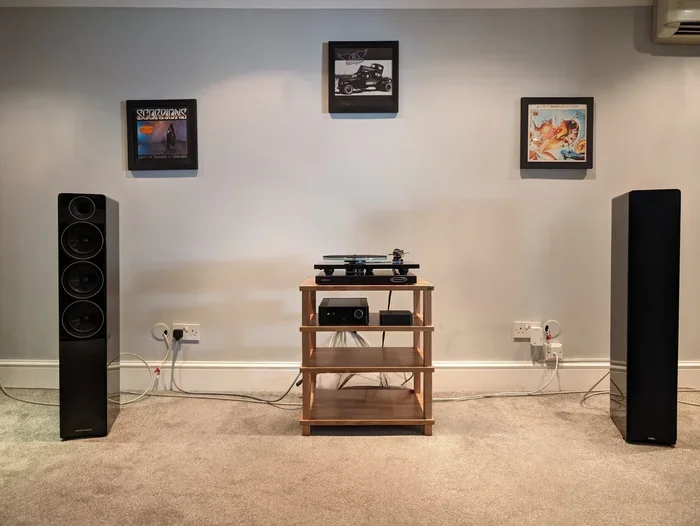
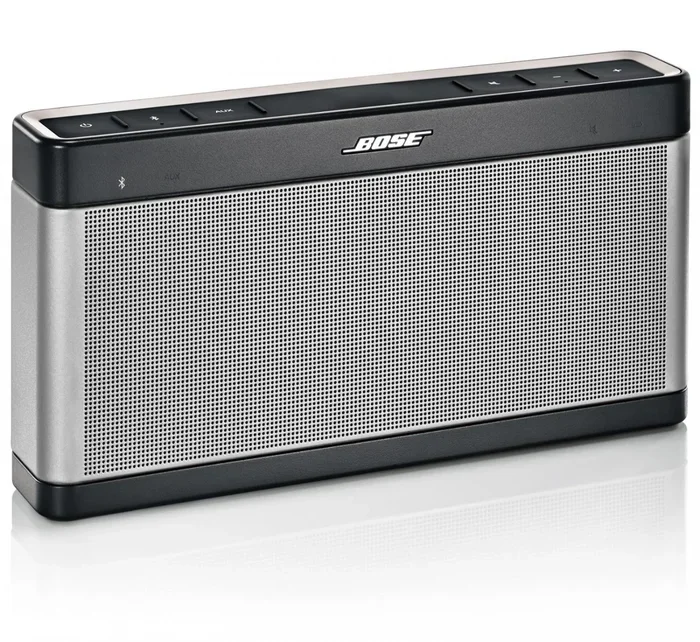
Powered speakers, also called active speakers, have a built-in amplifier. This means they can receive a signal directly from a mixer and amplify it on their own. You do not need any extra equipment. Just plug a cable from the mixer output into the speaker input, and you are good to go.
Passive speakers, on the other hand, do not have a built-in amplifier. They rely on an external amplifier or a powered mixer to push the audio signal. If you try to connect a passive speaker directly to a mixer without an amplifier, you will likely get very little sound — or no sound at all. In some cases, you may even damage the equipment.
Here is a quick comparison to help you understand the difference:
- Powered Speakers: Built-in amplifier, direct connection possible, easy setup, great for small venues and home use.
- Passive Speakers: No built-in amplifier, requires external amp, more setup steps, common in larger sound systems.
What Kind Of Signal Does A Mixer Output?
A mixer outputs what is called a line-level signal. This is a low-power audio signal that is meant to travel between pieces of equipment. A speaker, especially a passive one, expects a much stronger speaker-level signal. This difference is crucial. Connecting a line-level output directly to a passive speaker will not produce the sound you want.
Powered speakers are designed to accept line-level signals through their built-in amplifiers. This is why they are the go-to choice for direct connections. If you are unsure which type of speaker you have, check the manual or look for a power switch and volume knob on the speaker itself. That is a good sign it is powered.
How To Connect A Mixer Directly To A Speaker Safely
Now that you know the basics, let us walk through the actual connection process. Safety comes first, so follow these steps carefully.
Step 1: Turn Everything Off Before Connecting
This is the golden rule of audio setup. Always turn off your mixer and speaker before plugging in any cables. Connecting cables while the equipment is powered on can cause a loud pop or even damage your speakers. It is a simple habit that saves you from costly repairs.
Step 2: Choose The Right Cable
You will need an audio cable that matches the outputs on your mixer and the inputs on your speaker. The most common options are:
- XLR cables: Balanced connections, great for longer cable runs, reduce noise.
- 1/4-inch TRS cables: Common for line-level connections, work well for short distances.
- RCA cables: Less common for mixers, but found on some consumer-grade equipment.
For most setups, an XLR cable from the mixer’s main output to the speaker’s input is your best bet. It provides a clean, balanced signal with minimal interference.
Step 3: Check The Impedance Match
Impedance matching is one of the most overlooked aspects of audio setup. Impedance is measured in ohms, and your speaker’s impedance should be compatible with your mixer’s output. Most professional mixers are designed to work with speakers rated at 4, 8, or 16 ohms. Check the labels on both your mixer and speaker to confirm.
If the impedance does not match, you may experience poor sound quality, overheating, or even equipment failure. This is not something you want to skip.
Step 4: Connect And Power Up Gradually
Once the cable is plugged in, power on your speaker first, then your mixer. Start with the volume on both devices turned all the way down. Slowly bring up the volume on the mixer while listening for any distortion or unusual sounds. If everything sounds clean, you are connected correctly.
If you hear buzzing, humming, or distortion, turn everything off and check your connections. More on troubleshooting in a moment.
Quick Tips For A Safe Connection
- Always use cables that are in good condition. Frayed or damaged cables can cause signal loss or short circuits.
- Do not run audio cables parallel to power cables. This reduces electromagnetic interference.
- Label your cables for easy identification. If you want tips on labeling and organizing, check out our guide on Adding Prefixes To Numbers On Iphone for a simple approach to keeping things tidy.
- Use cable ties or velcro straps to keep your setup neat and prevent accidental disconnections.
Common Mistakes When Connecting A Mixer To A Speaker
Even experienced users make mistakes. Here are the most common errors people make when connecting a mixer directly to a speaker, and how to avoid them.
Mistake 1: Connecting A Passive Speaker Without An Amplifier
This is the number one mistake. A passive speaker cannot amplify a signal on its own. If you plug it directly into a mixer, you will get barely audible sound at best. At worst, you may strain the mixer’s output stage. Always use an amplifier with passive speakers.
Mistake 2: Using The Wrong Cable Type
Not all cables are created equal. Using an unbalanced cable for a long run can introduce noise and hum into your signal. Stick with balanced cables like XLR for connections between your mixer and speaker. If you are dealing with cable issues and need help identifying problems, remember that even something as simple as when A Line Wont Delete In Microsoft Excel can teach us a thing or two about troubleshooting — sometimes the solution is simpler than you think.
Mistake 3: Ignoring Impedance Ratings
We mentioned this earlier, but it bears repeating. Ignoring impedance matching can lead to overheating, distorted sound, or blown speakers. Always double-check the specifications before making a connection.
Mistake 4: Turning The Volume Up Too Fast
It is tempting to crank the volume right after making a connection. Resist that urge. Sudden high volume can damage speakers, especially if there is a signal issue. Start low and gradually increase.
Mistake 5: Overlooking Cable Quality
Cheap cables can introduce noise, crackle, and intermittent signal loss. Invest in decent quality cables from reputable brands. Your sound quality depends on it. If you are also looking for other tech tools that make life easier, our article on 10 Gadgets To Make Moms Life Easier has some great recommendations for useful gear beyond just audio.
How To Get The Best Sound Quality From Your Setup
Once your mixer is connected to your speaker, you want to make sure you are getting the best possible sound. Here are some tips to help you dial in your setup.
Position Your Speaker Correctly
Speaker placement matters more than most people realize. Place your speaker at ear level when possible. Angle it toward the listening area. Avoid placing speakers in corners or against walls, as this can cause bass buildup and muddy sound.
Use The Mixer’s EQ Controls
Most mixers come with equalizer controls for each channel. Use these to adjust the bass, midrange, and treble to suit your environment. If the room is small, reduce the bass to avoid boominess. For larger spaces, a bit more bass can help fill the room.
Keep Cables Short And Organized
Shorter cables mean less signal loss and fewer opportunities for interference. Keep your cable runs as short as practical. Use cable organizers to keep everything neat and prevent tripping hazards.
Test In Different Conditions
Sound behaves differently in different rooms. Test your setup at various volume levels and in different positions. Listen for feedback, echo, or dead spots. Adjust your speaker placement and mixer settings until you find the sweet spot.
Expert Insight: The Role Of Gain Staging
Gain staging is the process of setting the input gain on each channel of your mixer to an optimal level. Proper gain staging prevents distortion and ensures a clean signal path from your source to your speaker. Start by setting each channel gain to unity (0 dB), then adjust from there based on your input source. This simple practice makes a huge difference in sound quality.
Troubleshooting Common Connection Issues
Even with the best setup, things can go wrong. Here are some common issues and how to fix them.
No Sound From The Speaker
Check that all cables are securely connected. Make sure the speaker is powered on and set to the correct input. Verify that the mixer channel faders and master fader are not turned all the way down. Sometimes the simplest fix is the right one.
buzzing Or humming Noise
This is usually caused by a ground loop or an unbalanced cable run. Try using a balanced XLR cable instead. Keep audio cables away from power cables. If the problem persists, a ground lift adapter may help.
Distorted Or Crackling Sound
Distortion often means the signal is too hot. Lower the gain on the mixer channel. Check that you are not clipping the signal — the meters on your mixer should not be hitting the red. If the problem continues, try a different cable or a different input on the speaker.
Speaker Cuts Out Intermittently
This could be a loose cable connection, a faulty cable, or a problem with the speaker input jack. Inspect all connections and try swapping cables. If the issue follows the cable, you have found your culprit.
Is It Safe To Connect A Mixer Directly To A Speaker Long Term?
For powered speakers, a direct connection is perfectly safe for long-term use. Powered speakers are designed to handle line-level signals continuously. Just make sure your mixer and speaker impedance ratings are compatible.
For passive speakers, a direct connection without an amplifier is not safe and will not work properly. You always need an amplifier in the signal chain for passive speakers. Running a passive speaker without proper amplification can overheat the mixer’s output and cause long-term damage.
If you plan to use your setup regularly, invest in quality cables, proper amplifiers, and take time to learn your equipment. A little preparation goes a long way in protecting your gear and ensuring great sound every time.
Final Thoughts
So, can you connect a mixer directly to a speaker? Yes, absolutely — as long as you are using a powered speaker and the right cables. The process is straightforward once you understand the basics of signal levels, impedance matching, and cable types. Avoid the common mistakes we covered, follow the safety steps, and you will have a reliable audio setup that delivers great sound.
Take your time with the setup. Do not rush. Test at low volumes first. Trust your ears. The more you practice, the more confident you will become. Whether you are a beginner or a seasoned pro, getting the fundamentals right always pays off. Now go plug in, turn up, and enjoy the music.
Frequently Asked Questions
Can I connect any mixer directly to any speaker?
Not all combinations work. You need a powered speaker for a direct connection. Passive speakers require an amplifier. Always check the specifications of both your mixer and speaker before making any connection.
What type of cable should I use to connect a mixer to a speaker?
An XLR cable is the most common and recommended choice for connecting a mixer to a powered speaker. It provides a balanced signal that reduces noise and interference over longer cable runs.
Will connecting a mixer directly to a speaker damage the equipment?
It will not damage powered speakers if the impedance ratings are compatible. However, connecting a mixer directly to a passive speaker without an amplifier can strain the mixer and produce poor sound quality.
What is the difference between line level and speaker level signals?
A line-level signal is a low-power signal used between audio equipment. A speaker-level signal is a high-power signal that drives speakers directly. Mixers output line-level signals, which powered speakers can handle through their built-in amplifiers.
How do I know if my speaker is powered or passive?
Powered speakers have a power switch, a power indicator light, and often a volume knob built into the speaker cabinet. Passive speakers do not have these features and need an external amplifier to work.
What should I do if I hear distortion after connecting my mixer to a speaker?
Lower the volume and gain levels immediately. Check that your cables are securely connected and that you are not exceeding the speaker’s power handling capacity. Try a different cable or input if the distortion persists.