Can I Use A Projector As A Tv And How To Set It Up
Yes, you can absolutely use a projector as a TV and it is easier than you think. Setting up a projector as a TV gives you a huge screen experience without the high cost of a large television. This guide covers everything from choosing the right home theater projector to connecting devices and adjusting settings. You will learn step-by-step setup tips, common mistakes to avoid, and the best projectors for the job.
Have you ever sat in a dark room and watched a movie on a massive screen? That feeling of being immersed in the action is something that a small TV just cannot match. Many people wonder, can I use a projector as a Tv, and the answer is a resounding yes.
Using a projector as a TV is not just a cool trick. It is a practical way to enjoy movies, sports, and streaming content on a big screen. Whether you live in a small apartment or a large living room, a projector setup can transform your entertainment experience. In this article, we will walk you through everything you need to know.
We will cover the setup process, compare projectors to TVs, share the best options on the market, and highlight mistakes to avoid. By the end, you will have all the knowledge you need to set up your own home theater projector system. Let us dive in.
Key Takeaways
- Projectors work great as TVs: With the right setup, a projector delivers a cinematic experience that rival large-screen TVs.
- Setup is straightforward: You need a projector, a screen or wall, an HDMI source, and basic cables to get started.
- Short throw projectors are ideal: They work well in smaller rooms and reduce shadows on the screen.
- Ambient light matters: Choosing the right projector brightness and placement makes a big difference in picture quality.
- Audio needs attention: Most projectors have weak built-in speakers, so a soundbar or external speakers are recommended.
- Budget options exist: You do not need to spend a fortune to enjoy a big-screen experience at home.
📑 Table of Contents
Can I Use A Projector As A Tv?
The short answer is yes. A projector can absolutely replace a TV for everyday viewing. You can watch cable channels, stream from Netflix, play video games, and even browse the internet. The setup works much like a TV, but the screen size is dramatically larger.
The Short Answer
Using a projector as a TV is completely doable. You connect your cable box, streaming stick, or gaming console to the projector using an HDMI cable. Then you adjust the picture settings and enjoy your content on a big screen. It really is that simple.
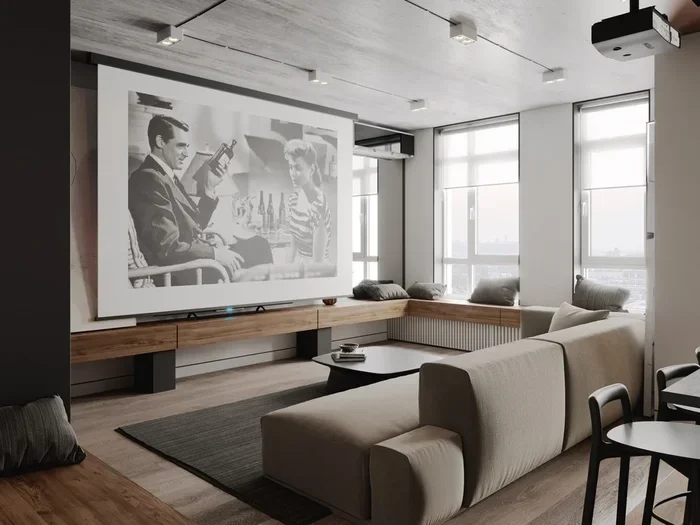
Many people who make the switch say they never go back. The experience of watching a movie or a football game on a 100-inch screen is hard to beat. Once you see the difference, a 55-inch TV can start to feel small.
Why People Are Making The Switch
There are several reasons why more people are choosing a projector setup over a traditional TV. First, the screen size. A projector can display images from 80 inches all the way up to 150 inches or more. No TV on the market comes close to that size at a reasonable price.
Second, the cost per inch is much lower. A 65-inch TV can cost over a thousand dollars. A good projector that delivers a 100-inch image can be found for a fraction of that price. Third, projectors create a more immersive experience. The large screen fills your field of vision and makes you feel like you are part of the action.
Fourth, projectors are more flexible. You can move them from room to room. You can set them up outdoors for movie nights in the backyard. And you can adjust the screen size to fit any space. These are benefits that a fixed TV simply cannot offer.
How To Set Up A Projector As A Tv
Setting up a projector as a TV is easier than most people think. You do not need to be a tech expert. With a few basic steps, you can have your system running in under an hour. Let us break down the process.
Choosing The Right Projector
Not all projectors are created equal. When using a projector as a TV, you want one that performs well in different lighting conditions. Look for a projector with at least 2,000 lumens of brightness. This ensures the image stays clear even when some light is in the room.
Resolution matters too. A 1080p projector is the minimum for a good viewing experience. If your budget allows, go for a 4K projector. The extra detail makes a huge difference, especially on a large screen. Also consider the projector lifespan of the lamp. LED projectors can last 20,000 hours or more, which means less frequent replacements.
Think about where you will place the projector. If you have a short distance between the projector and the wall, a short throw projector is your best bet. These projectors can produce a large image from just a few feet away. This is perfect for smaller rooms or apartments.
Setting Up Your Projector Screen
You have two main options for your screen. You can use a projector screen or you can project onto a blank wall. A dedicated screen gives you the best picture quality because it is designed to reflect light evenly.
There are many types of screens available. A pull-down screen is simple and affordable. A motorized screen adds convenience with a remote control. If you want a permanent setup, a fixed frame screen provides a taut, wrinkle-free surface.
If you are using a wall, make sure it is smooth and light-colored. A flat white wall works well for most projectors. Avoid textured walls because they distort the image. You can also paint your wall with projector screen paint for a better result.
Connecting Your Devices
Connecting your devices is the fun part. Most modern projectors come with multiple HDMI ports. Simply plug in your streaming device, cable box, or gaming console using an HDMI cable.
Here are the devices you might want to connect:
- Streaming stick: A Roku, Amazon Fire Stick, or Chromecast works great with projectors.
- Cable box: Connect your cable or satellite box for live TV channels.
- Gaming console: PlayStation, Xbox, or Nintendo Switch all work via HDMI.
- Laptop or PC: Use HDMI or a USB-C adapter for presentations or personal viewing.
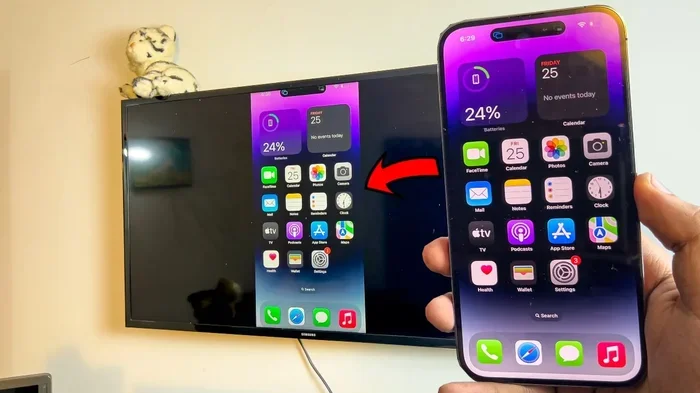
For a cleaner setup, consider a wireless projector that supports screen mirroring. This lets you cast content from your phone or tablet without any cables. It is a convenient option for casual viewing.
Adjusting Picture Settings
Once everything is connected, you need to tweak the picture settings. Start by adjusting the keystone correction. This feature fixes the image when the projector is not perfectly perpendicular to the screen. Most projectors have both manual and digital keystone options.
Next, adjust the brightness and contrast based on your room lighting. In a dark room, you can lower the brightness for deeper blacks. In a brighter room, increase the brightness so the image remains visible. Projector brightness is measured in lumens, and more lumens mean a brighter image.
Also check the color settings. Most projectors come with a standard mode that works well for most content. If you want more accurate colors, look for a mode labeled “Cinema” or “Natural.” Take your time with these settings because they make a big difference in your viewing experience.
Projector Vs Tv: What You Need To Know
Before you commit to a projector setup, it helps to understand how it compares to a traditional TV. Both options have strengths and weaknesses. Let us look at the key differences.
Picture Quality Comparison
When it comes to raw picture quality, TVs have some advantages. Modern TVs offer excellent brightness, vibrant colors, and deep blacks. OLED TVs in particular deliver stunning contrast and viewing angles. Projectors, on the other hand, struggle in bright rooms because ambient light washes out the image.
However, in a dark room, a projector wins hands down. The large screen creates an immersive experience that no TV can match. The colors on a good projector look rich and natural, especially when paired with a quality projector screen. For movie nights and evening viewing, the projector has the edge.
Here is a quick comparison:
- Screen size: Projector wins easily. TVs max out around 85 inches, while projectors can go well beyond 100 inches.
- Brightness: TV wins. TVs are visible in any lighting condition. Projectors need dimmer environments.
- Black levels: TV wins, especially OLED models. Projectors cannot produce true blacks because they project light.
- Immersion: Projector wins. A large screen fills your vision and creates a cinematic feel.
- Portability: Projector wins. You can move a projector anywhere. A TV is fixed in one spot.
Cost Considerations
Cost is a major factor in the projector vs TV debate. A quality 65-inch TV costs between $800 and $1,500. A comparable projector setup with a screen can cost anywhere from $300 to $1,000, depending on the model.
Keep in mind that projectors have ongoing costs. The lamp needs replacement every 3,000 to 5,000 hours, which costs between $100 and $300. LED projectors last much longer but cost more upfront. Factor in the cost of a screen and any audio equipment when comparing prices.
Over time, a projector can be more cost-effective if you want a very large screen. Buying a TV that size would cost significantly more. So if budget is a concern but you want a big picture, a projector is the smarter choice.
Best Projectors For Using As A Tv
Not all projectors are suitable for everyday TV viewing. You need one that offers good brightness, sharp resolution, and reliable performance. Here are some categories to consider.
Short Throw Projectors
A short throw projector is ideal for smaller rooms. It can project a large image from a short distance, usually 3 to 8 feet from the screen. This means you do not need a lot of space behind you to set it up.
Short throw projectors also reduce shadow interference. If someone walks between the projector and the screen, the shadow is much smaller than with a standard throw projector. This makes them practical for family rooms where people move around a lot.
Budget-Friendly Picks
You do not need to spend a lot to get a good home theater projector. There are excellent budget options that deliver solid performance. Look for projectors with at least 2,000 lumens and 1080p resolution in the $300 to $500 range.
Some brands offer all-in-one projectors with built-in speakers and smart features. These are great for beginners who want a simple setup without extra equipment. They come with built-in operating systems, so you can stream content directly without a separate device.
Premium Home Theater Models
If you have a larger budget, premium projectors offer outstanding picture quality. Look for 4K resolution, high contrast ratios, and HDR support. These projectors produce images that rival commercial movie theaters.
Premium models also feature better color accuracy and smoother motion handling. They are perfect for movie enthusiasts and gamers who want the best possible experience. Pair a premium projector with a quality screen and a good sound system, and you have a truly cinematic setup at home.
Common Mistakes To Avoid
Setting up a projector for TV use comes with a few common pitfalls. Avoiding these mistakes will save you frustration and help you get the best results.
Ignoring Ambient Light
One of the biggest mistakes is ignoring room lighting. Projectors work best in dim or dark environments. If you set up your projector in a bright room with lots of sunlight, the image will look washed out and dull.
To fix this, use blackout curtains or blinds to control the light. You can also position the projector so that it is not facing a window. If you must use the projector in a bright room, choose a model with high lumens, at least 3,000 or more.
Forgetting About Audio
Most projectors have small built-in speakers that sound tinny and weak. Relying on them for your home entertainment setup will leave you disappointed. The audio quality is not going to match what you get from a TV or a soundbar.
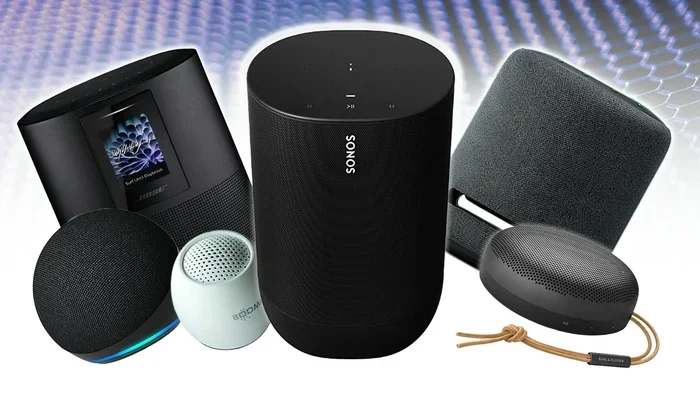
The fix is simple. Connect external speakers or a soundbar to your projector. You can use the projector’s audio output or connect Bluetooth speakers wirelessly. Good audio makes a huge difference in your overall viewing experience. Do not skip this step.
Skipping Keystone Correction
Keystone correction adjusts the image shape when the projector is not perfectly aligned with the screen. Skipping this step results in a distorted, trapezoidal image that looks unprofessional.
Always take a moment to level your projector and apply keystone correction. Some projectors offer automatic keystone, which does the work for you. Manual correction gives you more control but takes a little more time. Either way, it is an essential step in the setup process.
Placing The Projector In The Wrong Spot
Placement matters more than you might think. Putting the projector too close to the screen results in a small, blurry image. Placing it too far away creates an oversized, dim picture that is hard to watch.
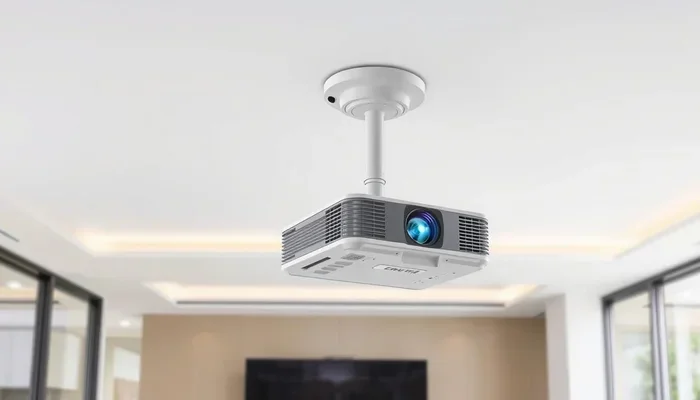
Check your projector’s throw ratio before you buy. This number tells you the ideal distance between the projector and the screen for a given image size. Use a projector calculator online to find the perfect placement for your room. A ceiling mount projector setup can also help you save floor space and create a clean, professional look.
Final Thoughts
So, can you use a projector as a TV? Absolutely. A projector setup offers a big-screen experience that makes watching movies, sports, and streaming content feel incredible. The process is straightforward, the options are plentiful, and the results are well worth the effort.
Whether you choose a budget-friendly model or a premium home theater projector, the key is to get the setup right. Pay attention to brightness, placement, audio, and picture settings. Avoid the common mistakes we covered, and you will enjoy a cinematic experience from the comfort of your own home.
Start small if you are new to projectors. Try a basic setup and see how it fits your lifestyle. You can always upgrade later. The most important thing is to take that first step and enjoy the big screen. Your next movie night will never be the same.
Frequently Asked Questions
Do I Need A Special Screen To Use A Projector As A Tv?
No, you do not need a special screen, but using one helps. A projector screen reflects light more evenly than a regular wall, giving you a brighter and clearer image. If you do not have a screen, a smooth white wall works fine for most setups. You can also use projector screen paint to improve any wall surface.
Can I Watch Regular Cable Tv On A Projector?
Yes, you can watch regular cable TV on a projector. Simply connect your cable box to the projector using an HDMI connection. Most projectors have at least one HDMI input. If your cable box uses a different connection, you can use an adapter to make it work.
How Long Does A Projector Lamp Last?
The projector lamp life depends on the type of projector. Traditional lamp-based projectors typically last between 3,000 and 5,000 hours. LED projectors can last 20,000 hours or more. Laser projectors offer the longest lifespan at 20,000 to 30,000 hours. Using eco mode can extend the lamp life even further.
Is A Projector Good For Gaming?
A projector for gaming can be a great experience. Modern projectors have low input lag, which means there is minimal delay between your controller and the on-screen action. A large screen makes games feel more immersive. Just make sure you choose a projector with a high refresh rate and low latency for the best results.
Can I Use A Projector Outdoors?
Yes, you can use an outdoor projector for movie nights in your backyard. You will need a portable screen or a light-colored wall. Choose a projector with high brightness, at least 3,000 lumens, so the image is visible even with some ambient light. A clear night with no wind is ideal for the best experience.
Do Projectors Need Special Maintenance?
Projectors require basic maintenance to perform well. Keep the air filters clean and replace them regularly. Replace the lamp when it starts to dim. Store the projector in a cool, dry place when not in use. Following these simple steps helps extend your projector lifespan and keeps the image quality sharp.
=== CONCLUSION ===
Can I use a projector as a TV? The answer is a clear yes, and the setup is simpler than you might expect. A projector setup gives you a big-screen experience that transforms how you watch movies, sports, and streaming content. From choosing the right home theater projector to connecting your devices and adjusting the settings, every step is manageable for any skill level.
Remember to consider your room lighting, invest in decent audio, and avoid the common setup mistakes we discussed. Whether you go with a budget-friendly model or a premium option, the immersive experience of a large projected screen is unmatched. Start your projector as TV journey today, and enjoy your favorite content on a whole new level.