Does Victrola Record Player Have Bluetooth Capability
Yes, many Victrola record players come with built-in Bluetooth capability, allowing you to wirelessly stream music from your phone, tablet, or computer directly to your turntable speakers. This modern feature lets you enjoy both vinyl records and digital music without dealing with messy cables. Bluetooth on Victrola models opens up a world of flexibility, making it easy to switch between spinning your favorite records and streaming your playlist.
This is a comprehensive guide about Does Victrola Record Player Have Bluetooth.
Key Takeaways
- Victrola Bluetooth feature: Many modern Victrola record players include built-in Bluetooth for wireless audio streaming.
- Easy pairing process: Connecting your phone or device to a Victrola Bluetooth turntable is quick and straightforward.
- Dual functionality: You can enjoy both vinyl records and digital music on the same machine.
- Range and quality: Victrola Bluetooth typically offers a reliable range and decent audio quality for casual listening.
- Not all models have Bluetooth: You should check the specific Victrola model before purchasing if Bluetooth is important to you.
- Alternative options exist: If your Victrola lacks Bluetooth, you can add Bluetooth to your setup using external adapters.
[FEATURED_IMAGE_PLACEHOLDER]
What Is a Victrola Record Player?
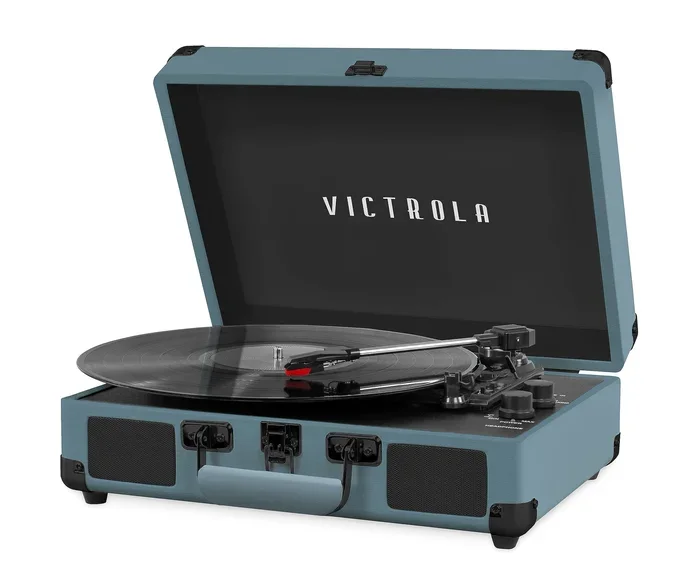
Victrola has been a trusted name in the world of music for over a century. The brand started with hand-cranked phonographs and has evolved into a modern manufacturer of turntables and record players. Today, Victrola offers a wide range of models, from budget-friendly portable players to more advanced units with built-in speakers and digital features.
What makes Victrola stand out is its ability to blend classic vinyl charm with modern convenience. Many of their newer models include features like USB ports, built-in speakers, and yes, Bluetooth capability. This combination of old-school appeal and new-school tech is why Victrola remains so popular among music lovers of all ages.
If you are new to vinyl or just looking to upgrade your setup, understanding what Victrola offers is the first step. The brand has something for everyone, whether you want a simple turntable or a full-featured stereo system with wireless connectivity.
Does Victrola Record Player Have Bluetooth Capability?
The short answer is yes, many Victrola record players do have Bluetooth. But it is not universal across every model. Victrola has released dozens of turntable models over the years, and Bluetooth availability depends on the specific version you choose. This is an important detail to check before making a purchase.
When a Victrola record player has Bluetooth, it means you can pair your smartphone, tablet, laptop, or any other Bluetooth-enabled device with the turntable. Once paired, you can stream digital music through the Victrola speakers. This is a fantastic way to get more use out of your record player without needing extra equipment.
So how do you know if a Victrola model has Bluetooth? Look for the Bluetooth symbol on the product listing or the unit itself. Most Victrola product pages clearly state whether Bluetooth is included. If you are shopping online, check the product description under features or specifications. The Victrola Bluetooth feature is usually listed right at the top for models that include it.
Here are some popular Victrola models that include Bluetooth:
- Victrola Vintage 3-Speed Bluetooth – A classic design with modern wireless connectivity.
- Victrola Concerto Bluetooth – A more premium option with rich sound and wireless streaming.
- Victrola Ellegram Bluetooth – A stylish portable player with Bluetooth built in.
- Victrola Boulder Bluetooth – A durable outdoor-friendly option with wireless capability.
If you already own a Victrola without Bluetooth, do not worry. There are workarounds, which we will cover later in this article.
Why Bluetooth Matters on a Record Player
Bluetooth on a record player is not just a gimmick. It serves a real purpose that enhances your listening experience. Here is why it matters:
- Wireless convenience: You can play music from your phone without plugging in any cables.
- Shared listening: Multiple people can take turns playing their favorite songs through the same speakers.
- Space-saving: You do not need a separate Bluetooth speaker when your turntable can do both jobs.
- Modern flexibility: You get the warmth of vinyl plus the convenience of digital music in one device.
For many people, the Victrola Bluetooth feature turns a simple turntable into a full entertainment hub. It bridges the gap between vintage vinyl and modern streaming in a way that feels natural and easy to use.
How Bluetooth Works on Victrola Models
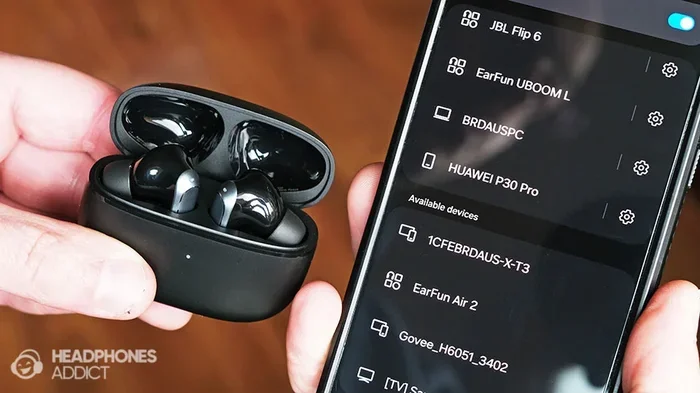
Understanding how Bluetooth works on your Victrola is simple. The technology uses a short-range wireless signal to connect your device to the turntable. Once connected, audio from your phone or computer plays through the Victrola speakers without any wires.
The pairing process is generally the same across most Victrola models. Here is a basic step-by-step guide:
- Turn on your Victrola record player and activate Bluetooth mode. Most models have a dedicated Bluetooth button or a switch to toggle between Bluetooth and auxiliary input.
- Open the Bluetooth settings on your phone, tablet, or computer.
- Search for available devices and look for your Victrola model name in the list.
- Tap on the Victrola device to pair it.
- Once connected, you should hear a confirmation sound or see a Bluetooth indicator light on the Victrola.
- Start playing music on your device, and it will stream through the Victrola speakers.
The Bluetooth range on Victrola models is typically around 30 feet. This means you can leave your phone on a nearby table or counter and still play music through your turntable. Walls and obstacles can reduce the range slightly, but for most indoor setups, the signal is reliable.
Bluetooth Audio Quality on Victrola Players
One common question people ask is whether Bluetooth affects sound quality. The honest answer is that Bluetooth compresses audio slightly compared to a wired connection. However, modern Bluetooth technology has improved significantly, and Victrola models handle this well.
For casual listening, the audio quality over Bluetooth on a Victrola is more than good enough. You will hear clear vocals, solid bass, and pleasant overall sound. If you are an audiophile chasing perfect sound, a wired connection will always have a slight edge. But for everyday use, the Victrola Bluetooth audio quality is impressive.
Here are a few tips to get the best Bluetooth audio quality from your Victrola:
- Keep your device within close range of the turntable.
- Avoid placing your phone behind thick walls or metal objects.
- Make sure your Victrola firmware is up to date if applicable.
- Use high-quality audio files or streaming services for better sound.
Benefits of Having Bluetooth on Your Victrola Record Player
Adding Bluetooth to your Victrola setup brings several real-world benefits. Let us break them down so you can see exactly why this feature is worth considering.
1. Versatile Listening Options
With Bluetooth, your Victrola becomes a two-in-one device. You can spin your vinyl records in the morning and stream your favorite playlists in the evening. This versatility makes the record player more useful in daily life, especially for people who enjoy both formats.
Imagine hosting a small gathering. You can play vinyl records for that warm, nostalgic vibe, and then switch to streaming a party playlist when the mood changes. The Victrola Bluetooth feature makes these transitions seamless.
2. No Extra Equipment Needed
Without Bluetooth, you would need a separate Bluetooth speaker to stream music wirelessly. This means extra cost, extra cables, and extra clutter. A Victrola with built-in Bluetooth eliminates all of that. Your turntable handles both vinyl playback and wireless streaming on its own.
This is especially helpful for people with limited space. If you live in a small apartment or dorm room, having one device that does it all is a huge advantage.
3. Easy Sharing
Bluetooth makes it easy to share music with others. Friends can take turns sending songs to the Victrola from their own phones. This creates a more interactive and social listening experience compared to just playing records one after another.
Kids especially love this feature. They can play their favorite songs from a tablet through the Victrola speakers, which makes vinyl records feel more accessible to younger generations.
4. Modern Convenience Meets Vintage Charm
One of the best things about Victrola record players with Bluetooth is the blend of old and new. You get the tactile experience of placing a needle on a vinyl groove while also enjoying the convenience of wireless streaming. This combination appeals to a wide range of users, from collectors to casual listeners.
The Victrola Bluetooth feature also future-proofs your setup. As streaming services continue to grow, having wireless connectivity on your turntable ensures your player stays relevant and useful for years to come.
Victrola Bluetooth vs. Traditional Audio Connections
To understand the value of Bluetooth on a Victrola, it helps to compare it with traditional audio connections. Most Victrola models also include an auxiliary (AUX) input and some include USB ports. Here is how these options stack up against Bluetooth.
| Feature | Bluetooth | AUX Cable | USB Connection |
|---|---|---|---|
| Wireless Convenience | Yes | No | No |
| Audio Quality | Good | Excellent | Good |
| Ease of Use | Very Easy | Easy | Moderate |
| Device Compatibility | Wide | Wide | Limited |
| Extra Equipment Needed | None | Cable Required | Cable Required |
| Range | Up to 30 feet | Cable Length | Cable Length |
As you can see, each connection type has its strengths. Bluetooth wins on convenience and wireless freedom. AUX cables win on raw audio quality. USB is great for digitizing vinyl records. The best choice depends on your specific needs and preferences.
For most users, having both Bluetooth and an AUX input on the same Victrola is ideal. You get wireless freedom when you want it and wired quality when it matters. This is why Victrola has made both options standard on many of their newer models.
It is also worth noting that if you want to connect your Victrola to other Bluetooth devices, you can turn regular speakers into Bluetooth using a Bluetooth adapter. This gives you even more flexibility in how you set up your audio system at home.
Can You Add Bluetooth to a Victrola Without It?
If your Victrola model does not have built-in Bluetooth, you are not out of luck. There are several ways to add wireless capability to your existing setup. These options are affordable and easy to implement.
Option 1: Bluetooth Adapter
A Bluetooth adapter is a small device that plugs into the AUX input of your Victrola. The adapter receives a Bluetooth signal from your phone or device and sends the audio to the Victrola speakers. These adapters are widely available and typically cost between $15 and $40.
This is the simplest and most affordable way to add Bluetooth to any Victrola. Just plug it in, pair your device, and you are ready to go. Look for adapters that support the latest Bluetooth version for the best audio quality and range.
Option 2: Bluetooth Speaker Pairing
Another option is to use a separate Bluetooth speaker alongside your Victrola. You can play digital music through the Bluetooth speaker while using the Victrola for vinyl records. This approach gives you dedicated audio quality for each source.
If you are considering this route, you might want to check if a Bluetooth speaker works without Bluetooth in certain scenarios, as some models offer additional connectivity options that could complement your Victrola setup.
Option 3: Smart Speaker Integration
Some smart speakers, like Amazon Echo devices, can act as Bluetooth speakers and also connect to other Bluetooth sources. You could pair your phone to the smart speaker for streaming and use your Victrola for records. This is a more advanced setup but works well for smart home enthusiasts.
You can also explore using a smart speaker as a Bluetooth speaker with Alexa to expand your wireless audio options in the room where your Victrola sits.
Tips for Getting the Best Bluetooth Experience with Your Victrola
To make the most of the Bluetooth feature on your Victrola record player, keep these practical tips in mind. They will help you avoid common issues and ensure a smooth wireless listening experience.
- Update your firmware. Some Victrola models receive firmware updates that improve Bluetooth performance and stability. Check the Victrola website or user manual for update instructions.
- Keep devices close. While Bluetooth range is typically 30 feet, staying within 10 to 15 feet ensures the strongest signal and best audio quality.
- Reduce interference. Wi-Fi routers, microwaves, and other wireless devices can interfere with Bluetooth signals. Keep your Victrola away from these sources for the best connection.
- Charge your device. Bluetooth playback can drain your phone battery faster than normal use. Keep your phone charged or plugged in during long listening sessions.
- Pair one device at a time. Most Victrola Bluetooth units can only connect to one device at a time. Disconnect from one device before pairing with another to avoid connection issues.
- Use the right audio source. For the best streaming quality, use services that offer high-bitrate audio. This ensures the Bluetooth stream sounds as good as possible through your Victrola speakers.
These simple steps go a long way in ensuring your Victrola Bluetooth experience is smooth and enjoyable every time you use it.
Common Mistakes to Avoid with Victrola Bluetooth
Even though setting up Bluetooth on a Victrola is straightforward, there are a few common mistakes that can cause frustration. Avoiding these will save you time and headache.
- Forgetting to turn on Bluetooth mode: Some Victrola models require you to manually switch to Bluetooth mode. If your phone does not find the device, check the Victrola first.
- Pairing too many devices: Trying to pair multiple devices simultaneously can confuse the turntable. Stick to one active connection at a time.
- Ignoring distance: Going too far from the Victrola with your phone can cause the connection to drop. Stay within range for uninterrupted playback.
- Using outdated Bluetooth versions: Older Bluetooth versions may have weaker signals and lower audio quality. Make sure your phone and Victrola both support modern Bluetooth standards.
- Not resetting the connection: If Bluetooth stops working, try unpairing and then re-pairing the devices. A simple reset often fixes connection issues.
If you run into persistent Bluetooth problems, you may want to explore whether a Bluetooth radio in your car or other Bluetooth device is causing interference in your home setup. Other wireless devices operating on the same frequency can sometimes disrupt your Victrola connection.
Final Thoughts on Victrola Bluetooth Capability
The Victrola Bluetooth feature is a fantastic addition that brings modern convenience to a classic product. Whether you are a vinyl enthusiast or someone just getting started with record players, having wireless streaming capability adds real value to your experience.
Not every Victrola model includes Bluetooth, so always check the specifications before buying. But for models that do have it, the feature works reliably and sounds great. You get the best of both worlds: the warmth and character of vinyl records combined with the flexibility of wireless digital music streaming.
If you already own a Victrola without Bluetooth, adding a simple Bluetooth adapter is an easy and affordable upgrade. And if you are in the market for a new Victrola, choosing a model with Bluetooth opens up more possibilities for how and where you enjoy your music.
The way people listen to music has changed, and Victrola has adapted. Their Bluetooth-equipped record players prove that classic vinyl and modern technology can work together beautifully. So go ahead, spin a record or stream a playlist, and enjoy your music exactly the way you want.
For those interested in expanding their audio setup further, you might also want to explore how you can upgrade your car stereo to Bluetooth if you want similar wireless convenience in your vehicle. The same principles of Bluetooth connectivity apply across many audio devices, and understanding them helps you make smarter purchasing decisions for your entire music ecosystem.
Frequently Asked Questions
Do all Victrola record players have Bluetooth?
No, not all Victrola models include Bluetooth. The feature is available on many newer models, but some basic or vintage-style Victrola players do not have it. Always check the product specifications before purchasing if Bluetooth is important to you.
How do I know if my Victrola has Bluetooth?
Look for the Bluetooth symbol on the product listing or the unit itself. Most Victrola models that include Bluetooth clearly list it in the product name or features section. You can also check the user manual or visit the Victrola website for model-specific details.
Can I connect my Victrola Bluetooth to any phone?
Yes, Victrola Bluetooth works with any device that supports Bluetooth, including iPhones, Android phones, tablets, and laptops. The pairing process is generally the same across all devices and operating systems.
Does Bluetooth affect the sound quality of my Victrola?
Bluetooth slightly compresses audio compared to a wired connection, but the difference is minimal for most listeners. Victrola models handle Bluetooth audio well, and for casual listening, the quality is more than satisfactory. Audiophiles may prefer a wired AUX connection for the purest sound.
Can I use my Victrola Bluetooth and play records at the same time?
Typically, Victrola Bluetooth and record playback are separate functions. When Bluetooth is connected, the turntable speakers will play audio from your connected device rather than the turntable needle. However, you can easily switch between Bluetooth streaming and vinyl playback by toggling the input mode on your Victrola.
What is the Bluetooth range on a Victrola record player?
The Bluetooth range on most Victrola models is approximately 30 feet. Staying within this range ensures a stable connection and consistent audio quality. Walls and other obstacles may reduce the effective range slightly.