Does Roku Have Bluetooth For Headphones Find Out Now
Does Roku Have Bluetooth For Headphones? Most Roku devices do not include built-in Bluetooth support for wireless headphones. However, you can still connect wireless headphones to Roku using simple workarounds and adapters. This guide walks you through every method to enjoy private, wireless audio streaming on your Roku device.
When you settle in for a movie night or binge-watch your favorite show, the last thing you want is to disturb anyone else in the house. That is where wireless headphones come in handy. But before you grab your favorite pair, you probably are wondering: does Roku have Bluetooth for headphones?
The short answer is that most Roku devices do not offer native Bluetooth support for wireless headphones. However, that does not mean you are out of luck. There are several reliable workarounds and solutions that let you enjoy private wireless audio streaming on your Roku device without any hassle.
In this guide, we will break down everything you need to know about Roku Bluetooth capability. You will learn which Roku models support Bluetooth, how to connect wireless headphones using different methods, and what to do when things do not work as expected. Whether you are using a Roku Express, Roku Streaming Stick, or a top-tier Roku Ultra, this article has you fully covered.
Key Takeaways
- No Native Bluetooth: Most Roku devices do not have built-in Bluetooth for headphones, but workarounds exist.
- Bluetooth Transmitter Is Best: A Bluetooth transmitter plugged into your Roku audio output is the most reliable and versatile solution.
- Roku Mobile App Works: The free Roku app can stream audio to your phone headphones using Wi-Fi.
- Latency Matters: Choose low-latency transmitters with aptX LL to keep audio and video perfectly in sync.
- Roku Remote Has a Jack: The Roku remote includes a 3.5mm headphone jack for wired private listening.
- Convert Wired Headphones: You can convert wired headphones to Bluetooth with a simple adapter for wireless freedom.
- Multi-Point Transmitters Exist: Some transmitters support dual pairing so two people can watch privately with their own headphones.
📑 Table of Contents
Does Roku Have Bluetooth For Headphones – Built-In Support
So, does Roku have Bluetooth for headphones right out of the box? The answer depends entirely on which Roku model you own. Roku has been around for a long time, and their devices have evolved a lot over the years. But Bluetooth support for headphones has not been a standard feature across the board.
Most Roku streaming devices rely on a wired audio output or the Roku mobile app for audio. This means that if you want to use wireless headphones Roku style, you will need to explore alternative solutions. Let us look at what each Roku model offers.
Roku Models With Limited Bluetooth Support
Some newer Roku models have started to include Bluetooth capabilities, but they are limited. For example, certain Roku TV models from brands like TCL and Hisense may support Bluetooth for audio output. These TVs act as both a display and a streaming device, and they sometimes include Bluetooth connectivity Roku features built into the system.
However, even on these models, Bluetooth support is often limited to connecting speakers or soundbars. Connecting headphones directly may still require additional steps. Always check your specific model’s specifications before assuming Bluetooth is available.
Roku Models Without Bluetooth Support
The majority of Roku streaming sticks and boxes, including the Roku Express, Roku Streaming Stick, Roku Premiere, and even the Roku Ultra, do not have built-in Bluetooth for headphones. These devices are designed to output audio through HDMI, optical digital audio, or the 3.5mm headphone jack on the remote.
This limitation can be frustrating for people who want to watch late-night shows without waking up the family. But do not worry. There are effective workarounds that we will cover in the next section.
How To Connect Wireless Headphones To Roku
Even though most Roku devices lack native Bluetooth, you still have several practical options for connecting wireless headphones to Roku. Each method has its own advantages, and the right choice depends on your setup and budget. Let us walk through the three most effective methods.
Method 1 Using A Bluetooth Transmitter
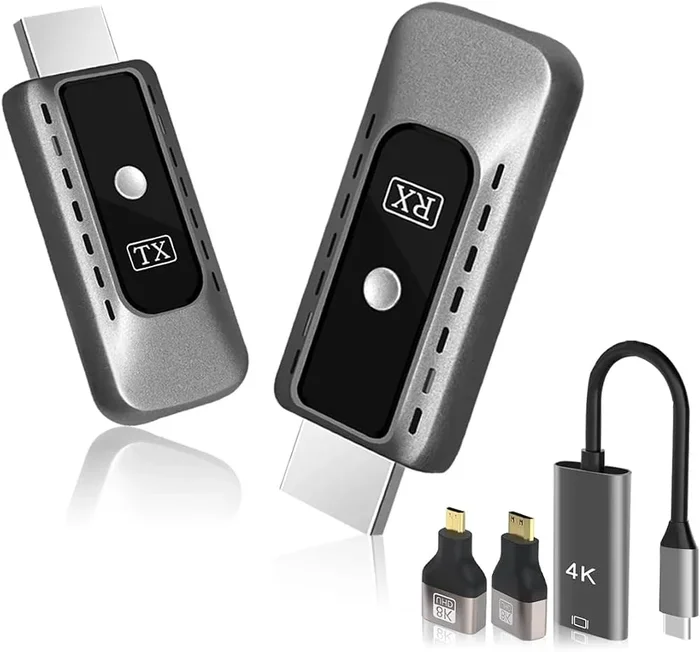
The most popular and effective way to get Bluetooth headphones Roku working is by using a Bluetooth transmitter. This small device plugs into your Roku’s audio output and sends the audio signal wirelessly to your headphones.
Here is how it works:
- Plug the Bluetooth transmitter into your Roku’s audio output (HDMI ARC, optical, or 3.5mm jack).
- Put your Bluetooth headphones in pairing mode.
- Pair the transmitter with your headphones.
- Select the audio output on your Roku to route sound through the transmitter.
Bluetooth transmitters are affordable and widely available. You can find them for under $20 on most online retailers. They work with virtually any Bluetooth headphones, making them a versatile solution for wireless audio streaming on Roku.
One thing to keep in mind is audio latency. Some transmitters may introduce a slight delay between the video and audio. If you watch a lot of action movies or sports, look for a transmitter that supports aptX Low Latency or similar technology. This ensures your audio stays perfectly in sync with what you see on screen.
Method 2 Using The Roku Mobile App
Another option is to use the Roku mobile app on your smartphone. The app acts as a remote control and can also stream audio to your phone’s headphones. This is a simple and free solution if you already have a smartphone.
Here is how to set it up:
- Download the Roku app on your iPhone or Android device.
- Connect your phone to the same Wi-Fi network as your Roku.
- Open the Roku app and select your device.
- Use the app as a remote and route audio through your phone’s headphone jack or Bluetooth.
This method works well for casual viewing. However, it is not ideal for long watching sessions because it drains your phone battery. Also, the audio quality depends on your phone’s headphone output or Bluetooth connection. If you want better audio quality, a dedicated Bluetooth transmitter is a better choice.
Method 3 Using A Bluetooth Adapter
A Bluetooth adapter is similar to a transmitter but is designed specifically for audio. These small dongles plug into the RCA or 3.5mm audio output on your Roku or TV and create a Bluetooth connection to your headphones.
Some Roku users also connect their Roku device to a TV and then use the TV’s Bluetooth to connect headphones. This works well if your TV supports Bluetooth audio output. You can also explore using HDMI for video and Bluetooth for audio as a combined solution for your home entertainment setup.
Bluetooth adapters are plug-and-play devices. They do not require any complicated setup. Just plug them in, pair your headphones, and you are ready to watch.
Best Bluetooth Headphones For Roku Streaming
Not all Bluetooth headphones are created equal when it comes to streaming on Roku. Some models offer better latency, comfort, and battery life than others. Here are the key factors to consider and a few recommendations to help you choose.
What To Look For In Bluetooth Headphones For Roku
When choosing Bluetooth headphones for Roku, consider these key factors:
- Latency: Low-latency headphones ensure the audio stays in sync with the video. Look for headphones with aptX LL or similar technology.
- Comfort: You will be wearing these for hours during movie marathons. Choose lightweight headphones with cushioned ear cups.
- Battery Life: A long battery life means fewer interruptions. Aim for at least 20 hours of playback per charge.
- Range: Make sure the Bluetooth range is sufficient for your living room setup. Most modern headphones offer 30 feet or more.
- Audio Quality: Clear dialogue is essential for streaming. Look for headphones that handle vocals well without muddy bass.
Top Picks For Roku Streaming
Some of the best Bluetooth headphones for Roku streaming include models from brands like Sony, Bose, and JBL. Over-ear headphones generally offer better sound quality and comfort for long viewing sessions. On-ear options are more compact and portable.
If you already own a pair of wired headphones, you might be able to convert wired headphones to Bluetooth using a simple Bluetooth adapter. This can save you money while still giving you the wireless experience you want.
For those who also game on their Roku or other devices, consider headphones that work across multiple platforms. You can also check out Bluetooth headphones for gaming since many of these models offer low-latency performance that works great for streaming as well.
Troubleshooting Bluetooth Connection Issues On Roku
Even with the right setup, you may run into issues when connecting Bluetooth headphones to your Roku. Here are the most common problems and how to fix them quickly.
Audio Delay Or Latency Problems
Audio delay is the most common complaint when using Bluetooth headphones with Roku. If the audio does not match the lip movements on screen, it can be very distracting.
To reduce latency:
- Use a Bluetooth transmitter that supports low-latency codecs like aptX LL.
- Move your headphones closer to the transmitter to strengthen the signal.
- Reduce interference by keeping other wireless devices away from your setup.
- Check for firmware updates on your Bluetooth transmitter and headphones.
Some Roku audio latency issues are simply a result of Bluetooth technology. Wireless connections inherently have a small delay compared to wired connections. If latency is a major concern for you, a wired connection through the Roku remote headphone jack may still be the best option.
Headphones Not Pairing Properly
If your headphones will not pair with your Roku setup, try these steps:
- Make sure your headphones are in pairing mode.
- Restart both the Bluetooth transmitter and your headphones.
- Check if your headphones are connected to another device and disconnect them first.
- Reset the Bluetooth transmitter to factory settings and try again.
- Ensure your headphones are within range of the transmitter.
Sometimes the issue is as simple as the headphones being connected to a different device. Bluetooth pairing Roku issues are usually easy to resolve with a quick reset.
Poor Audio Quality Or Static
If the sound is crackling or distorted, try these fixes:
- Move closer to the Bluetooth transmitter.
- Check for Wi-Fi interference, as both Bluetooth and Wi-Fi use the 2.4 GHz frequency.
- Lower the volume on both the Roku and the headphones to avoid distortion.
- Try a different audio codec if your transmitter supports multiple options.
Alternative Wireless Audio Solutions For Roku
If Bluetooth is not working for your setup, there are other ways to get wireless audio from your Roku. These alternatives can be just as effective and sometimes even better than standard Bluetooth.
Using The Roku Remote Headphone Jack
Many Roku remotes include a 3.5mm headphone jack. This is the simplest way to get private audio without any extra equipment. Just plug in your wired headphones directly to the remote and you are ready to go.
This method works with virtually every Roku model and has zero latency. The downside is that you are limited to wired headphones. If you want the freedom of wireless audio, this is not the ideal solution.
However, if you want the convenience of wireless without Bluetooth, you could pair Bluetooth headphones to other devices in your home and use a multi-device setup. This gives you more flexibility in how you use wireless headphones around the house.
Using A Smart Speaker As A Wireless Bridge
Some smart speakers can act as a bridge between your Roku and wireless headphones. For example, you can connect your Roku to a smart speaker using an audio cable, and then use the speaker’s Bluetooth to connect your headphones.
This is a creative workaround that uses equipment you may already own. It adds a small amount of latency but works well for most viewing situations. Just make sure the smart speaker supports Bluetooth audio output before trying this method.
Using A Wireless Audio Transmitter System
For the best experience, consider investing in a dedicated wireless audio transmitter system. These systems use radio frequency or proprietary wireless technology to send audio from your Roku to your headphones. They offer better range and lower latency than standard Bluetooth.
Brands like Sennheiser and Sony offer wireless headphone systems that include a transmitter base. These are more expensive than Bluetooth transmitters but deliver superior audio quality and reliability. They are especially great for people who watch Roku content for extended periods and want the most comfortable, lag-free experience possible.
Final Thoughts On Roku Bluetooth Capability
Does Roku have Bluetooth for headphones? The honest answer is that most Roku devices do not support Bluetooth directly. But that should not stop you from enjoying wireless audio while streaming.
With a Bluetooth transmitter, a Bluetooth adapter, or even just your smartphone and the Roku app, you can easily connect wireless headphones to Roku and enjoy private listening. The key is finding the right method that fits your budget and setup.
If you are serious about streaming, investing in a good Bluetooth transmitter is the best long-term solution. It gives you flexibility, works with any Bluetooth headphones, and delivers solid audio quality. Just remember to look for low-latency options if you watch a lot of fast-paced content.
Ultimately, the Roku experience is about convenience and enjoyment. Do not let the lack of built-in Bluetooth get in the way. With the right tools, you can turn any Roku device into a wireless streaming audio powerhouse and enjoy your favorite shows and movies in complete privacy.
Frequently Asked Questions
Can I Use Any Bluetooth Headphones With Roku?
Yes, you can use any Bluetooth headphones with Roku as long as you have the right adapter or transmitter. Since most Roku devices do not have built-in Bluetooth, you need a Bluetooth transmitter or adapter to bridge the connection. Once you have the transmitter set up, any standard Bluetooth headphones will work. Just make sure your headphones are in pairing mode and within range of the transmitter for the best experience.
Why Is There No Sound When I Connect Bluetooth Headphones To Roku?
No sound usually means the audio is not being routed through the Bluetooth transmitter or adapter. Check that your Roku’s audio output is set to the correct source, such as HDMI ARC or optical out. Also make sure your headphones are properly paired with the transmitter and that the transmitter is powered on. Sometimes simply restarting both devices resolves the issue. If you are using the Roku mobile app, ensure your phone’s volume is turned up and the audio is routed through the app.
Does Roku Support Low-Latency Bluetooth For Video?
Most Roku devices do not support Bluetooth at all, so low-latency Bluetooth is not a built-in feature. However, you can achieve low-latency wireless audio by using a Bluetooth transmitter that supports aptX Low Latency or similar codecs. These transmitters are designed specifically to minimize the delay between video and audio. Look for transmitters that explicitly advertise low-latency support when shopping for your setup.
Can I Connect Multiple Bluetooth Headphones To One Roku Device?
Directly connecting multiple Bluetooth headphones to a single Roku device is not possible because most Roku devices lack Bluetooth entirely. However, you can use a Bluetooth transmitter with a multi-point connection feature to pair two pairs of headphones at once. Some transmitters support dual pairing, which lets two people watch the same content with their own headphones. This is a great option for couples or families who want to enjoy late-night viewing together without disturbing others.
Is There A Bluetooth Adapter That Works With All Roku Models?
Most Bluetooth adapters work with all Roku models that have a standard audio output, such as HDMI ARC, optical digital audio, or a 3.5mm headphone jack. The key is to match the adapter to your Roku’s available audio outputs. Some adapters are designed specifically for HDMI, while others work with optical or analog connections. Check your Roku model’s specifications and choose an adapter that is compatible with your available ports for the best results.
Does Roku Have A Built-In Headphone Jack?
Roku devices themselves do not have a built-in headphone jack, but the Roku remote does. Most Roku remotes include a 3.5mm headphone jack that lets you plug in wired headphones for private listening. This is a convenient feature that works with nearly every Roku model. If you prefer wireless headphones, you will need to use one of the alternative methods described in this guide, such as a Bluetooth transmitter or the Roku mobile app.