Can You Use Vankyo Projector Outside For Movie Nights
Yes, you can use a Vankyo projector outside, but success depends on brightness, ambient light, and a proper outdoor projector screen setup. Vankyo projectors deliver solid image quality for backyard movie nights when you follow a few key steps. Choosing the right location, managing light exposure, and pairing your projector with a portable projector screen makes all the difference between a blurry mess and a cinematic experience under the stars.
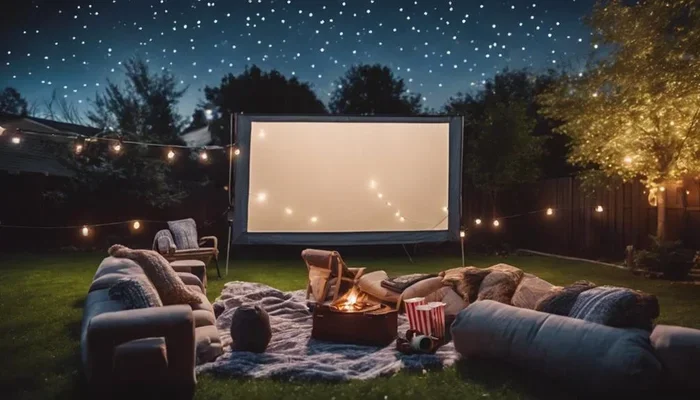
There is something magical about watching a movie under the open sky. String lights, comfy chairs, popcorn in hand, and a big picture projected onto a screen. It is the kind of evening everyone remembers. But before you pack up your Vankyo projector and head to the backyard, you might be asking one big question: can you actually use a Vankyo projector outside?
The short answer is yes. Vankyo projectors are popular for a reason. They are compact, affordable, and surprisingly capable. But using one outdoors comes with challenges that indoor viewing simply does not present. Ambient light, weather, power supply, and screen choice all play a role in whether your outdoor movie night will be a hit or a flop.
In this guide, we will walk through everything you need to know. From picking the right spot to managing brightness and connecting your devices, you will find practical tips that work. Whether you are planning a casual Friday night gathering or a proper backyard cinema event, this article has you covered.
Key Takeaways
- Vankyo projectors work well outdoors: Their compact design and decent brightness make them suitable for backyard movie nights and outdoor gatherings.
- Brightness matters most: Higher lumen counts help combat ambient sunlight and streetlights for a clearer picture.
- A portable projector screen is essential: Using a proper screen instead of a wall or sheet dramatically improves image quality.
- Weather and power are real concerns: You need a dry setup and a reliable power source or battery pack to keep things running.
- Wireless options add convenience: Making your projector wireless frees you from cable clutter and gives you more placement flexibility.
- Sound quality can be tricky: Built-in projector speakers are often weak, so external speakers or a Bluetooth audio solution helps a lot.
📑 Table of Contents
- Why Use a Vankyo Projector Outside?
- Understanding Brightness and How It Affects Outdoor Use
- Setting Up Your Outdoor Projector Screen
- Powering Your Vankyo Projector Outdoors
- Connecting Your Devices to the Vankyo Projector Outdoors
- Audio Setup for Outdoor Projector Nights
- Weather and Environmental Considerations
- Common Mistakes People Make When Using a Projector Outside
- Final Thoughts
Why Use a Vankyo Projector Outside?
Vankyo projectors have earned a loyal following among casual movie watchers and tech enthusiasts alike. They offer a great balance of size, price, and performance. But what makes them a good fit for outdoor use specifically?
First, Vankyo projectors are portable by design. Most models weigh just a few pounds and fit easily into a backpack or carry bag. You are not hauling heavy equipment around. Second, they support common inputs like HDMI and USB, so connecting a laptop, phone, or streaming stick is straightforward. Third, many Vankyo models come with built-in speakers, which saves you from carrying extra audio gear.
Using a projector outside also opens up a whole world of entertainment. Movie nights are just the beginning. You can watch sports games on a big screen, play video games with friends, or even set up a projector for a golf simulator in your backyard. The possibilities go well beyond just movies.
If you already own a Vankyo projector, there is no reason not to try using it outdoors. The experience is different from a TV, and in many ways, more fun. A big projected image on a screen under the night sky creates an atmosphere that no television can match.
Understanding Brightness and How It Affects Outdoor Use
What Are Lumens and Why Do They Matter?
The biggest challenge of using any projector outside is ambient light. During the day, sunlight washes out the image. Even in the evening, streetlights, porch lights, and neighboring windows can reduce picture quality. This is where lumens come into play.
Lumens measure the brightness of a projector’s light output. The higher the lumen count, the brighter the image. For indoor use in a dim room, even a low-lumen projector works fine. But outdoors, you need more punch to compete with the surrounding light.
Most Vankyo projectors fall in the 2000 to 4000 lumen range. Models in the higher end of this spectrum perform noticeably better outside. If you plan to watch after sunset, a 2500-lumen model is usually enough. If you want to start the movie while it is still twilight, aim for 3500 lumens or higher.
How to Maximize Brightness Outdoors
Beyond choosing a bright projector, there are several tricks to boost image quality outdoors:
- Set up after dark: Wait until full darkness for the best results. Even a small amount of remaining sunlight can dilute the projected image.
- Position the projector correctly: Place it at the recommended distance from the screen. Too close or too far will affect sharpness and brightness.
- Use a high-gain screen: A screen designed to reflect more light back toward the audience makes a big difference.
- Turn off nearby light sources: Switch off porch lights, close windows, and ask neighbors if they can dim their lights temporarily.
- Adjust projector settings: Many Vankyo models have brightness and contrast modes. Use the brightest setting available.
For more tips on managing projector brightness in different environments, you might find this article on using a regular projector for a golf simulator helpful. It covers similar brightness challenges in outdoor setups.
Setting Up Your Outdoor Projector Screen
Do You Need a Special Screen?
You can project onto a wall, a bedsheet, or even a white garage door. But for the best experience, a dedicated portable projector screen is the way to go. A proper screen is designed to reflect light evenly, producing a sharper and more vibrant image than a plain wall ever could.
Portable projector screens come in many sizes and styles. Some are inflatable, which makes setup fun and fast. Others are foldable frames that you unroll like a poster. There are also tensioned screens that stay wrinkle-free for a smooth picture surface. Each type has its benefits, and the right choice depends on your setup and budget.
Screen Size and Viewing Distance
One of the joys of outdoor projection is going big. A 100-inch screen feels enormous in a backyard setting. But bigger is not always better. You need to balance screen size with the distance between the projector and the screen.
As a general rule, place the projector farther from the screen for a larger image. Check your Vankyo projector’s manual for the recommended throw distance at different screen sizes. If the projector is too close, the image will be small and distorted. If it is too far, the image may lose focus and brightness.
Also consider the seating arrangement. Viewers should sit centered in front of the screen at a comfortable distance. Too close and the image looks stretched. Too far and details become hard to see.
Can You Use a Black Sheet as a Projector Screen?
Some people wonder if a black sheet works as a projector screen. The honest answer is no. Black absorbs light rather than reflecting it. You need a white or light gray surface to bounce the projected image back to your audience. If you are looking for a quick DIY solution, a plain white bedsheet stretched tightly works in a pinch, but it will not match the quality of a proper screen.
For more information on screen options, check out our guide on using a black sheet for a projector screen.
Powering Your Vankyo Projector Outdoors
Extension Cords and Power Banks
One of the first practical challenges of outdoor projection is getting power to the projector. Most Vankyo projectors plug into a standard wall outlet. If your backyard has an outdoor outlet, you are in luck. If not, you have a couple of options.
An extension cord can reach from your house to the projector location. Make sure the cord is rated for outdoor use and is long enough to avoid creating a tripping hazard. Another option is a portable power station or a power bank with enough wattage to run the projector. Some power banks can deliver 100 watts or more, which is sufficient for most Vankyo models.
Battery-powered projectors exist, but most Vankyo models are not built with internal batteries. You will need an external power source. Plan your setup location carefully so you are close to an outlet or have a reliable battery solution ready.
How Long Can You Run a Vankyo Projector Outdoors?
Most Vankyo projectors can run continuously for two to three hours without overheating. This is plenty for a single movie. If you plan to watch multiple films, give the projector a break between sessions to cool down. Overheating can shorten the lifespan of the projector’s bulb and reduce image quality over time.
Place the projector in a well-ventilated spot. Do not block the air vents on the sides or back of the unit. Some users set the projector on a table or shelf with space around it for airflow. If you are unsure about placement, check our guide on putting a projector on a shelf for safe setup tips.
Connecting Your Devices to the Vankyo Projector Outdoors
Wired vs. Wireless Connections
Getting content from your device to the projector is a key part of the outdoor setup. Most Vankyo projectors come with at least one HDMI port. This lets you connect a laptop, streaming stick, or gaming console directly with a cable.
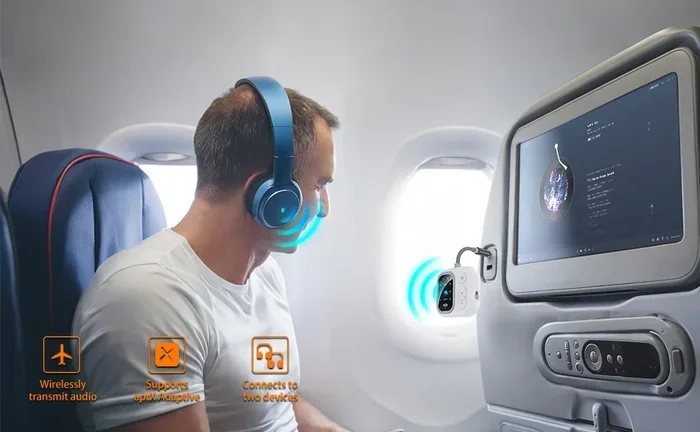
But running cables across the yard can be annoying. Cords get tangled, people trip over them, and the setup looks messy. This is where going wireless becomes appealing. You can make your projector wireless by using a wireless HDMI transmitter or by casting content from your phone or laptop through a compatible adapter.
For those who want a clean, cable-free setup, learning how to make your projector wireless is a great step. It gives you freedom to place the projector anywhere without worrying about cable length.
Connecting Your Phone to the Projector
Want to stream directly from your phone? Many Vankyo projectors support HDMI output from mobile devices, but you may need an adapter. For example, if you have a newer phone with only a USB-C port, you will need a USB-C to HDMI adapter or cable. This small accessory bridges the gap between your phone and the projector.
Some Vankyo models also support screen mirroring through built-in Wi-Fi. Check your specific model’s manual to see if this feature is available. Screen mirroring lets you cast content from your phone or tablet directly to the projector without any cables at all.
For a detailed walkthrough on connecting a phone to a projector, our guide on connecting your phone to a projector with HDMI covers the process step by step.
Audio Setup for Outdoor Projector Nights
Built-in vs. External Speakers
Let us talk about sound. Projectors, including Vankyo models, are not known for their audio quality. The built-in speakers are small and often sound tinny, especially outdoors where there is no walls to help reflect the sound. For a truly immersive experience, you will want to add external speakers.
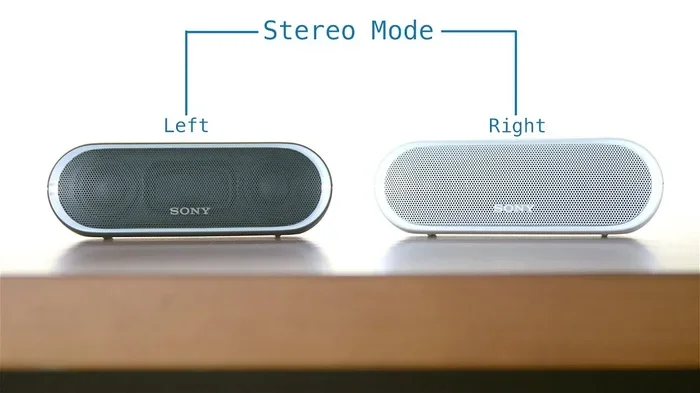
You have several options here. A Bluetooth speaker is the easiest solution. Most people already own one, and pairing it with a projector is usually straightforward. If you want more volume and bass, a set of portable Bluetooth speakers or even a small outdoor PA system works well.
One thing to watch for is audio delay. When you use Bluetooth, there can be a slight lag between the video and audio. Most modern devices handle this well, but it is worth testing before the movie starts. If you want to learn more about using Bluetooth audio with projectors, our article on using HDMI for video and Bluetooth for audio explains how to sync both simultaneously.
Can You Use a Bluetooth Speaker Without Bluetooth?
If your speaker does not have Bluetooth or if Bluetooth pairing fails, you are not stuck. Many speakers have an auxiliary (AUX) input that accepts a standard 3.5mm audio cable. You can run a cable from the projector’s audio output to the speaker. It is not as wireless and convenient, but it gets the job done reliably.
For more on using Bluetooth speakers in different scenarios, our article on using a Bluetooth speaker without Bluetooth covers alternative connection methods.
Weather and Environmental Considerations
Protecting Your Projector from the Elements
Vankyo projectors are not weatherproof. They are designed for indoor use, and exposing them to moisture, dust, or direct wind can cause damage. Here are some practical tips for keeping your equipment safe outdoors:
- Set up under a covered area: A patio, gazebo, or even a large umbrella provides protection from light rain and dew.
- Use a projector enclosure: If you do not have a covered space, a simple DIY enclosure made from a plastic storage bin with ventilation holes can shield the projector from moisture and dust.
- Avoid direct wind exposure: Strong gusts can blow dust and debris into the projector’s vents. Position the unit where wind is blocked.
- Bring the projector inside after use: Do not leave it outside overnight, even if the weather looks clear. Morning dew can be just as damaging as rain.
Dealing with Wind and Temperature
Outdoor temperatures can affect projector performance. Most Vankyo models operate best between 60 and 80 degrees Fahrenheit. If it is too cold, the projector may struggle to start or the image may appear dim. If it is too hot, the unit can overheat quickly.
Wind is another factor. It moves lightweight screens, blows dust into the projector, and can even tip over an improperly secured setup. Use stakes or weights to anchor your screen and place the projector on a stable, flat surface.
Common Mistakes People Make When Using a Projector Outside
Even with the best intentions, outdoor projector setups can go wrong. Here are some common mistakes to avoid:
- Forgetting about ambient light: Setting up too early in the evening or in a spot with too much surrounding light is the number one mistake. Wait for full darkness or choose a shaded area.
- Using the wrong screen: A wrinkled sheet or a dark surface will ruin the image. Invest in a proper white projector screen or at least a smooth, light-colored fabric.
- Ignoring audio quality: Relying only on the projector’s tiny built-in speakers leads to a frustrating experience. Add external speakers for clear, full sound.
- Not testing the setup beforehand: Always do a full test run before your guests arrive. Check the image, the sound, the power supply, and the device connections.
- Placing the projector in a risky spot: Setting it on the ground where it can be kicked or where water can pool is a bad idea. Elevate it on a table or shelf.
Avoiding these mistakes will save you from frustration and help your outdoor movie night go smoothly from start to finish.
Final Thoughts
So, can you use a Vankyo projector outside? Absolutely. With the right setup, a bit of planning, and attention to brightness, screen choice, power, and audio, you can create an incredible outdoor movie experience. Vankyo projectors offer a great entry point into outdoor projection, and their portability means you can set them up anywhere from the backyard to a camping trip.
The key is preparation. Choose a dark spot, invest in a portable projector screen, manage your power supply, and add decent audio. Do those things, and you will be amazed at how good the picture looks in the open air.
Start small if you are new to this. Set up on a Friday evening, invite a few friends, and learn what works for your specific space. Once you get the hang of it, you will wonder how you ever watched movies indoors again. Outdoor projector nights are a simple joy, and your Vankyo projector is more than capable of making them happen.
Frequently Asked Questions
Can I use a Vankyo projector during the day outside?
It is possible but challenging. Vankyo projectors have limited brightness compared to outdoor sunlight. For daytime use, you need a very high-lumen model, a shaded area, and a high-gain screen. The best results come after sunset or in heavily shaded areas where direct sunlight is blocked.
What is the best Vankyo model for outdoor use?
Vankyo models with 3000 lumens or higher perform best outdoors. Look for models in the Leisure series with at least Full HD resolution and a high contrast ratio. Higher lumens and better contrast help fight ambient light and produce a clearer picture.
Do I need a special screen for outdoor projection?
A dedicated portable projector screen makes a huge difference compared to projecting onto a wall or bedsheet. Outdoor screens are designed to reflect light efficiently and resist wrinkles. However, a smooth white bedsheet stretched tightly can work in a pinch if you do not have a screen yet.
How do I keep my Vankyo projector powered outdoors?
You can use an outdoor-rated extension cord from a nearby outlet, a portable power station, or a high-wattage power bank. Most Vankyo projectors draw around 60 to 90 watts, so a standard power bank rated for 100 watts or more should keep it running for a couple of hours.
Can I connect my streaming device to a Vankyo projector outside?
Yes. Most Vankyo projectors have HDMI ports that accept streaming sticks like Roku, Fire Stick, or Chromecast. Just make sure your streaming device is compatible with the projector’s input. If you want a cable-free setup, consider making your projector wireless for easier outdoor use.
What should I do if my projector overheats outside?
Turn off the projector immediately and let it cool down for at least 20 minutes. Check that the air vents are not blocked and that the projector is in a well-ventilated area. Never cover the projector while it is running, and avoid using it in direct sunlight or very hot conditions.