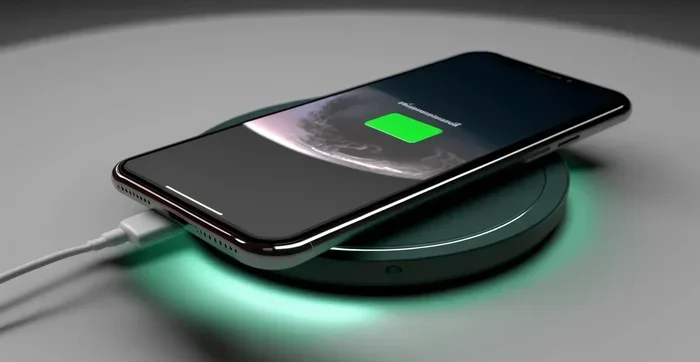
Do Wireless Chargers Work On All Phones And Devices
Do Wireless Chargers Work On All Phones? The short answer is no. Wireless chargers rely on the Qi wireless charging standard, and not every phone supports it. While most modern smartphones from Apple and Samsung offer built-in magnetic charging support, older or budget phones may need an adapter or simply won’t work with wireless power transfer at all. Understanding charging compatibility and charging efficiency helps you avoid frustration and pick the right wireless charging pad or charging stand for your needs.
You plug your phone down on a pad. The little light turns on. But then nothing happens. If you have ever asked yourself, do wireless chargers work on all phones, you are not alone. This question comes up all the time in tech forums, stores, and even among friends. The truth is, wireless charging has come a long way. But it still does not work with every single device out there. There are rules, standards, and exceptions that matter a lot. Let us break it all down in plain language so you never have to guess again.
Wireless charging feels like magic. You set your phone on a pad, and it starts pulling power. No cables. No fumbling with adapters. Just a simple place-and-charge setup. But the reality behind the scenes is a mix of hardware, software, and standards that decide whether your phone will actually charge. Do wireless chargers work on all phones? That depends on what phone you have, what charger you use, and a few other small details we will cover below.
Key Takeaways
- Not all phones support wireless charging: Only devices built with Qi-compatible hardware can charge on a wireless pad.
- The Qi standard is the industry norm: Almost all wireless chargers use this universal protocol for smartphone charging.
- iPhones and Samsung Galaxy phones work great: Both brands offer native wireless charging on most models.
- Older or budget phones may need an adapter: You can add wireless charging capability with a special receiver case or disc.
- Charging speed varies: Fast wireless charging depends on the charger’s power output and the phone’s capabilities.
- Thickness and case material matter: Thick cases or metal backs can block magnetic charging and reduce charging efficiency.
- Future phones are likely to adopt wireless charging universally: The technology is becoming a standard feature across all device compatibility tiers.
📑 Table of Contents
How Wireless Charging Actually Works
The Basics of Wireless Power Transfer
Wireless charging uses something called electromagnetic induction. Here is how it works in simple terms. The charging pad has a coil inside it. When you plug the pad into power, that coil creates a magnetic field. Your phone also has a coil inside it. When you place the phone on the pad, the magnetic field sends energy from the pad coil to the phone coil. That energy then becomes electricity that charges your battery.
This process is called wireless power transfer. It is the same basic idea whether you are using a cheap charging pad or an expensive premium charging stand. The difference lies in how much power moves between the coils and how efficiently that transfer happens. More power and better efficiency mean faster charging speed and less wasted energy as heat.
Not all coils are created equal, either. The size, shape, and placement of the coils inside a phone matter. That is one big reason why do wireless chargers work on all phones has a nuanced answer. A phone needs the right coil hardware to even participate in wireless charging. Without it, the pad simply cannot send power to the device.
What Is the Qi Standard?
Almost every wireless charger you will buy today uses the Qi standard (pronounced “chee”). Qi is an open interface standard developed by the Wireless Power Consortium. It sets the rules for how energy moves between a pad and a device. Think of it like a universal language. If your phone speaks Qi and your charger speaks Qi, they can communicate and charge properly.
The Qi standard has evolved over the years. Older versions supported lower power levels, which meant slower charging speed. Newer versions support faster fast wireless charging and even reverse wireless charging, where a phone can act as a charger for accessories like earbuds or smartwatches. When you ask, do wireless chargers work on all phones, the Qi standard is the first thing to check. If a phone does not support Qi, a standard wireless charging pad will not work with it.
Do Wireless Chargers Work On All Phones
Why Some Phones Won’t Charge Wirelessly
Here is the hard truth. Do wireless chargers work on all phones? No, they do not. Many phones simply lack the internal hardware needed for wireless charging. This is especially common with budget phones, older models, and some niche brands. If a phone was built without a Qi-compatible coil, no amount of placing it on a pad will make it charge.
Some people assume that because a phone has a glass back, it must support wireless charging. That is not always true. Glass backs help with magnetic charging signal strength, but the internal coil is what actually matters. A phone can have a glass back and still not support wireless power transfer. Always check the phone’s specs before assuming it works with a wireless charging pad.
Another reason some phones do not work is software. Even if the hardware is present, the phone’s operating system must support wireless charging protocols. In rare cases, a software update can disable or enable wireless charging features. This is more common with custom ROMs or modified devices where the charging compatibility gets disrupted.
Phones That Need Extra Accessories
Some phones can work with wireless chargers but need a little help. This usually means adding a wireless charging receiver. These are small discs or cases that plug into your phone’s charging port and contain a coil that communicates with the wireless charger. They trick the system into thinking the phone has built-in wireless charging capability.
These receivers work well for older phones or models that never got native wireless charging support. They are affordable and easy to use. But there is a trade-off. The receiver adds bulk to your phone. It can also reduce charging efficiency because there is an extra step in the power transfer process. Still, if you love the convenience of magnetic charging, a receiver is a great option to make non-compatible phones work with a wireless charger.
Which Phones Support Wireless Charging
iPhone Wireless Charging Options
Apple made wireless charging standard starting with the iPhone 8. Every iPhone from the iPhone 8 onward supports Qi wireless charging. This includes the iPhone SE (second generation and later), all iPhone 11 models, iPhone 12 models, iPhone 13 models, iPhone 14 models, and iPhone 15 models. You can place any of these on a wireless charging pad or charging stand and they will start charging immediately.
Apple also introduced MagSafe with the iPhone 12 line. MagSafe uses magnets to align the phone perfectly with the charger. This improves charging efficiency and speed. MagSafe chargers are a type of magnetic charging accessory that works specifically with iPhones. While standard Qi chargers still work with iPhones, MagSafe offers a faster and more convenient experience.
One thing to note is that iPhone wireless charging speeds max out at 15 watts on most models. Some third-party wireless chargers claim higher speeds, but iPhones will not exceed their built-in limits. So when you buy a charger for an iPhone, look for one that supports 15W fast wireless charging for the best results.
Android Wireless Charging Support
Most modern Android phones support wireless charging, but the list is not universal. Samsung has been a leader in this space for years. Galaxy S series phones, Galaxy Note models, and Galaxy Z foldables all support Qi wireless charging. Many Samsung phones also offer fast wireless charging at 10W or 15W, and some even support 25W with compatible chargers.
Google Pixel phones also support wireless charging. The Pixel 4 and all models after it work with standard wireless charging pads. Google’s Pixel Stand is a popular charging stand that offers fast and convenient charging.
Other brands like OnePlus, Motorola, and Sony have mixed support. Some models include wireless charging while others do not, even at similar price points. This is where checking your specific model becomes important. Before you buy a wireless charger, look up your phone’s specs to confirm it supports wireless power transfer.
| Brand | Models with Wireless Charging | Max Wireless Speed |
|---|---|---|
| Apple | iPhone 8 and later | 15W (MagSafe: 15W) |
| Samsung | Galaxy S series, Note series, Z series | 10W–25W (varies by model) |
| Pixel 4 and later | 7W–12W | |
| OnePlus | OnePlus 8 and later (select models) | 10W–15W |
| Motorola | Select Edge and Flip models | 10W–15W |
| Sony | Xperia 1 series and later | 10W–15W |
Wireless Charging Speeds and Efficiency
Fast Wireless Charging Explained
Not all wireless charging is created equal. A basic charging pad might deliver 5 watts of power. That is slow. It will take hours to fully charge your phone. Fast wireless charging pads deliver 10, 15, or even 25 watts, which cuts charging time significantly.
When you ask do wireless chargers work on all phones, speed is another factor. Even if a phone supports wireless charging, it may not support fast wireless charging. For example, an iPhone 13 works with any Qi charger, but it will only charge at 7.5W on most pads. To get faster speeds, you need a charger that supports the right protocol for your device.
Charging efficiency is also important. Wireless charging naturally loses some energy as heat. A good wireless charger minimizes this loss and delivers more power to your battery. Cheap, uncertified chargers often waste energy and charge slowly. They can also generate excess heat, which is bad for your phone’s battery health over time.
What Affects Charging Speed
Several factors influence how fast your phone charges wirelessly. Here are the main ones:
- Charger wattage: Higher wattage chargers deliver more power. Look for 10W or 15W chargers for the best charging speed.
- Phone capabilities: Your phone must support the same fast-charging protocol as the charger. Mismatched speeds result in slower charging.
- Case thickness: Thick phone cases block magnetic charging signals and reduce efficiency. Remove the case for faster charging.
- Alignment: The coils inside the phone and pad must align properly. Misalignment slows charging or stops it entirely.
- Temperature: Hot or cold environments reduce charging efficiency. Charge your phone at room temperature for best results.
- Cable quality: The cable connecting the pad to the power outlet matters too. A low-quality cable limits the power output your charger can deliver.
Common Wireless Charging Problems and Fixes
Phone Won’t Charge on the Pad
This is the most common issue people face. You set your phone down, and nothing happens. Before you assume the charger is broken, try these simple fixes. First, check that your phone actually supports wireless charging. If it does not, a wireless charging pad will not work no matter what you do.
Next, make sure the phone is sitting flat and centered on the pad. The coils need to align for wireless power transfer to work. Even a slight offset can prevent charging. Remove any metal objects between the phone and the pad. Metal blocks the magnetic field and stops charging entirely.
Also, check if your phone case is too thick or contains metal. Some cases with metal plates or magnetic closures interfere with magnetic charging. Switch to a thin case or remove the case temporarily to test. If the phone still does not charge, try a different charging pad or cable to rule out a faulty accessory.
Overheating During Wireless Charging
It is normal for a phone to feel slightly warm during wireless charging. But if it gets hot to the touch, something is wrong. Overheating can slow down charging speed and even damage your battery over time.
One common cause is using a charger with too high a wattage for your phone. If your phone only supports 10W wireless charging, a 25W charger will not charge it faster. It may just generate excess heat. Always match your charger to your phone’s supported power output.
Another cause is charging while using the phone heavily. Streaming videos or playing games while charging generates extra heat on top of the heat from wireless power transfer. Try to let your phone charge undisturbed, especially overnight or during long charging sessions.
Quick Tips for Better Wireless Charging
- Always use a Qi-certified charger for safe and reliable charging compatibility.
- Remove thick cases before placing your phone on a wireless charging pad.
- Keep your phone and charger on a cool, flat surface during charging.
- Clean the charging contacts on both the phone and pad regularly.
- Use the cable and power adapter that came with your charger or a high-quality replacement.
Tips to Get the Most Out of Your Wireless Charger
Choosing the Right Wireless Charger
Not all wireless chargers are the same. When shopping, look for a few key features. First, make sure it supports the Qi standard. This guarantees device compatibility with almost all modern phones. Second, check the wattage. A 10W or 15W charger offers a good balance of speed and safety for most phones.
Consider the design too. Charging pads are flat and portable. They work well on desks and nightstands. Charging stands hold your phone upright, which is great for watching videos while charging. Some stands also offer fast wireless charging at higher wattages. Think about how and where you will use the charger, and pick the style that fits your routine.
Brand reputation matters as well. Well-known brands like Anker, Belkin, Samsung, and Apple offer reliable wireless chargers with safety features built in. Cheap, no-name chargers may seem tempting, but they often lack proper safety certifications. They can damage your phone or battery over time. Spending a little more on a quality charger is always worth it for long-term battery charging health.
Common Mistakes People Make With Wireless Charging
Even experienced users make mistakes with wireless charging. Here are a few to avoid. First, do not place your phone on a pad while it is still in a metal case. Metal blocks the magnetic field completely. Second, do not use a wireless charger with a damaged cable. A frayed or low-quality cable reduces charging efficiency and can be a safety hazard.
Third, do not assume all wireless chargers are the same speed. A 5W charger and a 15W charger will charge your phone at very different rates. Fourth, do not ignore overheating warnings. If your phone gets too hot while charging, move it to a cooler spot and let it cool down before resuming.
Finally, do not leave your phone on a cheap, uncertified charger overnight every night. Over time, poor charging efficiency and excess heat can degrade your battery faster. Invest in a good wireless charger and your phone’s battery will thank you for years to come.
Expert Insight
According to the Wireless Power Consortium, the Qi standard now powers over 500 different device models worldwide. This means device compatibility with wireless charging is better than ever. However, users should always verify their specific phone model supports wireless charging before purchasing a wireless charging pad. The technology continues to evolve, with newer standards offering even better charging speed and efficiency in the near future.
The Future of Wireless Charging
Wireless charging technology is moving fast. New standards are emerging that promise even faster charging speed and longer range. Some researchers are working on chargers that can power devices from across a room, not just from a pad. This would change how we think about smartphone charging entirely.
The Qi2 standard is already on the horizon. It builds on the original Qi standard and adds stronger magnetic alignment, inspired by Apple’s MagSafe. This means better charging efficiency and faster speeds for more devices. As Qi2 rolls out, more phones will support advanced wireless magnetic charging without needing brand-specific accessories.
For now, the answer to do wireless chargers work on all phones remains no. But the gap is closing fast. More manufacturers are adding wireless charging as a standard feature, even on mid-range and budget phones. Within a few years, it is very likely that virtually every smartphone will support wireless power transfer out of the box.
Final Thoughts
Do wireless chargers work on all phones? The answer is clear now. They work on phones that support the Qi standard and have the right internal hardware. Most modern iPhones and many Android phones work perfectly with wireless charging pads and charging stands. Older phones, budget models, and devices without built-in support will not charge wirelessly without an accessory.
The good news is that wireless charging is becoming more accessible every year. The Qi standard continues to improve. Fast wireless charging speeds are increasing. And device compatibility is expanding. Whether you use your phone for work, entertainment, or staying connected, a good wireless charger adds real convenience to your daily routine.
Take a moment right now to check if your phone supports wireless charging. Look up your model number online or check your phone’s settings. If it does, grab a Qi-certified wireless charger and start enjoying the cable-free experience. If it does not, a wireless charging receiver can still bring this convenient feature to your device. The world of wireless charging is ready for you. All you need is the right setup.
Frequently Asked Questions
Can I Use Any Wireless Charger With My Phone?
Most modern phones use the Qi standard, so a Qi-certified wireless charger will work with them. However, you should always check your phone’s specs to confirm it supports wireless charging. Some phones need specific wattage or protocols to charge properly, so not every charger will work with every phone at full speed.
Why Does My Phone Not Charge on a Wireless Pad?
This usually happens because the phone does not support wireless charging, the coils are misaligned, or the phone case is too thick or contains metal. Remove the case, center the phone on the pad, and make sure both the phone and charger are compatible. If the problem persists, try a different charger or cable.
Is Wireless Charging Slower Than Wired Charging?
In most cases, yes. Wireless charging is generally slower than wired charging because some energy is lost as heat during wireless power transfer. However, fast wireless chargers can significantly reduce charging time. For many users, the convenience of wireless charging outweighs the slight speed difference.
Can I Charge My Phone With a Case On?
You can, but only if the case is thin and does not contain metal or magnetic elements. Thick cases or cases with metal plates block the magnetic field and prevent charging compatibility. For the best charging efficiency, remove thick or metal cases before placing your phone on a wireless charging pad.
Does Wireless Charging Damage My Phone Battery?
No, not when you use a quality Qi-certified charger. Wireless charging generates a small amount of heat, which is normal. However, using cheap or uncertified chargers can cause excess heat and potentially harm your battery over time. Stick with reputable brands for safe and reliable battery charging.
What Is Reverse Wireless Charging?
Reverse wireless charging lets your phone act as a wireless charger for other devices. You can place earbuds, smartwatches, or even another phone on the back of your phone to charge them. Samsung Galaxy and Google Pixel phones support this feature. It uses the same Qi standard but sends power in the opposite direction.
=== CONCLUSION ===
Do wireless chargers work on all phones? Now you have the full answer. Wireless charging is a fantastic feature, but it is not universal. The Qi standard powers most wireless chargers today, and it works beautifully with iPhones, Samsung Galaxy phones, Google Pixels, and many other modern devices. Older phones, budget models, and some niche brands may not support wireless charging natively. But even then, you have options like wireless charging receivers that bring this feature to almost any phone.
Understanding charging compatibility, charging speed, and charging efficiency helps you make smarter choices. Pick a Qi-certified charger, match the wattage to your phone, and use good habits like removing thick cases and keeping your phone cool. These small steps make a big difference in how well your wireless charging pad or charging stand performs.
The future of wireless power transfer is bright. New standards like Qi2 are bringing faster speeds, better alignment, and wider device compatibility. As this technology grows, more phones will support magnetic charging out of the box. For now, knowing what works and what does not puts you ahead of the curve. Enjoy the convenience, pick the right gear, and charge smarter every day.