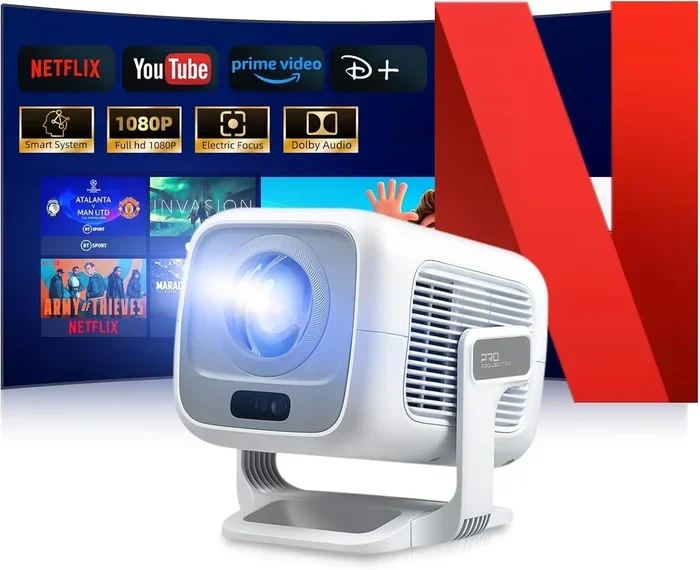
Can I Watch Netflix On My Mini Projector Right Now
Yes, you can watch Netflix on your mini projector using several simple methods, from built-in apps to screen mirroring and streaming devices. Whether you own a portable projector with Android or a basic model, this guide covers every way to stream Netflix on a big screen. You will learn the best setups, common fixes, and tips to get the sharpest picture right away.
So, can I watch Netflix on my mini projector right now? The short answer is absolutely yes. You do not need a big, expensive home theater setup to enjoy your favorite shows on a large screen. A mini projector can turn any wall or portable screen into a cinematic display, and streaming Netflix on it is easier than most people think.
Whether you are camping in the backyard, hosting a movie night with friends, or just want a bigger screen in your bedroom, a portable projector makes it possible. But the method you use depends on your specific model. Some projectors come with smart features and built-in apps, while others need a little extra help from streaming devices or wireless connections.
This guide walks you through every way to watch Netflix on a mini projector. You will find step-by-step setup instructions, troubleshooting tips, and honest advice on which projectors work best for streaming. By the end, you will know exactly what to do and how to get the best picture quality from your setup.
Key Takeaways
- Multiple Methods Work: You can use built-in apps, screen mirroring, HDMI cables, or streaming sticks to access Netflix on your mini projector.
- Built-In Android Projectors Are Easiest: Models with Android OS let you download the Netflix app directly without extra hardware.
- Screen Mirroring Is a Popular Choice: Casting from your phone or laptop works well if your projector supports Wi-Fi.
- Streaming Devices Expand Options: Roku, Amazon Fire TV Stick, and Chromecast turn any projector into a smart streaming device.
- Brightness Matters: A brighter projector delivers a better Netflix experience, especially in rooms with some light.
- Sound Quality Varies: Many mini projectors have weak speakers, so consider external audio for a richer experience.
📑 Table of Contents
- How to Watch Netflix on a Mini Projector
- Best Mini Projectors for Netflix Streaming
- Setting Up Netflix on Your Mini Projector
- Troubleshooting Common Netflix Streaming Issues
- Tips for the Best Netflix Viewing Experience on a Mini Projector
- Is a Mini Projector Worth It for Netflix?
- Final Thoughts on Watching Netflix on Your Mini Projector
How to Watch Netflix on a Mini Projector
There is no single way to stream Netflix on a mini projector. The right method depends on what your projector can do. Below are the most popular and reliable options you can try today.
Method 1: Use a Projector with Built-In Netflix App
The easiest path is to own a smart projector that already has Netflix built in. Many modern mini projectors run on Android TV or a similar operating system. This means you can open the Google Play Store, search for Netflix, install it, and start watching right away.
These projectors usually come with Wi-Fi built in, so you do not need any extra cables or devices. You simply connect to your home network, open the app, sign in, and enjoy. Brands like XGIMI, WIMAXIT, and ViewSonic make several models with this feature.
Quick Tip: Before buying, always check the product listing for “Netflix certified” or “Android TV built-in.” Not every mini projector labeled as “smart” actually supports the Netflix app directly.
Method 2: Screen Mirroring from Your Phone or Laptop
If your projector does not have a built-in Netflix app, you can still cast Netflix from your phone, tablet, or laptop. This works through Wi-Fi using protocols like Miracast, AirPlay, or Google Cast.
For iPhone users, AirPlay lets you mirror your screen to a compatible projector wirelessly. Android users can use Google Cast or the built-in screen share feature. On a laptop, you can often project your screen using Wi-Fi Direct or a wireless display adapter.
The downside is that screen mirroring can sometimes lag or reduce video quality. It works best for casual viewing rather than binge-watching an entire series in high resolution.
Method 3: Connect a Streaming Device
This is the most flexible option. You can plug a streaming device into your projector using an HDMI cable. Devices like the Amazon Fire TV Stick, Roku Streaming Stick, or Google Chromecast turn any projector into a smart streaming machine.
Once connected, you simply install the Netflix app on the streaming device and use its remote or your phone to control playback. This method gives you access to all the features of the streaming device, including 4K resolution, HDR, and voice search.
Quick Tip: Make sure your projector has an HDMI port. Most modern mini projectors do, but some ultra-compact models only have USB-C or wireless options. Check your ports before buying a streaming stick.
Method 4: Use an HDMI Cable from a Computer
If you have a laptop or desktop computer, you can connect it directly to your projector using an HDMI cable. Then you simply open Netflix in your web browser and watch as you normally would on a computer screen.
This method gives you the most reliable connection and the best video quality. There is no wireless lag or compression. The only limitation is that you need to stay near your projector with your computer.
Best Mini Projectors for Netflix Streaming
Not all mini projectors are created equal when it comes to streaming Netflix. Some models shine with bright, clear images, while others struggle in anything but a dark room. Here are the types of projectors that deliver the best Netflix experience.
Android Smart Projectors
Android smart projectors are the top choice for streaming. They have the Netflix app available right out of the box. You do not need any extra cables, sticks, or devices. Just connect to Wi-Fi and start watching.
These projectors typically range from 200 to 1,500 lumens in brightness. Higher lumens mean a brighter image, which is better if you plan to watch during the day or in a room with some light. The built-in Android system also lets you install other apps like YouTube, Disney+, and Hulu.
Portable Battery-Powered Projectors
Battery-powered mini projectors are perfect for travel and outdoor use. Many of these models come with built-in batteries that last two to four hours, which is enough for a movie or two.
The trade-off is that they usually have lower brightness and smaller speakers. They work best in dark environments. If you want to watch Netflix on a camping trip or in a dorm room, these are a great choice.
HDMI-Only Mini Projectors
Some mini projectors are basic models with no smart features at all. They only have HDMI and USB ports. These projectors can still display Netflix perfectly well, but you will need a streaming device or a laptop connected via HDMI.
These models are often more affordable than smart projectors. They are also very portable and lightweight. If you already own a streaming stick, an HDMI-only projector can be a budget-friendly way to get a big screen.
Setting Up Netflix on Your Mini Projector
Setting up Netflix on your mini projector takes just a few minutes once you know the right steps. Follow this simple process to get started.
Step-by-Step Setup Guide
- Connect your projector to Wi-Fi. Go to the settings menu and select your home network. Enter the password and wait for the connection to establish.
- Check for a built-in app store. If your projector runs Android TV or a similar system, open the app store and search for Netflix.
- Install and open Netflix. Download the app, sign in with your account, and you are ready to stream.
- Use a streaming stick if needed. Plug the device into the HDMI port, connect to Wi-Fi, and install the Netflix app on the stick.
- Adjust the image settings. Go into your projector menu and set the brightness, contrast, and color to your preference for the best viewing experience.
What You Need Before You Start
- A Wi-Fi connection with decent speed. Netflix recommends at least 5 Mbps for HD streaming and 15 Mbps for 4K.
- Your Netflix login credentials.
- An HDMI cable if you are using a streaming device or external source.
- A blank wall or portable screen for projection.
- A dark or dimly lit room for the best image quality.
Troubleshooting Common Netflix Streaming Issues
Even with the best setup, you may run into problems when streaming Netflix on a mini projector. Here are the most common issues and how to fix them fast.
Netflix App Won’t Load or Install
This usually happens when your projector’s operating system is too old or not Android TV certified. Some cheap projectors claim to be “smart” but do not support the Google Play Store or Netflix app. In this case, use screen mirroring or a streaming device instead.
Video Keeps Buffering or Freezing
Buffering is almost always a Wi-Fi issue. Move your router closer to the projector or use a Wi-Fi extender to boost the signal. You can also lower the streaming quality in the Netflix app settings from High to Medium to reduce the data demand.
Image Looks Faded or Too Dark
Mini projectors often have lower brightness than full-size models. If your projector is under 500 lumens, you will need a very dark room for a clear image. Try closing curtains, turning off lights, and projecting onto a white wall or a dedicated projection screen for better results.
No Sound or Poor Audio Quality
Many mini projectors have small, weak speakers. If the sound is not loud enough or sounds tinny, connect external speakers through the projector’s audio output or Bluetooth. A simple Bluetooth speaker can make a huge difference in your viewing experience.
Screen Mirroring Has Lag
Wireless screen mirroring can lag, especially with high-resolution content. Make sure both your device and the projector are on the same Wi-Fi network. If lag persists, try using an HDMI cable or a dedicated streaming device instead of mirroring.
Tips for the Best Netflix Viewing Experience on a Mini Projector
Getting Netflix on your mini projector is only half the battle. Making it look and sound great takes a little extra effort. Here are practical tips to elevate your setup.
Control the Room Lighting
Mini projectors perform best in dark or dimly lit rooms. Ambient light washes out the image and reduces contrast. If you cannot fully darken the room, consider getting a projector screen with a high-gain surface that reflects more light back to the viewer.
Invest in Better Audio
The built-in speakers on most mini projectors are not impressive. A simple Bluetooth speaker or a pair of portable headphones can transform your Netflix sessions. Some people even connect a soundbar for a more immersive experience.
Use the Right Resolution Settings
Netflix offers different streaming qualities. If your projector supports 1080p or higher, set your Netflix account to the best available quality. Go to Account Settings, then Playback, and select High or Auto for the best picture.
Keep Your Projector Clean and Cool
Mini projectors can overheat if used for long periods. Make sure the air vents are not blocked. Clean the lens regularly with a soft cloth to keep the image sharp. A dusty lens can make your Netflix picture look blurry or hazy.
Position the Projector Correctly
Place your projector at the right distance from the wall or screen. Most mini projectors work best at a distance of 3 to 6 feet. Check your projector’s manual for the recommended throw distance. Too close or too far will make the image blurry or too small.
Is a Mini Projector Worth It for Netflix?
A mini projector is a fantastic way to watch Netflix on a bigger screen without spending thousands of dollars on a TV or home theater system. They are portable, versatile, and fun to use. But they do come with some trade-offs that you should know about.
The biggest advantage is portability. You can take your projector anywhere and set up a movie night in minutes. The image size is also much larger than a laptop or tablet screen, which makes watching more immersive. A 100-inch image from a mini projector is hard to beat for the price.
The main limitations are brightness and sound. Most mini projectors cannot match the brightness of a modern TV or a full-size home projector. And the built-in speakers are usually underwhelming. However, these issues are easy to work around with the right room setup and external audio.
If you watch Netflix occasionally and value portability, a mini projector is absolutely worth it. If you watch every day in a bright living room, you might want to consider a brighter model or stick with a TV for daily use. Either way, the ability to stream Netflix on a big screen is a great reason to own one.
Final Thoughts on Watching Netflix on Your Mini Projector
So, can I watch Netflix on my mini projector right now? Without a doubt, yes. You have multiple paths to get Netflix streaming on your mini projector, whether it has a built-in app, supports screen mirroring, or needs an HDMI-connected streaming stick.
The key is knowing what your projector can do and choosing the right method for your setup. Built-in Android projectors are the easiest, streaming devices offer the most flexibility, and screen mirroring works in a pinch. With the right setup, a dark room, and decent Wi-Fi, you can enjoy Netflix on a big, bright screen almost anywhere.
Take some time to experiment with your projector settings, invest in a good screen or wall, and consider adding external speakers. These small steps make a huge difference in your streaming experience. Now you have everything you need to start watching Netflix on your mini projector tonight.
Frequently Asked Questions
Can I watch Netflix directly on any mini projector?
Not every mini projector supports Netflix directly. Only smart projectors with Android TV or a similar operating system can download and run the Netflix app natively. Basic projectors without smart features will need a streaming device or screen mirroring to access Netflix.
What streaming devices work best with mini projectors?
The Amazon Fire TV Stick, Google Chromecast, and Roku Streaming Stick are the most popular and reliable options. They all connect via HDMI and provide a smooth Netflix streaming experience. Choose a device that matches your projector’s resolution capabilities.
Do I need Wi-Fi to watch Netflix on a mini projector?
Yes, you need a Wi-Fi connection for most methods. Built-in apps, screen mirroring, and streaming devices all require internet access. The only exception is connecting a laptop via HDMI and using a wired internet connection through the laptop.
Why is my Netflix picture blurry on the mini projector?
A blurry picture can be caused by several factors. The projector may be too close or too far from the wall. The lens might be dirty. The streaming quality might be set too low. Try adjusting the distance, cleaning the lens, and setting Netflix to High quality in your account settings.
Can I use Netflix offline on a mini projector?
Yes, you can download Netflix content on your phone or laptop and then mirror the screen to your projector. However, the projector itself cannot download Netflix content directly unless it has offline download support built into its Netflix app.
What brightness level do I need for watching Netflix on a mini projector?
For the best Netflix viewing experience, look for a projector with at least 500 lumens. If you watch in a completely dark room, even 200 lumens can work. For rooms with some ambient light, 1,000 lumens or more will give you a much clearer and more vibrant picture.
=== CONCLUSION ===
Watching Netflix on a mini projector is simple, affordable, and incredibly fun. You now know all the methods, from built-in apps to streaming sticks and screen mirroring. The right setup depends on your projector model and your viewing needs, but every mini projector can deliver a great Netflix experience with the right approach.
Remember to check your projector’s features, invest in a good Wi-Fi connection, and consider adding external speakers for better sound. With these steps, you are ready to enjoy your favorite shows and movies on a big, bright screen wherever you go. Start watching Netflix on your mini projector today and upgrade your viewing experience!