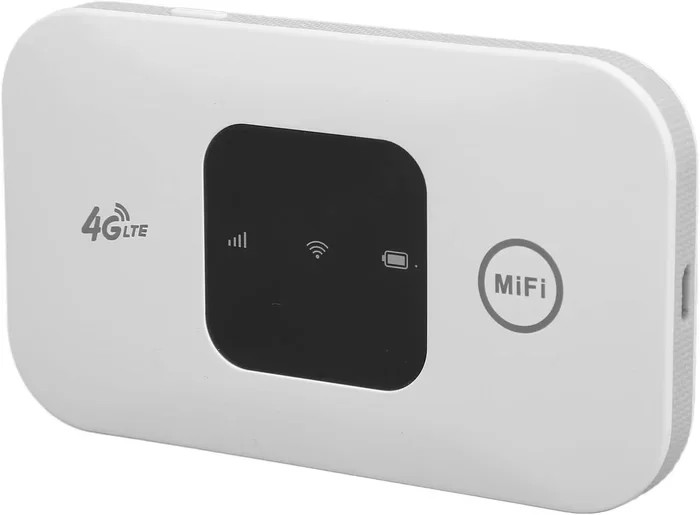
Can I Have My Own Personal Wifi Router You Bet You Can
Yes, you absolutely can have your own personal wifi router. It is one of the smartest moves you can make for your home network. Owning your own personal wifi router means better speed, stronger security, and more control over your internet experience. This guide walks you through everything you need to know, from choosing the right device to setting it up like a pro. You will learn why ditching ISP equipment is a game changer.
Have you ever wondered if you can have your own personal wifi router? The short answer is a loud and clear yes. You bet you can, and honestly, you probably should. Most people stick with the equipment their internet service provider gives them without ever thinking twice. But here is the thing — your ISP router might be holding your internet back.
Owning a personal wifi router gives you freedom. You get to choose the hardware, the features, and the performance level that matches your household. Whether you stream movies, work from home, or game online, a personal router can transform your experience. In this guide, we will cover everything from picking the right device to setting it up and keeping it secure. By the end, you will know exactly why a personal wifi router is worth every penny.
Key Takeaways
- You can own your own personal wifi router: It is perfectly legal and often a better choice than renting from your ISP.
- Better performance and speed: Personal routers often outperform ISP-provided equipment, especially for home network setups.
- More control and customization: You can tweak settings, update firmware, and manage wifi coverage exactly how you want it.
- Long-term savings: Owning a router saves money over time by eliminating monthly rental fees.
- Stronger security: Personal routers let you manage router security settings, passwords, and firmware updates yourself.
- Easy setup process: Modern routers are designed for simple router setup with guided apps and dashboards.
- Right router matters: Choosing the correct wireless router for your needs makes a huge difference in your internet experience.
📑 Table of Contents
- Why You Should Consider a Personal Wifi Router
- How to Choose the Right Personal Wifi Router
- Setting Up Your Personal Wifi Router
- Optimizing Your Home Network Performance
- Security Best Practices for Your Personal Router
- Common Mistakes to Avoid
- Expert Insights: Why Personal Routers Are the Future
- Conclusion
Why You Should Consider a Personal Wifi Router
Most internet providers give you a modem or a modem-router combo when you sign up for service. These devices work fine for basic browsing. But they often fall short when you need strong network speed and reliable wifi coverage throughout your home. A personal wifi router steps in and fixes all of that.
Breaking Free From ISP Equipment
Internet service providers love to rent you their equipment. They charge anywhere from $10 to $15 per month for the privilege. Over a year, that adds up to $120 to $180. And what do you get in return? A basic device that might not handle your needs. When you own your own wireless router, you keep that money in your pocket. You also get a much better device.
ISP routers are often generic. They are designed to work for the widest range of customers, not specifically for you. A personal router lets you pick hardware built for your lifestyle. If you have a smart home full of devices, you need a router that can handle the load. ISP equipment rarely keeps up.
The Benefits of Owning Your Own Hardware
There are real, tangible benefits to owning a personal wifi router. Let us break them down.
- Faster speeds: Personal routers often support newer standards like wifi 6, which delivers much faster network speed than older ISP equipment.
- Better range: A quality wireless router covers more square footage with a stronger wifi signal.
- More devices supported: Modern households have dozens of connected devices. A good router handles them all without slowing down.
- Customization options: You can adjust bandwidth settings, set up parental controls, and create guest networks.
- Regular updates: When you own your router, you control firmware updates that keep your home network safe and fast.
- Long-term savings: No more monthly rental fees. The router pays for itself within a year or two.
These benefits add up fast. A personal wifi router is not just a luxury — it is a practical upgrade for anyone who depends on the internet daily.
How to Choose the Right Personal Wifi Router
Not all routers are created equal. The market is full of options, and picking the right one can feel overwhelming. But it does not have to be. A few key factors will guide you to the perfect personal wifi router for your home.
Understanding Router Types
Before you shop, it helps to know what types of routers exist. Each one serves a different need.
- Single-band routers: These operate on one frequency band, usually 2.4 GHz. They are affordable but slower and more prone to interference.
- Dual-band routers: These offer both 2.4 GHz and 5 GHz bands. They provide better network speed and less congestion. Most modern homes need this type.
- Tri-band routers: These add a second 5 GHz band. They are ideal for large households with many devices and heavy internet use.
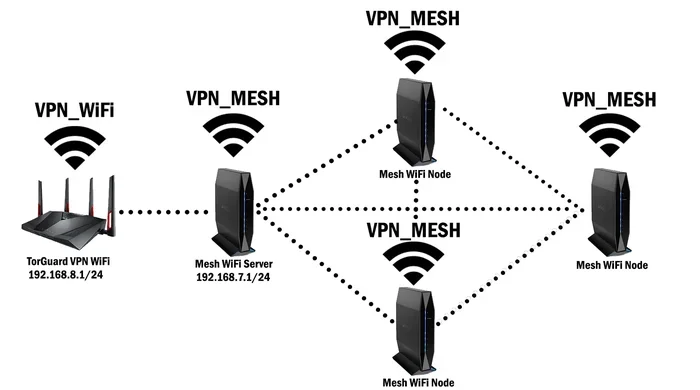
- Mesh wifi systems: These use multiple units to blanket your entire home in wifi coverage. They are perfect for larger homes or spaces with thick walls.
For most families, a dual-band or mesh system works best. A single-band router is fine for very light use, but it will struggle with streaming and gaming.
What to Look For in a Router
When shopping for a personal wifi router, keep these specs in mind.
- Wifi standard: Look for wifi 6 or wifi 6E. These offer the fastest network speed and best efficiency.
- Speed ratings: Check the total bandwidth the router supports. Higher numbers mean faster potential speeds.
- Number of bands: Dual-band is the sweet spot for most users. Tri-band is better for heavy households.
- Range and antenna design: More antennas and better design mean stronger wifi signal reach.
- Security features: Look for WPA3 encryption and automatic firmware updates.
- Ease of setup: Many modern routers have simple app-based setup. This makes router setup a breeze.
- Price: Good routers range from $80 to $300. You do not need to spend a fortune to get excellent performance.
Take your time and compare options. Read reviews and check how the router performs in real-world home network setups. The right choice depends on your space, your devices, and your internet plan.
| Router Type | Best For | Price Range | Wifi Standard |
|---|---|---|---|
| Single-Band | Light browsing, small spaces | $30 – $60 | Wifi 5 or older |
| Dual-Band | Most households, streaming | $80 – $180 | Wifi 6 |
| Tri-Band | Large homes, many devices | $150 – $300 | Wifi 6 or 6E |
| Mesh System | Large coverage areas | $150 – $500 | Wifi 6 or 6E |
This comparison table shows how different routers fit different needs. Your internet plan also matters. If you pay for gigabit internet, you need a router that can handle those speeds. A cheap router will bottleneck your connection no matter how fast your plan is.
Setting Up Your Personal Wifi Router
Here is the part that scares people the most. But setting up a personal wifi router is actually much easier than you think. Modern routers are designed with regular people in mind. You do not need to be a tech expert to get everything running smoothly.
Connecting Your Router to the Modem
The first step is connecting your new personal wifi router to your modem. Here is how to do it.
- Unplug your modem from power.
- Connect an ethernet cable from the modem to the router’s WAN port (sometimes labeled “Internet”).
- Plug your modem back in and wait for it to fully start up.
- Plug in your router and wait for the lights to stabilize.
- Open a browser or the router’s app to begin configuration.
That is it. You have already done the hardest part. Now you just need to configure your settings.
Configuring Your Network Settings
Once connected, you need to set up a few key things. These steps make your home network work properly and stay secure.
- Set your network name (SSID): Pick something unique and easy to recognize. Avoid using personal information in the name.
- Create a strong password: Use a mix of letters, numbers, and symbols. This is the first line of router security.
- Choose the right band: Connect nearby devices to the 5 GHz band for speed. Use 2.4 GHz for devices farther away.
- Set up a guest network: This keeps visitors off your main network while still giving them internet access.
- Enable WPA3 encryption: This is the strongest security protocol available on most modern routers.
Most routers have a setup wizard that walks you through each step. You can also use the manufacturer’s app on your phone. Router setup has never been easier. Within 15 minutes, you can have your personal wifi router running and optimized.
Quick Tips for a Smooth Setup
- Place your router in a central location before you start configuring it.
- Write down your network name and password and keep it somewhere safe.
- Update the firmware right after setup to get the latest features and security patches.
- Restart both your modem and router after connecting them for the best results.
Following these simple steps ensures your personal wifi router works at its best from day one.
Optimizing Your Home Network Performance
Setting up the router is only half the battle. To truly get the most out of your personal wifi router, you need to optimize your setup. Small adjustments can make a big difference in wifi coverage and network speed.
Best Placement Tips
Where you place your router matters more than most people realize. A poorly placed router leads to weak signals and dead zones. Follow these placement rules for the best results.
- Central location: Place the router in the center of your home. This gives the wifi signal the best chance to reach every room.
- Elevate it: Put the router on a shelf or mount it on a wall. Signals spread better when the router is off the floor.
- Keep it away from walls and metal: Thick walls and metal objects block wifi coverage. Keep the router out in the open.
- Avoid microwaves and baby monitors: These devices interfere with the 2.4 GHz band and can slow down your home network.
- Stay away from corners: Placing a router in a corner wastes signal because it goes outside your home.
Take a few minutes to find the ideal spot. The difference in network speed and reliability can be dramatic.
Boosting Signal Strength
If your home is large or has tricky layouts, you might need extra help boosting your wifi signal. Here are some proven methods.
- Use a mesh wifi system: Mesh units spread wifi coverage throughout your home by placing small nodes in different rooms.
- Add a wifi extender: Extenders boost the signal to hard-to-reach areas. They are affordable and easy to set up.
- Adjust the antenna position: If your router has external antennas, point them in different directions for broader coverage.
- Switch to the right band: Use 5 GHz for speed and 2.4 GHz for range. Understanding this difference improves your bandwidth management.
- Reduce interference: Keep your router away from other electronics that emit wireless signals.
These small changes can turn a weak, frustrating connection into a fast, reliable home network that covers every square foot of your home.
Security Best Practices for Your Personal Router
Security is one of the biggest reasons to own a personal wifi router. ISP equipment often has weak default settings that leave your network vulnerable. When you control your own hardware, you control your security.
Setting Strong Passwords
The first thing you should do after setup is change all default passwords. This includes the admin password and your network password. Use a unique, complex password for each. A password manager can help you keep track of them.
Never use easy-to-guess passwords like “password123” or your street address. A strong network password keeps strangers off your home network and protects your personal data.
Keeping Firmware Updated
Router manufacturers release firmware updates regularly. These updates fix security flaws and improve performance. Check for updates at least once a month. Many modern routers offer automatic updates, which is the easiest way to stay protected.
Outdated firmware is one of the most common security risks in home networks. Taking five minutes to update your personal wifi router can prevent serious problems down the road.
Additional Security Measures
- Disable WPS: This feature is convenient but has known security vulnerabilities.
- Enable the firewall: Most routers have a built-in firewall. Make sure it is turned on.
- Use a VPN: A virtual private network adds an extra layer of privacy to your home network.
- Monitor connected devices: Regularly check which devices are on your network. Remove any you do not recognize.
- Create a separate IoT network: Smart home devices can be less secure. Keep them on a different network from your computers and phones.
These practices keep your personal wifi router safe and your data secure. Router security is not optional — it is essential in today’s connected world.
Common Mistakes to Avoid
Even with the best intentions, people make mistakes when setting up and managing their personal wifi router. Avoiding these common errors saves you headaches and keeps your home network running smoothly.
Skipping Firmware Updates
This is the number one mistake people make. Firmware updates patch security holes and improve performance. Skipping them leaves your wireless router exposed. Set a reminder to check for updates every month.
Placing the Router in a Bad Spot
We mentioned this earlier, but it deserves repeating. Hiding your router in a closet or behind a TV kills your wifi signal. Keep it out in the open and centrally located for the best wifi coverage.
Ignoring Band Steering
Many modern routers support band steering, which automatically directs devices to the best frequency. If your router has this feature, turn it on. It improves network speed and reduces manual switching.
Using Default Settings
Leaving your router on default settings is a security risk. Change the admin password, the network name, and the network password right away. Default credentials are easy for hackers to find online.
Overlooking Your Internet Plan
A great router cannot make a slow internet plan fast. If your internet plan is outdated, upgrading it might be necessary. Check your speeds regularly to make sure you are getting what you pay for.
Avoiding these mistakes ensures your personal wifi router delivers the best possible performance for years to come.
Expert Insights: Why Personal Routers Are the Future
Industry experts agree that owning your own hardware is the future of home networking. ISP equipment is designed for mass deployment, not individual optimization. A personal wifi router gives you the tools to build a network that truly fits your life.
Wifi 6 and wifi 6E technology have made personal routers more powerful than ever. They handle more devices, deliver faster network speed, and use energy more efficiently. As smart homes continue to grow, having a strong, personal wireless router becomes even more important.
Experts also recommend reviewing your router every three to five years. Technology moves fast, and newer routers offer significant improvements in speed, range, and security. Investing in a quality personal router is investing in your digital life.
The bottom line is simple. You deserve a home network that works as hard as you do. A personal wifi router gives you that power.
Conclusion
So, can I have my own personal wifi router? Absolutely. You bet you can, and you should. Owning your own router gives you better speed, stronger security, and complete control over your home network. It saves you money in the long run and eliminates the frustration of ISP equipment that does not meet your needs.
From choosing the right device to setting it up and optimizing performance, this guide has covered everything you need to know. A personal wifi router is not just a tech upgrade — it is an investment in your daily internet experience. Whether you stream, work, game, or simply browse, the right router makes everything faster and more reliable.
Take the leap today. Ditch the rental equipment and build a home network that truly belongs to you. Your internet experience will never be the same.
Frequently Asked Questions
Do I need to contact my ISP before getting a personal wifi router?
In most cases, no. You can buy and use your own personal wifi router without notifying your internet service provider. However, you should check if your ISP requires a specific modem compatibility. Some ISPs maintain a list of approved modems on their website. If you are using your own modem and router, you may need to call them to put your account on a standalone modem mode, which removes the rental fee for their equipment.
Will a personal wifi router improve my internet speed?
Yes, it can. If your current ISP router is outdated or low-quality, a modern personal wifi router will likely deliver faster speeds and better performance. However, the improvement depends on your internet plan and the router you choose. A wifi 6 router, for example, offers significantly better network speed than older models. Just remember that a router cannot make your internet plan faster than what you pay for.
How much does a good personal wifi router cost?
Good personal wifi routers range from about $80 to $300. Budget routers under $80 handle basic needs well. Mid-range routers between $100 and $200 offer excellent performance for most households. High-end routers and mesh systems above $200 are ideal for large homes or power users with many devices. The investment pays for itself within a year or two by eliminating monthly rental fees.
Can I use my own personal wifi router with any ISP?
Most ISPs allow you to use your own equipment. Providers like Comcast, AT&T, Spectrum, and Verizon generally support third-party routers. You just need to ensure your modem is compatible with the ISP’s network. Contact your ISP or check their website for a list of approved modems and setup instructions. Once your modem is compatible, any personal wifi router will work with it.
How often should I update my router firmware?
You should check for firmware updates at least once a month. Many modern routers offer automatic updates, which is the easiest way to stay current. Firmware updates fix security vulnerabilities, improve stability, and sometimes add new features. Keeping your personal wifi router up to date is one of the simplest things you can do to maintain a secure and fast home network.
What is the difference between a modem and a personal wifi router?
A modem connects your home to the internet through your ISP. A personal wifi router takes that connection and distributes it wirelessly to your devices. Many ISPs provide a modem-router combo device that does both jobs. When you use your own personal wifi router, you typically still need a separate modem. A standalone modem paired with your own wireless router gives you more control and better performance than a combo unit.
=== CONCLUSION ===
Can I have my own personal wifi router? The answer is a resounding yes. You have every right to own and control the hardware that powers your home network. A personal wifi router delivers better speed, stronger security, and more customization than any ISP-provided device ever could.
Take action today. Choose a router that fits your needs, set it up properly, and enjoy the difference. Your internet experience is too important to leave to chance. Invest in a personal wifi router and take full control of your connection.