The Definition Of A Computer Component Explained Simply
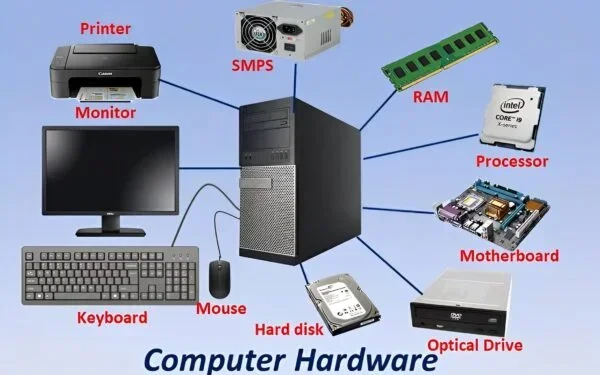
The definition of a computer component refers to any individual physical or logical part that makes up a computer system. Each component plays a specific role in helping a computer function properly. Understanding these parts helps you build, upgrade, or troubleshoot your device with confidence.
Have you ever opened up a computer and wondered what all those pieces are? Every machine is made up of smaller parts that work together. The definition of a computer component is simply any individual part that contributes to the overall function of a computer system. These parts can be physical pieces you can touch, or they can be logical parts that exist in software. Understanding what a computer component is helps you make smarter choices when buying, building, or fixing a computer.
Whether you are a student, a gamer, or someone who just uses a laptop for work, knowing your hardware parts matters. It helps you troubleshoot problems, upgrade the right pieces, and get the most out of your machine. This guide breaks everything down in simple terms. You will learn what each part does, why it matters, and how they all come together to create the computer you use every day.
Key Takeaways
- Clear Definition: A computer component is any part that contributes to the overall function of a computer system.
- Internal and External Parts: Components exist inside the case (like the motherboard) and outside (like the keyboard and monitor).
- Core Functions: Every component handles a specific task, from processing data to storing files and displaying output.
- Easy to Understand: You do not need technical expertise to grasp what each part does.
- Upgrade Friendly: Knowing your components helps you make smart upgrades and replacements.
- Troubleshooting Aid: Understanding components makes it easier to diagnose and fix common computer problems.
📑 Table of Contents
- What Is the Definition of a Computer Component?
- Types of Computer Components
- Internal vs External Computer Components
- How Computer Components Work Together
- Common Computer Components and Their Functions
- How to Choose the Right Computer Components
- Quick Tips for Understanding Computer Components
- Common Mistakes People Make With Computer Components
- Expert Insights on Computer Components
- Key Takeaways
- Conclusion
What Is the Definition of a Computer Component?
At its core, the definition of a computer component is any part that performs a specific function within a computer system. These parts can be physical hardware you can hold in your hand, or they can be logical components that exist in code and software. Together, all these parts form a complete computing device.
A single computer has hundreds of components. Some are tiny chips soldered onto a board. Others are large pieces you can easily remove and replace. Each one has a distinct role. Without even one key part, the computer would not work properly.
Why Understanding Components Matters
Knowing what each part does gives you power. You can choose the right PC components when building a custom machine. You can spot problems faster when something goes wrong. You can also save money by upgrading only the parts that need it. Many people throw away perfectly good computers because they do not understand which component failed. A little knowledge goes a long way.
Understanding computer hardware also helps you communicate better with tech support. Instead of saying “my computer is broken,” you can say “my storage device is not being recognized.” That kind of precision gets you help faster and shows you know your stuff.
Types of Computer Components
Computer components come in many shapes and sizes. They can be grouped into different categories based on what they do. Let us explore the main types you will encounter.
Processing Components
Processing components handle the brainwork of the computer. They execute instructions and perform calculations. The most important one is the central processing unit, often called the CPU. Think of it as the computer’s brain. It takes in data, processes it, and sends out results.
Another key processing part is the graphics processing unit, or GPU. This handles visuals and graphics. It is especially important for gaming, video editing, and design work. Without a good GPU, your screen would not display images smoothly.
Memory Components
Memory components store data temporarily or permanently. Random access memory, or RAM, is a short-term memory component. It holds data the computer is actively using right now. When you close a program, that data is cleared from RAM.
Then there is permanent storage. This includes hard disk drives and solid-state drives. These components keep your files, photos, and operating system safe even when the computer is turned off. They are the long-term memory of your machine.
Input and Output Components
Input components let you send data to the computer. Keyboards, mice, and microphones are all input devices. You use them to tell the computer what to do.
Output components do the opposite. They take data from the computer and present it to you. Monitors, speakers, and printers are common output devices. Without these, you would have no way to see or hear what the computer is doing.
Connectivity and Power Components
Every computer needs a way to connect to power and other devices. The power supply unit converts wall outlet power into usable electricity for the computer. It keeps everything running safely.
Connectivity components include ports like USB, HDMI, and Ethernet. They let you plug in external devices and connect to networks. The motherboard is the main circuit board that connects all these parts together. It is like the nervous system of the computer, allowing every component to communicate with each other.
Internal vs External Computer Components
Not all computer parts live inside the case. Some are external, meaning you can see and touch them outside the computer tower or laptop shell. Understanding the difference helps when you are shopping for parts or troubleshooting issues.
Internal Components
Internal components are hidden inside the computer case. They include the CPU, GPU, RAM, motherboard, power supply, and storage drives. These parts are essential for the computer to function. You usually cannot remove them without opening the case and using tools.
Internal components are often more delicate. They can be sensitive to dust, heat, and static electricity. That is why keeping your computer clean and well-ventilated is so important. Overheating is one of the most common reasons internal parts fail early.
External Components
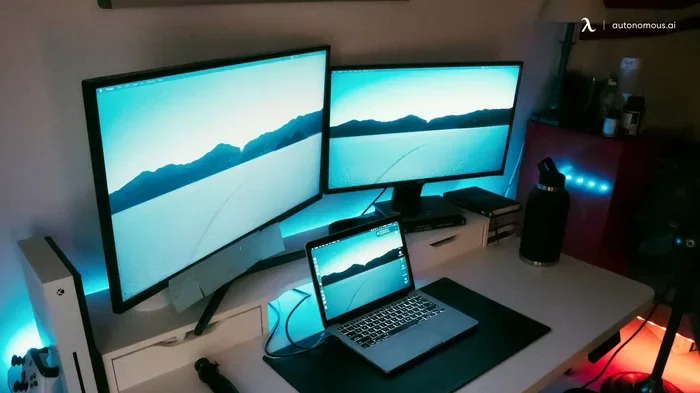
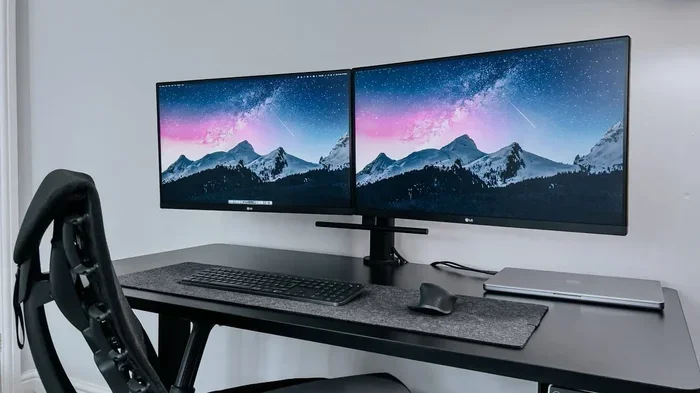
External components are the parts you can see and plug in. These include the keyboard, mouse, monitor, and speakers. They are often called peripheral devices. You can connect and disconnect them easily without opening the computer case.
External components give you flexibility. You can use different monitors, keyboards, or mice depending on your needs. Many people use the same computer with different setups for work and play. This modularity is one of the great strengths of modern computing.
How Computer Components Work Together
A computer is not just a collection of parts. It is a system where every piece depends on the others. When you click your mouse, a chain reaction happens across multiple components. Let us walk through a simple example.
When you open a photo on your computer, the input device (your mouse) sends a signal to the motherboard. The motherboard routes that signal to the CPU. The CPU processes the request and pulls the photo data from your storage drive. The data loads into RAM for quick access. The GPU then takes that data and renders it on your monitor. All of this happens in milliseconds. It is truly amazing how fast these system components work together.
If one part is weak, it can slow down the whole system. For example, if you have a fast CPU but very little RAM, your computer will struggle with multiple open programs. Understanding how these parts interact helps you build a balanced system.
The Role of the Motherboard
The motherboard is the backbone of your computer. It is the large circuit board that connects every component. The CPU plugs into the motherboard. RAM slides into motherboard slots. Storage drives connect through motherboard ports. Even your external devices plug into the motherboard through ports on the back of the case.
When choosing computer parts, the motherboard determines what else you can use. It dictates which CPU socket you need, how many RAM slots are available, and what type of storage connectors it supports. That is why the motherboard is often the first part you choose when building a computer.
Common Computer Components and Their Functions
Let us look at some of the most common computer hardware parts and what they do. This list covers the essentials that you will find in almost every computer.
Central Processing Unit (CPU)
The CPU is the primary processor. It executes instructions from programs and the operating system. Think of it as the boss that tells every other part what to do. CPU speed is measured in gigahertz (GHz). A higher GHz generally means faster processing.
Random Access Memory (RAM)
RAM is your computer’s short-term workspace. It holds data that the CPU needs right now. More RAM means you can run more programs at the same time without slowdowns. Most modern computers come with at least 8 GB of RAM.
Storage Drive (HDD or SSD)
The storage drive holds all your files, apps, and the operating system. Traditional hard drives use spinning disks. Solid-state drives use flash memory and are much faster. An SSD can make your computer feel dramatically quicker.
Graphics Card (GPU)
The GPU handles all visual output. It renders images, videos, and animations on your screen. Integrated GPUs are built into the CPU and work fine for everyday tasks. Dedicated GPUs are separate cards that deliver much better performance for gaming and creative work.
Power Supply Unit (PSU)
The PSU converts AC power from your wall outlet into DC power that the computer uses. It supplies electricity to every component inside the case. A good PSU is stable and efficient, which protects your other parts from power surges.
Cooling System
Computers generate heat when they work. Fans and heat sinks keep temperatures under control. Some high-performance computers use liquid cooling. Proper cooling extends the life of your internal components and keeps performance steady.
How to Choose the Right Computer Components
Whether you are building a new computer or upgrading an old one, choosing the right parts is important. Here are some tips to guide you.
Define Your Purpose
Think about what you will use the computer for. Gaming requires a strong GPU and plenty of RAM. Office work needs a reliable CPU and fast storage. Video editing demands a powerful processor and lots of memory. Your purpose should drive every purchasing decision.
Check Compatibility
Not every part works with every other part. Your motherboard must support your CPU socket type. Your RAM must match the motherboard’s standard (DDR4, DDR5, etc.). Always double-check compatibility before buying. A quick search online can save you from costly mistakes.
Set a Budget
Computer parts can add up fast. Set a realistic budget before you start shopping. Prioritize the components that matter most for your needs. For most people, the CPU and RAM make the biggest difference in everyday performance. You can always upgrade later.
Read Reviews and Benchmarks
Do not just trust marketing claims. Look for real-world reviews and benchmark scores. These show how a component performs under actual use conditions. Trusted tech websites and user forums are great sources of honest feedback.
Consider Future Upgrades
Technology changes fast. Choose parts that will still be relevant in a few years. A good motherboard with extra RAM slots gives you room to grow. A spacious case allows for better cooling and future additions. Think ahead when you build or buy.
Quick Tips for Understanding Computer Components
- Start with the basics: Learn what the CPU, RAM, and storage do first. These are the most important parts.
- Use analogies: Compare RAM to a desk and storage to a filing cabinet. It makes the concept easier to grasp.
- Watch tutorials: Visual guides can help you see how components fit together inside a case.
- Practice safely: Always unplug your computer before touching internal parts. Static electricity can damage sensitive components.
- Keep it simple: You do not need to understand every tiny detail. Focus on the big picture first.
Common Mistakes People Make With Computer Components
Even enthusiastic beginners make mistakes when learning about computer hardware. Here are some pitfalls to avoid.
Skipping the power supply: Many people focus on the CPU and GPU but forget the PSU. A weak or cheap power supply can damage other parts. Always choose a reliable unit with enough wattage for your system.
Ignoring cooling: Overheating kills computers faster than almost anything else. Do not skip fans or thermal paste. Your components need proper airflow to perform well and last long.
Buying incompatible parts: Always check socket types, RAM standards, and case dimensions. A part that does not fit is just wasted money. A five-minute check online can save hours of frustration.
Overlooking storage speed: A slow storage drive can bottleneck even the fastest CPU. Upgrading from a traditional HDD to an SSD is one of the most impactful upgrades you can make.
Not grounding yourself: Static electricity from your body can fry sensitive chips. Always use an anti-static wrist strap or touch a grounded metal surface before handling internal parts.
Expert Insights on Computer Components
Experienced tech professionals agree that understanding your computer parts is one of the most valuable skills you can develop. According to hardware engineers, the most common issue they see is not component failure but user error. People often install parts incorrectly or pair incompatible components together.
Tech support specialists also emphasize the importance of keeping your system clean. Dust buildup causes overheating, which leads to performance drops and early component failure. A simple cleaning routine every few months can add years to your computer’s life.
Industry experts also recommend focusing on balance. A super-fast CPU paired with slow storage will not give you the best experience. Every component should complement the others. A well-balanced system performs better than one with a single outstanding part and several weak links.
Key Takeaways
- Clear Definition: A computer component is any individual part that contributes to the overall function of a computer system.
- Internal and External Parts: Components exist inside the case (like the motherboard) and outside (like the keyboard and monitor).
- Core Functions: Every component handles a specific task, from processing data to storing files and displaying output.
- Easy to Understand: You do not need technical expertise to grasp what each part does.
- Upgrade Friendly: Knowing your components helps you make smart upgrades and replacements.
- Troubleshooting Aid: Understanding components makes it easier to diagnose and fix common computer problems.
Conclusion
The definition of a computer component is straightforward. It is any part that plays a role in making your computer work. From the powerful CPU to the simple USB port, every piece matters. Understanding these parts gives you confidence whether you are buying a new laptop, building a custom desktop, or fixing an old one.
You do not need to be a tech expert to grasp the basics. Start with the main components like the CPU, RAM, storage, and motherboard. Once you understand those, the rest falls into place naturally. The world of computer hardware is vast, but it is also fascinating and rewarding to explore.
Use what you have learned to make better decisions. Choose parts that fit your needs and budget. Keep your system clean and well-maintained. And never be afraid to ask questions or learn more. The more you know about your computer components, the more control you have over your technology. That knowledge is truly empowering.
Frequently Asked Questions
What is the simplest definition of a computer component?
A computer component is any individual part that makes up a computer system and helps it perform a specific function. It can be a physical piece of hardware or a logical part in software. Examples include the CPU, RAM, hard drive, keyboard, and monitor.
How many components does a typical computer have?
A typical computer has dozens of components, and some count hundreds when you include tiny individual parts. The major components include the CPU, motherboard, RAM, storage drive, GPU, power supply, and cooling system. External components like the keyboard, mouse, and monitor add to the total count.
Can a computer work with only one component?
No, a computer needs multiple components working together to function. At the very least, it needs a processor, memory, storage, and a power supply. Even the simplest computers require several parts to complete basic tasks like loading an operating system.
What is the difference between a computer component and a computer peripheral?
A computer component is any part that makes up the system, whether internal or external. A peripheral is specifically an external device that connects to the computer, like a keyboard or printer. All peripherals are components, but not all components are peripherals. Internal parts like the CPU are components but not peripherals.
How do I know which computer components to upgrade?
Start by identifying what is slowing you down. If your computer is slow with multiple programs open, consider adding more RAM. If games run poorly, upgrade your GPU. If programs load slowly, switch to a solid-state drive. Always check compatibility before buying any new part.
Are software parts considered computer components?
The strict definition of a computer component usually refers to physical hardware. However, in a broader sense, software components like drivers and firmware are also considered parts of the system. For most people, when they talk about components, they mean the physical hardware pieces inside and attached to the computer.