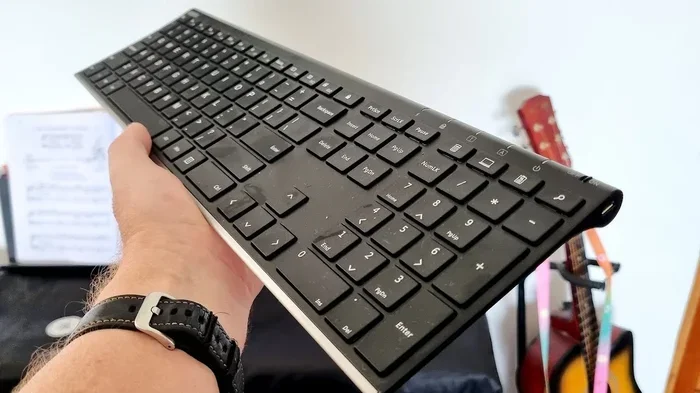
Do You Need Wifi For Bluetooth Keyboard Setup Guide
You do not need wifi to use a bluetooth keyboard. Bluetooth keyboards connect directly to your device using bluetooth technology, not through your wifi connection. This means you can type, work, and play wirelessly even when you have no internet access at all.
Key Takeaways
- Bluetooth keyboards work independently of wifi: They use their own radio frequency to connect to devices, so internet is not required.
- Pairing is simple and fast: You can connect a bluetooth keyboard in just a few steps without any network.
- Bluetooth and wifi are different technologies: They serve different purposes and operate on separate frequencies.
- You can use a bluetooth keyboard offline: Perfect for travel, presentations, or areas with no internet access.
- Range and battery matter: Understanding bluetooth range and power needs helps you get the best experience.
- Multiple devices can connect: Many bluetooth keyboards support switching between devices without wifi.
📑 Table of Contents
- Do You Need Wifi For Bluetooth Keyboard Setup
- What You Actually Need For Bluetooth Keyboard Setup
- Step By Step Bluetooth Keyboard Setup Guide
- Can You Use A Bluetooth Keyboard Without Internet
- Common Bluetooth Keyboard Problems And Fixes
- Benefits Of Using A Bluetooth Keyboard
- Expert Tips For Best Bluetooth Keyboard Performance
- Key Takeaways
- Conclusion
Do You Need Wifi For Bluetooth Keyboard Setup
Here is a question that confuses a lot of people. Can you set up a bluetooth keyboard without a wifi connection? The short answer is yes. You absolutely do not need wifi to use a wireless keyboard that relies on bluetooth technology. But let us dig deeper into why this is the case and how it all works.
Many folks assume that because a keyboard is “wireless,” it must need internet to function. That is not true at all. Bluetooth is a completely separate wireless technology that lets devices talk to each other directly. No router needed. No network connection required. Just you and your keyboard.
In this guide, we will walk through everything you need to know about bluetooth keyboard connectivity. We will cover how bluetooth pairing works, why wifi is not involved, and what you actually need to get started. Whether you are setting up a new wireless peripheral or troubleshooting a connection issue, this article has you covered.
How Bluetooth Keyboards Work Without Wifi
Bluetooth operates on its own radio frequency. It uses short-range radio waves to send signals between devices. Think of it like a private conversation between your keyboard and your computer, tablet, or phone. No wifi router is part of that conversation.
When you press a key on a bluetooth keyboard, it sends a tiny radio signal through the air. Your device picks up that signal and translates it into text. This whole process happens in milliseconds. And it does not need any internet connection whatsoever.
Bluetooth technology uses a frequency of 2.4 GHz. This is the same frequency band that some wifi routers use, but they operate differently. Bluetooth uses frequency-hopping spread spectrum. This means it constantly switches between 79 different channels. This keeps your keyboard connectivity stable and reduces interference.
So when you ask, “Do I need wifi for a bluetooth keyboard?” the answer is a clear no. The two technologies are completely independent of each other. You can have a bluetooth keyboard working perfectly in a place with zero wifi signal or no internet at all.
The Difference Between Bluetooth And Wifi Connectivity
It helps to understand the difference between these two wireless technologies. Many people mix them up, but they serve very different purposes.
Wifi is designed for connecting devices to the internet. It sends and receives data over long distances through a network router. Think of wifi as a highway to the internet. Without that highway, your device cannot reach online content.
Bluetooth, on the other hand, is designed for connecting devices to each other. It creates a direct, point-to-point link. Think of bluetooth as a private footpath between two devices. It does not need the highway at all.
Here is a quick comparison:
- Bluetooth connects devices directly to each other.
- Wifi connects devices to a network or the internet.
- Bluetooth uses very little power.
- Wifi uses more power for data transfer.
- Bluetooth range is typically 30 feet or less.
- Wifi range can reach hundreds of feet.
Because bluetooth creates its own direct connection, your wireless keyboard does not need a wifi router anywhere nearby. This is a huge advantage. It means you can use your keyboard anywhere, even in places with no wireless connectivity at all.
What You Actually Need For Bluetooth Keyboard Setup
Now that you know wifi is not required, let us talk about what you actually need. Setting up a bluetooth keyboard is straightforward. Here is what you will need to get started.
A Device With Bluetooth Support
Your computer, tablet, or phone must have bluetooth capability. Most modern devices come with bluetooth built in. Laptops, smartphones, tablets, and even some desktop computers include bluetooth adapters these days.
If your device does not have bluetooth built in, you can buy a usb bluetooth adapter. These small dongles plug into a USB port and add bluetooth support instantly. This is a great option for older desktop computers that lack wireless connectivity.
Here are some quick tips to check if your device supports bluetooth:
- Look for a bluetooth icon in your system settings.
- Check your device specifications online or in the manual.
- On Windows, go to Settings > Devices > Bluetooth.
- On Mac, go to System Preferences > Bluetooth.
- On phones, check Settings > Connections or Network settings.
Charged Or Fresh Batteries
Your bluetooth keyboard needs power to work. Most wireless keyboards run on batteries, either AA, AAA, or built-in rechargeable cells. Make sure your batteries are fresh or fully charged before you start bluetooth pairing.
Low battery can cause keyboard connectivity issues. If your keyboard keeps dropping connection, weak batteries might be the culprit. It is always good practice to keep spare batteries on hand or charge your keyboard regularly.
Close Proximity During Pairing
When you first set up your bluetooth keyboard, keep it close to your device. Bluetooth range is typically about 30 feet. But during initial pairing, being within a few feet helps ensure a smooth connection.
Once paired, you can move further away. Just stay within the bluetooth range for best keyboard performance. Walls, furniture, and other wireless devices can sometimes weaken the signal.
Step By Step Bluetooth Keyboard Setup Guide
Setting up a bluetooth keyboard is quick and easy. You do not need any internet connection or wifi network. Here is a simple walkthrough for the most common devices.
Setup On Windows
Follow these steps to connect a bluetooth keyboard to a Windows PC:
- Make sure bluetooth is turned on in your settings.
- Put your keyboard into pairing mode. Usually, you hold down a dedicated button or a key combination.
- Go to Settings > Devices > Bluetooth & other devices.
- Click “Add Bluetooth or other device.”
- Select “Bluetooth” from the list.
- Your keyboard should appear. Click on it to pair.
- Wait for the confirmation message. You are connected.
That is it. No wifi needed at any point. Your wireless keyboard is now ready to use.
Setup On Mac
Connecting a bluetooth keyboard to a Mac is just as simple:
- Open System Preferences and click on Bluetooth.
- Make sure Bluetooth is turned on.
- Put your keyboard into pairing mode.
- Your keyboard should appear in the list of available devices.
- Click “Connect” next to your keyboard.
- Wait for the pairing to complete.
Again, no internet connection or wifi network is required. The bluetooth pairing process is entirely local.
Setup On Tablets And Phones
iPads, Android tablets, and smartphones all follow a similar process:
- Go to your device settings.
- Turn on Bluetooth.
- Put the keyboard in pairing mode.
- Select the keyboard from the list of available devices.
- Wait for the connection to establish.
Once paired, your bluetooth keyboard will automatically reconnect when you turn it on near that device. This makes it incredibly convenient for daily use.
Can You Use A Bluetooth Keyboard Without Internet
Absolutely. You can use a bluetooth keyboard in places with no internet access at all. This is one of the biggest advantages of bluetooth technology. Your wireless keyboard works independently of any network.
Think about these scenarios where bluetooth keyboard connectivity shines without wifi:
- Presentations: You can control slides from across the room without needing a wifi network.
- Travel: Working on a laptop in a hotel, airplane, or remote cabin with no internet.
- Outdoor events: Typing notes or managing a slideshow at a park or backyard.
- Smart TV setups: Some people use bluetooth keyboards as remote controls for media centers.
- Gaming: Using a bluetooth keyboard for casual gaming without relying on online connectivity.
The bluetooth protocol handles all the communication between your keyboard and device. It does not route through any network router or wifi hotspot. This direct connection is fast, secure, and reliable.
Now, if you want to use online features while typing, like cloud-based documents or email, then yes, you would need internet for those specific tasks. But the keyboard itself works perfectly fine without any wifi at all.
Common Bluetooth Keyboard Problems And Fixes
Even though bluetooth keyboards are simple to use, you might run into occasional hiccups. Here are some common issues and how to fix them.
Keyboard Not Showing Up During Pairing
If your bluetooth keyboard does not appear in the list of available devices, try these steps:
- Make sure the keyboard is in pairing mode. Check the manual for the specific button combination.
- Turn bluetooth off and back on your device.
- Move the keyboard closer to your device.
- Check if the keyboard is already paired with another device. Disconnect it from that device first.
- Restart your device and try again.
Sometimes bluetooth devices can be finicky. A quick restart often solves the problem.
Intermittent Connection Drops
If your keyboard connectivity keeps dropping, here are some things to check:
- Battery level: Low power can cause connection issues. Replace or recharge the batteries.
- Distance: Stay within the bluetooth range of about 30 feet.
- Interference: Other wireless devices like usb 3.0 ports, microwaves, or baby monitors can interfere with bluetooth signals.
- Multiple paired devices: If your keyboard connects to several devices, make sure it is connected to the right one.
Bluetooth interference is more common than you might think. Other wireless peripherals operating on the same frequency can cause keyboard latency or disconnections. Moving closer to your device or reducing the number of active wireless devices nearby often helps.
Keyboard Lag Or Delay
Some users notice a slight delay when typing on a bluetooth keyboard. This keyboard latency is usually normal and very slight. But if it bothers you, try these fixes:
- Reduce the distance between the keyboard and device.
- Remove other bluetooth devices that are not in use.
- Check for software updates for your bluetooth driver.
- Try a different USB port if you are using a bluetooth adapter.
For most people, the bluetooth latency is barely noticeable and does not affect daily typing. But if you are a fast typist or gamer, you might notice it more.
Benefits Of Using A Bluetooth Keyboard
Bluetooth keyboards offer several advantages over wired options. Here is why many people prefer them.
Portability
Most bluetooth keyboards are lightweight and compact. You can easily toss one in your bag and take it anywhere. No cables, no cords, no hassle. This makes them perfect for travel productivity and working from cafes or co-working spaces.
Multi Device Connectivity
Many bluetooth keyboards support connecting to multiple devices at once. You can switch between your laptop, tablet, and phone with the press of a button. This is incredibly handy for people who work across several devices throughout the day.
Just remember that multi-device pairing does not require wifi. Each connection is a separate bluetooth link between the keyboard and the individual device.
Clean And Clutter Free Desk
Without cables, your workspace stays neat and tidy. A wireless keyboard gives you more flexibility in how you arrange your desk. You can position it wherever is most comfortable for you.
No Drivers Or Software Needed
Most bluetooth keyboards work right out of the box. They use standard bluetooth protocols that are built into modern operating systems. You typically do not need to install any special drivers or software.
This is another reason why wifi is not needed. The bluetooth protocol handles all the communication natively. Your device recognizes the keyboard as a standard input device.
Expert Tips For Best Bluetooth Keyboard Performance
Want to get the most out of your bluetooth keyboard? Here are some expert tips to keep everything running smoothly.
- Keep your keyboard firmware updated: Check the manufacturer’s website for firmware updates. These can improve bluetooth connectivity and fix bugs.
- Turn off bluetooth when not in use: This saves battery life and reduces interference with other wireless devices.
- Store your keyboard properly: Keep it in a cool, dry place. Extreme temperatures can affect battery life and bluetooth performance.
- Use a bluetooth range extender if needed: If you need more distance, a bluetooth repeater can boost your signal.
- Paired but not connected: Some keyboards stay paired to multiple devices but only actively connect to one at a time. Make sure you are using the correct one.
Following these simple tips will keep your bluetooth keyboard performing at its best. And remember, none of these tips require a wifi connection.
Key Takeaways
- Bluetooth keyboards work independently of wifi: They use their own radio frequency to connect to devices, so internet is not required.
- Pairing is simple and fast: You can connect a bluetooth keyboard in just a few steps without any network.
- Bluetooth and wifi are different technologies: They serve different purposes and operate on separate frequencies.
- You can use a bluetooth keyboard offline: Perfect for travel, presentations, or areas with no internet access.
- Range and battery matter: Understanding bluetooth range and power needs helps you get the best experience.
- Multiple devices can connect: Many bluetooth keyboards support switching between devices without wifi.
Conclusion
So, do you need wifi for a bluetooth keyboard? The answer is a firm and definitive no. Bluetooth technology allows your wireless keyboard to connect directly to your device without any internet connection or wifi router. The two technologies work completely independently of each other.
Setting up a bluetooth keyboard is fast, easy, and requires nothing more than a device with bluetooth support and a keyboard with power. You can use it at home, at the office, on the road, or anywhere else you can imagine. No network required.
Whether you are a student, a professional, or just someone who loves a clean desk setup, a bluetooth keyboard is a fantastic choice. It gives you freedom, flexibility, and reliable wireless connectivity without tying you to a wifi network.
Now that you know the truth about bluetooth keyboard connectivity, you can set up your wireless keyboard with confidence. No wifi needed. Just pair, type, and enjoy the freedom of going wireless.
Frequently Asked Questions
Can I use a bluetooth keyboard without any internet connection at all?
Yes, absolutely. A bluetooth keyboard connects directly to your device using bluetooth radio signals. It does not need internet or a wifi network to function. You can type and work completely offline.
Do I need a wifi router to pair a bluetooth keyboard?
No, you do not need a wifi router for bluetooth pairing. The pairing process happens directly between your keyboard and your device. Just make sure bluetooth is turned on in your device settings.
Can a bluetooth keyboard connect to multiple devices without wifi?
Yes, many bluetooth keyboards support multi-device connectivity. You can pair the keyboard with several devices and switch between them. None of these connections require a wifi network since each is a direct bluetooth link.
How far can I move away from my device while using a bluetooth keyboard?
Bluetooth range is typically about 30 feet (10 meters). You can move around within that distance while staying connected. Going beyond the range will cause the connection to drop, but you do not need wifi to maintain the connection within range.
Will my bluetooth keyboard work on an airplane or in a hotel with no wifi?
Yes, it will work perfectly fine. Bluetooth keyboards do not rely on wifi or internet access. As long as your device has bluetooth enabled, your keyboard will connect and work normally. This makes them great for travel.
Is bluetooth the same as wifi for connecting peripherals?
No, bluetooth and wifi are completely different technologies. Wifi connects devices to the internet through a router. Bluetooth connects devices directly to each other over short range. For peripherals like keyboards, bluetooth is the standard wireless connection method.