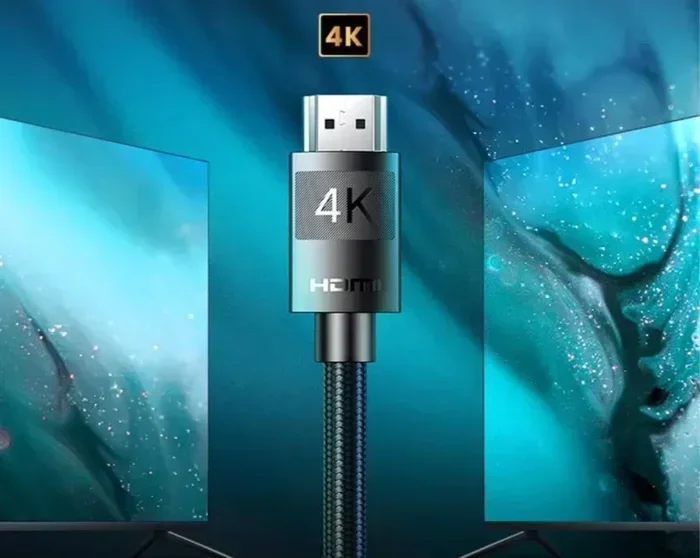
Do 4k Hdmi Cables Really Make A Difference Worth It
Do 4k HDMI cables really make a difference? The short answer is yes, but only in specific situations. 4k HDMI cables deliver sharper visuals, higher bandwidth, and better audio for compatible devices. Not everyone needs an upgrade, but gamers, streamers, and home theater fans will notice a real boost. This guide breaks down when a 4k HDMI cable is worth your time and money.
Have you ever stood in front of a store display, staring at rows of HDMI cables, wondering if the fancy 4k HDMI cable is really worth the extra cash? You are not alone. Plenty of people ask this exact question before buying a new cable for their setup. The truth is, the answer is more nuanced than a simple yes or no.
4k HDMI cables can make a real difference in your viewing experience. But they only do so under the right conditions. If you have a 4k TV, a gaming console, or a streaming box, the cable you choose affects picture quality, refresh rate, and even audio performance. Let us walk through everything you need to know before spending your hard-earned money.
This article covers what 4k HDMI cables actually do, when they matter, and how to avoid wasting money on something you do not need. By the end, you will feel confident about your next cable purchase.
Key Takeaways
- 4k HDMI cables do make a difference for resolution, color depth, and refresh rate on supported devices.
- Not all devices benefit equally — older TVs and monitors may not show any improvement.
- HDMI 2.0 and HDMI 2.1 cables offer different levels of 4k performance and bandwidth.
- Cable length and build quality matter more than brand names when it comes to signal quality.
- Gamers and movie lovers get the most noticeable upgrade from a quality 4k HDMI cable.
- Price does not always equal quality — many affordable cables perform just as well as premium ones.
📑 Table of Contents
- What Is a 4k HDMI Cable and Why Does It Matter?
- When Do 4k HDMI Cables Really Make a Difference?
- What About Old Devices? Do You Really Need a 4k Cable?
- Does Cable Length Affect 4k Performance?
- Do Expensive 4k HDMI Cables Sound Better Than Cheap Ones?
- What Makes a Good 4k HDMI Cable? Key Features to Look For
- 4k HDMI Cables and the Future of Home Entertainment
- Final Verdict: Are 4k HDMI Cables Worth It?
What Is a 4k HDMI Cable and Why Does It Matter?
Let us start with the basics. A 4k HDMI cable is a cable that supports ultra high definition video resolution. That means it can carry a signal with about 8.3 million pixels on screen. Compare that to a standard 1080p cable, which handles roughly 2 million pixels. The difference is huge.
But resolution is not the only thing that matters. A good 4k HDMI cable also handles wider color ranges, deeper blacks, and smoother motion. These features come together to create a sharper, more lifelike picture on your screen.
How HDMI Versions Affect 4k Performance
Not all 4k HDMI cables are the same. The version of HDMI your cable supports changes everything. Here is a quick look at the main versions:
- HDMI 1.4: Supports basic 4k at 30Hz. Fine for movies, but not great for gaming.
- HDMI 2.0: Handles 4k at 60Hz with better color support. A solid choice for most users.
- HDMI 2.1: The latest standard. Supports 4k at 120Hz and even 8k. Perfect for serious gamers and home theater fans.
When shopping, always check the HDMI version. It tells you exactly what your cable can do. A cable labeled “high speed” does not always mean it supports the latest 4k features.
When Do 4k HDMI Cables Really Make a Difference?
Here is where things get interesting. A 4k HDMI cable does not magically improve every setup. The difference only shows up when your devices can actually use the extra capabilities.
Gaming Setups
If you play games on a 4K TV or monitor, your cable choice matters a lot. Modern consoles like the PlayStation 5 and Xbox Series X output at 4k resolution with high refresh rates. A quality 4k HDMI cable ensures you get smooth motion and vibrant colors without any signal drops.
Gamers will notice the difference most. Faster refresh rates mean smoother gameplay. Input lag drops. The whole experience feels more responsive. If you invest in a great gaming setup, do not cheap out on the cable that connects it.
For comparison, the advantages and disadvantages of network cables also depend on matching the right cable type to your device needs. The same principle applies here.
Home Theater and Streaming
Watching movies in 4k HDR is a completely different experience. The extra detail and color depth make everything look more cinematic. A 4k HDMI cable that supports HDR (High Dynamic Range) passes those enhanced signals without compression or loss.
Streaming services like Netflix and Disney+ now offer 4k content by default. If your cable cannot handle the full bandwidth, you may see a downgrade in quality. You might even notice banding in dark scenes or washed-out colors. That is not the streaming service fault. It is your cable holding things back.
PC and Workstation Use
Even for regular computer work, a 4k HDMI cable can improve your day-to-day experience. A 4K monitor with crisp text and sharp images reduces eye strain. It also makes multitasking feel more spacious and natural.
Creative professionals benefit the most here. Video editors, graphic designers, and photographers need accurate colors and fine detail. A reliable 4k cable ensures nothing gets lost in translation between the device and the display.
What About Old Devices? Do You Really Need a 4k Cable?
Here is the honest truth. If your TV or monitor only supports 1080p, a 4k HDMI cable will not give you a better picture. The cable will work just fine, but you will not see any improvement because your display cannot show 4k resolution.
The same goes for older gaming consoles and streaming devices. An older Roku or a first-generation Fire Stick might not output 4k signals. In those cases, spending extra on a premium cable is wasted money.
Think of it this way. You cannot pour a gallon of water into a quart cup. Your display sets the ceiling. The cable just needs to meet that ceiling. Anything above it is extra you do not need.
Quick Tip: Check Your Device Specs First
Before buying any cable, look up your device specifications. Find out what resolution and refresh rate it supports. Then choose a cable that matches. This simple step saves you from overpaying or underperforming.
Does Cable Length Affect 4k Performance?
Yes, it does. Cable length plays a bigger role than most people realize. A longer 4k HDMI cable can suffer from signal loss. This is especially true with cables over 10 feet long.
Short cables under 6 feet usually work perfectly for most setups. They carry the full 4k signal without any issues. But if you need a longer run, you should invest in a cable with better shielding and signal boosting.
Active 4k HDMI cables include built-in amplifiers. These help maintain a strong signal over longer distances. Passive cables work fine for shorter runs but may struggle beyond 15 feet.
Quick Tips for Choosing the Right Cable Length
- Measure the distance between your devices before buying.
- Add a few extra feet for flexibility, but do not go overboard.
- Choose an active cable for runs longer than 15 feet.
- Avoid tight bends and sharp corners, which can weaken the signal.
Do Expensive 4k HDMI Cables Sound Better Than Cheap Ones?
This is one of the biggest debates in the tech world. The short answer is no. A digital signal either works perfectly or it does not work at all. There is no in-between with digital cables.
A $10 4k HDMI cable and a $100 4k HDMI cable will deliver the same picture quality if they both meet the same HDMI standard. The expensive one might have better build quality, a thicker outer jacket, or gold-plated connectors. But those features do not change the actual video signal.
That said, durability does matter. A well-built cable lasts longer. It handles plugging and unplugging better. It resists wear and tear. So while you do not need to pay a premium for signal quality, spending a little extra on build quality is not a bad idea.
For peripheral accessories, the pros and cons of computer mice also show that price does not always equal performance. The same logic applies to HDMI cables.
Common Mistakes People Make When Buying HDMI Cables
Let us talk about what to avoid. Many people make these mistakes when picking up a new 4k HDMI cable:
- Buying the most expensive option. You do not need a premium cable for great performance. Look for the right HDMI version instead.
- Ignoring the HDMI version. A cable that says “4k compatible” might only support 30Hz. Check for HDMI 2.0 or HDMI 2.1 on the label.
- Choosing the longest cable available. Longer cables increase signal loss. Buy the length you need, not the one that gives you extra slack.
- Trusting brand names blindly. Some brands charge a premium for their name. The actual performance is often the same as a generic cable.
- Not checking for HDR support. If you want HDR content, make sure your cable supports it explicitly.
What Makes a Good 4k HDMI Cable? Key Features to Look For
Now that you know what to avoid, let us talk about what to look for. A good 4k HDMI cable has several key features that set it apart from the rest.
Bandwidth Capacity
Bandwidth is the amount of data a cable can carry per second. For 4k at 60Hz, you need at least 18 Gbps of bandwidth. For 4k at 120Hz or 8k, you need 48 Gbps. This is the HDMI 2.1 standard.
Higher bandwidth means more data flows through the cable every second. That translates to smoother motion, richer colors, and sharper detail. Always match your cable bandwidth to your device output.
Build Quality and Durability
A well-made 4k HDMI cable should have sturdy connectors and a thick outer jacket. Look for braided cables that resist fraying. Gold-plated connectors reduce corrosion and maintain a solid connection over time.
These features do not improve the signal directly. But they do extend the life of your cable. That means fewer replacements and less frustration down the road.
Speaking of gadgets that make life easier, a reliable setup with the right gadgets for moms also relies on dependable cables and accessories for seamless performance.
Compatibility with Your Devices
The best 4k HDMI cable in the world is useless if it does not work with your devices. Always check compatibility before buying. Make sure the cable supports the resolution, refresh rate, and features your TV or monitor requires.
Most modern devices are backward compatible. A HDMI 2.1 cable works with older HDMI ports. It just operates at the lower standard of the older port. So buying an HDMI 2.1 cable is a safe future-proof choice.
4k HDMI Cables and the Future of Home Entertainment
The world of home entertainment keeps evolving. 4k content is becoming the standard. Streaming services, game developers, and TV manufacturers are all moving toward higher resolutions and better color accuracy.
A 4k HDMI cable today prepares you for tomorrow. As more content becomes available in ultra high definition, having a cable that can handle it ensures you are ready. You will not need to replace your cable every time a new device enters the market.
HDMI 2.1 cables are especially future-proof. They support not just 4k at 120Hz but also 8k resolution and advanced features like Variable Refresh Rate (VRR) and Auto Low Latency Mode (ALLM). These technologies make gaming and watching smoother and more enjoyable.
If you are building or upgrading a home entertainment setup now, investing in a quality 4k HDMI cable is a smart move. It is one of those small decisions that pays off in the long run.
Final Verdict: Are 4k HDMI Cables Worth It?
So, do 4k HDMI cables really make a difference? Yes, they absolutely do — but only when your devices can take advantage of the upgrade. If you have a 4K TV, a modern gaming console, or a 4K streaming device, a quality 4k HDMI cable will improve your picture quality, refresh rate, and overall experience.
On the other hand, if your devices are older and only support 1080p, you will not see any benefit. In that case, a basic cable works just fine. Do not fall for marketing hype that promises a better picture from an overpriced cable.
The key is to match your cable to your setup. Check your device specs. Choose the right HDMI version. Pick an appropriate length. And do not overspend on brand names. A well-chosen 4k HDMI cable delivers real value without breaking the bank.
Take a look at your current setup tonight. Is your cable holding you back? If so, a simple upgrade might be all it takes to transform your viewing experience. 4k HDMI cables are worth it when you need them. And now you know exactly when that is.
Frequently Asked Questions
Can a 4k HDMI cable improve my old TV’s picture quality?
No, a 4k HDMI cable cannot improve a TV that does not support 4k resolution. The cable will work normally, but the display is the limiting factor. Your old TV will show whatever resolution it was designed for, regardless of the cable you use.
What is the difference between HDMI 2.0 and HDMI 2.1 cables?
HDMI 2.0 supports 4k at 60Hz with 18 Gbps bandwidth. HDMI 2.1 supports 4k at 120Hz and even 8k with 48 Gbps bandwidth. HDMI 2.1 also includes features like VRR and ALLM, which are great for gaming and smooth viewing.
Do all 4k HDMI cables support HDR?
Not necessarily. Some 4k HDMI cables support HDR (High Dynamic Range) and some do not. Always check the cable specifications to confirm HDR compatibility if you plan to watch HDR content on your 4K TV or monitor.
How long should a 4k HDMI cable be for a typical living room setup?
Most living room setups work well with a cable between 3 and 10 feet long. Shorter cables maintain a stronger digital signal. If you need a longer cable, consider an active 4k HDMI cable with built-in signal boosting to prevent quality loss.
Is it okay to use a 4k HDMI cable with a 1080p device?
Yes, it is perfectly fine. A 4k HDMI cable is backward compatible with older devices. It will work with a 1080p TV, monitor, or console. The connection will simply operate at the lower resolution your device supports.
Can a cheap 4k HDMI cable cause signal problems?
A very cheap or poorly made 4k HDMI cable can cause issues like signal drops, flickering, or no picture at all. This is more common with longer cable runs. Look for cables that meet the official HDMI High Speed certification to avoid these problems.
=== CONCLUSION ===
Do 4k HDMI cables really make a difference? The answer depends on your devices and your needs. For anyone with a 4K TV, modern gaming console, or 4K streaming setup, upgrading to a quality 4k HDMI cable is absolutely worth it. You will see sharper images, smoother motion, and better color accuracy.
But if your equipment is older and stuck at 1080p, you will not notice any improvement. The key is knowing your setup and choosing a cable that matches it. Focus on the HDMI version, bandwidth, and cable length rather than flashy marketing claims.
A good 4k HDMI cable is a small investment that can make a big impact. Take the time to choose wisely, and your entertainment setup will thank you for years to come.