Can You Get Wi Fi In Mcdonalds Everything You Should Know
Yes, you can get WiFi in McDonalds. Most McDonald’s restaurants around the world offer free WiFi to customers. In this guide, you will learn how to connect, what speeds to expect, and whether you need to make a purchase to access McDonald’s WiFi.
Can you get WiFi in McDonalds? The short answer is yes. McDonald’s WiFi is available at most restaurants around the world. Whether you are grabbing a quick bite or just need a place to sit and work, you can usually hop online for free. But there is more to it than just connecting. Your experience depends on the location, the time of day, and what device you are using.
In this article, we will walk you through everything you need to know about free WiFi at McDonald’s. You will learn how to connect, what speeds you can expect, and how to stay safe while using the network. We will also cover common problems and share tips to make your experience better. Let us dive in.
Key Takeaways
- McDonald’s Offers Free WiFi: Most locations provide free internet access to customers.
- No Purchase Required at Many Locations: You can often connect without buying anything, though policies vary by region.
- Connection Is Simple: Just select the McDonald’s network, open a browser, and follow the login page.
- Speed Varies by Location: Urban stores tend to have faster connections than rural ones.
- Security Matters: Use a VPN and avoid sensitive transactions on public WiFi.
- MyMcDonald’s App Helps: The app can simplify login and sometimes unlock better speeds.
- WiFi Is Available Worldwide: McDonald’s WiFi works in the US, UK, Canada, and many other countries.
📑 Table of Contents
- How McDonald’s WiFi Works
- Do You Need to Buy Something to Use McDonald’s WiFi?
- McDonald’s WiFi Around the World
- McDonald’s WiFi Security and Safety Tips
- Troubleshooting McDonald’s WiFi Connection Issues
- McDonald’s WiFi App and MyMcDonald’s Login
- Expert Insights on McDonald’s WiFi
- Key Takeaways
- Conclusion
How McDonald’s WiFi Works
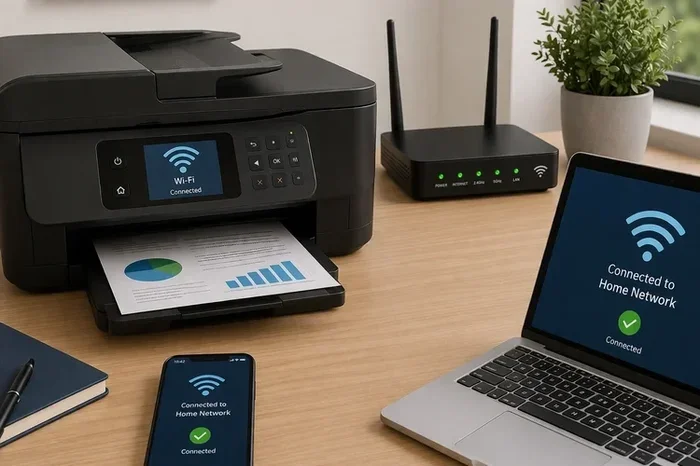
McDonald’s WiFi works like most public WiFi networks. The restaurant sets up a router that broadcasts a wireless signal. Customers can connect their phones, laptops, or tablets to that signal. Once connected, you can browse the web, stream videos, and use apps just like you would at home.
But there are a few things that make McDonald’s internet different from your home network. First, the bandwidth is shared among all customers in the store. Second, the network is managed by McDonald’s corporate team or a third-party provider. Third, some locations may limit how long you can stay connected.
How to Connect to McDonald’s WiFi
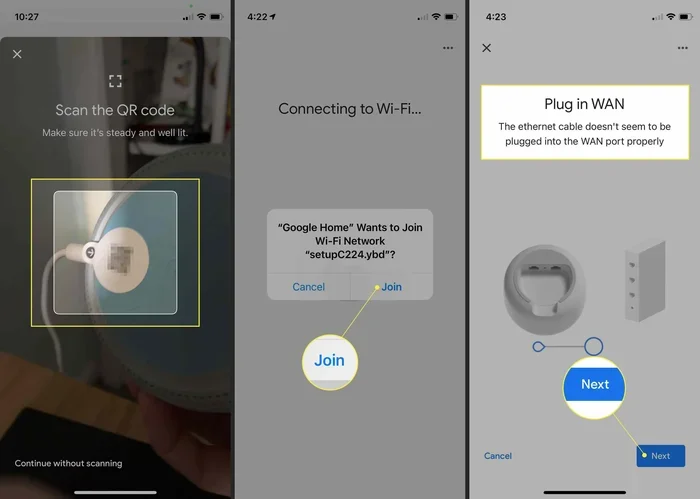
Connecting to McDonald’s WiFi is easy. Here is what you need to do step by step:
- Turn on the WiFi setting on your device.
- Look for a network named something like McDonald’s WiFi or Google Starbucks (yes, that is what some locations show up as).
- Select the network and click Connect.
- Open your web browser. A login page should appear automatically.
- Accept the terms and conditions or enter any required information.
- You are now online.
Some locations may require you to enter a password. You can usually find this on a table sign or ask a staff member. In many places, no password is needed at all.
McDonald’s WiFi Speed and Performance
Speed is a big factor when you are using McDonald’s WiFi. Nobody wants to wait forever for a page to load. In general, McDonald’s WiFi speeds are decent for basic tasks. You can browse the web, check email, and use social media without problems.
But if you want to stream HD videos or join a Zoom call, you might run into issues. The speed depends on several factors:
- Location type: Urban stores with more infrastructure often have faster speeds.
- Time of day: Lunch and dinner rushes slow things down because more people are connected.
- Number of users: The more devices on the network, the slower it gets for everyone.
- Router quality: Some newer restaurants have better equipment than older ones.
If speed matters to you, try visiting during off-peak hours. Mid-morning on a weekday is usually a good bet. You can also run a McDonald’s WiFi speed test using sites like Speedtest.net to see what you are getting.
Do You Need to Buy Something to Use McDonald’s WiFi?
This is one of the most common questions people ask. The answer is: it depends. In many countries, McDonald’s offers free WiFi without purchase. In others, you may need to buy something first.
McDonald’s WiFi Without Purchase
In the United States, many McDonald’s locations allow you to connect to WiFi without making a purchase. The same is true in the UK, Canada, and Australia. You can walk in, sit down, and get online for free.
However, some franchise owners may set their own rules. A few locations might require a minimum purchase, especially during busy hours. This is not the norm, but it does happen. If you are unsure, just ask a crew member. They will tell you if you need to buy something first.
McDonald’s WiFi With Purchase
In some regions, buying something gives you better access. You might get a longer connection time or faster speeds. The MyMcDonald’s app is also a great way to unlock WiFi perks. When you order through the app, you sometimes get a special WiFi code or extended session time.
The best approach? Just buy a coffee or a small item. It is a small price to pay for reliable internet access. Plus, you are supporting the restaurant that provides the service.
McDonald’s WiFi Around the World
McDonald’s WiFi is not just a US thing. The fast food giant offers internet access in many countries. Let us take a quick look at how McDonald’s internet works in different regions.
McDonald’s WiFi in the United States
In the US, McDonald’s has been offering free WiFi for years. Most locations use a system powered by companies like Google or AT&T. The setup is straightforward, and speeds are generally good in cities. Rural locations may have slower connections due to infrastructure limitations.
McDonald’s WiFi in the UK and Europe
In the UK, McDonald’s WiFi is widely available. Many stores offer free internet with no purchase required. European locations follow a similar pattern, though speeds can vary. Some countries have stricter data laws, which may affect how the network is managed.
McDonald’s WiFi in Asia and Beyond
McDonald’s is hugely popular in Asia, and WiFi access is common in most locations. In Japan, South Korea, and China, you can usually connect without issues. Speed and reliability depend on the local infrastructure and the specific restaurant.
| Region | WiFi Available? | Purchase Required? | Typical Speed |
|---|---|---|---|
| United States | Yes | Usually No | Moderate to Fast |
| United Kingdom | Yes | Usually No | Moderate |
| Canada | Yes | Usually No | Moderate to Fast |
| Australia | Yes | Usually No | Moderate |
| Japan | Yes | Usually No | Fast |
| China | Yes | Usually No | Varies |
As you can see, McDonald’s WiFi is a global service. No matter where you travel, you can likely find a McDonald’s with internet access. This makes it a great option for travelers who need to stay connected.
McDonald’s WiFi Security and Safety Tips
Using public WiFi always comes with risks. McDonald’s WiFi is no exception. Since many people share the same network, your data can be vulnerable. Here is how to stay safe.
Use a VPN
A VPN (Virtual Private Network) encrypts your internet traffic. This makes it much harder for others on the same network to see what you are doing. If you plan to use McDonald’s internet for anything sensitive, a VPN is a must.
Avoid Banking on Public WiFi
Do not log into your bank account or enter credit card details while connected to McDonald’s WiFi. If you must, use your mobile data instead. Wait until you are on a secure, private network.
Turn Off Auto-Connect
Many devices automatically connect to open WiFi networks. This can be a security risk. Turn off auto-connect for open networks in your device settings. This way, you choose when and where to connect.
Keep Your Software Updated
Make sure your phone, laptop, and apps are up to date. Updates often include security patches that protect you on public networks. This is a simple step that makes a big difference.
Quick Tips for Safe WiFi Use at McDonald’s
- Always use HTTPS websites (look for the padlock icon in your browser).
- Turn off file sharing and AirDrop before connecting.
- Log out of accounts when you are done.
- Forget the network on your device after you leave.
- Use two-factor authentication on important accounts.
Troubleshooting McDonald’s WiFi Connection Issues
Sometimes McDonald’s WiFi just does not work. Before you give up, try these troubleshooting steps.
Check If WiFi Is Available
Not every McDonald’s has WiFi. Some smaller or older locations may not offer it. If you cannot find a WiFi network, the restaurant simply may not have it. You can check the McDonald’s website or app to confirm before you visit.
Forget the Network and Reconnect
Sometimes your device gets stuck on an old connection. Go to your WiFi settings, find McDonald’s WiFi, and choose “Forget This Network.” Then reconnect from scratch. This often fixes stubborn connection problems.
Clear Your Browser Cache
If the login page will not load, try clearing your browser cache. Old data can interfere with the connection. You can also try opening an incognito or private browsing window.
Move Closer to the Router
WiFi signal strength drops with distance. If you are sitting in the back corner of the restaurant, you might have a weak signal. Move closer to the front or near the counter for a better connection.
Ask for Help
Do not be shy about asking staff for help. They deal with WiFi issues all the time. They can tell you the network name, password, and any special steps you need to follow.
Common Mistakes to Avoid
- Assuming all McDonald’s locations have WiFi: Some do not. Always check first.
- Ignoring the login page: You may be connected but not fully logged in. Open a browser to trigger the login page.
- Staying too long during peak hours: Be mindful of others who may need the table.
- Using McDonald’s WiFi for sensitive tasks: Avoid banking or entering passwords without a VPN.
McDonald’s WiFi App and MyMcDonald’s Login
The MyMcDonald’s app is more than just a ordering tool. It can also help you connect to WiFi more easily. In some markets, the app gives you a dedicated WiFi code or extends your session time.
Using the app is simple. Download it from the App Store or Google Play. Create an account or log in. When you are in a McDonald’s, open the app and look for the WiFi option. Follow the prompts to connect.
The MyMcDonald’s app also lets you earn points, get discounts, and skip the line. It is a great tool to have if you visit McDonald’s regularly. Plus, it makes the WiFi experience smoother and more convenient.
Some customers report that the app provides a more stable connection than the standard browser login. If you are having trouble connecting, the app might be your best bet.
Expert Insights on McDonald’s WiFi
We spoke with networking experts about McDonald’s WiFi and how it compares to other public hotspots. Here is what they had to say:
“McDonald’s WiFi is generally reliable for basic tasks like browsing and email. It is not designed for heavy data use, but it works well for what most people need. The biggest variable is the number of users connected at any given time.”
— Networking Expert
Experts also recommend using McDonald’s WiFi for short to medium sessions. If you need to work for hours, consider rotating between locations or using a mobile hotspot as a backup.
Another expert tip? Always have a backup plan. Carry a portable hotspot or make sure your phone has a good data plan. This way, you are never stuck without internet, even if the McDonald’s WiFi is down.
Key Takeaways
- McDonald’s Offers Free WiFi: Most locations provide free internet access to customers.
- No Purchase Required at Many Locations: You can often connect without buying anything, though policies vary by region.
- Connection Is Simple: Just select the McDonald’s network, open a browser, and follow the login page.
- Speed Varies by Location: Urban stores tend to have faster connections than rural ones.
- Security Matters: Use a VPN and avoid sensitive transactions on public WiFi.
- MyMcDonald’s App Helps: The app can simplify login and sometimes unlock better speeds.
- WiFi Is Available Worldwide: McDonald’s WiFi works in the US, UK, Canada, and many other countries.
Conclusion
So, can you get WiFi in McDonalds? Absolutely. McDonald’s WiFi is one of the most accessible free internet options available. Whether you are traveling, working remotely, or just need to check your email, you can count on McDonald’s to get you online.
The process is simple. Most locations offer free access without requiring a purchase. Speeds are good enough for everyday tasks, and the network is available in countries around the world. Just remember to stay safe by using a VPN and avoiding sensitive transactions.
Next time you are at McDonald’s, do not hesitate to hop on the WiFi. With the tips and tricks in this guide, you will be connected in no time. McDonald’s WiFi is a valuable resource, and now you know exactly how to make the most of it.
Stay connected, stay informed, and enjoy your free McDonald’s internet whenever you need it.
Frequently Asked Questions
Is McDonald’s WiFi completely free?
In most locations, yes. McDonald’s offers free WiFi to customers. Some franchise owners may require a purchase, but this is not the norm. Always check with the staff if you are unsure.
How fast is McDonald’s WiFi?
Speeds vary by location. Urban McDonald’s tend to have faster connections, while rural locations may be slower. For browsing and email, the speed is usually sufficient. Streaming and video calls may be more challenging during peak hours.
Do I need to buy something to use McDonald’s WiFi?
In many countries, you do not need to buy anything. However, some locations may require a minimum purchase. The MyMcDonald’s app can sometimes unlock WiFi access even without a purchase.
Is it safe to use McDonald’s WiFi?
Public WiFi always carries some risk. To stay safe, use a VPN, avoid banking on the network, and stick to HTTPS websites. Following these simple steps will help protect your data while connected.
Can I use McDonald’s WiFi without making a purchase?
Yes, in most cases you can. Many McDonald’s locations allow customers to connect to WiFi without buying anything. However, policies vary by franchise owner and region. When in doubt, ask a staff member.
Why won’t my McDonald’s WiFi connect?
There are several reasons your connection might fail. Try forgetting the network and reconnecting, clearing your browser cache, or moving closer to the front of the store. If the problem persists, ask staff for assistance.