Does Wireless Mean Bluetooth Here Is What You Should Know
Wireless is a broad term that covers many technologies, while Bluetooth is just one specific type of wireless connection. Many people assume wireless and Bluetooth are the same thing, but they are not. Understanding the difference helps you choose the right connection for your devices and get better performance. This guide breaks down everything you need to know in simple terms.
Wireless technology has become a part of everyday life. From headphones to speakers to car stereos, we rely on wireless connections constantly. But here is a question that confuses many people: does wireless mean Bluetooth? The short answer is no. Wireless is a broad term that describes any connection that does not use a physical cable. Bluetooth is just one specific type of wireless technology. There are many others, and each one works differently.
People often use the word wireless to mean Bluetooth because Bluetooth is so common. When you connect wireless headphones, you probably mean Bluetooth headphones. When you stream music wirelessly, you are likely using Bluetooth. But your Wi-Fi connection is also wireless. Your wireless charger is wireless too. None of these use Bluetooth. Understanding this difference matters because it helps you make better choices about your devices and accessories.
In this article, we will break down what wireless really means, how Bluetooth fits into the picture, and how the two are different. We will also look at common devices, practical tips, and mistakes to avoid. By the end, you will never confuse wireless with Bluetooth again.
Key Takeaways
- Wireless is a general term: It covers all technologies that transmit data without wires, including Wi-Fi, infrared, and radio frequency.
- Bluetooth is a specific wireless protocol: It is designed for short-range device-to-device connections like headphones, speakers, and keyboards.
- Not all wireless devices use Bluetooth: Wi-Fi enabled devices, wireless charging, and RF peripherals are all wireless but not Bluetooth.
- Bluetooth has a limited range: Typically around 30 feet, while other wireless technologies can cover much larger distances.
- Knowing the difference saves money: You can avoid buying the wrong adapter or accessory by understanding what your device actually needs.
- Both technologies continue to evolve: Newer versions offer better speed, range, and energy efficiency for everyday users.
📑 Table of Contents
- What Does Wireless Actually Mean?
- What Is Bluetooth Technology?
- Key Differences Between Wireless and Bluetooth
- When Wireless Does Not Mean Bluetooth
- How to Choose the Right Connection for Your Devices
- Common Mistakes People Make With Wireless and Bluetooth
- Expert Insights on Wireless and Bluetooth
- Final Thoughts
What Does Wireless Actually Mean?
The term wireless simply means communication without physical wires. It is an umbrella term that covers many different technologies. When someone says a device is wireless, they mean it connects to other devices or networks without a cable. But that does not tell you which technology is being used.
Types of Wireless Technology
There are several types of wireless technologies that people use every day. Each one has its own purpose, range, and speed. Here are the most common ones:
- Wi-Fi: This is the wireless technology that connects your phone, laptop, and smart TV to the internet. It uses radio waves and a router to transmit data over longer distances.
- Bluetooth: This is a short-range wireless technology designed for connecting devices directly to each other. It works best over distances of about 30 feet.
- Radio Frequency (RF): This is used in wireless keyboards, mice, and remote controls. It uses a USB dongle or receiver to connect devices.
- Infrared: This was popular in older TVs and remotes. It uses light signals and requires a clear line of sight between devices.
- Cellular: This is the wireless technology used by your phone to connect to mobile networks. It allows calls, texts, and internet on the go.
- NFC (Near Field Communication): This is used for contactless payments and quick device pairing over very short distances.
As you can see, wireless covers a lot of ground. Bluetooth is just one piece of the wireless puzzle. When someone tells you their device is wireless, it is important to ask which type of wireless technology they are using.
What Is Bluetooth Technology?
Bluetooth is a specific wireless technology designed for short-range communication between devices. It was developed in the 1990s and has become one of the most widely used wireless protocols in the world. Bluetooth allows devices to connect and exchange data without cables or an internet connection.
How Bluetooth Works
Bluetooth uses radio waves in the 2.4 GHz frequency band to transmit data between devices. When you pair two Bluetooth devices, they create a small personal network called a piconet. One device acts as the master, and the other acts as the slave. They communicate back and forth within a short range, usually about 30 feet.
Bluetooth has gone through many versions over the years. Each new version brings better speed, longer range, and lower energy use. Here is a quick look at the most common Bluetooth versions:
- Bluetooth 4.0: Introduced low energy Bluetooth, which is great for devices like fitness trackers and smartwatches.
- Bluetooth 5.0: Doubled the range and speed compared to Bluetooth 4.0. It also improved support for multiple devices.
- Bluetooth 5.3: The latest version offers even better energy efficiency, security, and connection stability.
Bluetooth is designed for simple, direct connections. You do not need a router or an internet connection. You just pair the devices, and they communicate. This makes Bluetooth perfect for accessories like wireless headphones, speakers, keyboards, and game controllers.
Common Bluetooth Devices
Bluetooth is everywhere in modern technology. Here are some of the most common devices that use Bluetooth connectivity:
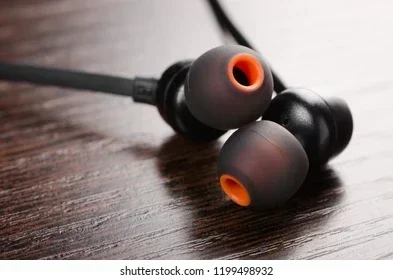
- Wireless headphones and earbuds
- Bluetooth speakers and portable audio devices
- Smartwatches and fitness trackers
- Wireless keyboards and mice
- Game controllers for consoles and PCs
- Car audio systems and hands-free car kits
- Printers and external peripherals
- Smart home devices like sensors and hubs
Many people turn regular speakers into Bluetooth devices using a simple adapter. This is one example of how Bluetooth adds wireless capability to older equipment. The same idea applies to many other wired devices that people want to make wireless.
Key Differences Between Wireless and Bluetooth
Now that you understand both terms, let us look at the key differences. This comparison helps you see why wireless and Bluetooth are not the same thing.
Range and Distance
Bluetooth has a limited range. Most Bluetooth devices work within 30 feet of each other. Some newer versions can reach up to 800 feet under ideal conditions, but real-world performance is usually much shorter. Wi-Fi, on the other hand, can cover an entire home or office. Cellular wireless can reach across cities and countries.
Power Consumption
Bluetooth is designed to use very little power. This is why it works so well in small devices like earbuds and fitness trackers. Wi-Fi uses more power because it transmits larger amounts of data over longer distances. This is an important consideration for battery-powered devices.
Connection Type
Bluetooth creates a direct device-to-device connection. Wi-Fi connects devices to a network through a router. These are fundamentally different approaches. Bluetooth is peer-to-peer, while Wi-Fi is network-based.
Speed and Data Transfer
Wi-Fi is much faster than Bluetooth. Wi-Fi can handle streaming video, large file transfers, and browsing. Bluetooth is designed for smaller data packets like audio streams and simple commands. For most everyday tasks like listening to music, Bluetooth speed is more than enough.
Device Compatibility
Almost every modern smartphone, tablet, and laptop supports Bluetooth. Wi-Fi is also nearly universal. But not all wireless devices use Bluetooth. For example, a wireless mouse might use RF technology and require a USB dongle. A wireless TV might use Wi-Fi or a proprietary protocol. Always check what type of wireless a device uses before buying accessories.
| Feature | Bluetooth | Other Wireless (Wi-Fi, RF, etc.) |
|---|---|---|
| Range | Short (up to 30 feet typically) | Varies from short to very long |
| Power Use | Low | Varies, often higher |
| Connection | Direct device-to-device | Network-based or point-to-point |
| Speed | Moderate | Varies widely |
| Internet Required | No | Sometimes (for Wi-Fi) |
| Common Uses | Audio, accessories, peripherals | Internet, streaming, remote control |
Understanding these differences helps you troubleshoot connection issues and choose the right technology for your needs. For example, if you want to use Bluetooth headphones for gaming, you need to know that Bluetooth may introduce slight audio delay compared to a wired connection or a Wi-Fi-based wireless headset.
When Wireless Does Not Mean Bluetooth
There are many situations where a device is wireless but does not use Bluetooth. Knowing these scenarios helps you avoid confusion and frustration.
Wi-Fi Connected Devices
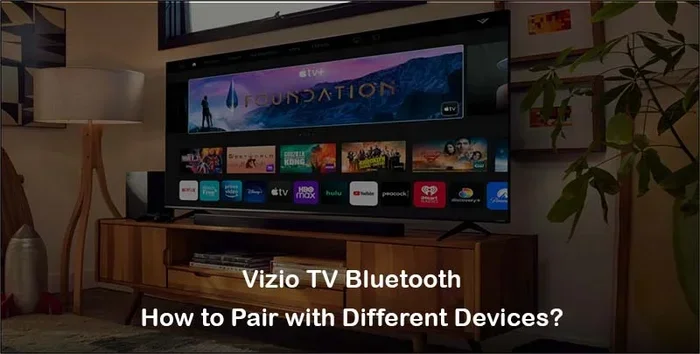
Smart TVs, streaming sticks, and smart home devices are wireless but use Wi-Fi, not Bluetooth. They connect to your home network and stream content through the internet. If you are trying to connect a device and Bluetooth is not working, check if it uses Wi-Fi instead.
Wireless Keyboards and Mice
Many wireless keyboards and mice use RF technology with a USB receiver. They do not use Bluetooth. If your device does not have Bluetooth support, you can still go wireless using an RF connection. Some models support both Bluetooth and RF, giving you more flexibility.
Wireless Charging
Wireless charging is a form of wireless technology, but it has nothing to do with Bluetooth. Wireless charging uses electromagnetic fields to transfer power between a charging pad and your device. It is a completely different technology from Bluetooth wireless data transfer.
Car Infotainment Systems
Modern cars often have wireless features like Apple CarPlay, Android Auto, and wireless audio streaming. Some of these use Bluetooth, but others use Wi-Fi or proprietary wireless protocols. If you want to upgrade your car stereo to Bluetooth, make sure your current system does not already have wireless audio capabilities through another technology.
Wireless Controllers and Gamepads
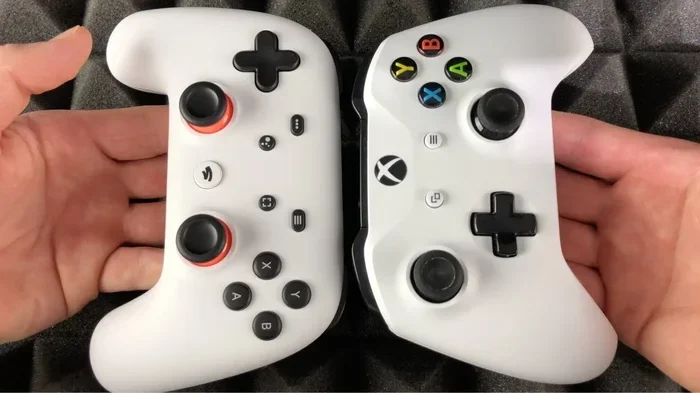
Many wireless controllers connect to phones or consoles using their own proprietary wireless protocol. For example, Xbox controllers use a proprietary wireless connection for Xbox consoles and Wi-Fi Direct for mobile devices. They are wireless, but they do not always use Bluetooth. Some controllers do support Bluetooth, but you should check the specifications before assuming.
If you want to connect a controller to your phone for gaming, you might wonder about your options. You can use a wireless controller on your phone through various connection methods, not just Bluetooth. Always check what connection type your controller and phone support.
How to Choose the Right Connection for Your Devices
Choosing the right wireless connection depends on what you want to do. Different tasks need different technologies. Here are some practical tips to help you decide.
For Audio and Music
Bluetooth is the go-to choice for most audio applications. It works great for headphones, speakers, and car audio. Bluetooth is simple to set up and works without an internet connection. If you want to use a Bluetooth speaker without Bluetooth as a wired speaker, you can always connect it with an AUX cable as a backup option.
However, if you need higher audio quality or longer range, consider Wi-Fi-based audio systems. Some wireless speakers use Wi-Fi for better sound quality and whole-home audio streaming.
For Internet and Streaming
Wi-Fi is the clear winner for internet access and streaming. Bluetooth cannot provide internet access on its own. If you need to browse the web, stream video, or download files, you need Wi-Fi or cellular data, not Bluetooth.
For Gaming
Gaming requires low latency and fast response times. Bluetooth can work for casual gaming, but competitive gamers often prefer wired connections or proprietary wireless protocols. If you are a serious gamer, check whether your wireless headphones or controller use Bluetooth or a dedicated wireless technology.
For Everyday Accessories
For keyboards, mice, and remote controls, both Bluetooth and RF work well. Bluetooth is convenient because it does not require a USB dongle. RF connections offer slightly better range and stability in some cases. Choose based on your device’s available ports and your personal preference.
Quick Tips for Better Wireless and Bluetooth Performance
- Keep Bluetooth devices close together for the best connection.
- Update your device firmware to get the latest Bluetooth improvements.
- Turn off Bluetooth on devices you are not using to save battery.
- Keep your Wi-Fi router away from Bluetooth devices to reduce interference.
- Restart your devices if a Bluetooth connection is not working.
- Check that your devices support the same Bluetooth version for the best compatibility.
Following these tips helps you get the most out of your wireless and Bluetooth connections. Small adjustments can make a big difference in performance and reliability.
Common Mistakes People Make With Wireless and Bluetooth
Even tech-savvy people make mistakes when it comes to wireless and Bluetooth. Here are some common errors and how to avoid them.
Assuming All Wireless Means Bluetooth
This is the most common mistake. People see the word wireless and immediately think Bluetooth. This leads to confusion when a device does not connect the way they expect. Always check what type of wireless technology your device uses.
Ignoring Bluetooth Version Differences
Older Bluetooth versions have shorter range and lower speed. If you buy a new Bluetooth 5.3 headset but your phone only supports Bluetooth 4.2, you will not get the full benefits. Check Bluetooth compatibility before purchasing accessories.
Not Checking for Interference
Bluetooth operates on the 2.4 GHz frequency, which is shared with Wi-Fi and many other devices. If you experience connection drops, interference from your Wi-Fi router or microwave could be the cause. Moving devices or switching Wi-Fi channels can help.
Overlooking Alternative Connection Options
Many devices offer multiple connection options. A speaker might support Bluetooth, Wi-Fi, and AUX input. If Bluetooth is not working, you can still use it through another method. Do not assume Bluetooth is your only wireless option.
Forgetting to Update Device Software
Bluetooth performance improves with software updates. Manufacturers often release firmware updates that fix connection issues and improve compatibility. Keeping your devices updated ensures the best wireless experience.
Expert Insights on Wireless and Bluetooth
Technology experts agree that understanding the difference between wireless and Bluetooth is essential for making smart purchasing decisions. Many consumers buy accessories based on the word wireless without checking the underlying technology. This can lead to compatibility issues and wasted money.
When shopping for wireless devices, always check the product specifications. Look for the specific wireless technology listed, whether it is Bluetooth, Wi-Fi, RF, or something else. If you are unsure, check the manufacturer’s website or contact customer support. A few minutes of research can save you hours of frustration.
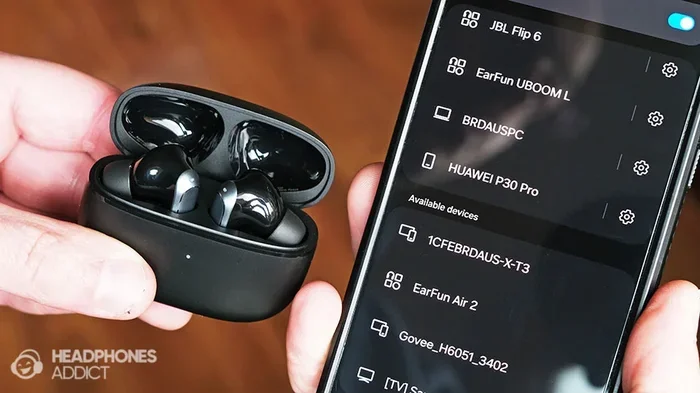
Another expert tip is to keep your Bluetooth device list clean. Over time, phones and laptops store connections to many devices you no longer use. Removing old pairings frees up memory and reduces connection conflicts. This simple step can improve your Bluetooth experience significantly.
Finally, remember that wireless technology is always improving. Newer Bluetooth versions offer better range, speed, and energy efficiency. Wi-Fi standards continue to evolve as well. Staying informed about the latest developments helps you get the best performance from your devices.
Final Thoughts
The question does wireless mean Bluetooth is more important than it might seem at first glance. Wireless is a broad category that includes many technologies, and Bluetooth is just one of them. Wi-Fi, RF, infrared, cellular, and NFC are all wireless technologies that serve different purposes.
Knowing the difference helps you choose the right devices, troubleshoot connection problems, and avoid unnecessary purchases. Whether you are connecting wireless headphones, setting up a smart home, or upgrading your car audio, understanding wireless technology gives you an edge.
Next time someone asks you does wireless mean Bluetooth, you will have a clear answer. Wireless means any connection without wires, and Bluetooth is one specific type of wireless technology. Share this knowledge with friends and family who might be confused by the same question. It is a simple distinction that makes a big difference in how we use our devices every day.
Take a moment to review your own devices. Check which wireless technologies they use. You might be surprised by what you find. This small step can improve your tech setup and help you get the most out of every device you own.
Frequently Asked Questions
Is Bluetooth the same as wireless?
No, Bluetooth is a type of wireless technology, but not all wireless is Bluetooth. Wireless is a general term that covers many technologies including Wi-Fi, RF, infrared, and cellular. Bluetooth is just one specific wireless protocol designed for short-range device connections.
Can I use wireless headphones without Bluetooth?
Yes, some wireless headphones use RF technology with a USB dongle instead of Bluetooth. Others use Wi-Fi for streaming. Check the product specifications to see what wireless technology your headphones use before assuming it is Bluetooth.
What is the difference between Wi-Fi wireless and Bluetooth wireless?
Wi-Fi connects devices to the internet through a router and covers longer distances. Bluetooth connects devices directly to each other over short distances. Wi-Fi is faster and uses more power, while Bluetooth is slower but uses very little energy.
Do all smart TVs use Bluetooth for wireless connections?
No, many smart TVs use Wi-Fi for wireless internet connectivity and streaming. Some also support Bluetooth for connecting headphones or speakers, but it is not the only wireless option. Check your TV’s specifications to see which wireless technologies it supports.
Why does my wireless device not connect via Bluetooth?
Your device may use a different wireless technology like RF or Wi-Fi instead of Bluetooth. Also, older devices may not support Bluetooth at all. Always check the connection options available on both your device and the accessory you are trying to connect.
Is wireless charging related to Bluetooth?
No, wireless charging uses electromagnetic fields to transfer power and has nothing to do with Bluetooth. Bluetooth is a data transfer technology, while wireless charging is a power transfer technology. They are completely different even though both are called wireless.
=== CONCLUSION ===
Understanding the difference between wireless and Bluetooth is one of the simplest yet most valuable tech skills you can develop. Wireless is the big picture, and Bluetooth is one important piece of it. From headphones to speakers to car stereos, knowing which technology your device uses helps you get the best performance and avoid frustrating connection problems.
Remember that Bluetooth is just one of many wireless technologies available. Wi-Fi, RF, and other protocols each have their own strengths and best use cases. The next time you shop for wireless accessories or troubleshoot a connection issue, you will know exactly what to look for. Keep this guide handy, and you will always make the right choice for your wireless needs.