Can You Use A Short Throw Projector As A TV Screen
Yes, you can use a short throw projector as a TV screen and get an impressive viewing experience. A short throw projector sits close to the wall and delivers a large, bright image perfect for movie nights and gaming. This guide covers setup, benefits, drawbacks, and practical tips to help you decide if a short throw projector fits your home entertainment needs.
Have you ever wondered if a short throw projector can truly replace your television? The answer is yes, and the experience might surprise you. Short throw projectors have become incredibly popular for people who want a big screen without the long throw distance that traditional projectors need.
In this guide, we will walk you through everything you need to know about using a short throw projector as a TV screen. We will cover how they work, what makes them different from a regular TV, and how to set one up in your own home. Whether you are a movie lover, a gamer, or someone who just wants a bigger screen, this guide has you covered.
Key Takeaways
- Short throw projectors can replace a TV: They produce large images from a short distance, making them a great TV alternative.
- Image quality has improved dramatically: Modern short throw projectors offer sharp 1080p and even 4K resolution with good contrast.
- Setup and placement matter: Proper positioning, ambient light control, and the right screen make a big difference.
- They save space: Unlike traditional projectors, short throw models work well in small rooms and apartments.
- Connectivity options are versatile: You can use HDMI, wireless streaming, and even fire sticks with most short throw projectors.
📑 Table of Contents
- What Is a Short Throw Projector?
- Can a Short Throw Projector Replace Your TV?
- How to Set Up a Short Throw Projector as a TV
- Short Throw Projector vs TV: Key Comparisons
- Best Features to Look For in a Short Throw Projector
- Common Mistakes to Avoid
- Expert Tips for the Best Viewing Experience
- Conclusion
What Is a Short Throw Projector?
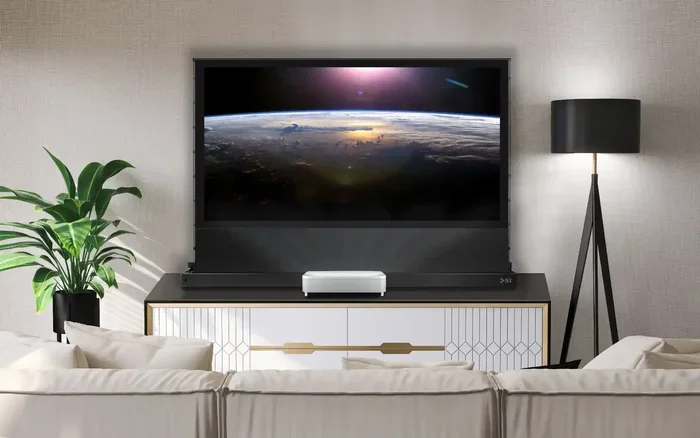
A short throw projector is a type of projector that sits very close to the wall or screen and still produces a large image. Traditional projectors need to be placed far away, sometimes 10 feet or more from the screen. A short throw projector can create a 100-inch image from just a few feet away. This makes them perfect for smaller rooms, apartments, and bedrooms where space is limited.
The key difference comes down to the throw ratio. The throw ratio is the distance between the projector and the screen compared to the width of the image. Short throw projectors have a ratio between 0.4 and 1.0, which means they can throw a big image from a very short distance. Ultra-short throw projectors go even further, sometimes sitting just inches from the wall.
How Does a Short Throw Projector Work?
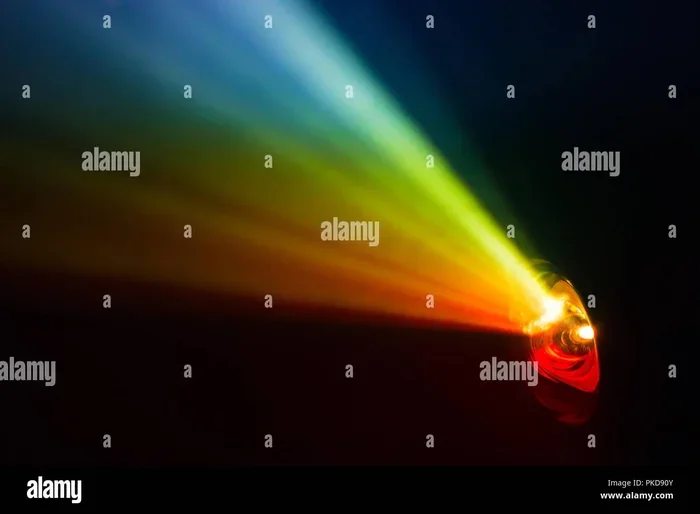
Short throw projectors use special lens designs that bend light more aggressively. This allows the image to spread out quickly even when the projector is close to the surface. Most modern short throw models use LED or laser light sources, which last longer and produce better colors than older bulb-based models. The result is a bright, clear image that looks great even in rooms with some natural light.
If you are curious about how projectors compare to TVs in general, you can check out our article on can I use a projector as a TV for a broader overview.
Can a Short Throw Projector Replace Your TV?
The short answer is yes. A short throw projector as a TV screen can deliver a viewing experience that many people prefer over a standard television. The large image size makes movies and shows feel more immersive. You get a cinema-like experience right in your living room without spending thousands on a massive TV.
However, there are some important factors to consider. A projector cannot simply be a drop-in replacement for a TV in every situation. Let us look at the pros and cons so you can make an informed decision.
Benefits of Using a Short Throw Projector as a TV
- Large screen size: You can easily get a 100-inch or larger image, which no standard TV can match at a reasonable price.
- Space-saving design: Since the projector sits close to the wall, you do not need a long gap between the device and the screen.
- Lower eye strain: Projectors use reflected light rather than direct light, which is easier on your eyes during long viewing sessions.
- Versatile placement: You can place a short throw projector on a shelf, mount it on a wall, or set it on a small table. You can even learn more about projector shelf placement in our guide on can I put a projector on a shelf.
- Great for gaming: Modern projectors have low input lag, making them excellent for console and PC gaming on a big screen.
- Cost-effective: You can get a large-screen experience for less money than a comparable TV size.
Drawbacks to Keep in Mind
- Ambient light challenges: Projectors struggle in bright rooms. You will need to control light with curtains or blinds for the best picture.
- Lower brightness: Even the brightest short throw projectors cannot match the peak brightness of a modern OLED TV.
- Image quality varies: Cheaper models may have washed-out colors or lower resolution compared to a mid-range TV.
- Maintenance: Some projectors need filter changes or lamp replacements over time, though LED and laser models reduce this need.
- Noise: Projector fans can be audible in quiet rooms, though most modern models are quite quiet.
How to Set Up a Short Throw Projector as a TV
Setting up a short throw projector is easier than you might think. With the right steps, you can have your new home theater running in under an hour. Here is a simple walkthrough to get you started.
Step 1: Choose the Right Location
Place your projector on a stable surface or mount it on the wall. The key is to keep it between 2 and 6 feet from the screen or wall, depending on the model and the image size you want. Make sure there is nothing blocking the path between the projector and the wall. Check the manufacturer’s specifications for the exact throw distance needed for your desired screen size.
You also want to position the projector at the correct height. Most short throw projectors work best when placed at or slightly below screen level. This prevents the image from being tilted or distorted.
Step 2: Set Up Your Screen
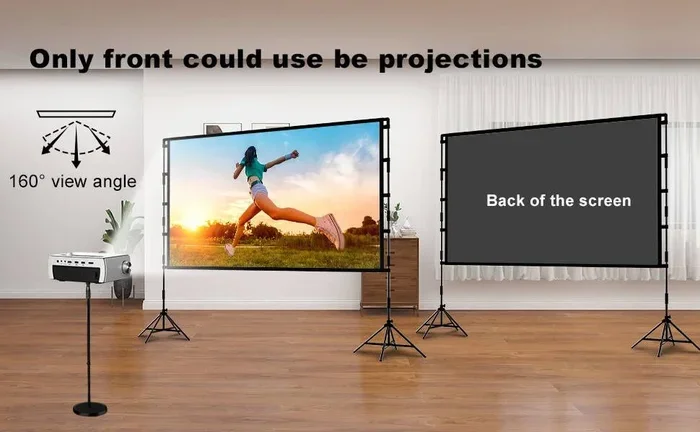
While you can project onto a plain white wall, a dedicated projector screen will give you much better results. A screen improves color accuracy, contrast, and overall brightness. You can use a retractable screen, a fixed frame screen, or even a projector screen paint for a permanent setup.
If you are looking for a budget option, you might wonder if you can use alternative materials. For example, some people ask about using a black sheet as a projector screen. You can read more about this in our article on can I use a black sheet for a projector screen.
Step 3: Connect Your Devices
Most short throw projectors come with multiple HDMI ports, which makes connecting devices simple. You can plug in a streaming stick, a cable box, a gaming console, or a laptop. For the best picture quality, always use an HDMI cable.
If you want to connect your phone or tablet, many projectors support wireless casting through apps or built-in smart features. Some models also let you connect your phone to a projector with HDMI for a wired option that guarantees stable performance.
Step 4: Adjust the Image
Use the projector’s settings to focus the image, adjust the keystone correction, and set the brightness. Keystone correction straightens the image if the projector is not perfectly aligned with the screen. However, you should try to position the projector as squarely as possible to avoid losing image quality from heavy keystone correction.
Step 5: Control Ambient Light
This is the step that makes the biggest difference. Close your curtains or blinds to block outside light. If you cannot darken the room completely, consider getting a projector with higher brightness (measured in lumens). A model with at least 2,500 to 3,000 lumens will perform well in rooms with some light.
Short Throw Projector vs TV: Key Comparisons
To help you decide whether a short throw projector or a TV is right for you, here is a side-by-side comparison of the most important factors.
| Feature | Short Throw Projector | Standard TV |
|---|---|---|
| Screen Size | 80 to 150 inches | 43 to 85 inches |
| Throw Distance | 2 to 6 feet | N/A (fixed screen) |
| Brightness | 2,000 to 4,000 lumens | 400 to 2,000+ nits |
| Image Quality | Good to excellent (varies by model) | Excellent (especially OLED) |
| Space Required | Small footprint | Wall or stand space |
| Eye Strain | Low (reflected light) | Moderate (direct light) |
| Price (large screen) | $300 to $1,500 | $500 to $3,000+ |
| Portability | High | Low |
| Lifespan | 15,000 to 30,000 hours | 50,000 to 100,000 hours |
As you can see, a short throw projector wins on screen size and portability, while a TV wins on brightness and image consistency. Your choice should depend on your room, your budget, and what you plan to watch.
Best Features to Look For in a Short Throw Projector
If you have decided to go with a short throw projector, you will want to choose a good model. Not all projectors are created equal. Here are the features that matter most for using a projector as a TV.
Resolution
Look for at least 1080p (Full HD) resolution. If your budget allows, go for 4K. The extra detail on a large screen is very noticeable and makes a huge difference in how sharp and clear the image looks. A 1080p projector is perfectly fine for most living rooms, but 4K is the way to go if you want the best picture.
Brightness (Lumens)
Brightness is measured in ANSI lumens. For a room that you can partially control, 2,500 lumens is a good starting point. If your room gets a lot of natural light, aim for 3,000 lumens or higher. Brighter projectors give you more flexibility in where and when you can watch.
Contrast Ratio
A higher contrast ratio means deeper blacks and more vibrant colors. Look for a projector with a contrast ratio of at least 2,000:1. Some premium models offer much higher ratios, which greatly improves the picture quality in darker rooms.
Smart Features
Many modern short throw projectors come with built-in smart operating systems. These let you stream content directly from the projector without needing an external device. Some even support voice assistants and app stores, making them feel more like a TV than a traditional projector.
HDMI and Connectivity
Make sure the projector has at least two HDMI ports so you can connect multiple devices. USB ports are also handy for playing media directly from a drive. Some models support Bluetooth audio output, which lets you connect wireless speakers or headphones for private listening.
Common Mistakes to Avoid
Setting up a short throw projector as a TV screen is not complicated, but there are a few common mistakes that can ruin your experience. Here are some pitfalls to watch out for.
- Skipping the screen: Projecting onto a bare wall often gives poor results. A proper screen makes a dramatic difference in color and clarity.
- Ignoring ambient light: Even the best projector will look washed out in a bright room. Always control the light in your viewing space.
- Wrong placement distance: Too close or too far will distort the image. Measure your throw distance carefully before mounting or placing the projector.
- Using cheap cables: A low-quality HDMI cable can limit your resolution and cause signal issues. Invest in a good rated HDMI cable for the best performance.
- Forgetting about sound: Most projectors have small built-in speakers that sound mediocre. Consider adding an external soundbar or speakers for a better experience.
Expert Tips for the Best Viewing Experience
Once you have your short throw projector set up, a few extra tips can take your experience to the next level. First, calibrate your projector using its built-in settings or a calibration disc. This adjusts the color balance, brightness, and contrast to match your room conditions.
Second, consider the wall or screen color. A matte white or gray screen works best for most projectors. Avoid projecting onto glossy or shiny surfaces, as they create glare and hot spots.
Third, keep your projector’s air filter clean. Dust buildup can cause the projector to overheat and shorten its lifespan. Most models have removable filters that you can clean with a soft brush or compressed air.
Finally, if you want to use wireless streaming devices, you might wonder about connectivity options. Many people ask whether they can use a Wi-Fi stick with a projector. You can find helpful information on that topic in our article on can you buy a Wi-Fi stick.
Conclusion
Using a short throw projector as a TV screen is a fantastic option for anyone who wants a big, immersive viewing experience without the bulk of a giant television. These projectors are compact, versatile, and easier to set up than traditional long-throw models. With the right placement, screen, and lighting control, a short throw projector can deliver picture quality that rivals or even beats a mid-range TV.
Remember that the key to success is choosing the right model for your room and needs. Pay attention to brightness, resolution, and connectivity options. Avoid common setup mistakes, and invest a little time in calibrating your system. Once you do, you will wonder how you ever watched your favorite shows on a smaller screen.
A short throw projector is more than just a projector. It is a gateway to a bigger, better entertainment experience right in the comfort of your home.
Frequently Asked Questions
Can a short throw projector work in a bright room?
Yes, but the image quality will be better in dimmer conditions. Choose a model with at least 2,500 to 3,000 lumens and use curtains or blinds to reduce ambient light. The brighter the projector, the more flexible it is in different lighting conditions.
Do I need a special screen for a short throw projector?
While you can project onto a white wall, a dedicated projector screen greatly improves image quality. It enhances color accuracy, contrast, and brightness. A matte white or gray screen is ideal for most short throw setups.
Is a short throw projector good for gaming?
Absolutely. Many modern short throw projectors have low input lag and support high refresh rates, making them excellent for gaming. Connect your console or PC via HDMI for the best performance and responsiveness.
How far should a short throw projector be from the screen?
Most short throw projectors work best when placed 2 to 6 feet from the screen. The exact distance depends on the model and the image size you want. Always check the manufacturer’s throw ratio specifications before setting up.
Can I use a short throw projector outdoors?
Yes, but you will need to project onto a light-colored surface and use the projector after sunset or in a shaded area. Outdoor use works best with a portable screen and a projector with high brightness.
Do short throw projectors need special maintenance?
Maintenance is minimal with modern LED and laser projectors. Clean the air filter every few months and keep the projector in a well-ventilated area. Traditional lamp-based models may need bulb replacements after several thousand hours of use.