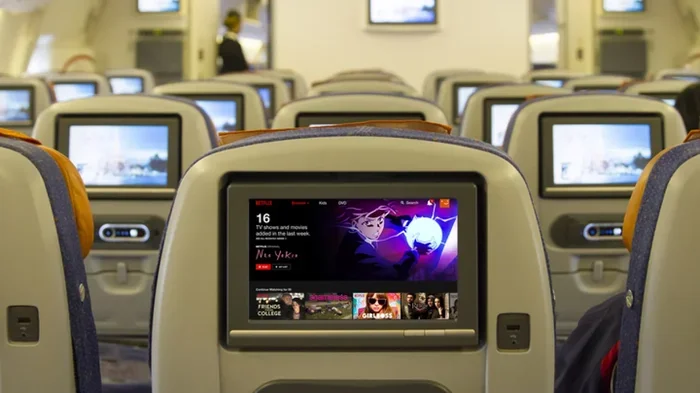
Can I Stream Netflix On Southwest Wifi While Flying
Yes, you can stream Netflix on Southwest WiFi while flying, but the experience depends on your WiFi plan, flight duration, and the type of connection available. Southwest offers two WiFi plans — Fly-Fi and Premium WiFi — and the Premium plan gives you the best chance of smooth Netflix streaming at 35,000 feet. In this guide, we walk you through everything you need to know about streaming Netflix on Southwest WiFi, including speed tests, setup steps, common issues, and pro tips to make your in-flight movie experience actually work.
You are settling into your seat on a Southwest flight. The cabin door closes. The plane starts to taxi. And then it hits you — you forgot to download something to watch. Your phone is full of Netflix shows you have been meaning to catch up on. So the question starts buzzing in your head: can I stream Netflix on Southwest WiFi while flying?
The short answer is yes. The longer answer is a bit more nuanced. Streaming Netflix on Southwest WiFi depends on several factors, including your WiFi plan, the aircraft you are on, how many people are connected, and even the time of day. In this guide, we break down everything you need to know about streaming Netflix on Southwest WiFi. We cover plans, speeds, setup steps, common problems, and practical tips that will help you decide whether binge-watching in the sky is actually worth it.
Whether you are a frequent flyer or planning a rare vacation trip, understanding Southwest WiFi capabilities can make or break your in-flight entertainment. Let us dive right in.
Key Takeaways
- Southwest WiFi supports streaming: Both Fly-Fi and Premium WiFi allow Netflix access, but Premium WiFi delivers much better streaming quality.
- Speed matters: Premium WiFi offers faster speeds that handle HD Netflix streams, while Fly-Fi may struggle with buffering during peak hours.
- Setup is simple: Connecting to Southwest WiFi takes just a few minutes and does not require any special equipment.
- Download before you fly: The smartest way to guarantee Netflix access is to download shows and movies before your flight for offline viewing.
- Common issues are fixable: Most streaming problems on Southwest WiFi can be solved with basic troubleshooting like clearing cache or switching devices.
- Free streaming is limited: Southwest occasionally offers free WiFi, but streaming services like Netflix usually require a paid plan.
- Your experience varies: Flight length, time of day, aircraft type, and number of connected users all affect your Netflix streaming quality.
📑 Table of Contents
- How Southwest WiFi Works
- Can You Actually Stream Netflix on Southwest WiFi
- How to Set Up Netflix on Southwest WiFi
- Downloading Netflix Content for Offline Viewing
- Common Problems When Streaming Netflix on Southwest WiFi
- Is Southwest WiFi Free
- Southwest WiFi Plans and Pricing
- Expert Tips for the Best In-Flight Streaming Experience
- The Future of WiFi on Southwest Flights
- Conclusion
How Southwest WiFi Works
Southwest Airlines uses a WiFi streaming system that relies on air-to-ground connectivity. This means your plane connects to cell towers on the ground as it flies over the United States. When you are over areas with strong tower coverage, your WiFi signal is solid. When you fly over oceans or remote mountain areas, the connection drops off. This is the basic technology behind Southwest WiFi streaming, and it shapes everything about your experience.
Southwest offers two main WiFi options for passengers. The first is Fly-Fi, which is the standard plan. The second is Premium WiFi, which costs more but delivers faster speeds. Here is a quick comparison of the two:
Fly-Fi vs Premium WiFi
Fly-Fi is the basic WiFi package offered on most Southwest flights. It allows you to browse the web, check email, and use social media. Streaming is possible but not always smooth. During busy flights with many users connected, Fly-Fi can slow down significantly. This is the most common reason people ask, can I stream Netflix on Southwest WiFi, and the honest answer with Fly-Fi is: sometimes.
Premium WiFi is the upgraded option. It provides faster speeds and a more stable connection. With Premium WiFi, streaming Netflix in standard or high definition is much more reliable. If you are serious about watching movies during your flight, Premium WiFi is the way to go. The price varies by flight but typically ranges from $5 to $8 for the full trip.
Can You Actually Stream Netflix on Southwest WiFi
This is the big question, and the answer is more complicated than a simple yes or no. Netflix works on Southwest WiFi, but the quality of your stream depends on several key factors. Let us walk through what actually happens when you try to open Netflix mid-flight.
What Happens When You Connect
When you connect to Southwest WiFi, your device gets a shared bandwidth connection. This means you are not getting a dedicated line to the internet. You are sharing the available bandwidth with everyone else on the plane. A typical Southwest flight carries between 150 and 180 passengers. If half of them are trying to stream video at the same time, the bandwidth gets stretched thin.
Netflix requires a minimum of 3 Mbps for standard definition and 5 Mbps for high definition. Southwest WiFi can deliver these speeds, but not consistently across every seat and every flight. This is why some passengers report smooth Netflix streams while others experience constant buffering.
Speed Tests and Real-World Performance
Several travel bloggers and tech reviewers have run Southwest WiFi speed tests over the years. The results vary widely. On a quiet morning flight with few passengers, speeds can reach 10 to 15 Mbps. That is more than enough for HD Netflix streaming. On a full Friday evening flight, speeds can drop to 1 to 3 Mbps. At that level, Netflix will either buffer constantly or drop to a very low quality.
The takeaway here is that Netflix streaming on Southwest WiFi works best when conditions are favorable. Plan your streaming for less crowded flights whenever possible. Early morning flights and red-eye flights tend to have fewer users, which means better speeds for everyone.
How to Set Up Netflix on Southwest WiFi
Setting up Netflix on Southwest WiFi is straightforward. Here is a step-by-step guide that will walk you through the process from gate to cruising altitude.
Step 1: Connect to Southwest WiFi
Once the WiFi network becomes available — usually after the seatbelt sign turns off — open your WiFi settings on your phone, tablet, or laptop. Look for the Southwest WiFi network. Open your browser and you will be redirected to the WiFi login page. Choose your plan, pay if needed, and connect. This process usually takes less than two minutes.
Step 2: Open Netflix
After connecting, open the Netflix app on your device or go to the Netflix website in your browser. Log in as you normally would. Browse for a show or movie and hit play. If the connection is strong, your video should start loading within seconds.
Step 3: Adjust Streaming Quality
If you notice buffering, lower the streaming quality. In the Netflix app, go to Account, then Playback Settings, and reduce the data usage to Low or Medium. This will use less bandwidth and help your stream play more smoothly. You can always bump it back up if the connection improves.
Quick Tips for Better Netflix Streaming
- Turn off auto-play for other episodes. This prevents Netflix from using extra bandwidth loading the next episode in the background.
- Close other apps and tabs. Anything running in the background uses bandwidth, even if you are not actively using it.
- Download content before your flight. This is the most reliable method and we discuss it in detail below.
- Use headphones with a built-in microphone. Some devices switch WiFi modes when a headset is plugged in, which can cause connection drops.
- Keep your device charged. Streaming video drains battery fast. Bring a portable charger or use a seat power outlet.
Downloading Netflix Content for Offline Viewing
If you want to guarantee a smooth viewing experience, downloading Netflix content before your flight is the best strategy. Netflix allows users to download shows and movies directly to their devices for offline playback. This means you do not need any WiFi at all to watch your favorite content.
To download content, open the Netflix app, find the show or movie you want, and tap the download icon. Downloaded content is available even when you are offline. You can watch it during takeoff, cruising altitude, and landing without worrying about WiFi connections.
The downside is that downloads take up storage space on your device. A two-hour HD movie can take up 3 to 5 GB of space. If your phone or tablet is low on storage, you may need to clear some room before downloading. Also, downloaded content expires after a set period, so make sure to watch it before your flight or renew the download if needed.
Pro tip: Download your content while connected to home WiFi the night before your flight. This saves mobile data and ensures you have everything ready to go.
Common Problems When Streaming Netflix on Southwest WiFi
Even with the best plans, streaming Netflix on Southwest WiFi can come with frustrations. Here are the most common issues passengers face and what you can do about them.
Buffering and Lagging
Buffering is the number one complaint among passengers trying to stream Netflix on Southwest WiFi. Buffering happens when your connection cannot keep up with the data demands of the video stream. The most common causes are too many users on the network, weak signal in your seat, or a congested air-to-ground tower in your flight path.
To reduce buffering, lower your streaming quality, close background apps, and try moving to a different seat if possible. Seats near the front of the plane or over the wing sometimes get stronger signals.
Connection Drops
Southwest WiFi connections can drop during certain phases of flight. This is normal and happens because the plane is transitioning between ground towers. You may lose connection during takeoff, when flying over remote areas, or during landing. The connection usually reconnects automatically once the plane stabilizes.
If your connection drops frequently, try toggling airplane mode on and off. This forces your device to reconnect to the WiFi network and often restores the connection within seconds.
Netflix Not Loading
Sometimes Netflix simply will not load even though your WiFi connection shows as active. This can happen when the WiFi portal session expires or when Netflix servers are slow to respond to your connection. Try clearing your browser cache or restarting the Netflix app. If that does not work, disconnect and reconnect to the WiFi network.
Video Quality Keeps Dropping
If your Netflix stream keeps switching between HD and low quality, your WiFi signal is fluctuating. This is a common issue on Southwest WiFi streaming flights. The signal strength varies based on your location on the plane, the number of connected users, and the towers your plane is passing over. Lowering your quality setting to SD can provide a more stable viewing experience.
Is Southwest WiFi Free
Southwest Airlines does not offer completely free WiFi for streaming services. Fly-Fi was free for a period as a promotional offer, but Southwest has since moved to a paid model for both WiFi plans. You need to purchase either Fly-Fi or Premium WiFi to access the internet during your flight.
Occasionally, Southwest runs promotions where WiFi is free for a limited time. These promotions are usually announced on the Southwest website or through the Southwest app. Signing up for Southwest email alerts is a good way to stay informed about any free WiFi offers that might pop up.
Even when WiFi is free, streaming Netflix at high quality can still be unreliable due to bandwidth limitations. Paid Premium WiFi remains the best option for consistent streaming performance.
Southwest WiFi Plans and Pricing
Understanding Southwest WiFi pricing helps you decide which plan is worth it for your travel needs. Here is a breakdown of what you can expect.
Fly-Fi typically costs around $5 to $7 for a full flight. It provides basic internet access suitable for browsing, email, and light social media use. Streaming Netflix is possible but not guaranteed to be smooth.
Premium WiFi costs around $6 to $8 for a full flight. It offers faster speeds and a more stable connection. This is the recommended plan for anyone who wants to stream Netflix on Southwest WiFi without constant frustration.
Prices may vary by flight length and route. Shorter flights may have slightly lower prices. You can check WiFi pricing for your specific flight by visiting the Southwest WiFi page or checking the Southwest app before boarding.
Expert Tips for the Best In-Flight Streaming Experience
After covering the basics, here are some expert-level tips that will help you get the most out of Netflix on Southwest WiFi.
Choose your seat wisely. Seats near the front of the plane tend to get stronger WiFi signals. The aircraft antenna is usually located on the top of the fuselage near the front, so passengers in the first few rows often experience better connectivity. If streaming is important to you, try to grab a seat toward the front when checking in online.
Use a tablet instead of a phone. Tablets have larger screens and better battery life than phones, making them ideal for in-flight streaming. An iPad or Android tablet gives you a more immersive Netflix experience and can handle longer viewing sessions without needing a charge.
Download before you go. We mentioned this earlier, but it bears repeating. The most reliable way to watch Netflix on a Southwest flight is to download content before you leave the ground. This eliminates any dependency on WiFi quality and gives you full control over what you watch and when you watch it.
Bring a backup plan. Even the best WiFi connection can fail. Always have a backup entertainment option loaded on your device. Download a few episodes of your favorite show, grab some podcasts, or load up a few YouTube videos. Having options means you will never be stuck with nothing to watch.
Be respectful of bandwidth. If you are on a full flight and everyone is trying to stream, keep your streaming quality reasonable. Lowering your quality to SD helps ensure that everyone on the plane gets a usable connection. Good digital etiquette goes a long way in shared WiFi environments.
The Future of WiFi on Southwest Flights
Southwest Airlines continues to invest in improving its WiFi infrastructure. The airline has been transitioning toward faster satellite-based WiFi systems that promise better coverage and higher speeds. These new systems will reduce the dead zones that passengers currently experience over oceans and remote areas.
As Southwest WiFi streaming technology improves, the experience of watching Netflix and other streaming services in the air will get better. Faster speeds, more stable connections, and lower prices are all on the horizon. For now, understanding the current limitations and planning accordingly will give you the best possible in-flight entertainment experience.
The airline industry as a whole is moving toward faster, more reliable in-flight WiFi. Competitors are also investing heavily in connectivity improvements. This means passengers can expect the in-flight streaming experience to get better in the coming years. Southwest is well-positioned to benefit from these advances given its large fleet and extensive domestic route network.
Conclusion
So, can I stream Netflix on Southwest WiFi while flying? The answer is yes, with some caveats. Southwest WiFi does support Netflix streaming, but the quality of your experience depends on your WiFi plan, the flight conditions, and how many people are connected. Premium WiFi gives you the best chance of a smooth stream, while Fly-Fi may leave you waiting through more buffering than watching.
The smartest approach is to combine multiple strategies. Purchase Premium WiFi for better speeds. Download your favorite shows before the flight so you have a backup. Choose your seat strategically. And keep your expectations realistic. In-flight WiFi is not the same as your home WiFi, and it never will be. But with the right preparation, you can absolutely enjoy Netflix during your next Southwest flight.
Next time you board a Southwest plane, you will know exactly what to expect. You will have a plan for staying entertained, and you will not be left wondering whether your Netflix binge is even possible at 35,000 feet. Happy streaming, and happy flying.
Frequently Asked Questions
Can I stream Netflix on Southwest WiFi for free?
Southwest WiFi is not free. You need to purchase either Fly-Fi or Premium WiFi to access the internet. Even with a paid plan, streaming Netflix is possible but not guaranteed to be smooth on every flight. Downloading content before your flight is the most reliable free option since it does not require WiFi at all.
How fast is Southwest WiFi for Netflix streaming?
Southwest WiFi speeds vary widely depending on the flight, the number of connected users, and your location on the plane. Premium WiFi typically delivers speeds of 5 to 15 Mbps, which is sufficient for HD Netflix streaming. Fly-Fi speeds are slower and more inconsistent, especially during peak travel times.
Does Netflix work on all Southwest flights?
Netflix can work on most Southwest flights, but the experience depends on the WiFi plan you purchase and the conditions of your specific flight. Some flights have stronger connections than others. Flights over remote areas or during busy travel periods may experience slower speeds that affect streaming quality.
Can I use my phone and laptop for Netflix on Southwest WiFi?
Yes, you can use both your phone and laptop to stream Netflix on Southwest WiFi. Both devices connect to the same WiFi network. However, keep in mind that using multiple devices at once will split the available bandwidth, which can reduce streaming quality on both devices.
What should I do if Netflix keeps buffering on Southwest WiFi?
If Netflix keeps buffering, try lowering the streaming quality in your Netflix settings. Close any other apps or browser tabs that might be using bandwidth. Move to a different seat if possible, as some seats get stronger WiFi signals. Toggling airplane mode on and off can also help reset your connection.
Is it better to download Netflix content before flying?
Yes, downloading Netflix content before flying is the most reliable way to ensure uninterrupted viewing. Downloaded content plays offline without any WiFi dependency. This eliminates buffering, connection drops, and speed fluctuations entirely. It is the recommended approach for anyone who wants a stress-free in-flight entertainment experience.
=== END ===